WearloKnow you hit your 22 hours. No guessing.
Tap out · Tap in · Put-back reminder
Tap the big button when your aligners come out and again when they go back in. Wearlo counts your time out and shows the spare time you have left today. A reminder rings when it's time to put them back, and the home-screen widget switches in or out without opening the app.
If you deleted an aligner app because…
The widget and the out-timer suddenly went behind a subscription
The reminder to put your trays back never went off
It assumed your day starts at midnight, so night-shift totals were wrong
Fixing a forgotten tap took far too many steps
You switched phones and lost every record
It took so long to open that you forgot to start the timer
Wearlo logs with one widget tap, rings on time, lets you set when your day starts and backs up to a file
Just remember to tap
Wearlo does the math
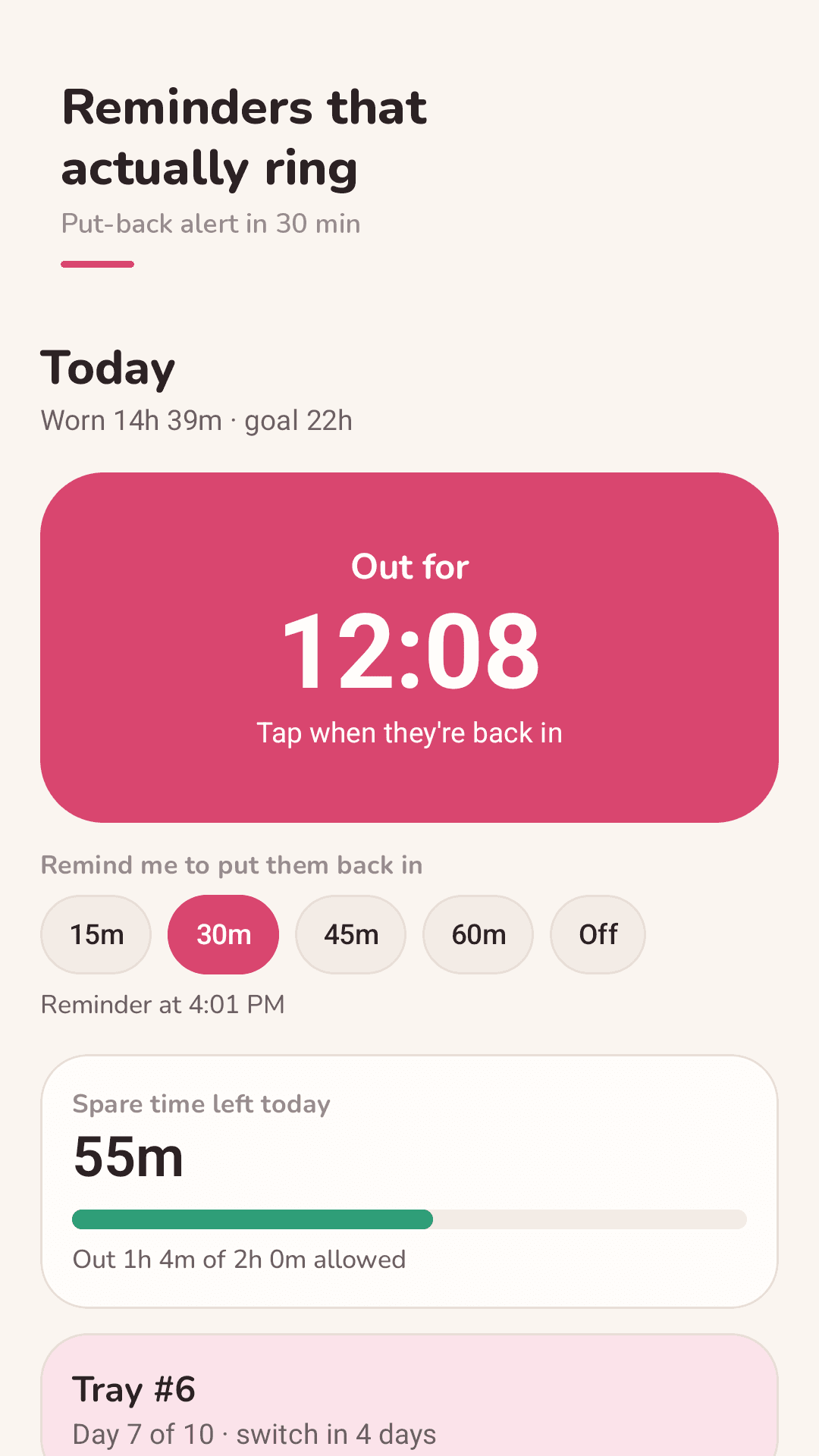
One big button
Tap when they come out, tap when they go back in. Time out starts counting and spare time left today updates.
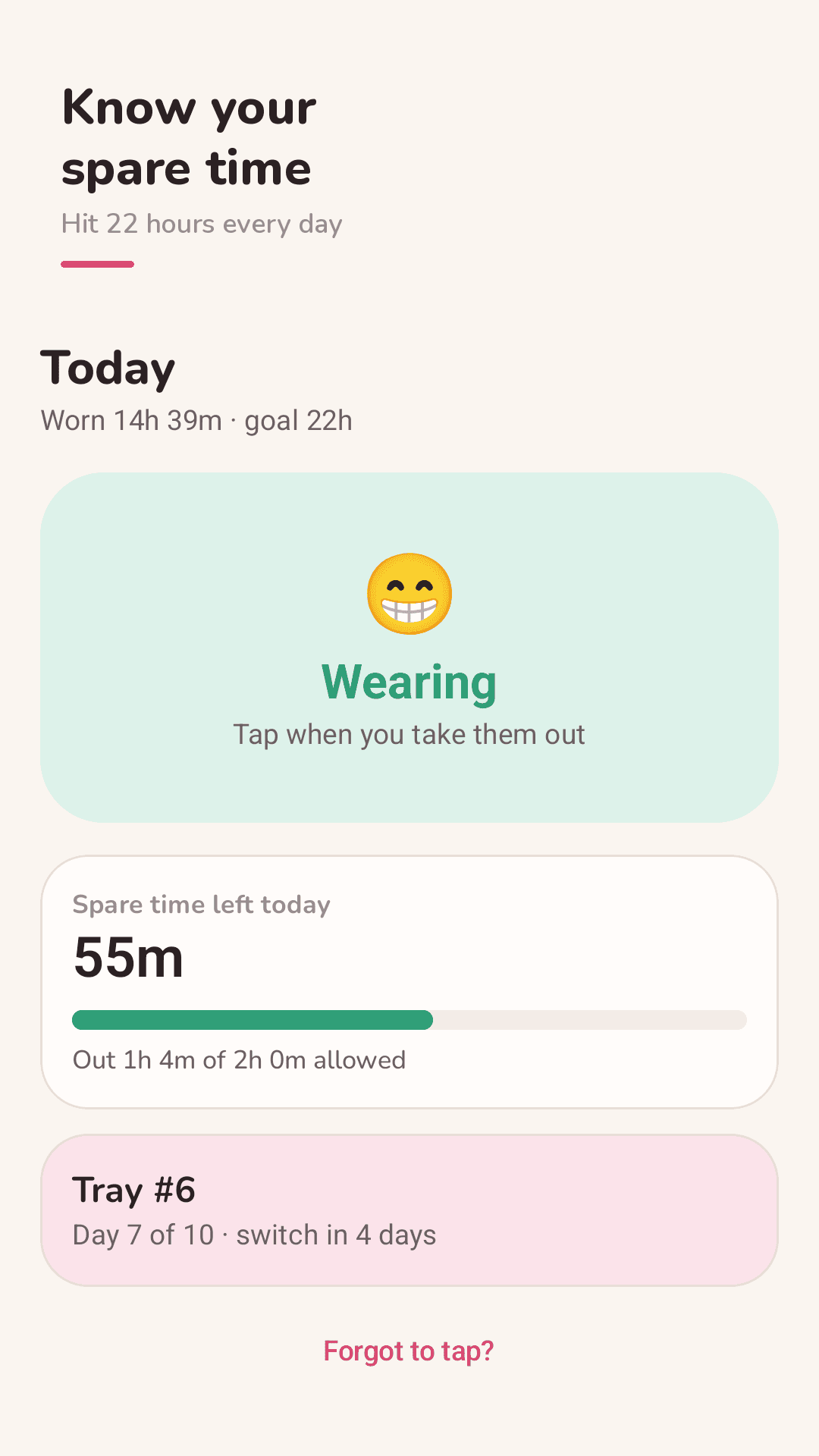
Reminders that ring
A put-back reminder at 15, 30, 45 or 60 minutes, scheduled as an exact alarm, with a 5-minute snooze. It survives a phone restart.
Live out-timer notification
"Out for 12:34" stays in your status bar, with a "They're back in" button right in the notification.
Widget that doesn't open the app
Tap the home-screen widget to switch in or out. No waiting for the app to load.
Tray schedule
Current tray, day 6 of 10, a switch-day reminder and "Start next tray" in one tap.
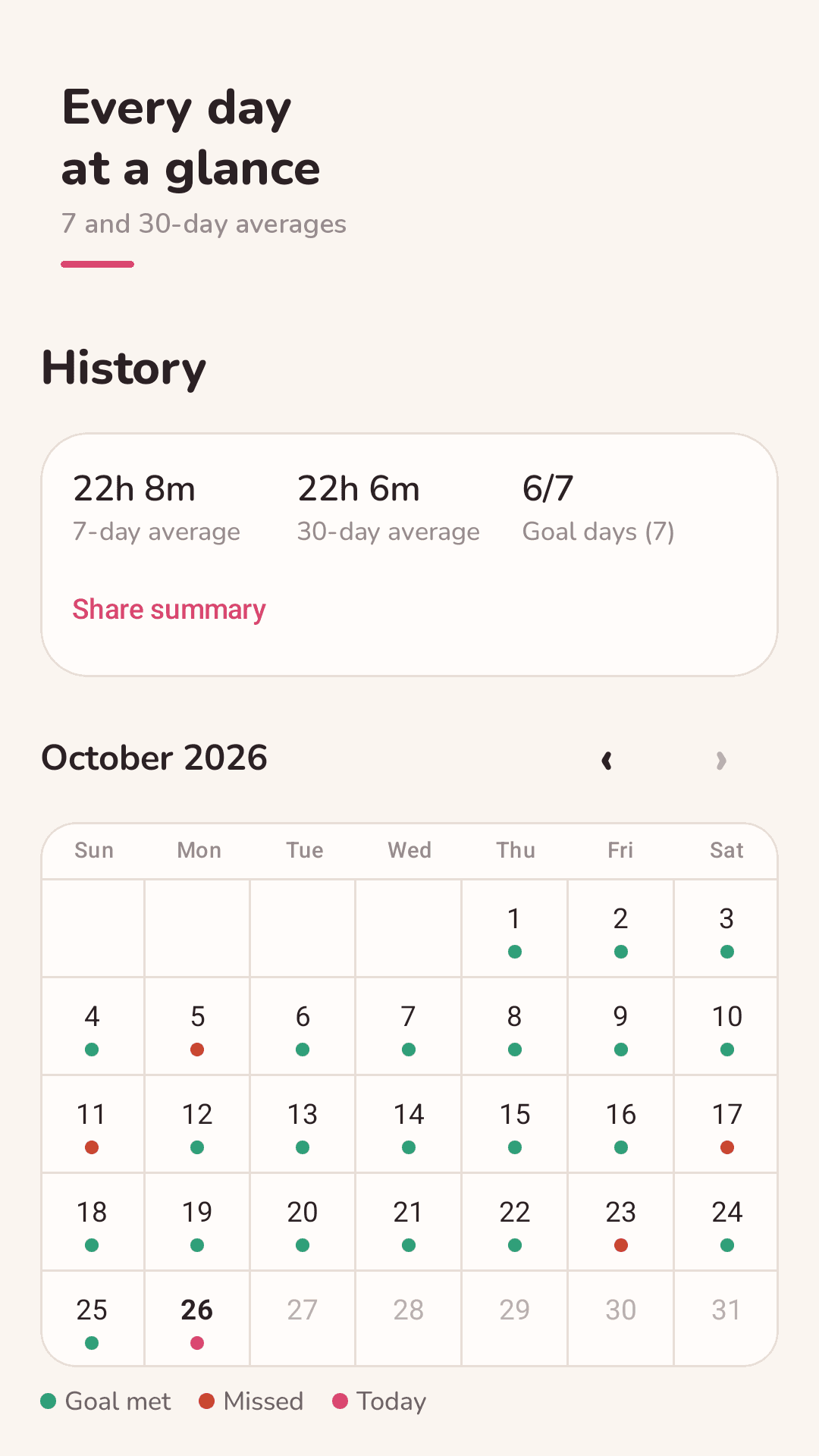
History calendar
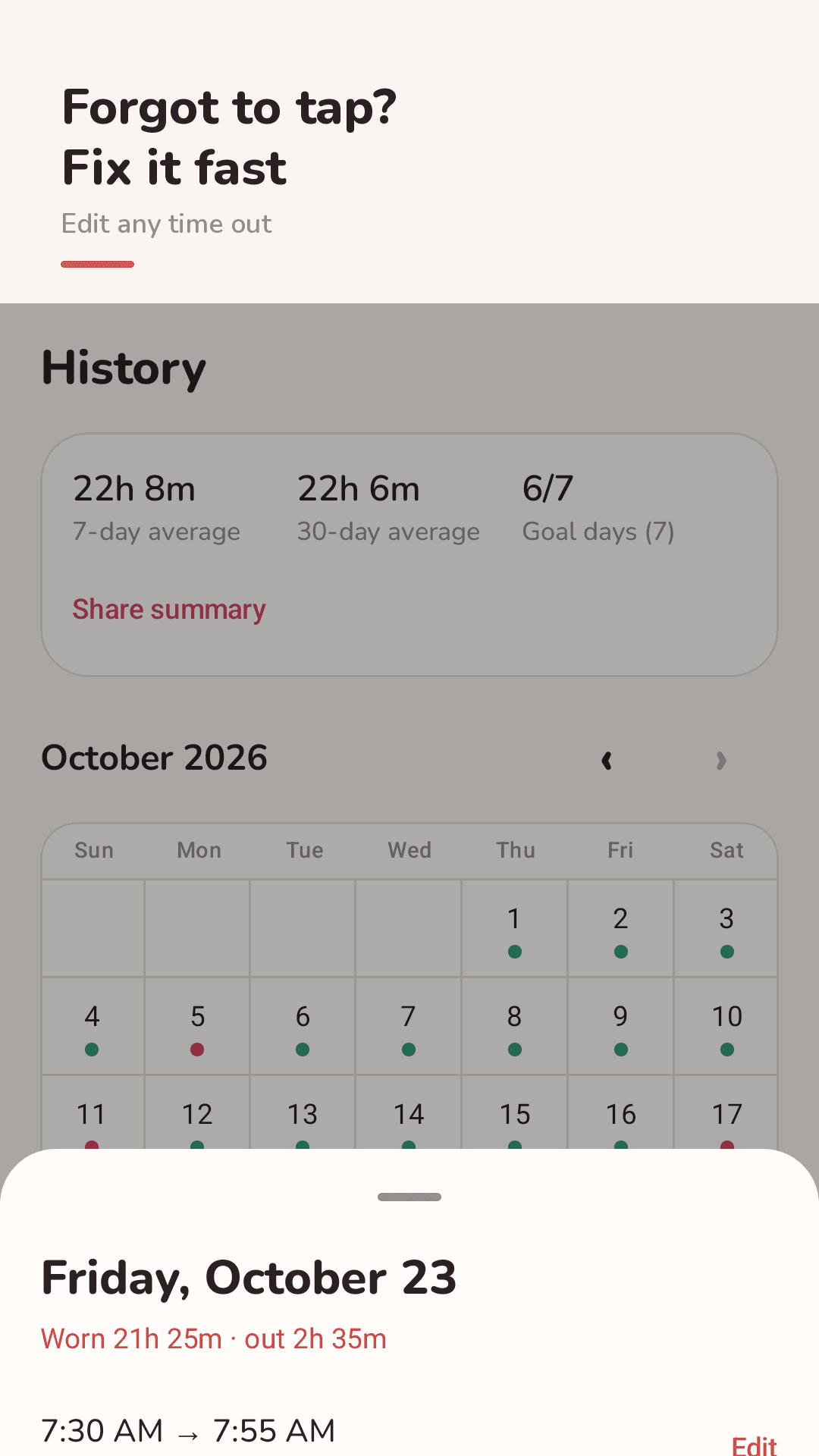
Goal met or missed dots for every day, 7- and 30-day averages. Tap a day to edit, add or delete out times.
Forgot to tap?
Pick roughly when, like "10 min ago", and your record is fixed in seconds.
Custom day start & night plan
Start your day at any hour, not only midnight. Night-only plans of 10–12 hours are supported.
See the real screens
Timer, put-back reminder, history and tray schedule
Out and in with one tap
A nudge to put them back
Every day's goal on a calendar
Your tray schedule at a glance
Three steps
Set your goal
Enter your daily goal (like 22 hours), days per tray and which tray you're on.
Tap out, tap in
Use the app or the widget. A notification counts your time out and a reminder rings on time.
Check the calendar
See which days you hit your goal and share a weekly summary as text.
FAQ
Why don't my aligner reminders go off?
Wearlo schedules put-back reminders as exact alarms. If one still doesn't ring, check that notifications are allowed, that "Alarms & reminders" is allowed, and that battery optimization isn't restricting the app. Reminders are rescheduled after a restart.
Does the day reset at midnight?
By default, yes, but you can change "My day starts at" in Settings. If you work nights or sleep late, set it to 6 AM, for example, so overnight wear counts as one day.
I forgot to tap. Can I fix it?
Yes. Use "Forgot to tap?" and pick roughly when, like "10 min ago". In History, tap any day to edit, add or delete out times.
Is the widget locked?
No. The widget, the out-timer, reminders and history are all included. The app is supported by a small banner and a few ads between screens.
Can I use it for retainers or a night-only plan?
Yes. Set a night plan of 10–12 hours as your daily goal. It works with any clear aligner or retainer schedule.
Will I lose my data on a new phone?
Not if you back up. Export a backup file in Settings and restore it on the new phone. There is no account; records stay on your phone.
Does it remind me to switch trays?
Yes. Set days per tray and Wearlo reminds you on switch day. Start the next tray in one tap.
Can I show my wear time to my orthodontist?
Share a weekly summary as text. 7- and 30-day average wear times are in History.