
DreamfoldWrite your dream the moment you wake — and never lose it.
Dream journal · Lucid dream journal
Dreams fade within minutes of waking. Dreamfold opens to a blank page with the cursor ready after a single tap. Drafts save every second while you type, and saving a backup file, restoring it, and exporting to TXT or CSV are all free — so your dream diary survives a new phone. An Android app on Google Play.
Gave up on a dream journal app?
Lost all of your documented dreams after switching phones
You need to pay just to back up your own dreams
Pressing back erased your work without even asking
The passcode lock only locks the settings, not your entries
Ads break through in the middle of typing your passcode
You work nights, but it asks about your dream at 8 AM
Dreamfold makes backup, export and lock free, and nothing interrupts you while you write
"Everything I wanted and nothing I don't"
A dream journal you can use half asleep
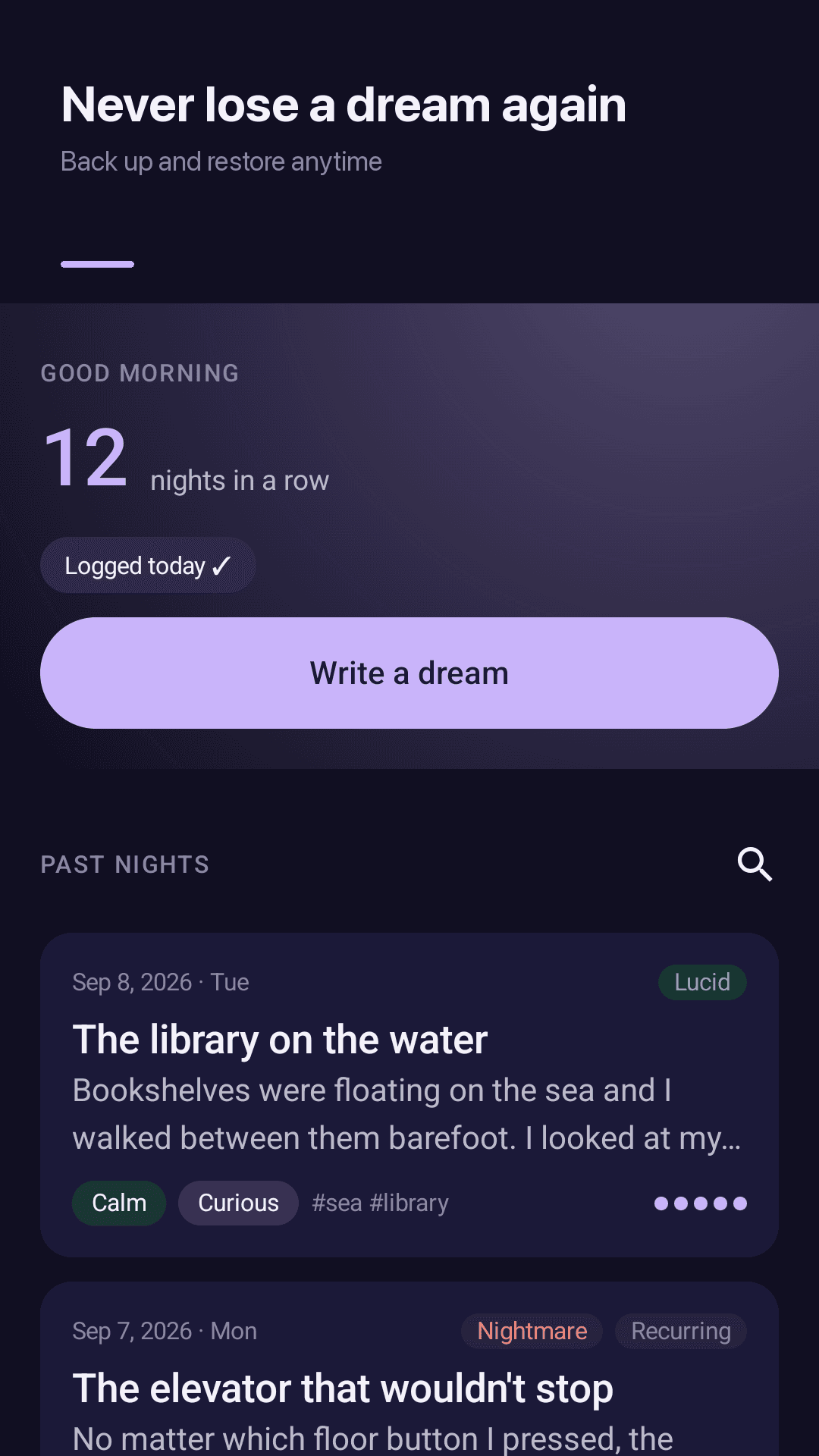
One tap to write
From the home screen or the widget straight to a blank page with the cursor ready. Add a title later, or never. Plenty of space for long dreams.
Drafts save every second
Your draft is saved every second while you type, so a bumped back button never erases your dream.
Free backup and export
Save a backup file, restore it, or export to TXT or CSV. Settings shows when you last backed up.
PIN and fingerprint lock
Lock the whole app with a 4-digit PIN and fingerprint — right away, after 1 minute or after 5. No ads while you enter your PIN.
Emotions, tags and marks
Eight emotions, tag suggestions, lucid / nightmare / recurring marks, clarity from 0 to 5, and logging for an earlier date.
Reality check reminders
Choose how many a day and between which hours. "Am I dreaming right now? Look at your hands."
Reminders on your schedule
A morning reminder at the time you actually wake, night shifts included, plus an evening MILD intention in your own words.
Dream signs and patterns
Streaks, the tags that keep coming back, emotion breakdown, lucid dream rate and a monthly log. Search by text, tag or emotion.
See it in action
Home, writing, dream signs and lucid dreaming reminders
Your streak and one Write button
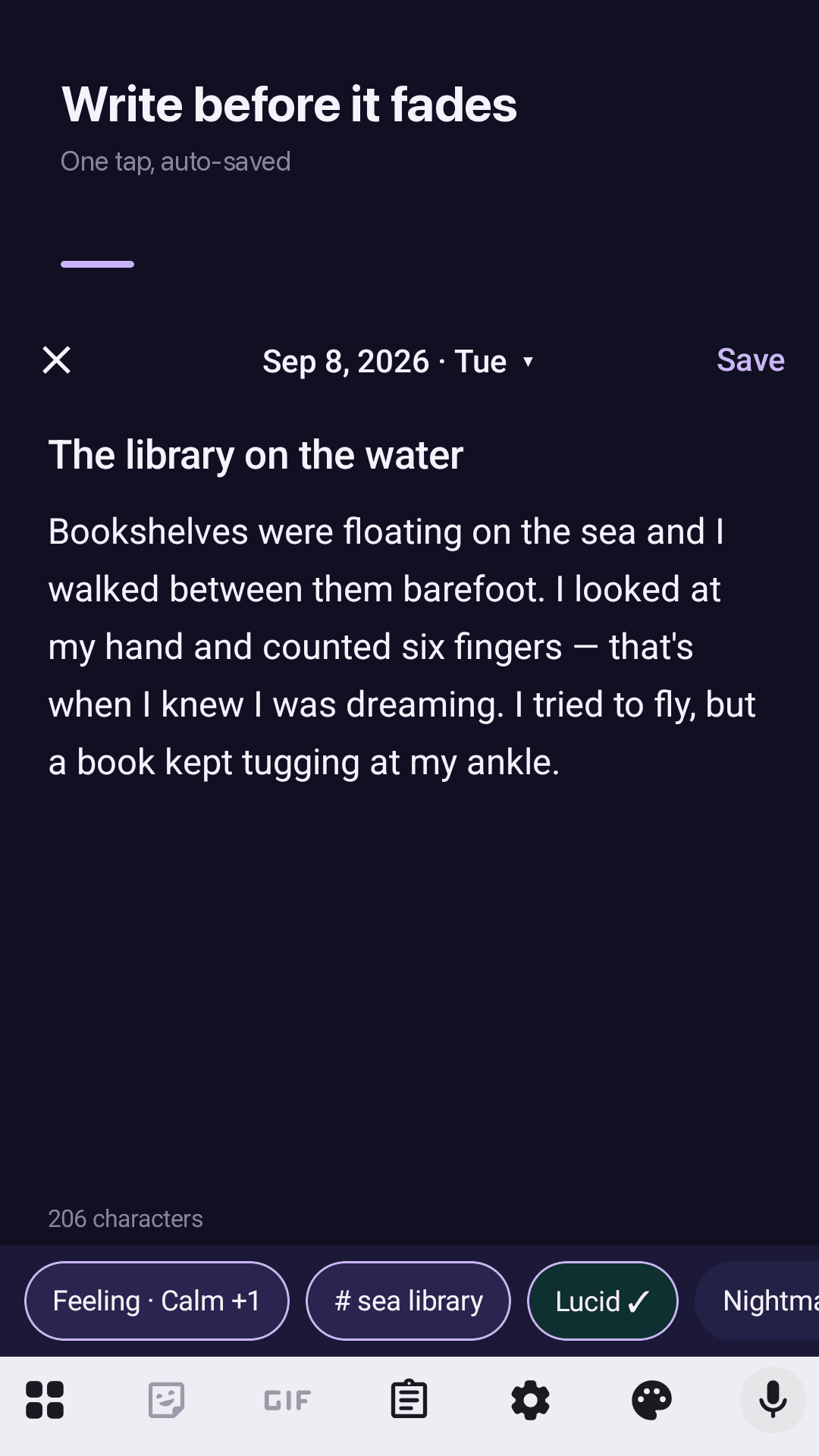
Write before it fades, auto-saved
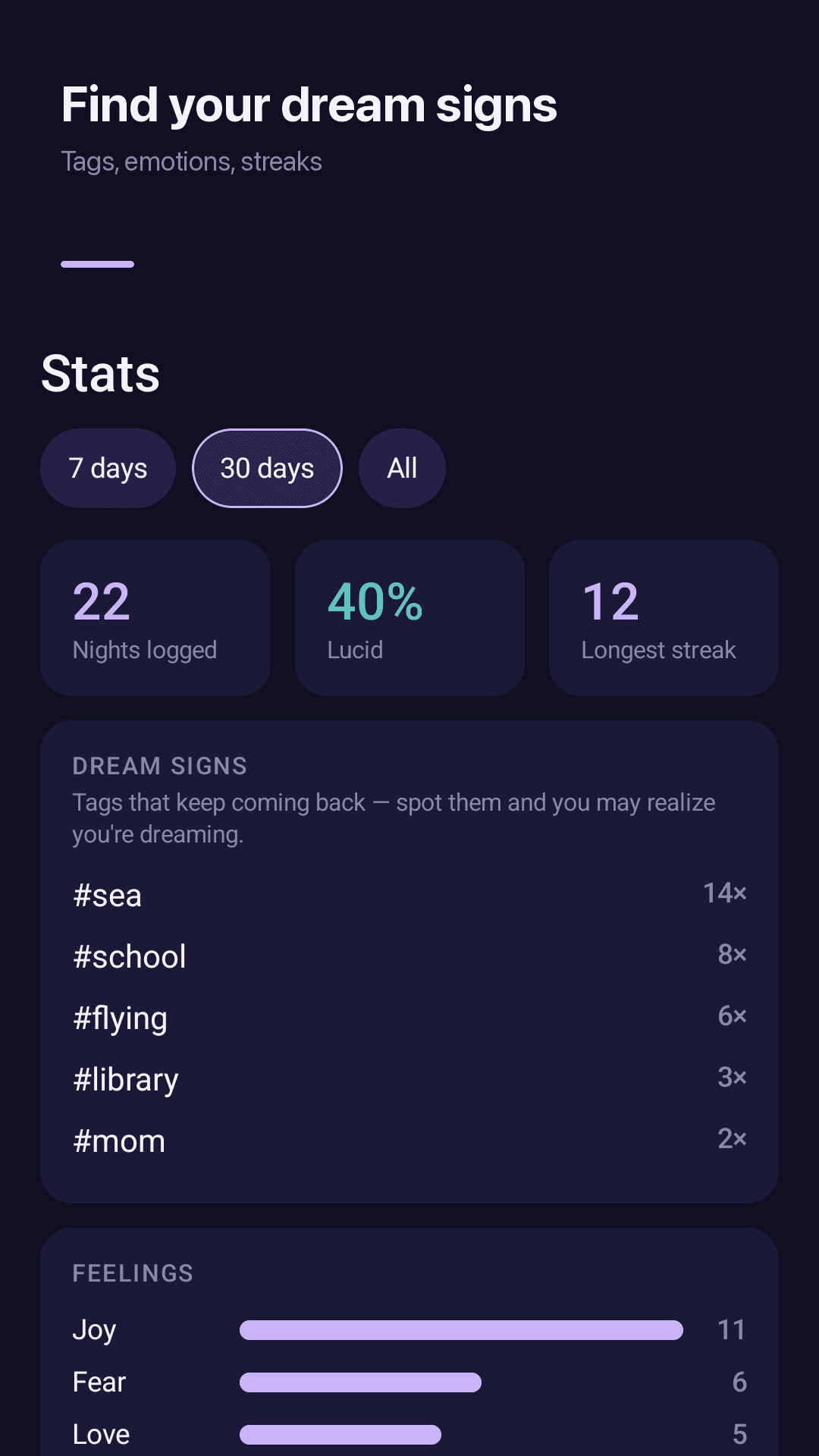
Find your dream signs
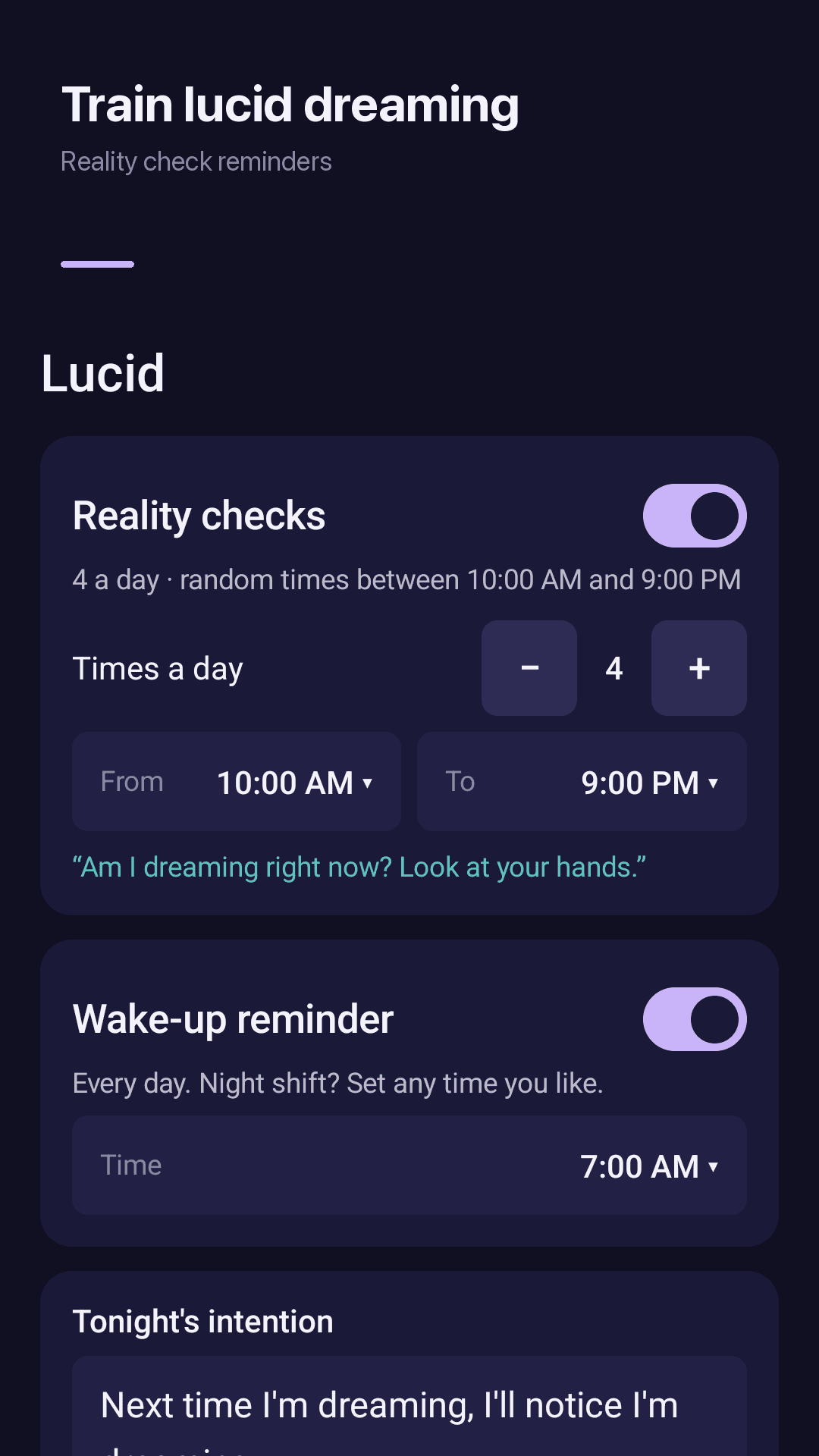
Reality checks and wake-up reminder
How it works
Tap as you wake
Tap Write a dream on the home screen or the widget. A blank page opens right away.
Write what you remember
A single scene or word is enough. Add emotions, tags and the lucid mark later if you like.
Back up now and then
Settings → Backup & export → Save backup. Restore it on a new phone and everything is there.
FAQ
Will I lose my dreams if I switch phones?
Not if you save a backup first. Go to Settings → Backup & export → Save backup, install Dreamfold on the new phone and choose Restore with that file.
Is backup a paid feature?
No. Backup and restore, TXT and CSV export, the app lock, stats and reality check reminders are all free. No account or sign-up needed.
Where are my dreams stored?
Inside the app on your phone; they are not sent to a server. Backup files and TXT/CSV exports go to a folder you choose.
Does the lock protect my entries, not just the settings?
Yes. With the lock on, the whole app asks for your 4-digit PIN or fingerprint. Choose to lock right away, after 1 minute or after 5 minutes in the background. No ads appear while you enter your PIN.
How do I set up reality check reminders for lucid dreaming?
Turn on Reality checks in the Lucid tab, then pick how many a day and a start and end time. Reminders arrive at random times in that window.
I work nights. Can I change the morning reminder time?
Yes. The wake-up reminder can be set to any time, so match it to when you actually wake.
What happens if I press back while writing?
Nothing is lost. Your draft saves every second, so you can open it again and keep writing.
Does it have AI dream interpretation or voice recording?
No. Dreamfold focuses on writing dreams fast and keeping them safe. To dictate, use your keyboard's voice typing.
Write tonight's dream before it fades
No sign-up. The more you write, the more you remember