DayfillCheck off habits from your home screen widget
No account, no subscription. Everything stays on your phone.
People delete habit apps for two reasons: "I have to open the app just to check something off", and a subscription that suddenly locks the routine they already built. Dayfill fills today's square straight from the widget, and every square lands in a monthly and yearly grid. Each habit has its own reminder time, and you drag to reorder. Every feature is free.
Why habit apps end up deleted
"I keep forgetting, because I have to open the app to check anything off"
One reminder for the whole app at 9am, which is useless for an evening habit
The feature you relied on moves behind a subscription, and your history goes with it
One square a day. Today's square is tomorrow's reason.
One minute a day, and nothing more
No plans to build, no onboarding to sit through
Check off from the widget
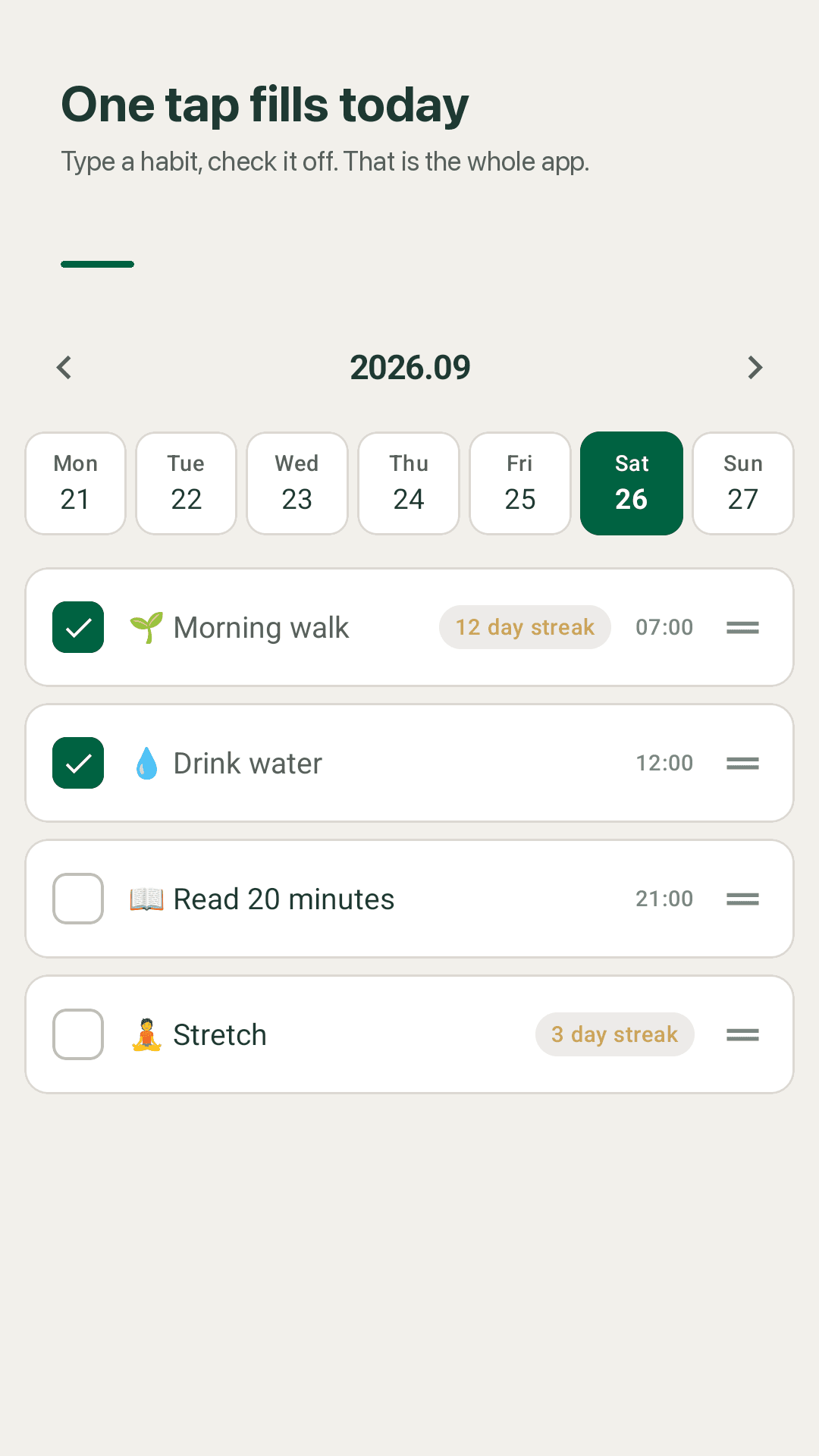
Today's habits sit on your home screen. Tap one and it's done, without opening the app, so there's no moment where you forget.
Monthly and yearly grid
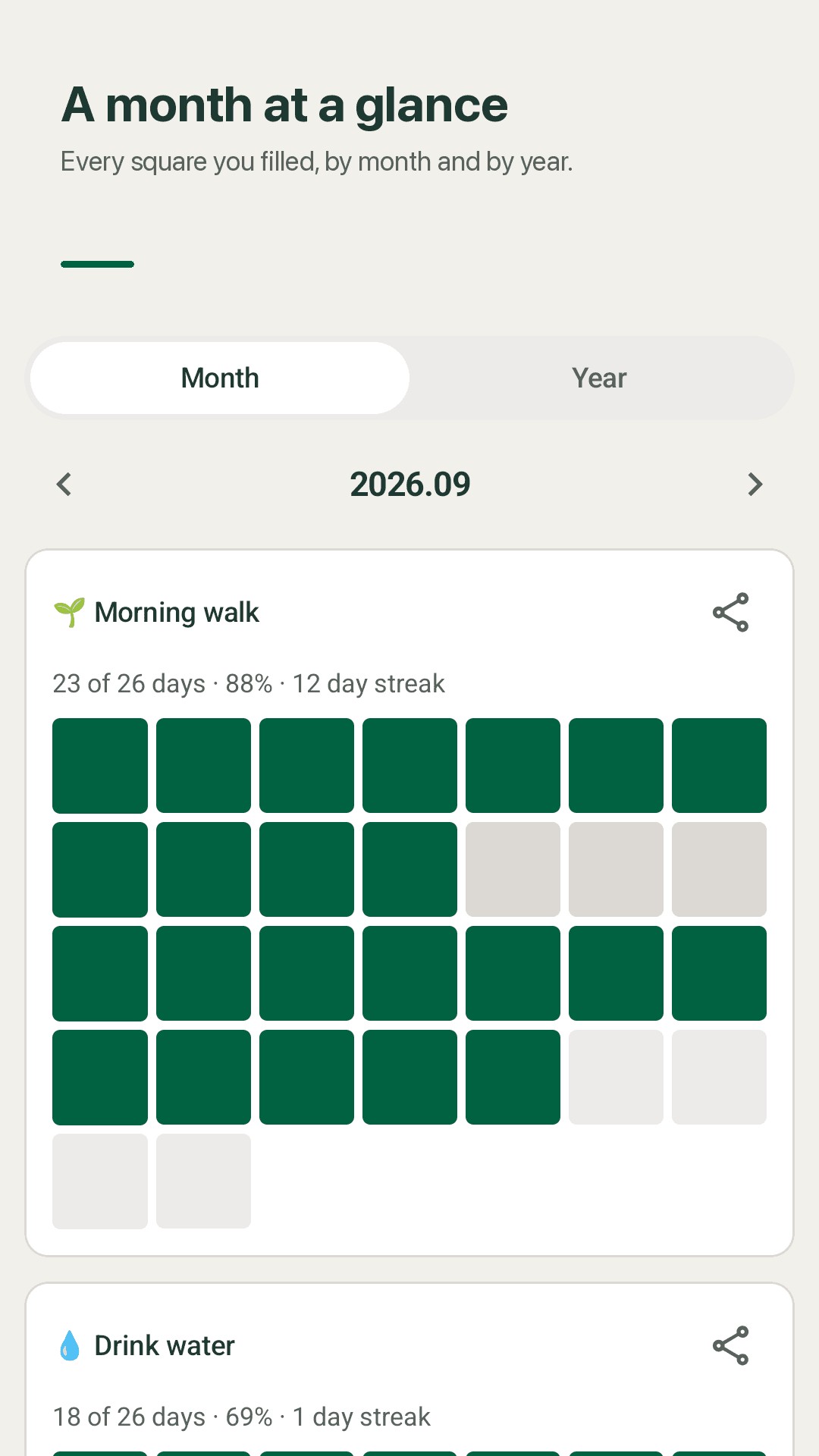
Every filled square stacks into a calendar grid. Switch between month and year to see how this month went, and how the year is going.
A reminder time per habit
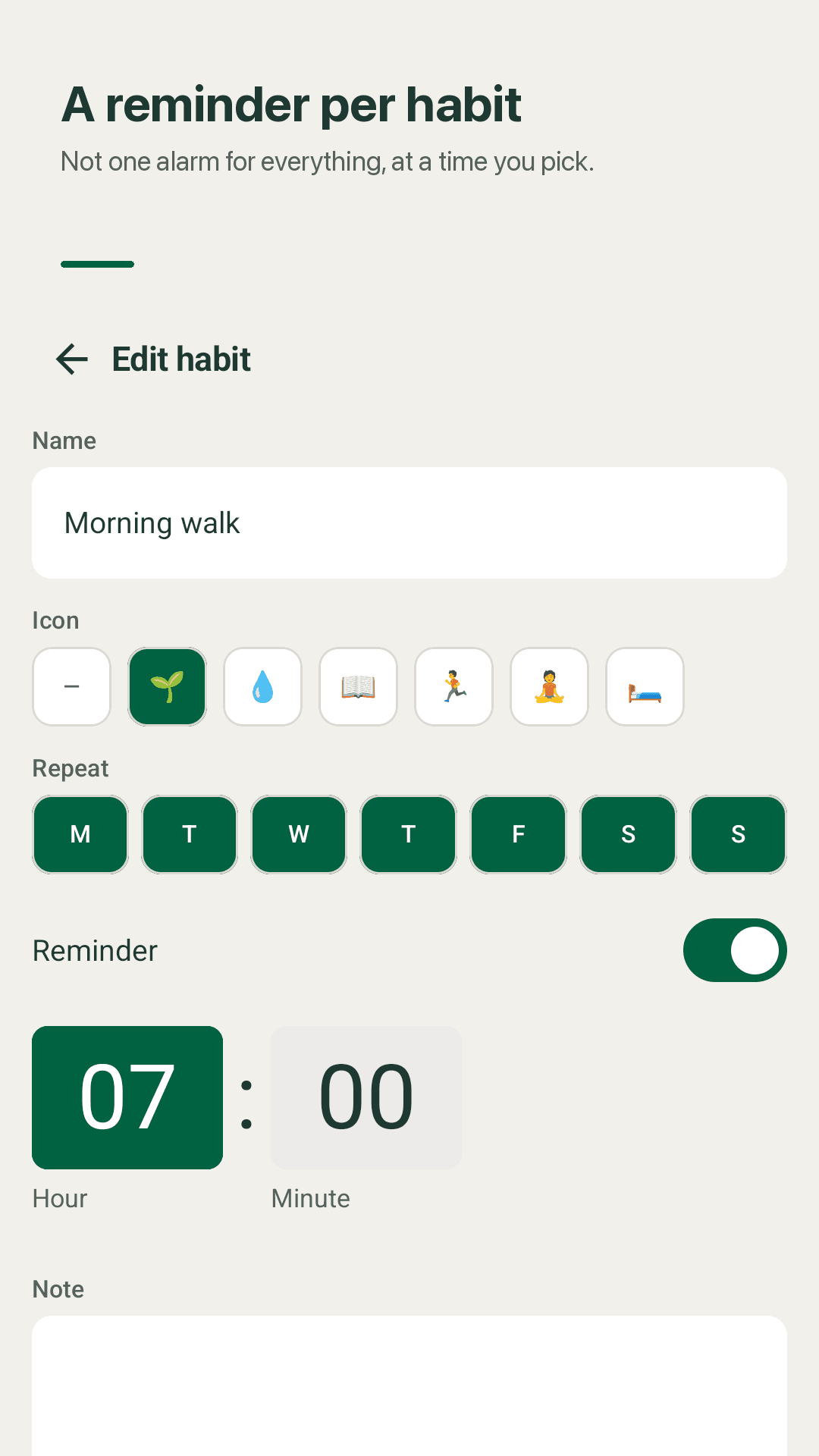
Stretching at 7am, vitamins at lunch, journaling at 11pm. Reminders are set per habit, not one alarm for the entire app.
Drag to reorder
Put habits in the order you actually do them instead of the order you added them. Long-press and drag, that's it.
Streaks and completion rate
See how many days in a row you've filled each habit and what percentage of the month you completed. Missed days aren't hidden.
Repeat on the days you choose
Every day, weekdays, or any set of days. Off days don't show up, so the list is only what today asks of you.
No account, data stays local
No sign-up, no login, no server. What you track stays on your phone and is never uploaded anywhere.
Themes, icons and notes
Give each habit an icon and a note, start the week on Monday or Sunday, and pick a light or dark theme.
Take a look
Today's checklist, the streak grid, per-habit reminders, home screen widget
Only what today asks of you
A month or a year at a glance
A reminder time per habit
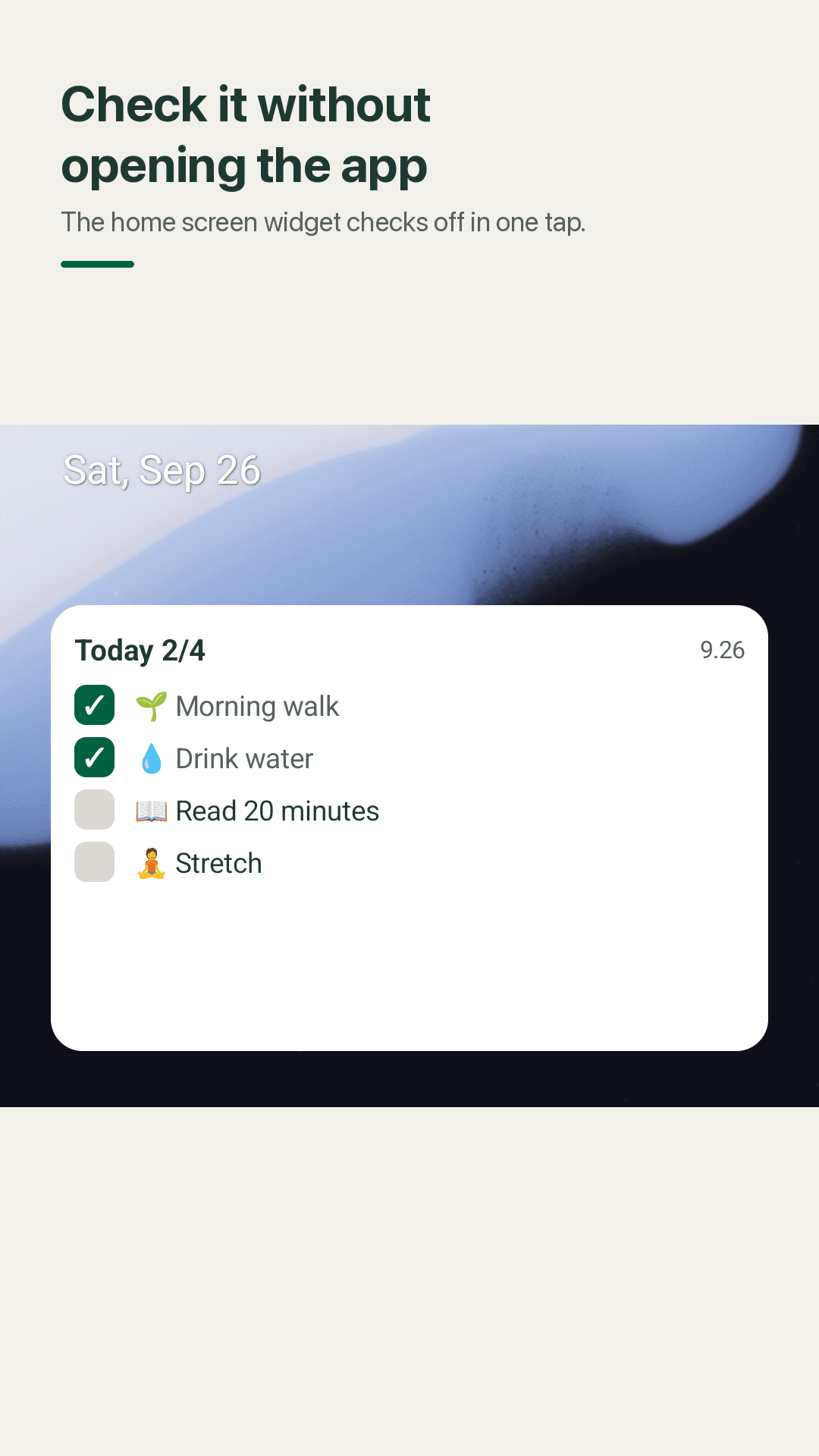
Check off from the home screen
Ready in thirty seconds
Type a habit name
No plan, no target date, no questionnaire. Type it and it's on today's list.
Put the widget on your home screen
Long-press your home screen and drop the Dayfill widget. From then on it's one tap.
Watch the squares add up
Filled squares land in the month and year grid and your streak climbs. You only ever look at today.
Frequently asked questions
Can I check off habits without opening the app?
Yes. The home screen widget lists today's habits, and tapping one checks it off in place without opening the app. The square on the widget fills immediately.
Can each habit have its own reminder time?
Yes. You set a reminder time on each habit individually, rather than one alarm for the whole app. If you don't want reminders you can decline the notification permission and everything else still works.
Can I reorder my habits?
Yes. Long-press a habit in the list and drag it. Habits don't get stuck in the order you created them.
Can I see more than one month of history?
Yes. The records screen switches between a monthly view and a yearly view, so you can see a full year of squares at once along with each habit's completion rate.
What about habits I only do on certain days?
Choose every day, weekdays, or any specific set of days. The habit only appears on the days it applies to.
Is there a subscription or a premium tier?
No. The widget, reminders, grids and stats are all free, and there is no premium tier waiting to lock what you already set up.
Is my data sent to a server? Do I need an account?
No. There is no sign-up, no login and no server. Your records are stored on your device only.
If it's free, what about ads?
The app is supported by ads, but checking off or adding a habit never triggers one.
Fill today's square now
Thirty seconds to your first habit. No account, no subscription.