
ClasstileYour next class at a glance
Colorful weekly timetable · 5-minute times · Widget
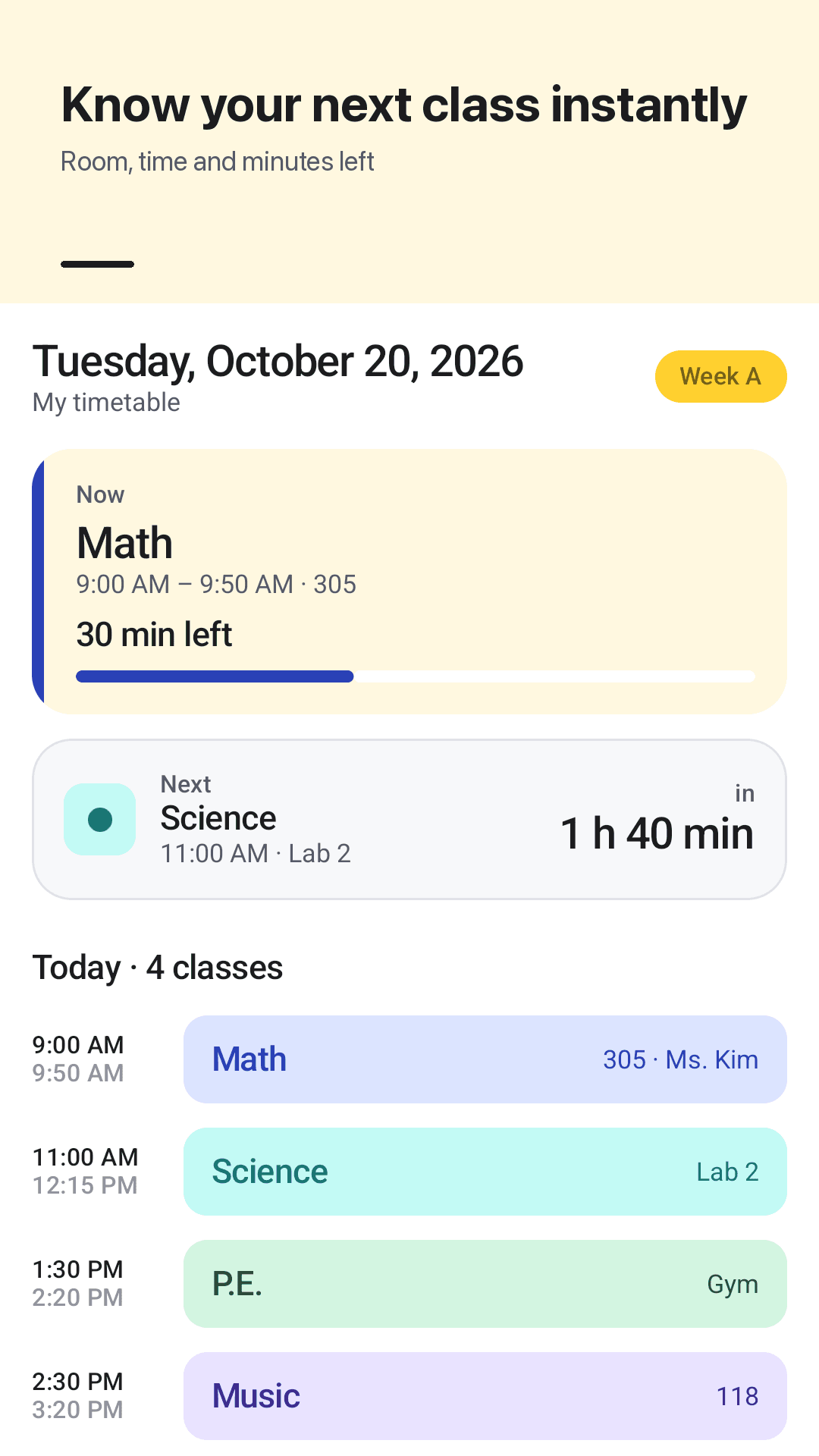
Classtile is an Android class timetable that shows the class you're in, the minutes left, and your next class and room the moment you open it. Pick a color for each subject, set exact times like 8:35 in 5-minute steps, and check your next class from a home-screen widget.
Why timetable apps get deleted
"It won't even open on my new phone"
"I would put 2:30 and it would come out 14:150"
"Giving 30 minute intervals" when classes start at 7:35
"Can't choose my own color. It randomly generates colors"
"No Saturday and Sunday", and the widget "keeps starting on Monday"
"My next class widget isn't working"
Two kids, but only one timetable
No way to enter a schedule that alternates every other week
Classtile gives you 5-minute times, your own subject colors, any days, multiple timetables, A/B weeks and a next class widget for free
Everything a timetable you open every day needs
Today view, colorful weekly grid, exact times, widget
Today: now and next
The class you're in and minutes left, your next class with a countdown and room, today's list and upcoming tasks on one screen.
Colorful weekly timetable
Tap an empty slot to add a class. Same subject, same color, picked from 12 sticky-note colors.
Overlaps side by side
Classes that overlap sit side by side in the same slot instead of hiding each other.
Any days, any start
Mon–Fri, add Saturday, or all 7 days. Start the week on Monday or Sunday, and the widget follows the same setting.
Exact 5-minute times
Set start and end times like 8:35 or 13:45 in 5-minute steps. 12- or 24-hour clock, and repeat on several days at once.
Multiple timetables
One per semester or one per child. Duplicate a timetable and edit only what changed.
A/B weeks
For schedules that alternate every other week, enter week A and week B and see this week's classes automatically.
Tasks, widget, reminders
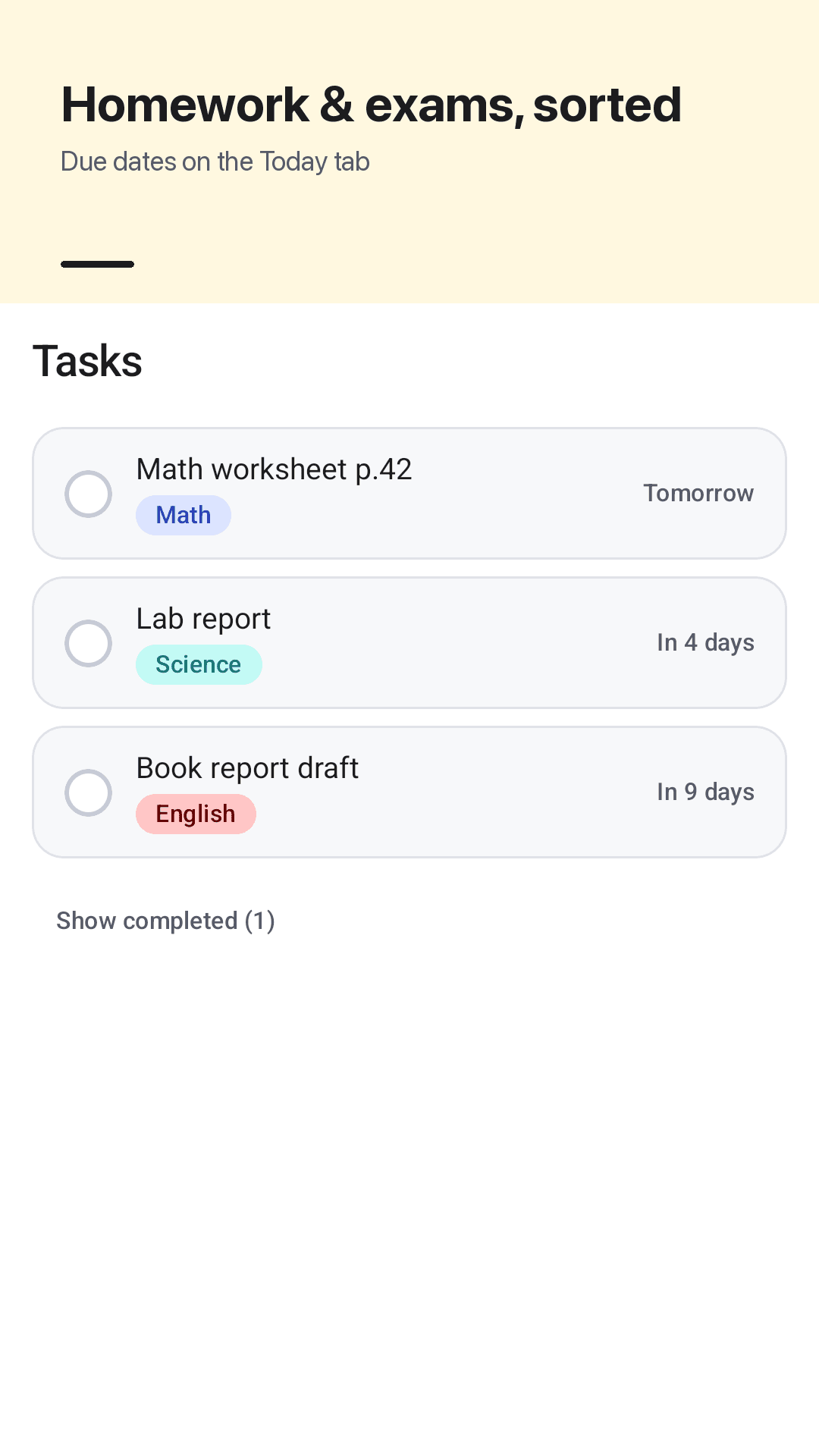
Homework and exams with due dates, a next class widget, and an optional morning summary and evening heads-up.
See it in action
Today, weekly grid, add a class, widget
Your next class at a glance
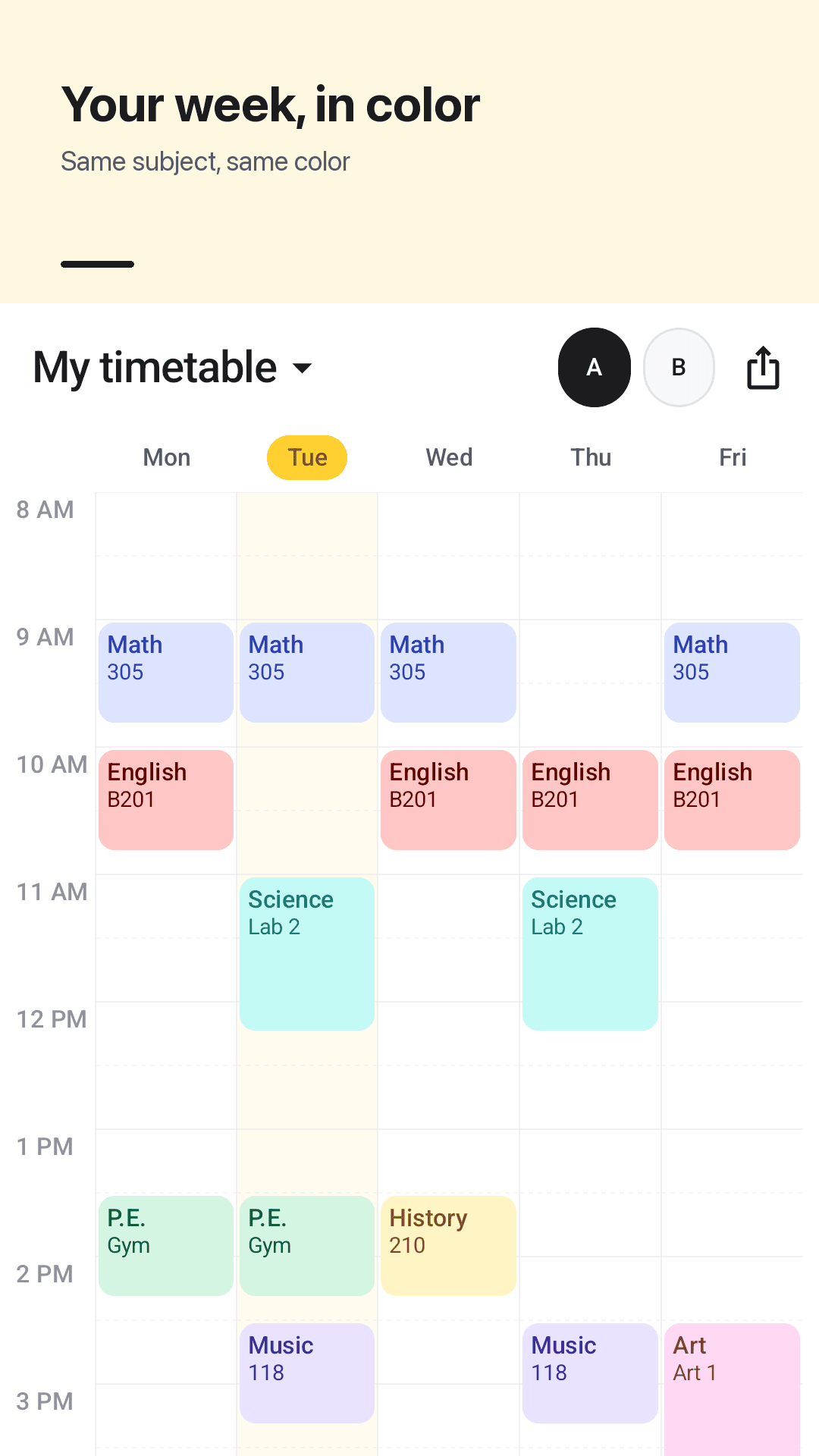
A weekly timetable in color
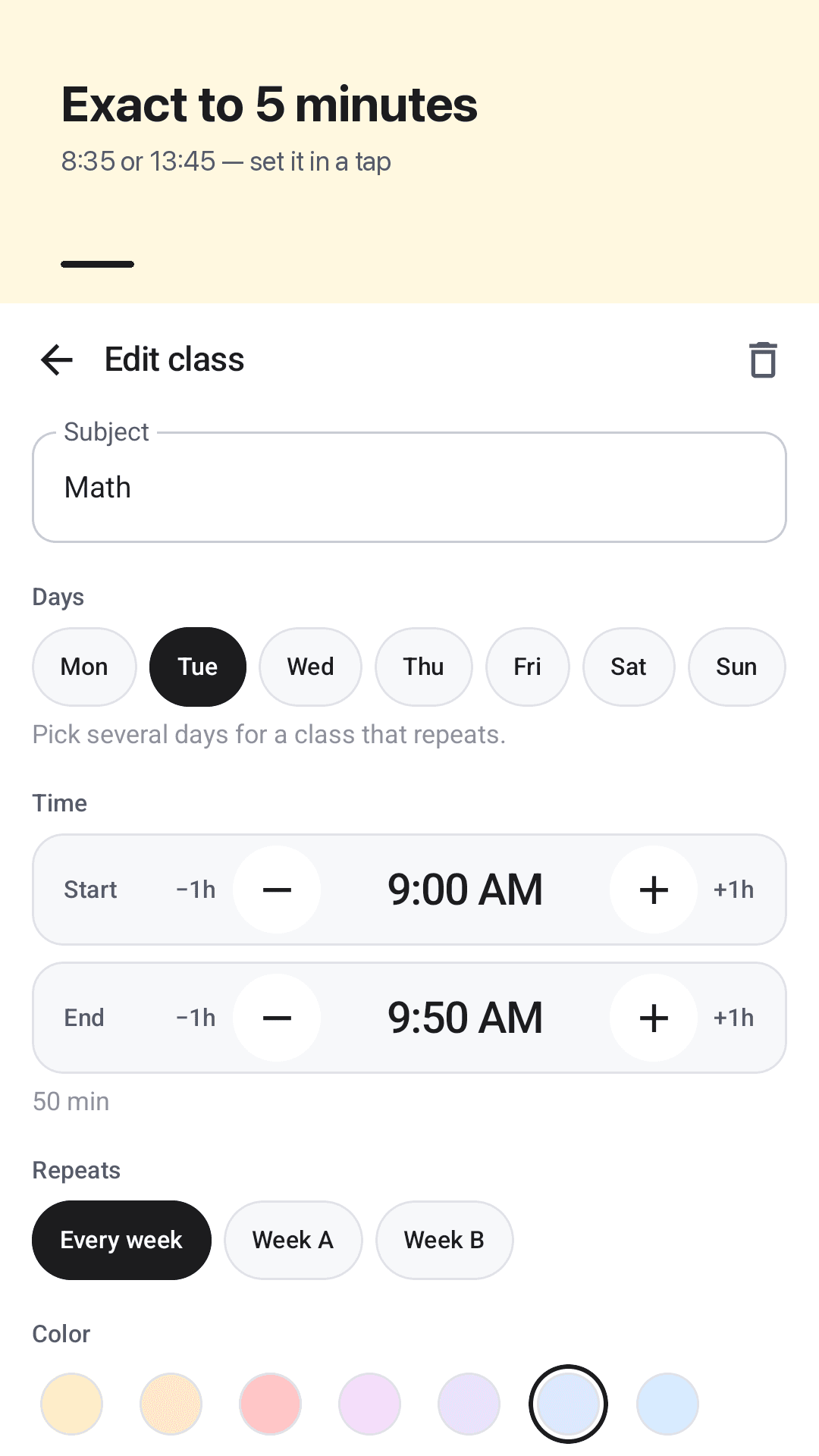
Exact times in 5-minute steps
Next class on your home screen
How it works
Tap a slot to add a class
Enter the subject, pick one or more days, set start and end in 5-minute steps, and choose a room and color.
Your week fills in
Same subject, same color. Change which days show and which day starts the week in Settings.
Check Today or the widget
Open the app or glance at the widget to see your current class, your next class and the room.
FAQ
Can I set times like 7:35 instead of 30-minute steps?
Yes. Start and end times move in 5-minute steps, so 7:35, 8:35 or 13:45 go in exactly as your school lists them.
Is there a next class widget?
Yes. Add the next class widget to your home screen to see the subject, how long until it starts and the room without opening the app.
Can I change the color of each class to what I want?
Yes. Pick from 12 colors, and every class of the same subject uses the same color automatically.
Does it have Saturday and Sunday?
Yes. Show Mon–Fri, add Saturday, or show all 7 days, and start the week on Monday or Sunday.
Can I keep a separate timetable for each of my kids?
Yes. Create as many timetables as you need, one per child or one per semester, and switch between them.
Can I copy my timetable for the next semester?
Yes. Duplicate a timetable in Settings, then edit only the classes that changed.
Does it support A/B or alternating weeks?
Yes. Turn on A/B weeks, assign classes to week A or week B, and the Today tab and widget show the classes for the current week.
Do I need an account? Does it work offline?
No account or sign-up. Your timetable stays on your phone and works offline. Only ads use a connection.