
WeekjarFill one cell a week. Have a pile of savings next year.
52 week savings challenge · 100 envelope challenge
Put the money aside, tap the cell. That's it. The classic 52 week challenge ($1 in week 1 … $52 in week 52) adds up to $1,378 in a year. Fill cells in any order: a small one in a tight week, a big one when a bonus comes in. Also the 100 envelope challenge, a reverse challenge that starts big, and your own goal with the amount per cell worked out for you. An Android app on Google Play.
Gave up on a 52 week challenge app?
It only lets you check weeks in order — you can't pick a smaller one in a tight week
The currency is stuck, so you end up saving in someone else's money
An ad the moment you open it, and another on every tap
No reminders, so whole weeks slip by
An update erased every entry
Fixed at 52 weeks, so you can't save on your biweekly or monthly payday
Weekjar lets you fill cells in any order, and nothing interrupts a tap on a cell
"When it is on paper I end up losing it"
A savings challenge you can watch fill up, one coin at a time
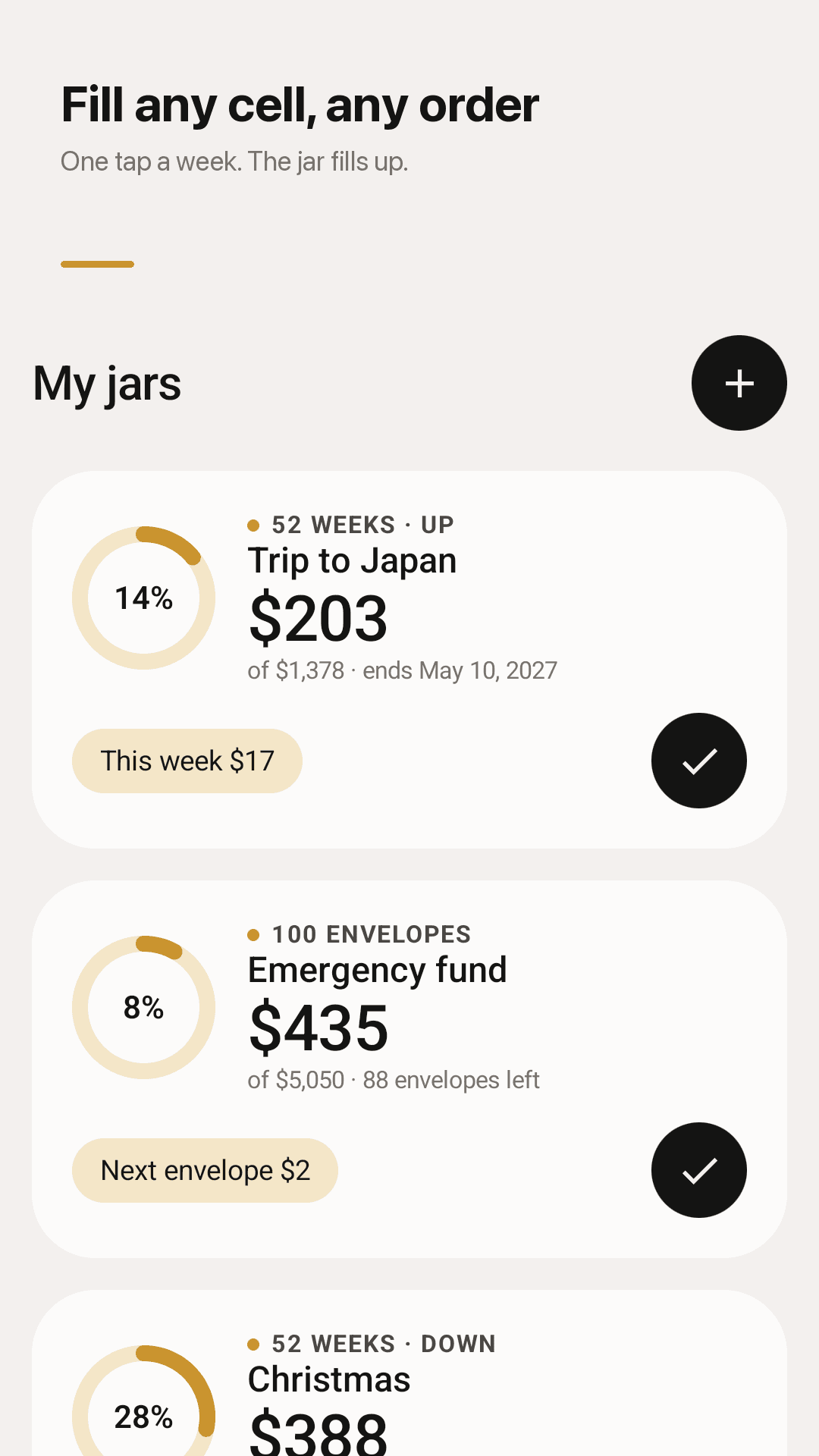
Any cell, any order
Tap to fill, tap again to empty. Small cells in tight weeks, big ones after a bonus. Long-press to record the amount you actually put in.
52 weeks up or down
$1 in week 1 to $52 in week 52 ($1,378), or start at $52 and finish with $1 so December is light.
100 envelope challenge
Pick any envelope from 1 to 100 — $5,050 when it's full. Filter to the envelopes that are left.
Your own goal
Enter a goal and a number of cells and Weekjar works out the amount per cell. Weekly, every 2 weeks or monthly — match your payday.
Your currency, your amounts
Follows your phone's currency and can be changed per jar. Multiply ×2, ×5 or ×10 to save more.
Reminders without nagging
Only when a new cell opens and on its last day. Quiet on the other days.
One-tap widget
This week's amount on your home screen. Fill the cell with ✓ without opening the app.
No account, backup file
No login, no bank link, stored on your phone. Export a backup and import it on a new phone.
See it in action
Your jars, the coin grid, 100 envelopes and a new challenge
Fill any cell, any order
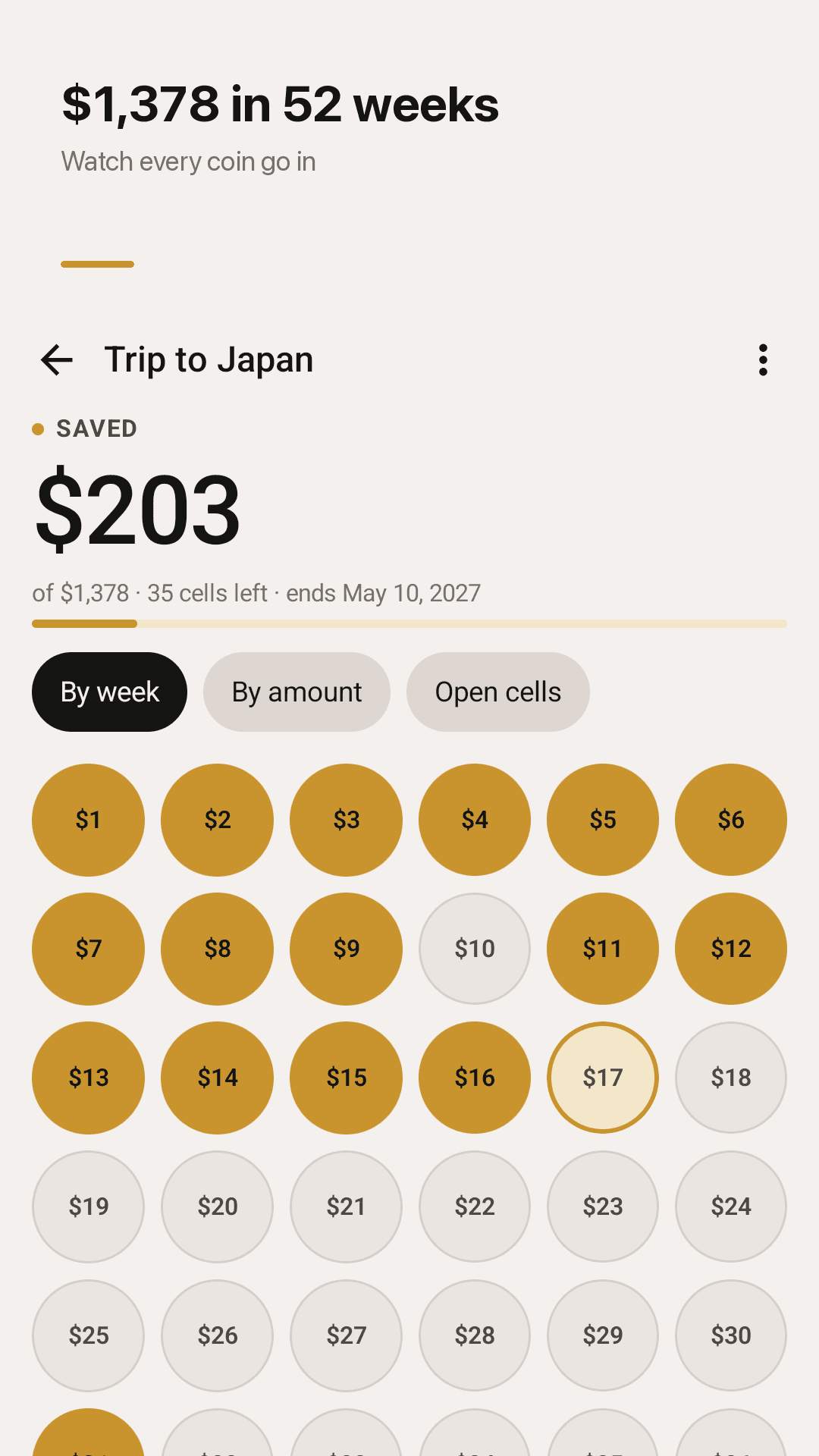
$1,378 in 52 weeks, coin by coin
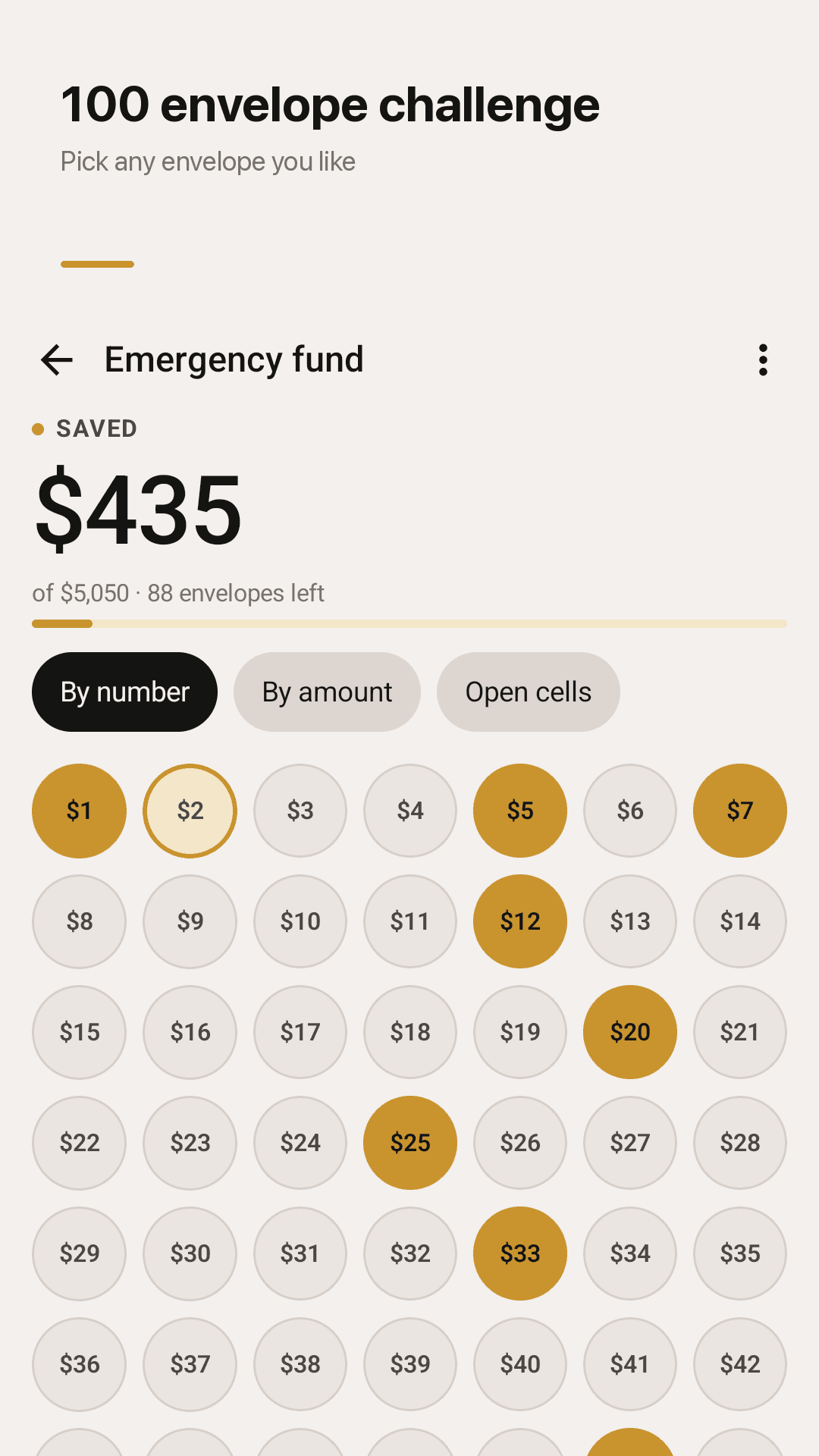
The 100 envelope challenge
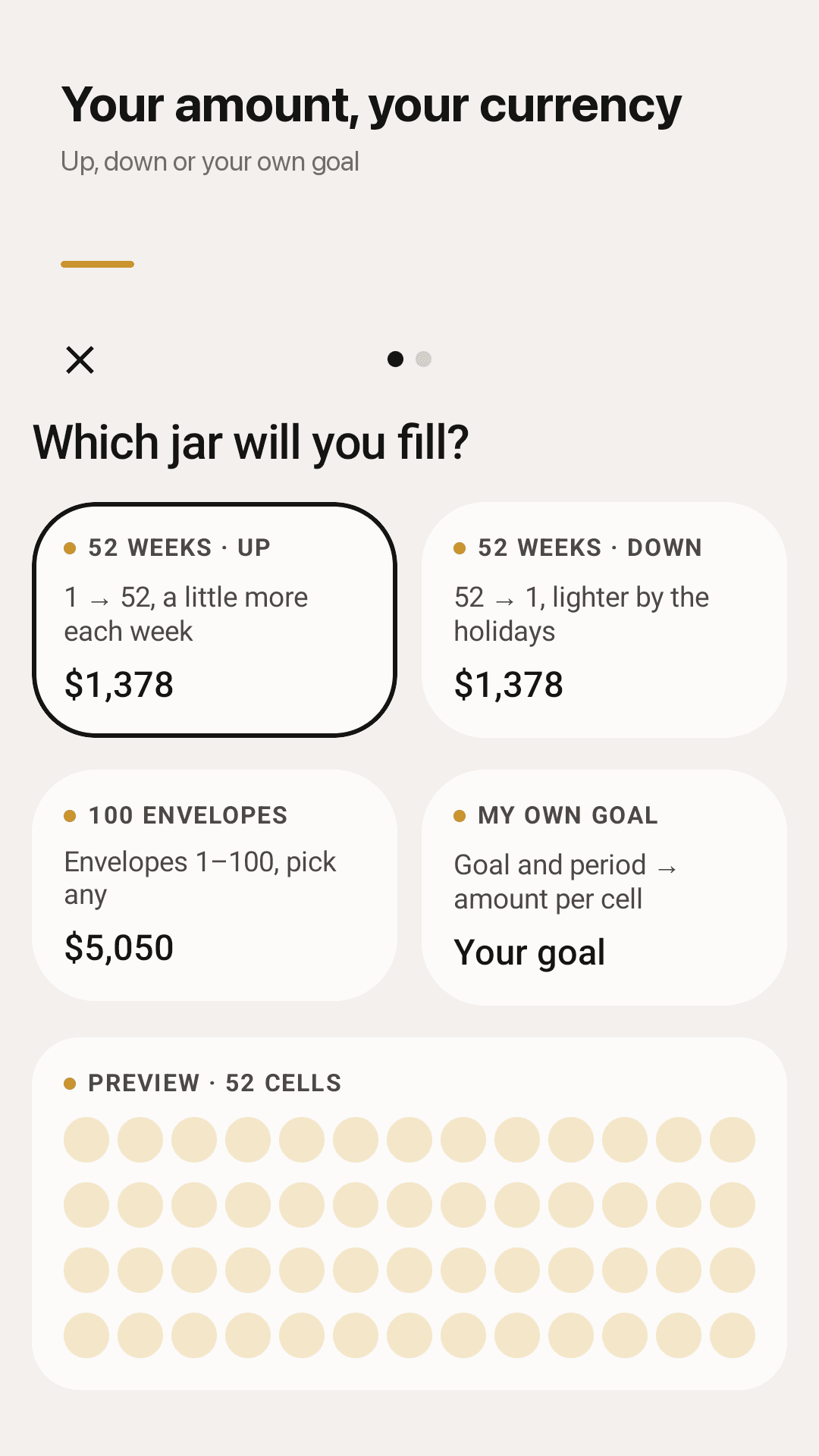
Up, down, 100 envelopes or your own goal
How it works
Pick a jar
52 weeks up or down, 100 envelopes or your own goal. Set a name, the first cell amount and a start date.
Set the money aside
Into your own savings account or an envelope. Weekjar never moves money — it's your tracker.
Tap the cell
With ✓ on the home screen, any cell in the jar, or the widget. Milestones at 25, 50, 75 and 100%.
FAQ
What is the 52 week money challenge and how much will I save?
You save $1 in week 1, $2 in week 2 and so on up to $52 in week 52 — $1,378 in a year. Multiply it ×2, ×5 or ×10 to save more.
Do I have to check the weeks in order?
No. Fill any cell in any order. The ✓ on the home screen fills this week's cell, or the first open one if this week is already done.
Can I change the deposit amounts?
Long-press a cell to record what you actually put in. To set your own amounts from the start, use 'My own goal' with a goal amount and a number of cells.
I get paid every two weeks or monthly. Will it work?
Yes. 'My own goal' lets you choose weekly, every 2 weeks or monthly.
Can I use my own currency?
Weekjar uses your phone's currency automatically, and you can pick another currency when you create a jar.
Does it connect to my bank?
No. Weekjar never moves money and needs no account. The money goes into your own savings account or envelope; the app just tracks it.
Will I lose my progress on a new phone?
Use Settings → Export backup to save a file, then Import backup on the new phone.
Will it spam me with notifications?
Only on the morning a new cell opens and on the evening of its last day. You can turn reminders off in Settings.