SnipCutCut a video in 30 seconds
Cut, join, caption, save. No watermark.
Trim a clip before sending it. Join two takes. Put a caption on a short. SnipCut is for the 30-second job, not a 6-hour timeline. Cut-only edits are saved without re-encoding at original quality, and an ad never interrupts editing.
Sound familiar?
It said free, then the saved video had a watermark in the corner
One trim and my 1080p video came out at 360p
Export froze at 40%, and after three ads the app crashed
SnipCut: zero watermark, zero quality loss, zero ads while editing ✨
The basics, done right
Reliable saves instead of flashy features
Trim with handles, split at the playhead
Drag the handles on the frame strip, scrub to the exact moment, split with one tap. Undo brings back a deleted clip.
Original quality
Cut-only and join-only edits are saved without re-encoding: pixel-identical, done in seconds. Everything else exports at 1080p.
Join clips into one
Pick several videos, long-press to reorder, save as one file. Rotate and mute per clip.
A caption in 3 seconds
Tap '+ add caption', type, done. Move it, resize it, pick a color and outline. Burned in on export.
Your own music, with fade
Add any audio file from your phone, set the volume, fade in and out. Mute the original if you want.
Shorts and story framing
9:16, 16:9, 1:1, 4:5. A home screen widget starts a new cut or reopens your last project in one tap.
See the real screens
Cut → caption → save, 30 seconds
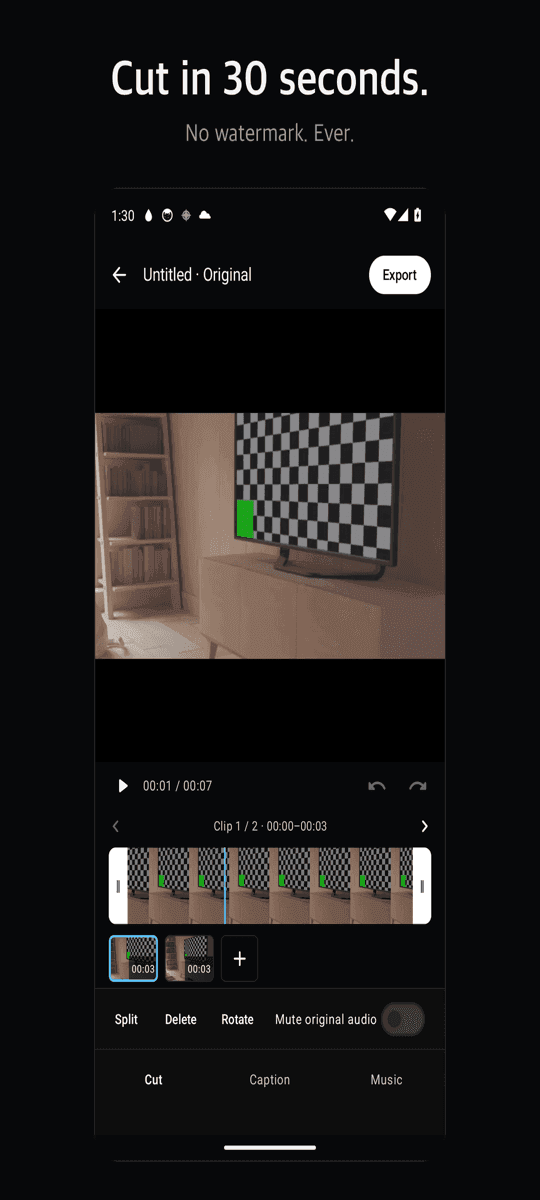
Handle trim and split
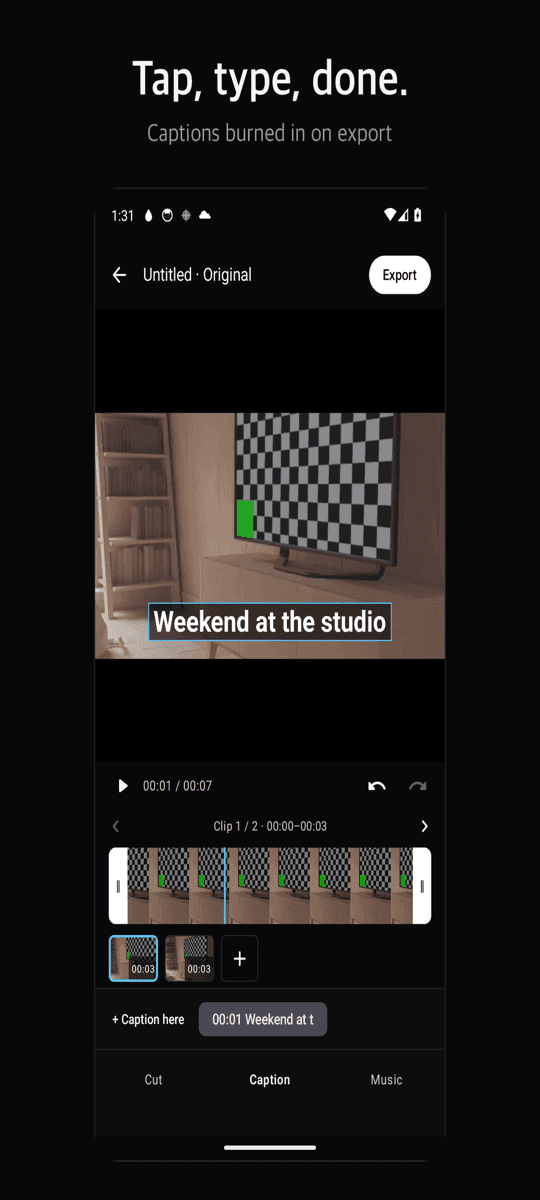
Add a caption
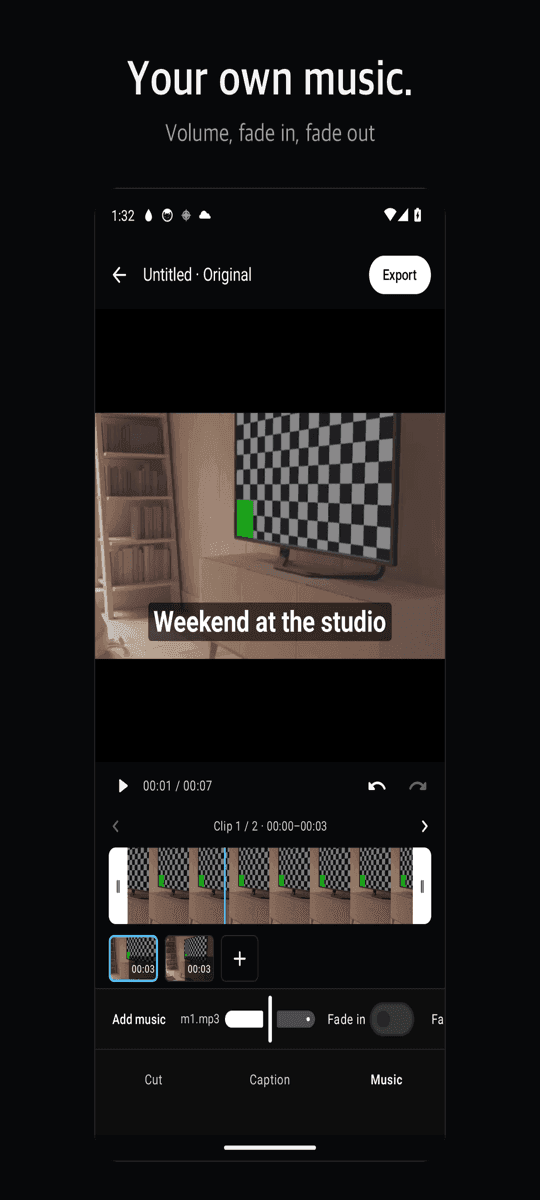
Your music with fade
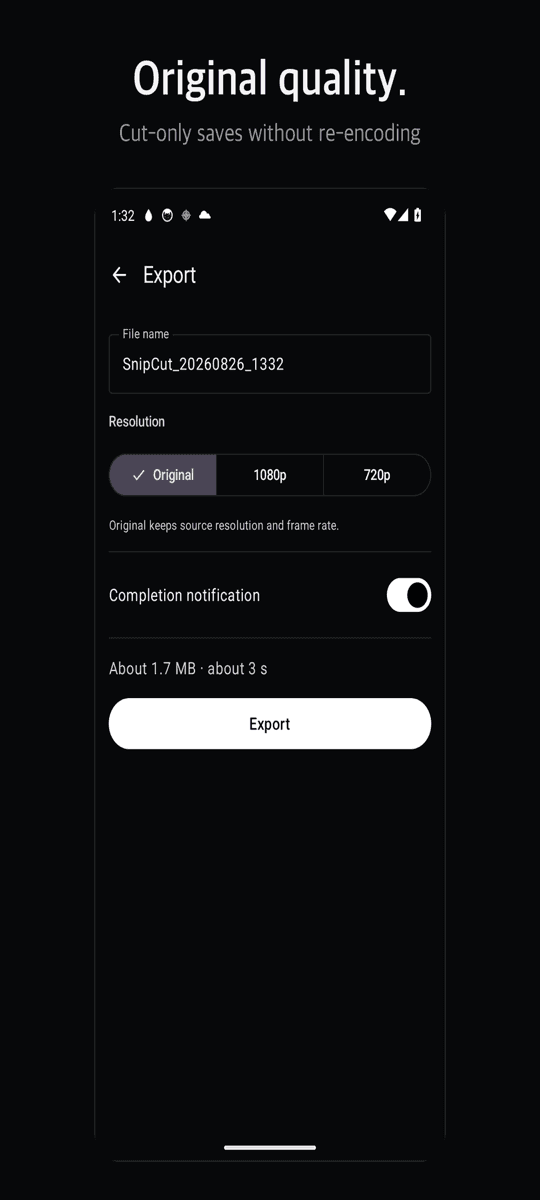
Save without re-encoding
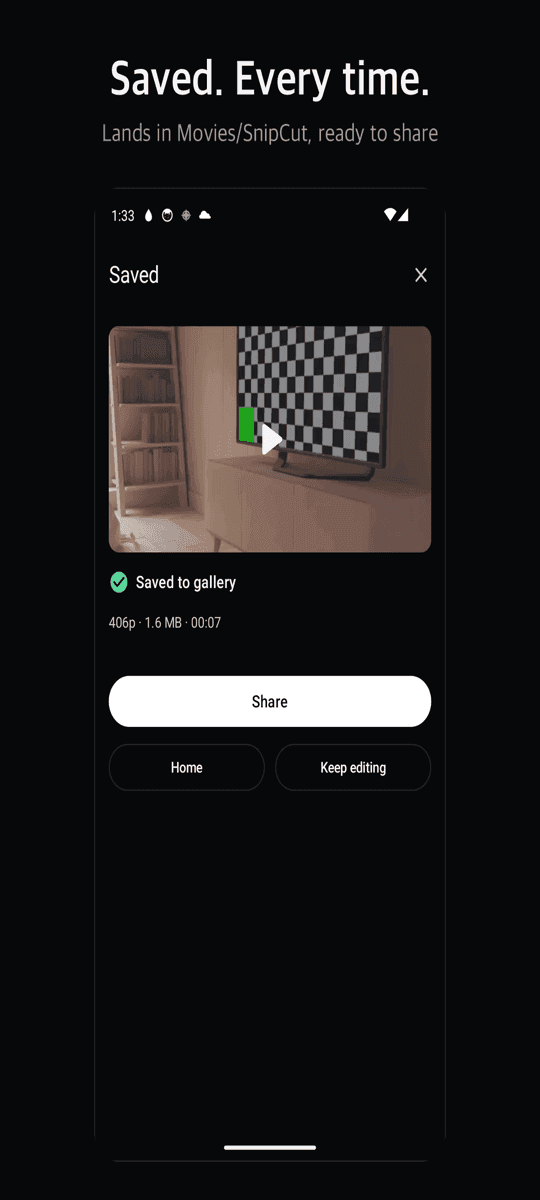
Saved to Movies/SnipCut
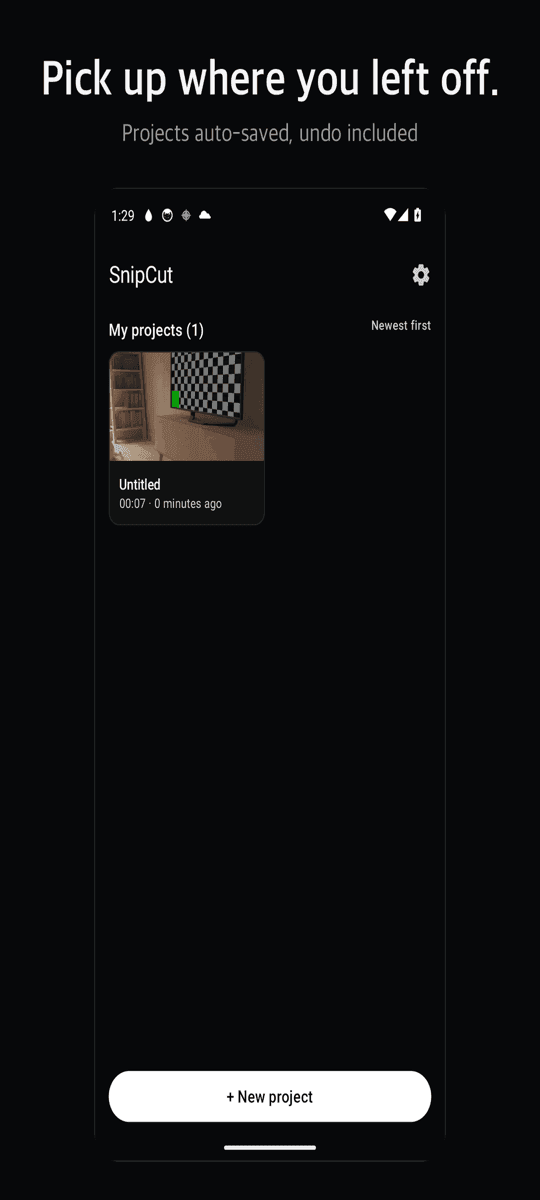
Continue your project
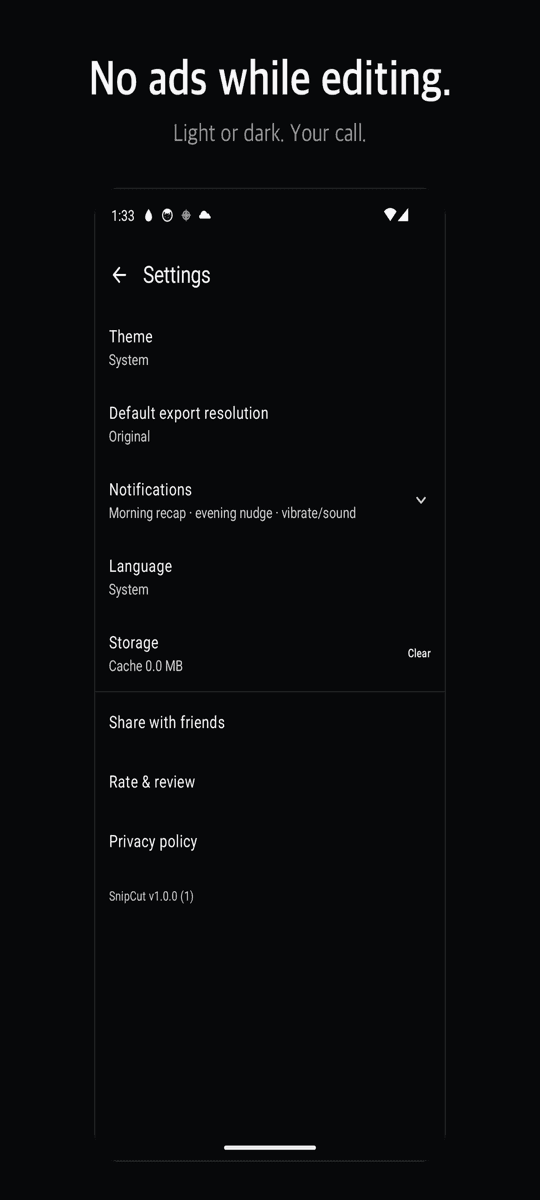
Light or dark theme
Three steps
Pick a video
Choose one or several videos from your gallery.
Cut and caption
Drag the handles to trim. Add a caption or music if you need it.
Save
Export runs in the background with progress and lands in Movies/SnipCut.
FAQ
Is there really no watermark?
Right. It is not behind a paywall — there is no paywall. No subscription, no locked features. The ads that keep it free appear once when you save, never on the editing screen.
Will my video lose quality?
Cut-only and join-only edits are saved without re-encoding, so the result is pixel-identical to the original. Captions, music or a ratio change export at 1080p. No 360p surprise.
Can I leave the app while it saves?
Yes. Export runs as a background service with a progress notification. It does not stall halfway or fail silently.
How are captions saved?
They are burned into the video on export, so they show up in any app or social network. You can move, resize, color and outline them.
Does it need internet?
No. Everything runs on your phone and your videos never leave the device. No account, no sign-up.