
SkipstackTurn skipped buys into savings
Skipped it in one tap · Only moved money counts
Skipstack is an Android savings goal tracker for the small things you choose not to buy. Log a skipped coffee or delivery in one tap, move that money into your savings yourself, mark it moved, and watch your goal stack up with real money only.
Why savings apps get deleted
"There's still no option to change currency"
"There is no way to subtract money"
"If you put 10 instead of 100, you can't fix that entry"
"Advertised as free, then wants a 'donation' to unlock the full app"
"One day I open it and my savings are all gone"
"I panicked, thinking it took money from my bank account"
Skipstack gives you any currency, add and take out, editable entries and backups for free — and never touches real money
Everything you need to turn small skips into real savings
One-tap logging, habit math, goals that only count moved money
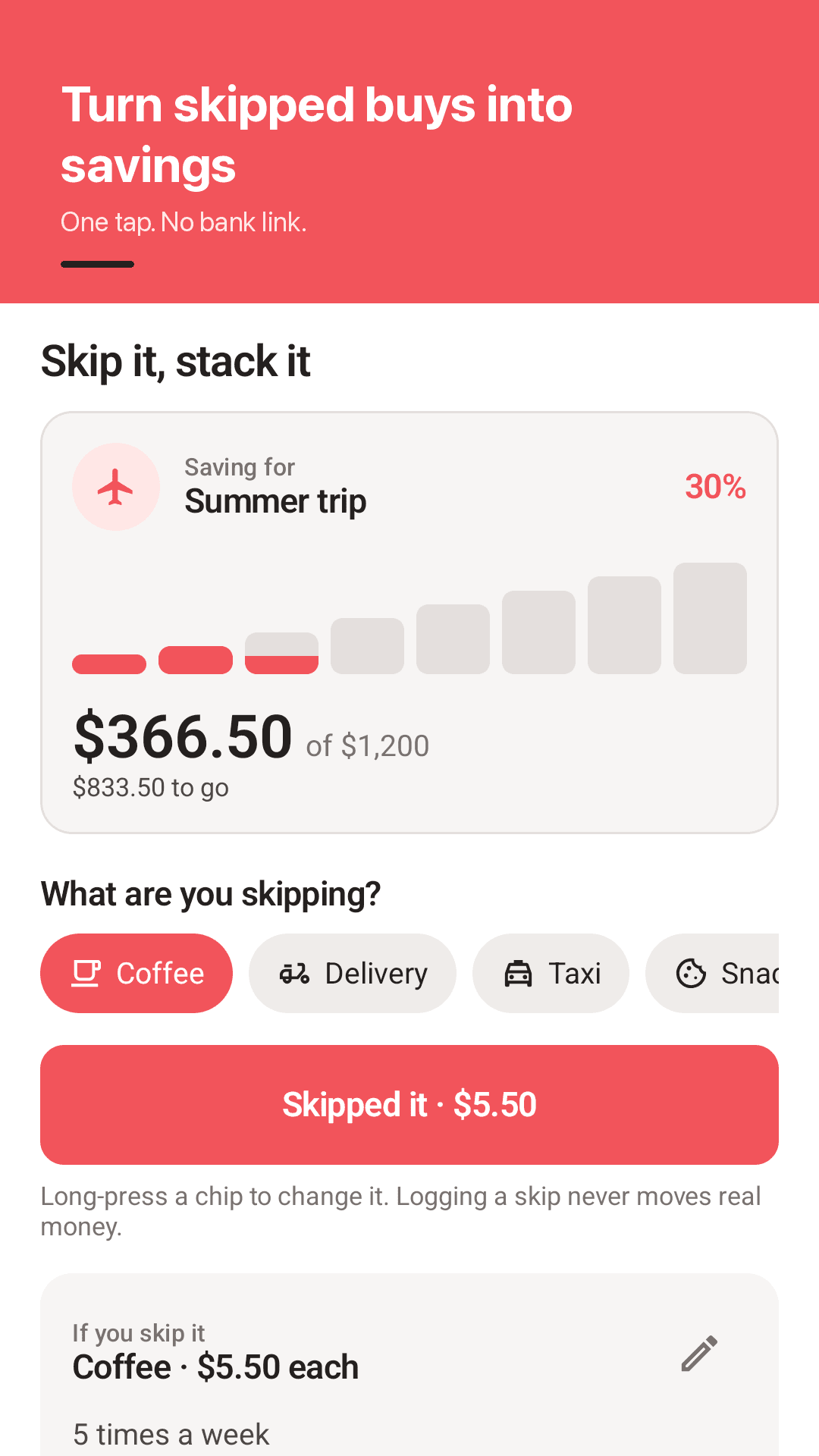
Skipped it, one tap
Pick coffee, delivery, taxi, snacks or shopping and tap once. Save the things you skip most as your own presets.
Home-screen widget
Log a skip and check your goal progress without opening the app.
What a habit is worth
Choose how many times a week you skip and see the total for 1 week, 1 month and 1 year. A $5.50 coffee five times a week is $1,430 a year.
Only moved money counts
Move the money into your savings yourself, then mark it moved. Only money you actually moved fills your goal.
As many goals as you want
A trip, a new laptop, a rainy day fund. Add money you saved another way, or take money out when you need it.
Edit or delete anything
Fix the amount, date or goal of any entry, and undo a delete in one tap.
Any currency
Pick from every currency in the world. Amounts follow your local format.
Backup, no bank link
No account, no sign-up, no bank link. Your data stays on your phone, and a backup file moves it to a new one.
See it in action
Log, calculate, goals, money in and out
Turn skipped buys into savings
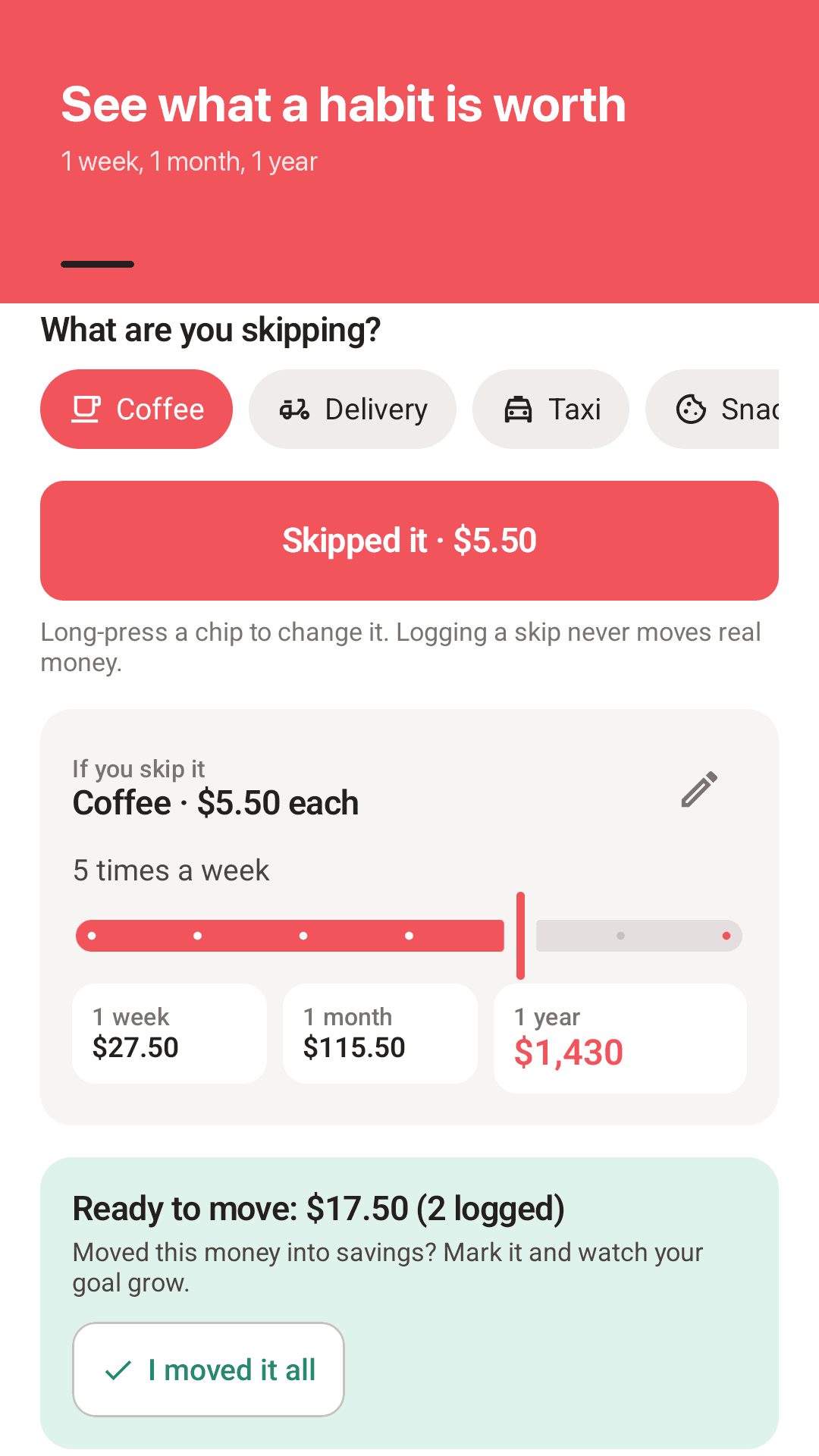
See what a habit is worth
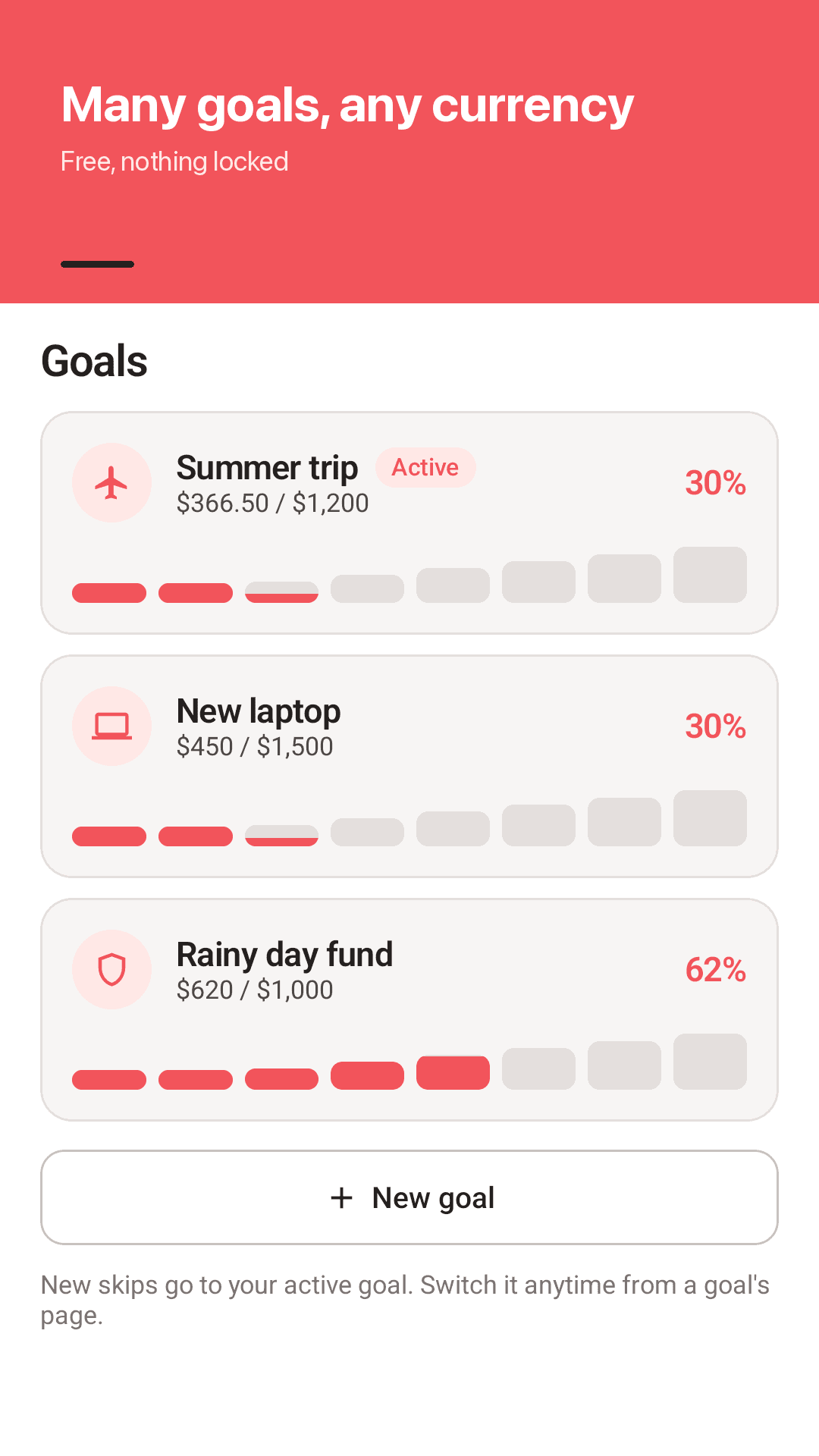
Many goals, any currency
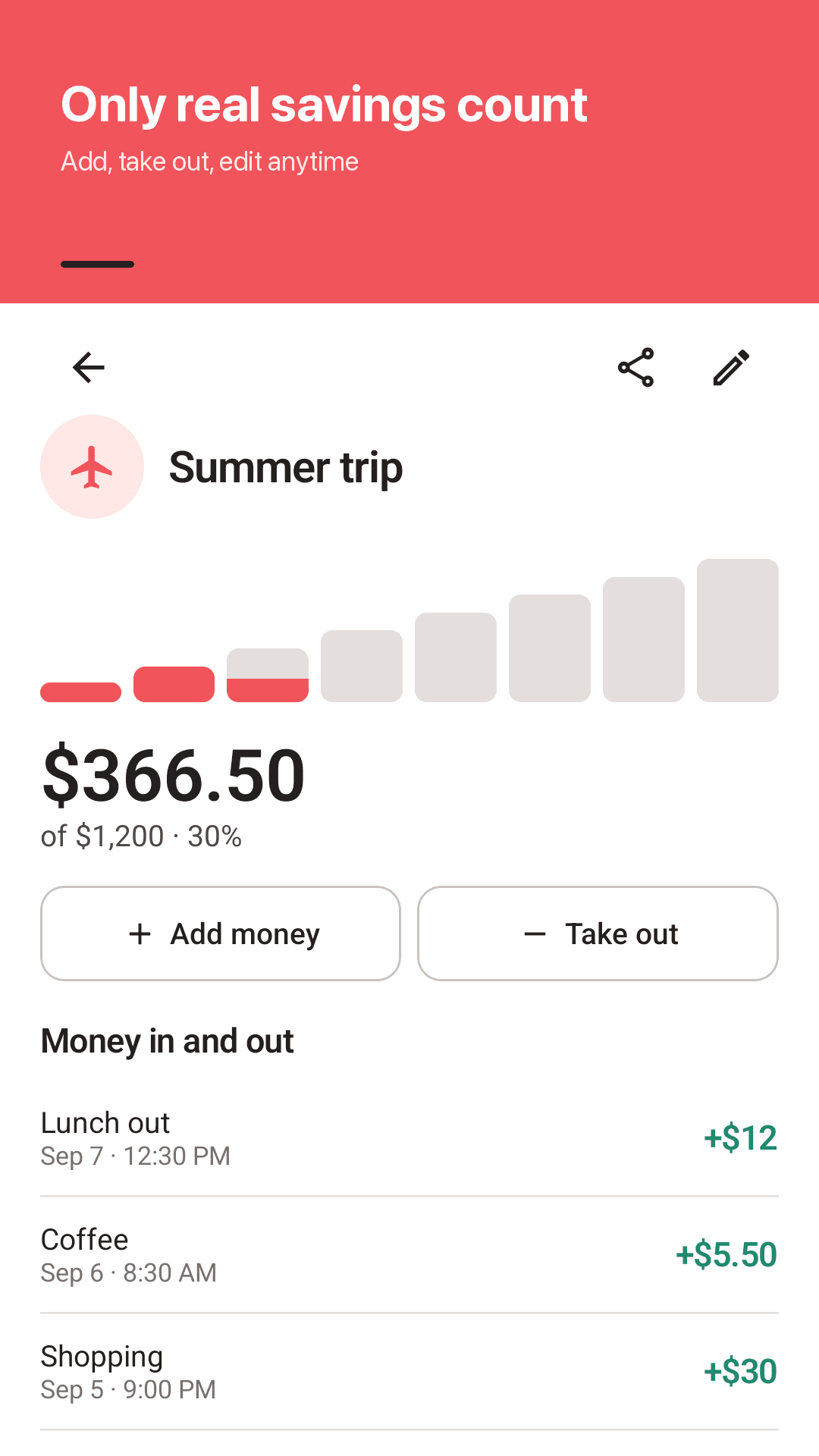
Only real savings count
How it works
Skip it, tap it
Passed on a coffee or a delivery? Tap Skipped it in the app or on the widget.
Move the money
Move what you've saved into your savings account yourself. The app never connects to your bank.
Mark it moved, stack it
Tap I moved it and that money fills your goal, one block at a time.
FAQ
Does it take money from my bank account?
No. Skipstack has no bank link and never moves real money. It is a simple record for you: you move money into savings yourself and mark it moved in the app.
Can I change the currency?
Yes. Pick any currency in the world in Settings, and amounts follow your local format.
Can I withdraw or take money out of a goal?
Yes. Use Take out on a goal to record a withdrawal, or Add money for savings you put aside another way.
Can I edit or delete an entry I got wrong?
Yes. Tap any entry to change the amount, name, date or goal. Deleted something by mistake? Undo it.
What happens if I switch phones?
Export a backup file in Settings and restore it on your new phone. There is no account or cloud sync, so back up before you switch.
Is it really free?
Yes. Every goal, every currency, backup and the widget are free, with no donation unlock or paywall. The app is supported by ads.
Does it work offline?
Yes. Your entries and goals are stored on your phone, and logging and the calculator work without internet. Only ads use a connection.
What if I don't log every day?
Nothing happens. Missed days never turn red. If you like, turn on a gentle evening reminder to log what you skipped.