LoupeRead fine print without your glasses
Clear, not just big.
Pill bottles, ingredient lists, menus, shipping labels. Instead of hunting for your glasses, tap once on your home screen. Tap to focus, freeze to stop the shake, save to keep it in your Library.
Sound familiar?
Can't find your glasses, can't read the pill bottle
Camera zoom is blurry and your hand shakes
The magnifier app won't actually save what you captured
An ad covers the screen right when you zoom in
Loupe is built the other way round. Tap-to-focus for sharpness, freeze and save to read again, ads only below the camera view. The zoom badge shows your camera's real ratio — nothing invented.
Only what you need, made big
Designed for presbyopia and tired eyes
Tap to focus + honest zoom
Tap anywhere and the camera focuses right there. Pinch or drag the slider to zoom. The badge shows the real zoom ratio of your camera — no made-up “100×”.
Freeze → Save → Library
Freeze the frame and the shake is gone. Save it to your gallery (Pictures/Loupe) and the in-app Library, so serial numbers, prescriptions and receipts are there when you need them again.
Flashlight
Dim restaurant menus, closets, the back of the TV. One button turns on the light — or open the app from the widget with the light already on.
Three reading filters
Inverted (white on black), high contrast, yellow on black. Read faded receipts and thin fonts without glare.
Home-screen widget · Quick Settings tile
One tap on the widget opens the magnifier instantly. Widget launches skip the splash ad — speed is the point.
Volume-button save · big buttons
Hold the phone in one hand and use the volume keys to freeze and save. Every button has a text label and a 48dp+ touch target. Light and dark themes.
See it in action
Real screens from the app
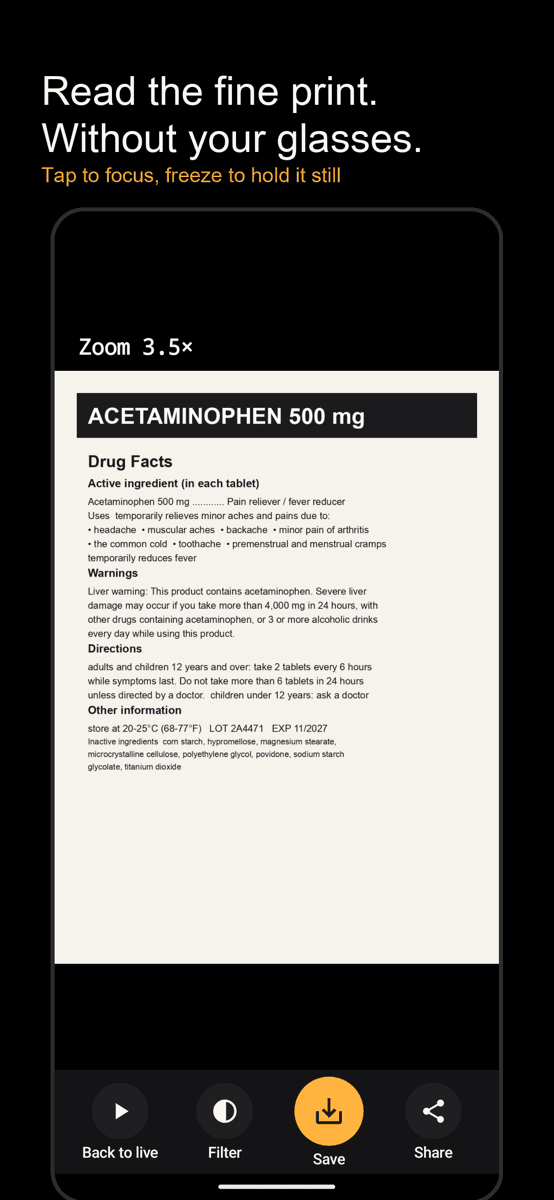
A medicine label at 3.5× — tap to focus
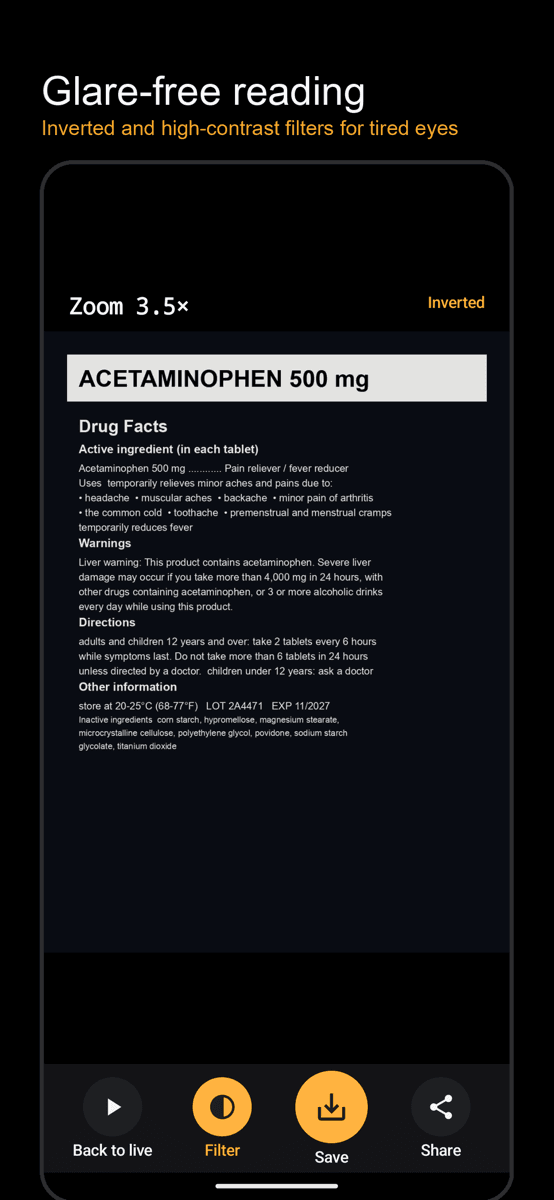
Inverted filter, no glare
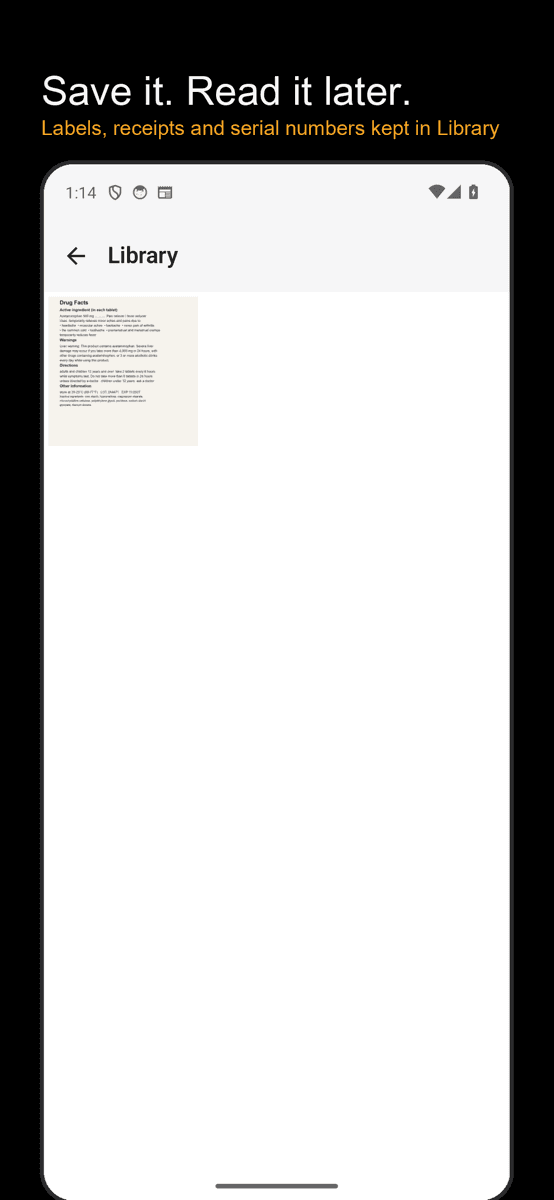
Read it again from Library
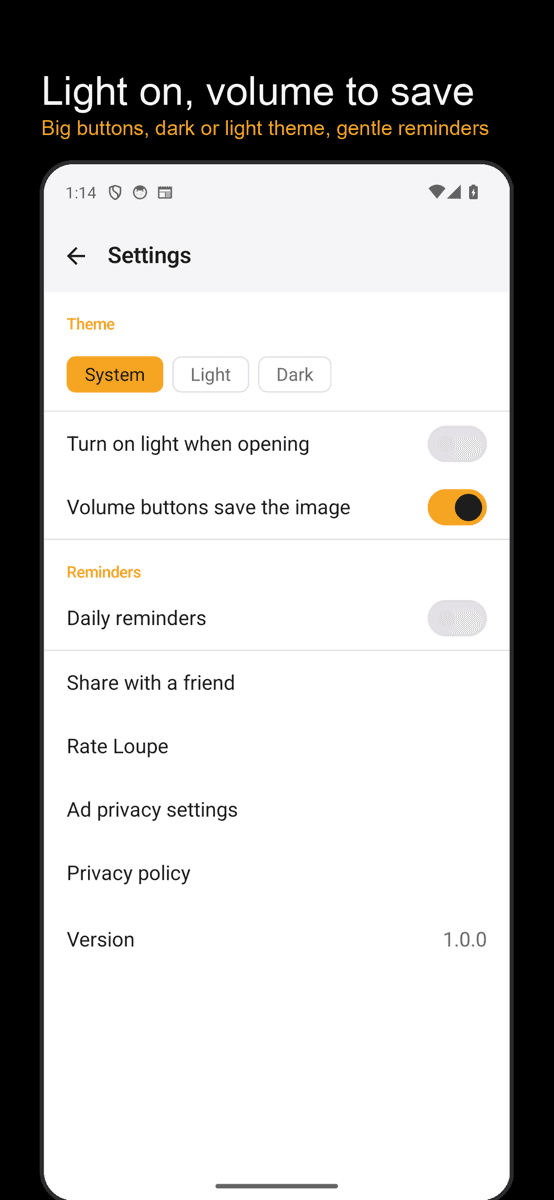
Big buttons, themes, reminders
Three seconds
Tap the widget
Tap the home-screen widget (or the Quick Settings tile) and the magnifier opens right away.
Point and tap
Point the camera at the small print and tap the screen to focus. Pinch to zoom.
Freeze and save
Freeze to read without shaking; save to keep it in your Library.
FAQ
How is this different from my camera's zoom?
The camera app is built for taking photos: focus keeps wandering after you tap, and you can't freeze, filter and light in one screen. Loupe is built for reading — it locks focus where you tap, lets you zoom into a frozen frame, and boosts contrast with inverted colors. The hardware zoom limit is the same; how readable the text is, isn't.
Where do saved images go?
Both to your gallery (Pictures/Loupe) and to the in-app Library. Gallery images stay even if you uninstall the app.
Does it need internet?
No. The magnifier works fully offline and the camera image is never sent anywhere. Internet is used only to show ads.
Is it free?
Yes, it's free with ads. Ads appear only in a separate strip below the camera view and never cover the preview.
What about the reminders?
Reminders are off by default. If you turn them on, you get at most two short tips a day (morning and evening). On days you used the app, the evening reminder is skipped. Time, sound, vibration and do-not-disturb hours are all adjustable.