FridgemoKnow what to eat before it goes bad
No sign-up. Your data stays on your phone. Back it up to a file anytime.
Buying milk you already have. Finding leftovers after they went bad. Fridgemo gives every item a D-day badge, lists your food in the order you should eat it, and reminds you on the day you choose.
Where fridge apps fall short
"I keep buying milk I already have" and "found it after it went bad"
Forced sign-up, phone verification and login errors that make the app unusable
"Can't edit the item name after saving" and "no pantry option, only fridge/freezer"
Open it and see what to eat today first. No account needed.
A fridge list that gets food eaten
Fridge, freezer and pantry
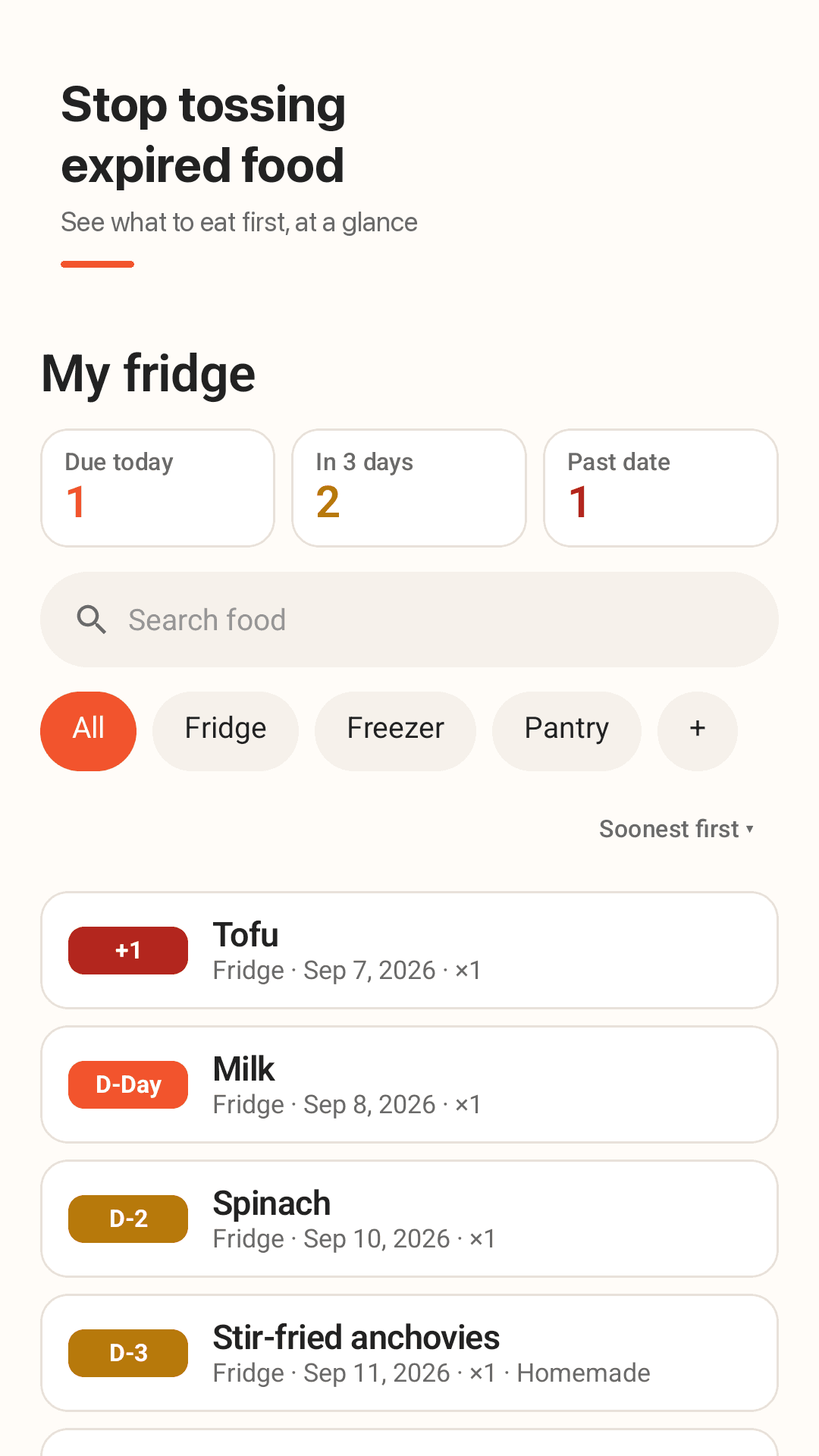
D-day badges, soonest first
Past date, due today, due in 3 days or fresh, each color-coded. Summary cards show what's due today, in 3 days and past date.
Type a name, shelf life fills in
Suggestions come with a typical shelf life. Pick today, +3 days, +1 week, +1 month or a calendar date, and keep adding after saving.
Homemade food too
Log leftovers, side dishes and soup with the date you made them.
Edit everything, anytime
Name, expiry, bought date, place, quantity (down to 0.5) and note. Swipe to mark eaten, with undo.
Your own storage places
Fridge, freezer and pantry, plus custom places like a kimchi fridge or a shop fridge.
Reminders when you want them
Same day, 1 day, 3 days or 1 week before, at the time you choose. One short daily summary.
Home-screen widget
See what to eat soon and add food with the + button without opening the app.
No sign-up, backup file
No account, no server. Restore a JSON backup on a new phone and share your fridge list as text. Dark mode included.
Take a look
D-day list, editing, due-soon filter and reminder settings
Sorted by D-day
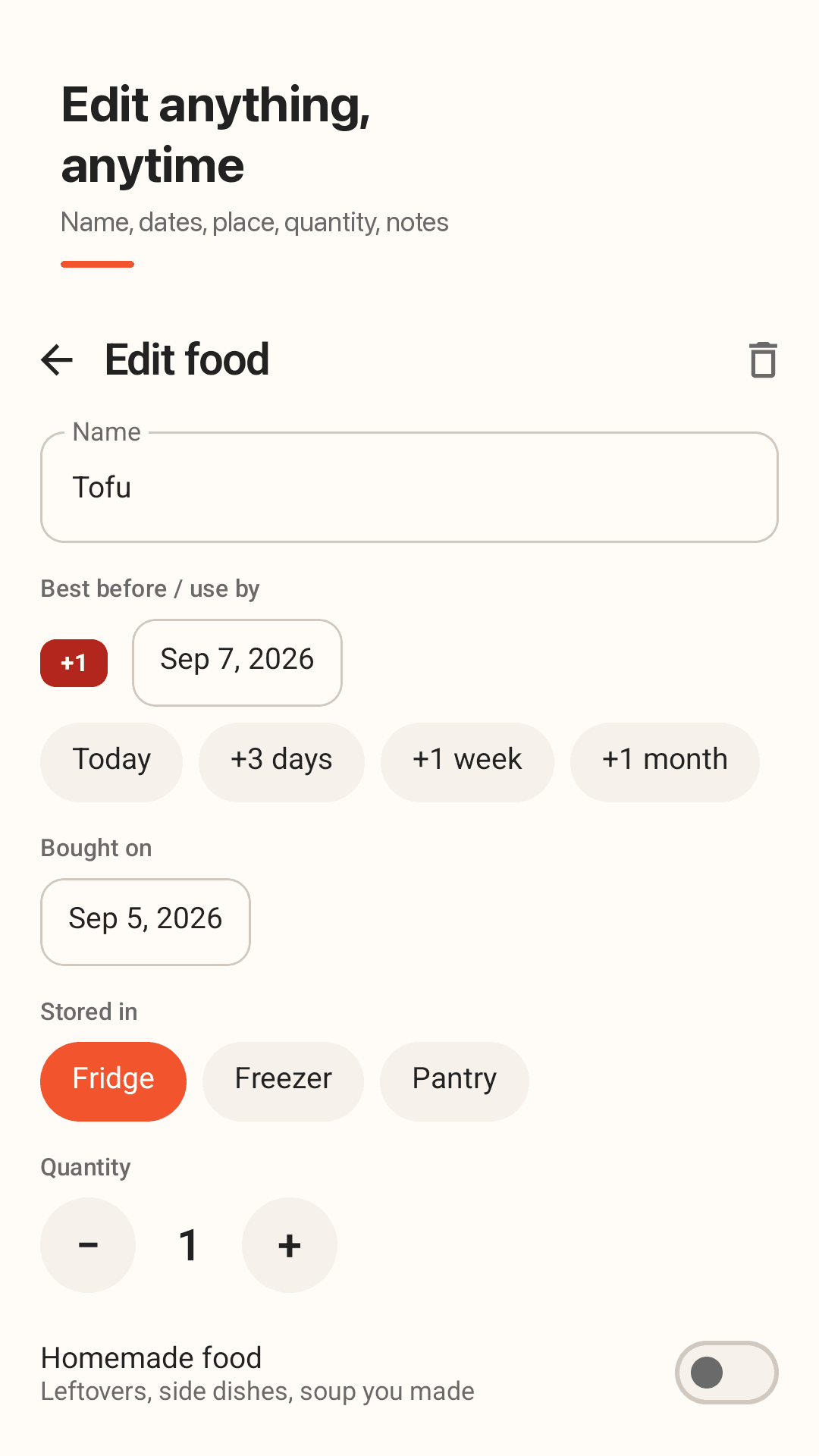
Edit every field after saving
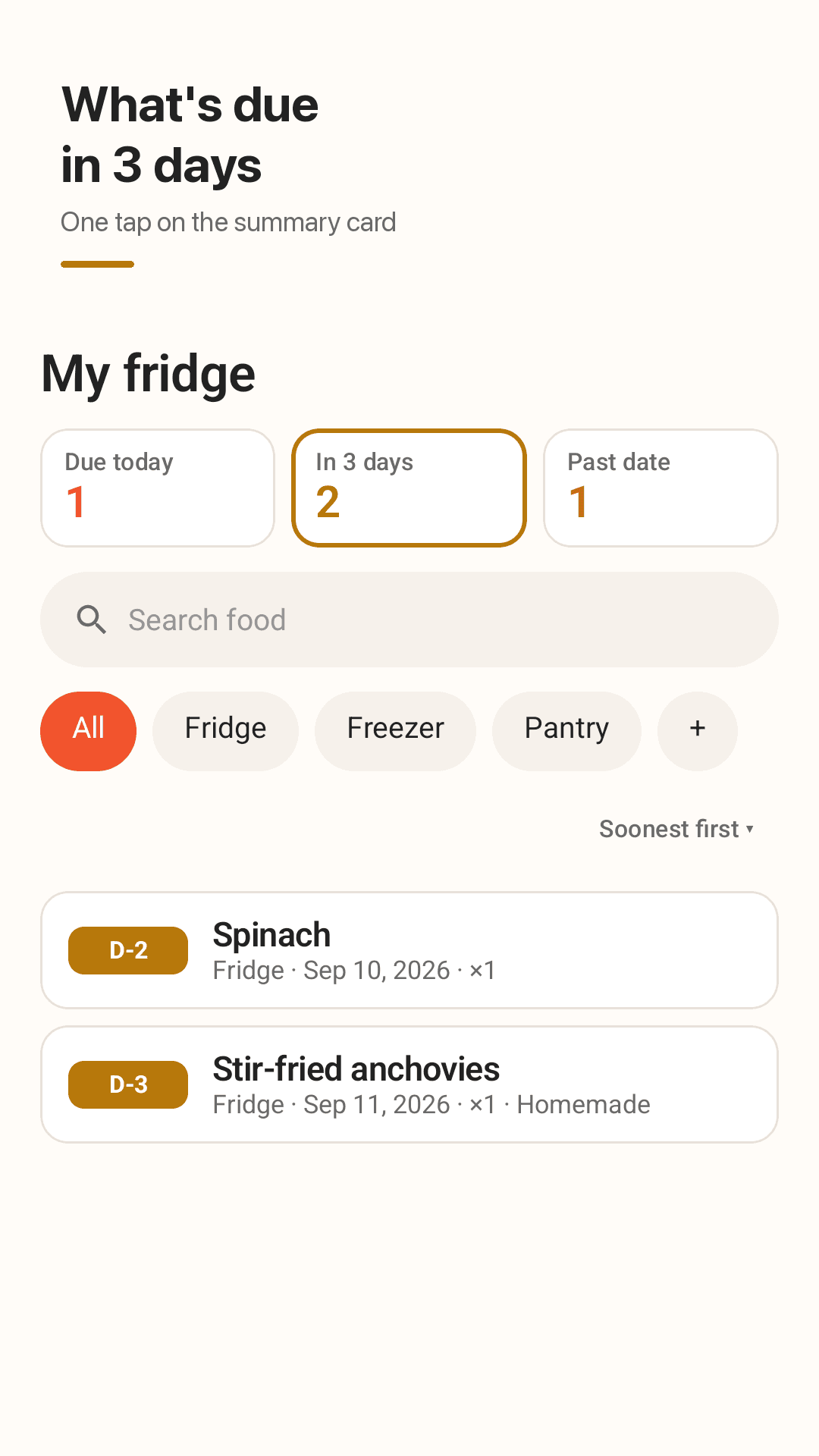
Everything due in 3 days
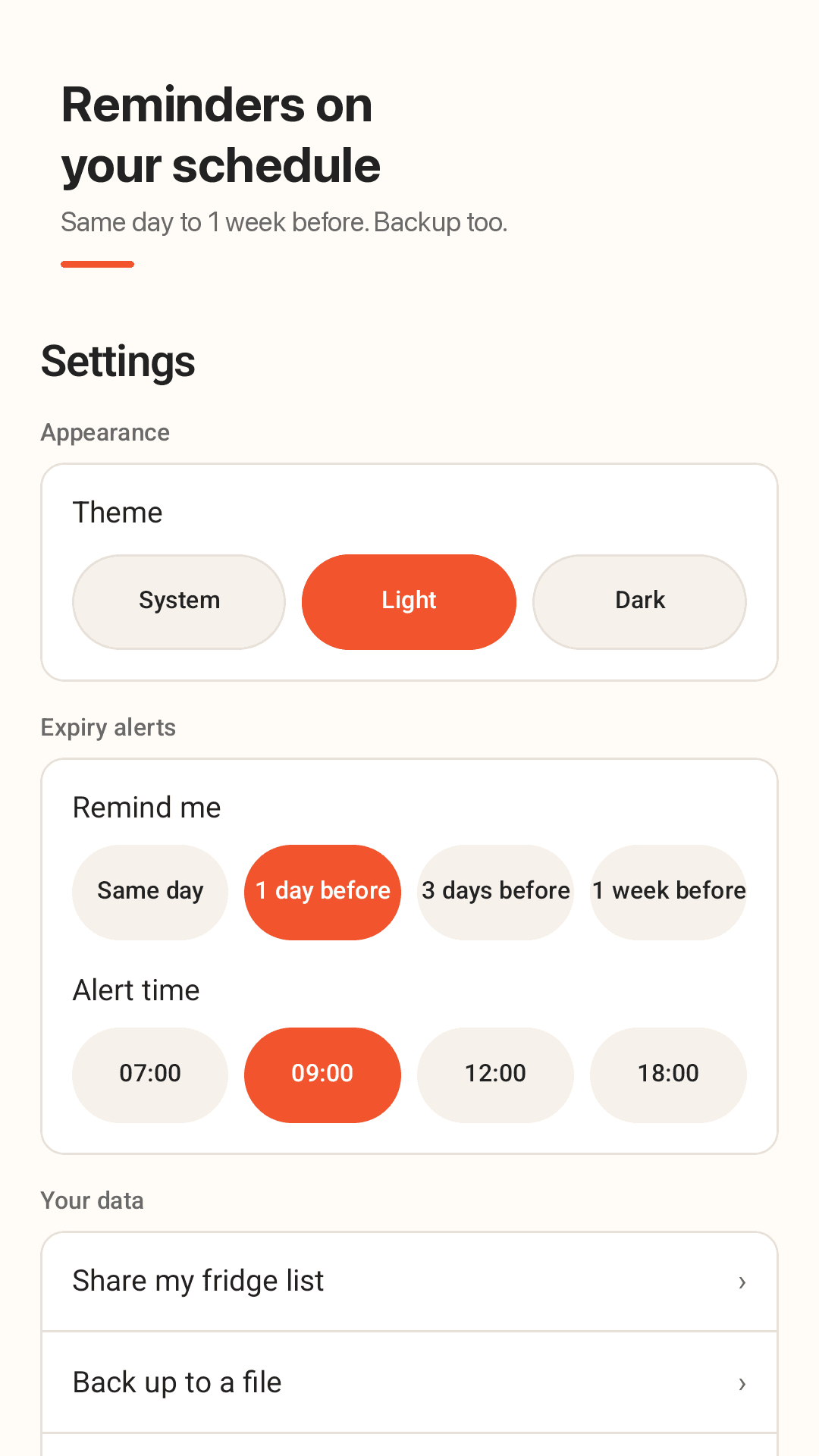
Reminder timing and backup
Three steps
Add your groceries
Type a name and the shelf life fills in. Use the date buttons to add item after item.
Get reminded
3 days or a week ahead, at your chosen time, you'll know what to eat.
Eat and swipe
Swipe away what you finished. Tapped by mistake? Undo it.
Frequently asked questions
I keep buying milk I already have. Will this help?
Yes. Check the list or the home-screen widget before shopping to see everything you have, soonest first. You can also share the list as text with your family.
Do I need to sign up or verify my phone number?
No. There is no account, login or verification. Install it and start adding food; everything is stored on this device.
Can I edit the item name after saving?
Yes. Name, expiry, bought date, place, quantity and note can all be edited at any time.
Does the D-day show the wrong number of days?
D-day is calculated from your phone's date, and the expiry day itself shows as due today. Past-date items are marked separately so nothing is ambiguous.
Is there a pantry option, not just fridge and freezer?
Yes. Fridge, freezer and pantry are built in, and you can add your own places like a kimchi fridge or shop fridge.
Can I be reminded 3 days before, not just 1?
Yes. Choose same day, 1 day, 3 days or 1 week before, and set the alert time. Alerts arrive as one short daily summary.
I'm changing phones and have 300 items. Is there a backup?
Export a backup file (JSON) in settings and import it on the new phone to restore everything. Nothing is stored on a server, so make the backup before you switch.
Can my family see it?
You can share your fridge list as text. Because there is no server, there is no live sync between phones.
Clear out your fridge, not your wallet
No sign-up. Just a list of what to eat first.