FadeShotPhotos that fade away
Parking spot, Wi-Fi password, receipts — a camera for photos you'll delete anyway.
Tap a preset to shoot and the photo lands inside FadeShot, not your gallery. Parking fades in ten days, receipts in a month, and the bay number or password in the picture is read into a memo before you need it. Keep your gallery for memories.
Sound familiar?
Wandered the garage because you forgot which level you parked on
That Wi-Fi password photo is buried somewhere in your gallery
Receipts and documents are mixed in with your vacation photos
FadeShot keeps throwaway photos apart — and cleans them up for you ✨
Shoot it. Forget it.
Presets handle everything after the shot
One preset for every job
Quick, Parking, Wi-Fi, Receipt, Paper and 1 Day come built in. Each preset sets gallery copy, silent shutter, open-after-capture, memo keyboard and its own auto-delete period.
Auto delete from 30 min to 30 days
Expired photos disappear on their own. Ten days for parking, a month for receipts, one day for a screen you only needed once. Nothing to tidy.
Text in the photo becomes a memo
Parking and Wi-Fi presets read the bay number or password in the image and fill in a memo. Tap once to copy later. Recognition runs entirely on your device.
Your parking spot, one tap
Save the levels you park at (B1, B2, 3F) and record where you parked with a single tap. The home screen widget shows spot and time.
Reminders that don't nag
A morning summary of photos fading today and an evening parking nudge. On quiet days you get a light note instead of a chore.
No account, no server
Photos, memos and settings stay on your device. Text recognition runs locally. Saving to gallery or sharing only happens when you tap it.
See it in action
One tap on a preset is all it takes
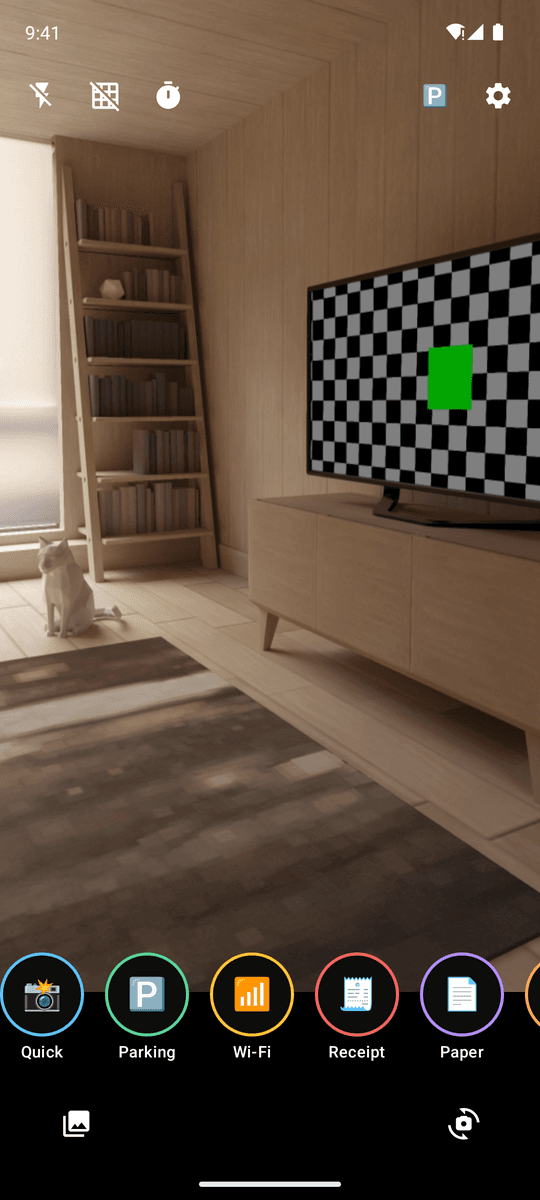
Tap a preset to shoot
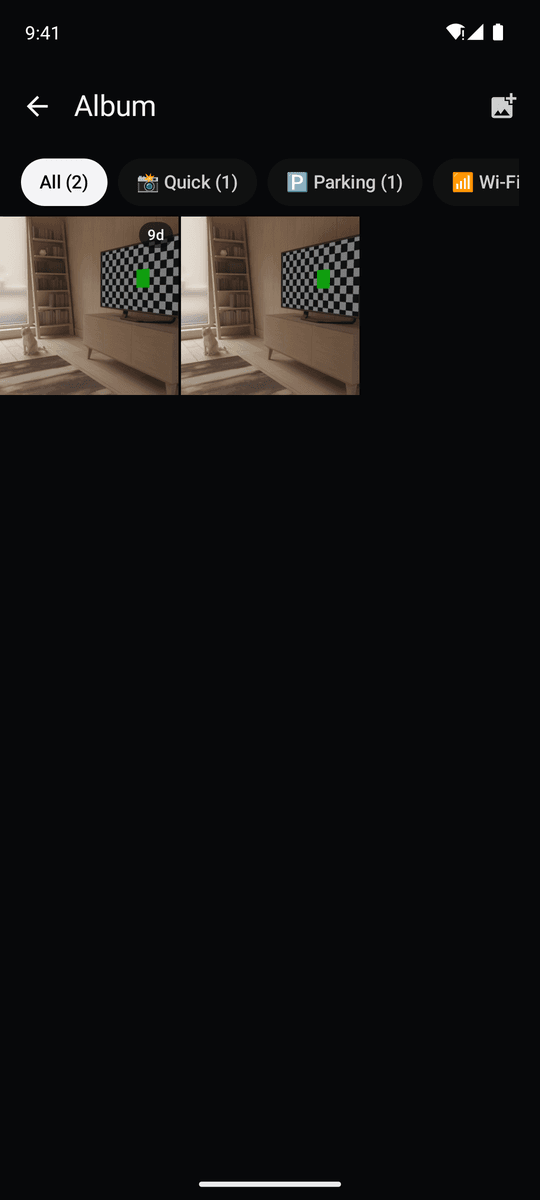
Album shows time left
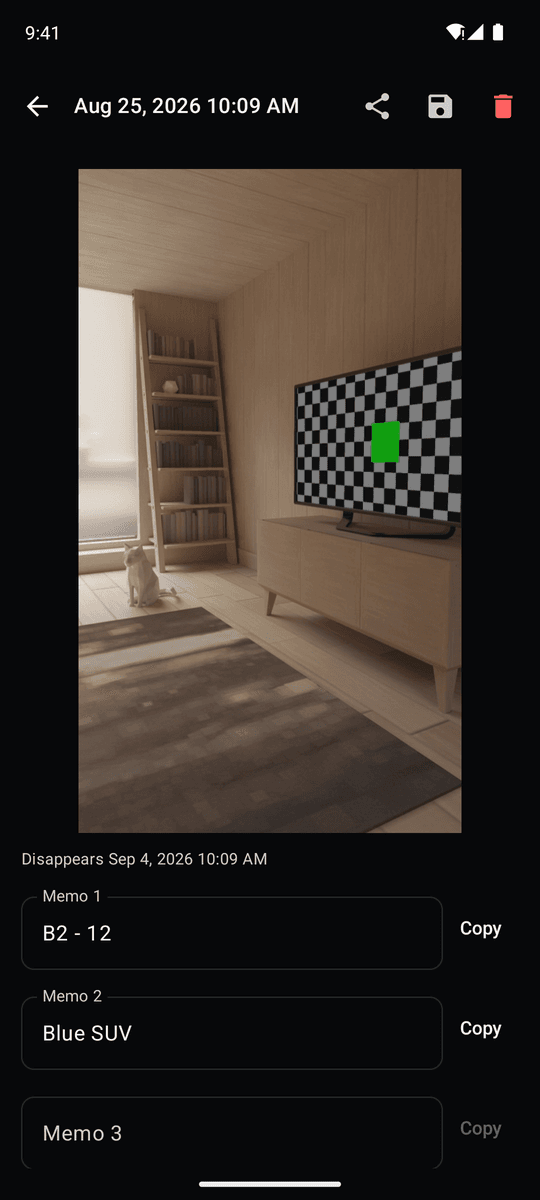
Text in the photo becomes a memo
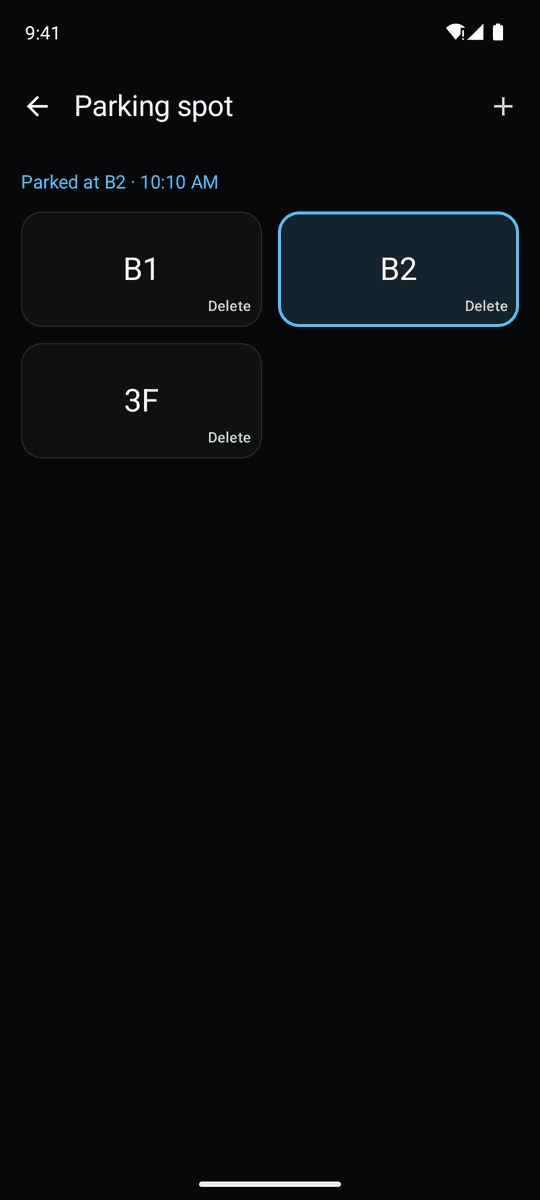
Parking spot in one tap
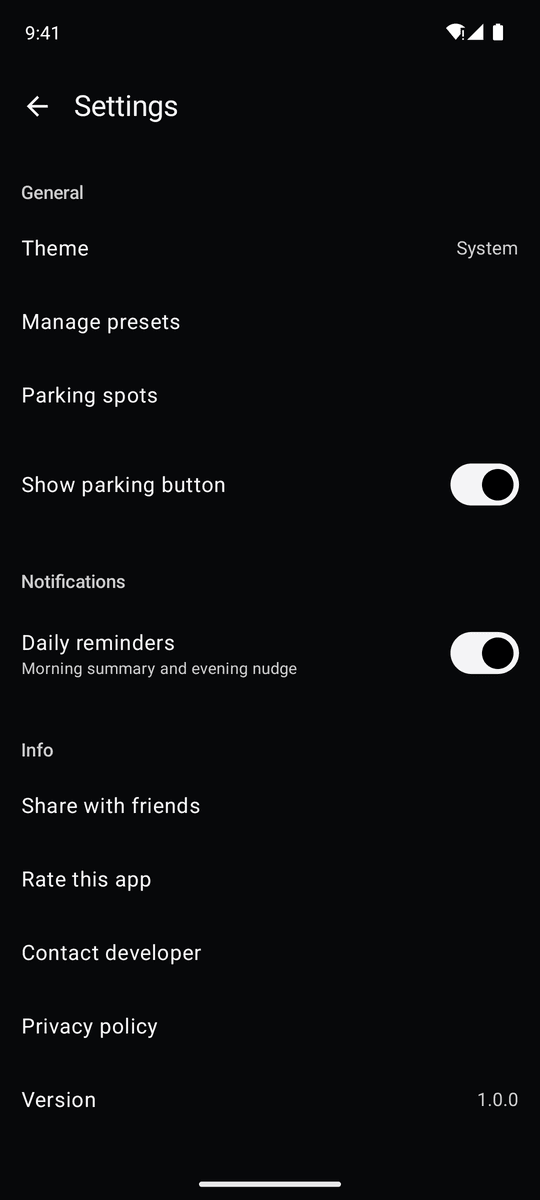
Light & dark theme, reminders
Three steps
Tap a preset to shoot
Pick Parking, Wi-Fi, Receipt or any preset that fits — the tap takes the photo.
Memo fills itself
Text in the photo is read into a memo. Edit if needed and copy with one tap.
It fades when it's time
After the preset's period the photo deletes itself. Your gallery stays untouched.
FAQ
Do photos go to my gallery?
By default they stay inside the app. They are copied to the gallery only when you enable 'Also save to gallery' on a preset or tap the save button on a photo.
How do I set the auto-delete period?
Per preset: off, 30 min, 1 h, 3 h, 12 h, 1 day, 3 days, 5 days, 10 days or 30 days.
Does text recognition need the internet?
No. Recognition runs on your device and photos are never uploaded.
What does the widget do?
Tap a preset on the widget to open the camera with it selected. Your last parking spot and time are shown on the widget too.
Is it free?
Yes. FadeShot is free and supported by ads. There are no ads on the camera screen or while typing a memo.
Keep your gallery for memories
Parking spots, Wi-Fi passwords and receipts belong in FadeShot