DuepinBill due dates, pinned. No more late fees.
Bill reminder · Due date tracker
Duepin is a bill reminder and bill tracker for Android. Add rent, credit cards, utilities, phone, internet and subscriptions once, and Duepin reminds you on the morning a bill is due and the evening before. One tap marks a bill paid, with Undo. There is no account and no bank link; everything stays on this phone. Get it on Google Play.
Why people give up on bill apps
Account required before you can add a single bill
"Accounts only stay synced for a few weeks and then tend to break"
"Silently moved half my bills' due dates to the 15th"
"Far too many unnecessary notifications"
"I find it cumbersome to mark bills as paid"
"Apparently there is no longer a free version"
Duepin: just bills. No login, one-tap paid, quiet reminders
"I don't miss any bills anymore"
A bill reminder that only does bills, and does them simply
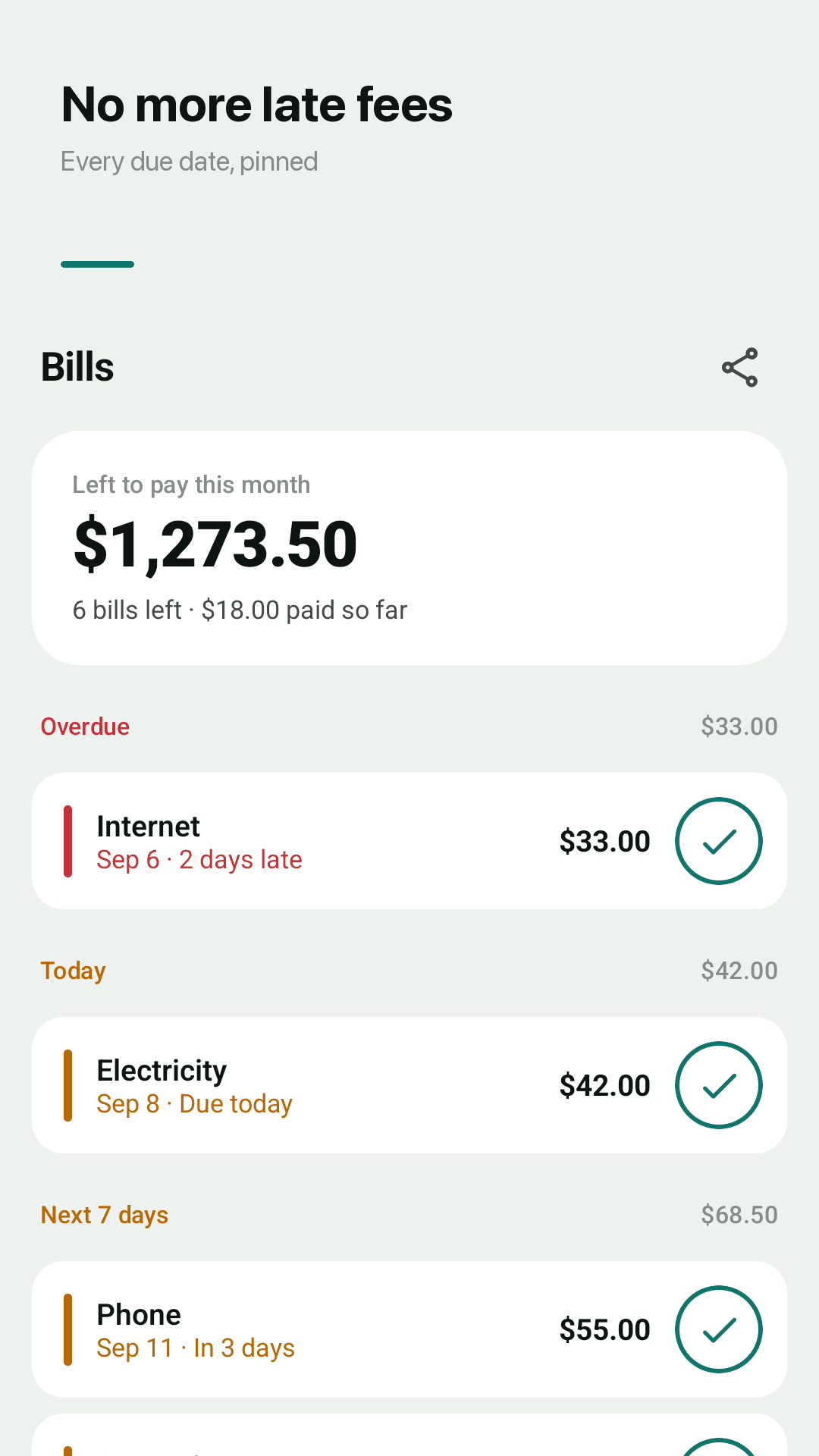
Left to pay this month
Open the app and see what is still due this month in one big number.
Overdue, Today, Next 7 days
Bills are grouped by urgency so you know what to pay first.
One-tap paid
Tap the check to mark a bill paid. Slipped? Undo.
Quiet due date reminders
A morning note on the due day and an evening heads-up. Per bill: on the day, 1 or 3 days before.
Repeating bills
Once, weekly, monthly or yearly. Due dates never move on their own.
Calendar and history
Paid, unpaid and late dots on a month calendar, plus a 6-month payment chart.
Home screen widget
See your next three bills and mark them paid from the widget.
No login, no bank link
No SMS or contacts access. Back up to a JSON file and restore any time.
See it in action
Bill list, calendar, history and widget
Left to pay and upcoming bills
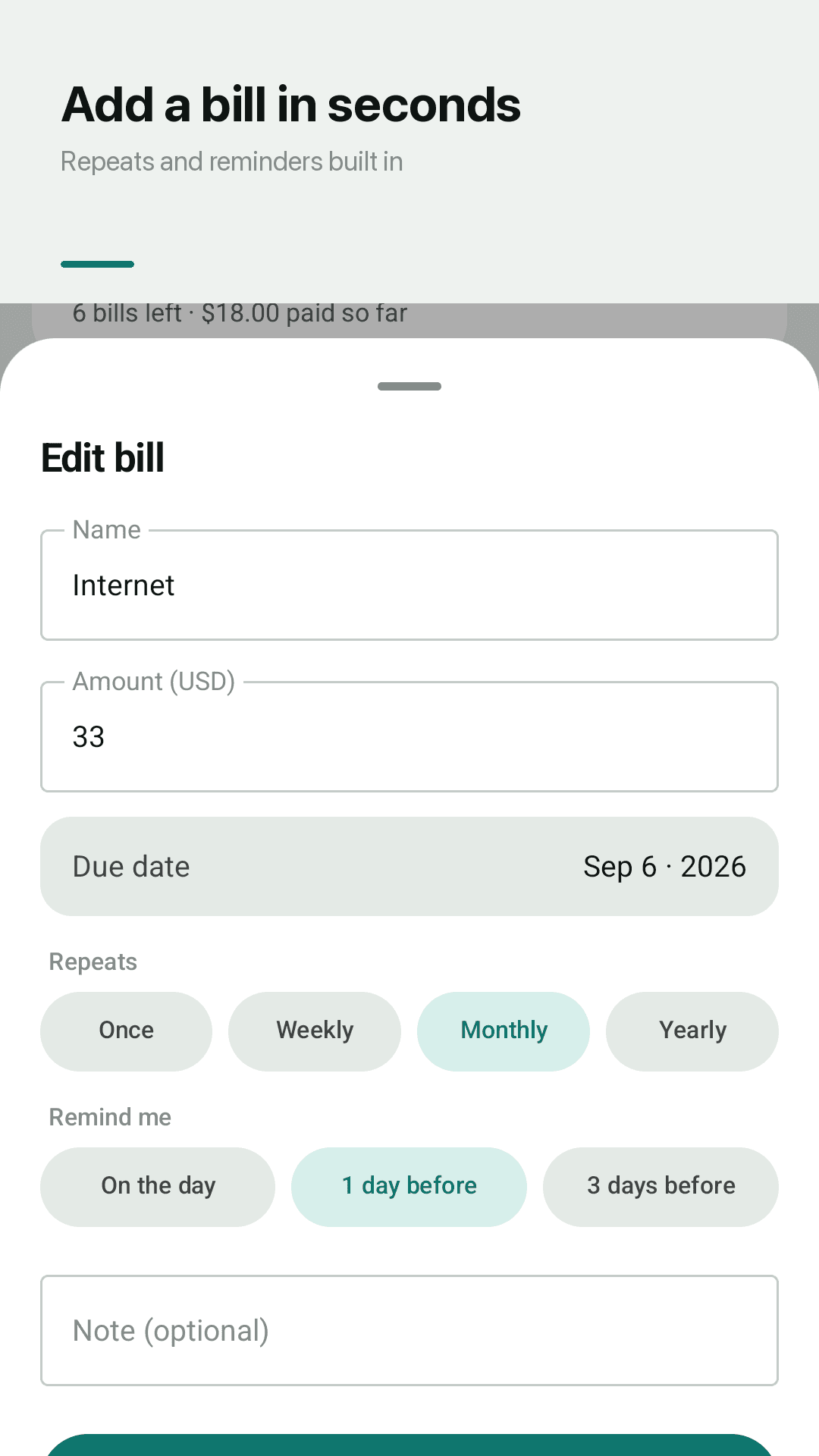
Add a bill and its reminder
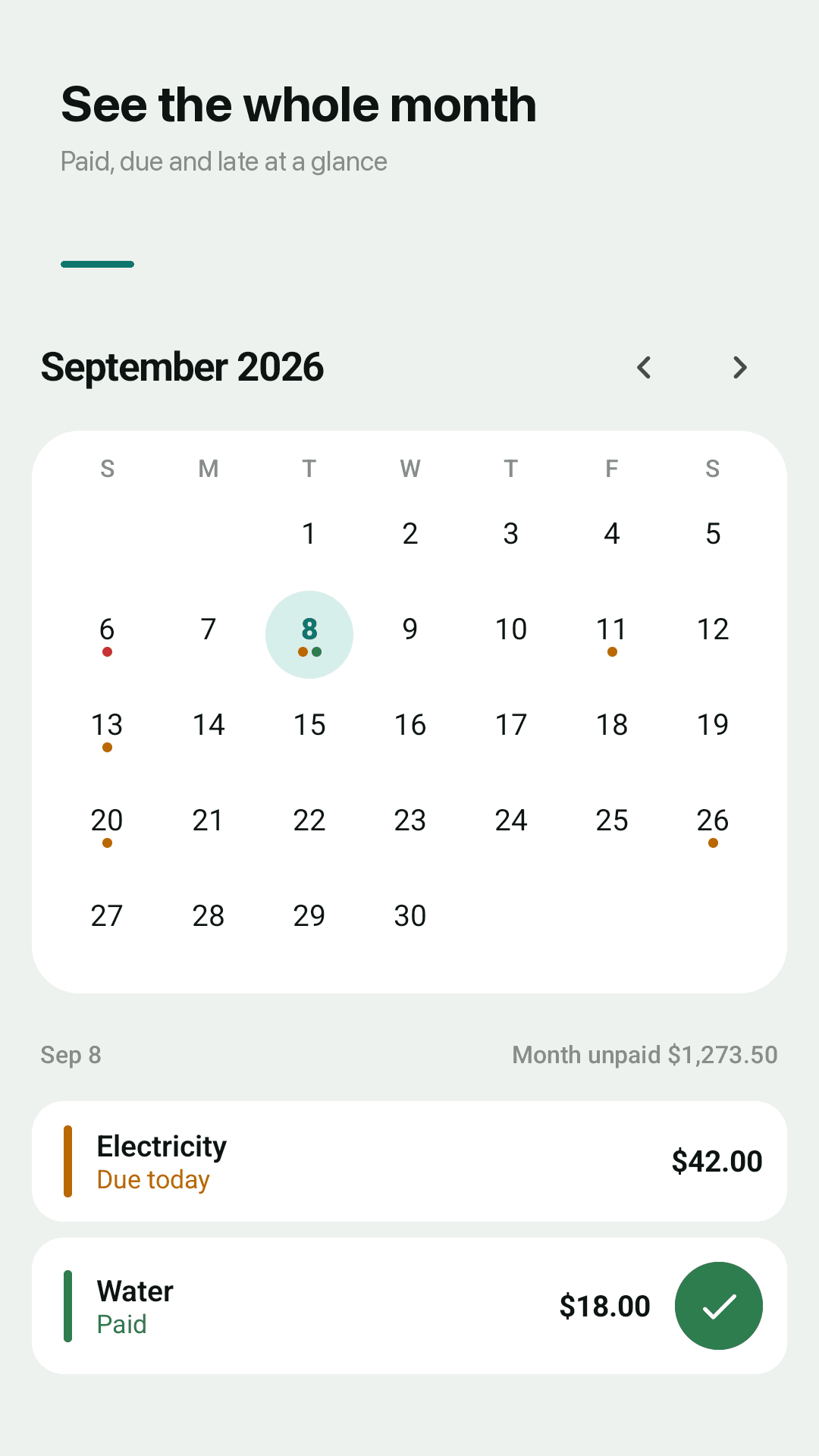
Due dates on a calendar
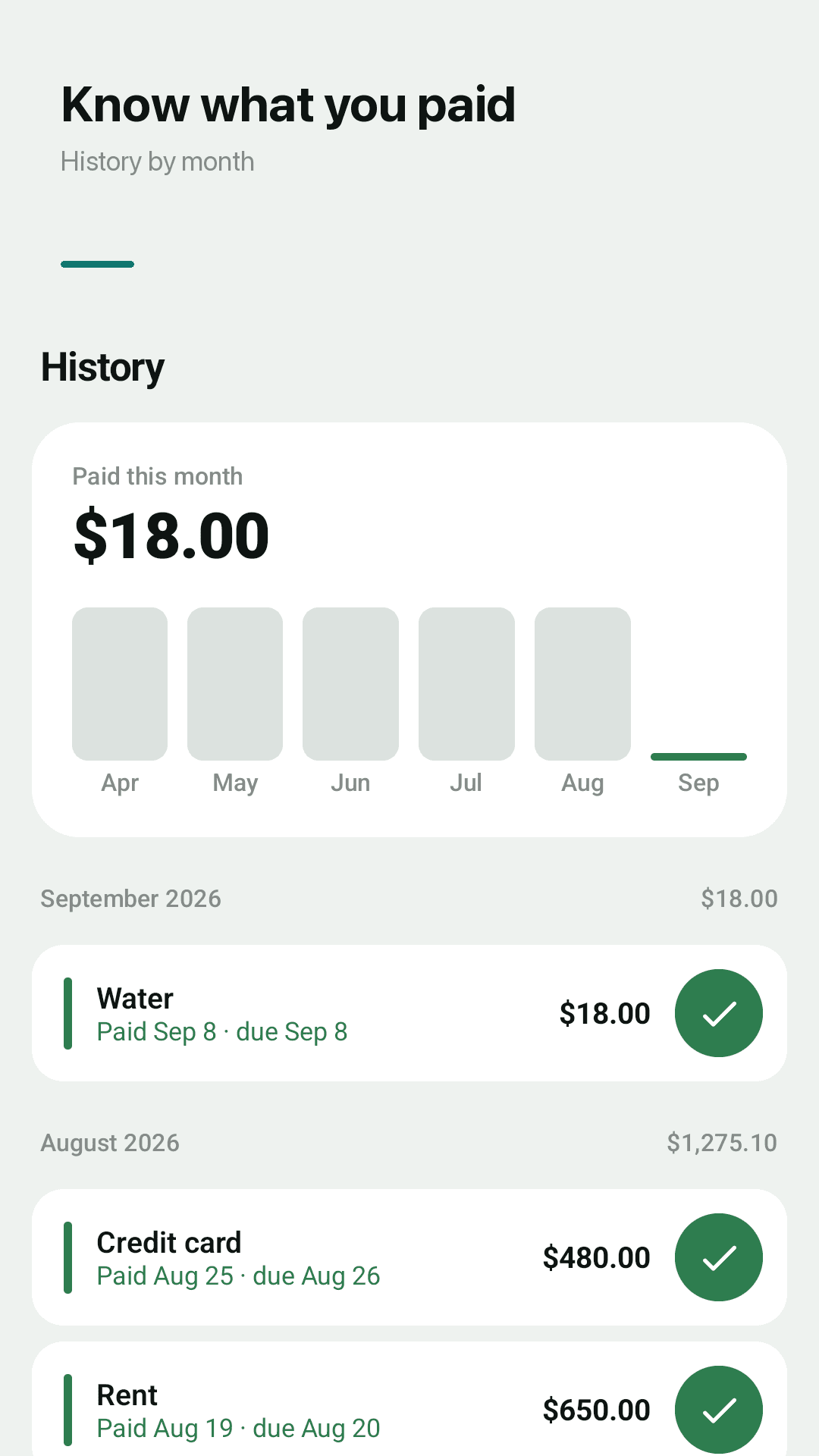
Monthly payment history
How it works
Add a bill
Name, amount, due date and how often it repeats. That's it.
Get reminded
A note on the morning it is due and the evening before.
Tap paid
Check it off. Next month's bill is lined up automatically.
FAQ
Do I need to create an account or log in?
No. There is no account and no server. Install it and add your first bill.
Does it sync with my bank?
No. You enter bills yourself, so there is no sync to break and no bank credentials to hand over. A repeating bill only needs to be entered once.
Will it spam me with notifications?
No. By default you get one note on the morning a bill is due and one the evening before. Choose on the day, 1 or 3 days before per bill, or turn reminders off and keep using the app.
Why am I not getting bill reminders?
Check that notifications are allowed for Duepin and that Duepin is excluded from battery optimization. Some phone makers block scheduled notifications in power saving mode.
Can an update change my due dates?
No. Due dates are stored on your phone and never move on their own. A bill due on the 31st falls on the last day of shorter months.
Can I mark a bill as paid quickly?
Yes. Every bill has a check button on the list and in the widget. One tap marks it paid, and Undo reverses it.
How do I move my bills to a new phone?
Export a JSON backup in Settings and import it on the new phone.
Is it free?
Yes. Every feature is free. Duepin is supported by ads.
Let Duepin remember your next due date
No sign-up. Adding a bill takes ten seconds