
BothshotFront and back, in one shot
Both cameras at once. One photo, one video file.
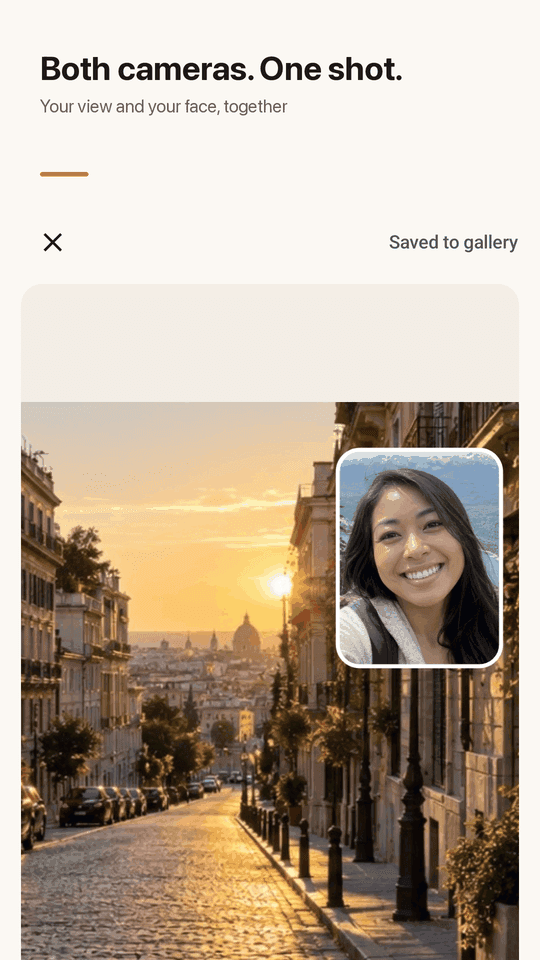
Instead of shooting the view and your face separately and merging them later, Bothshot captures your front and back camera together into one photo or one video. Phones that support concurrent cameras get a live dual preview; others take the back photo first, then the front, and merge them automatically.
Why people give up on dual camera apps
"doesn't use front and back camera" — plenty of dual camera apps just don't shoot both
"gets stuck on a black screen" — the preview loads and then nothing happens
"6 ads and the app did not start" — worn out before you even take a photo
"saved as 2 individual videos rather than one" — you'd have to edit them together yourself
"Works only with Snapdragon Processors" — it simply won't run on your phone
On supported phones, a live dual preview. On phones that can't run both cameras at once, an automatic back-then-front capture. Either way, you get one file.
A camera that captures both sides at once
One photo, one video, regardless of your phone's hardware
Front + back at the same time
Both cameras fire together into one photo or one video file. No shooting separately and merging later.
PiP, top-bottom, side-by-side
Pick picture-in-picture, stacked, or split layouts before you shoot, and change the layout again after taking the photo.
Swap front and back in one tap
Switch which camera is the main view mid-shot with a single tap.
Record reaction videos
Both cameras land in one picture-in-picture video file. Allow the mic and sound is recorded too.
Works without dual-camera hardware
On phones that can't run both cameras at once, Bothshot takes the back photo first, counts down 1-3 seconds, then takes the front photo and merges them.
Live dual preview
On Android 11+ phones with concurrent camera support, you see both cameras live before you shoot.
Dedicated album, one-tap share
An in-app album shows only your Bothshot photos and videos, with one-tap sharing.
Home screen widget, no account
Tap the widget to open the camera instantly. No sign-up; photos and videos save straight to your phone's gallery, nothing uploaded.
Take a look
Dual capture, layouts, reaction video, album
Live front and back dual preview
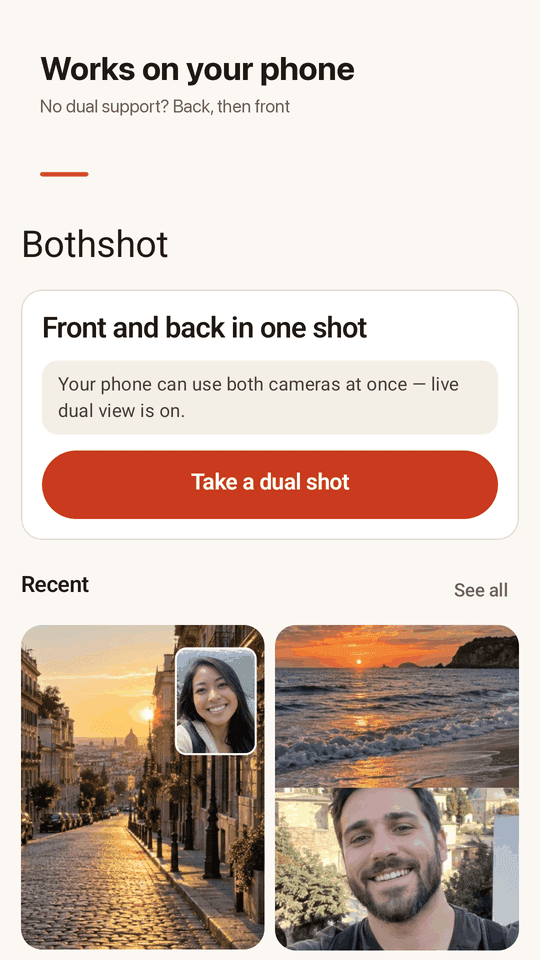
Choose PiP, top-bottom or side-by-side
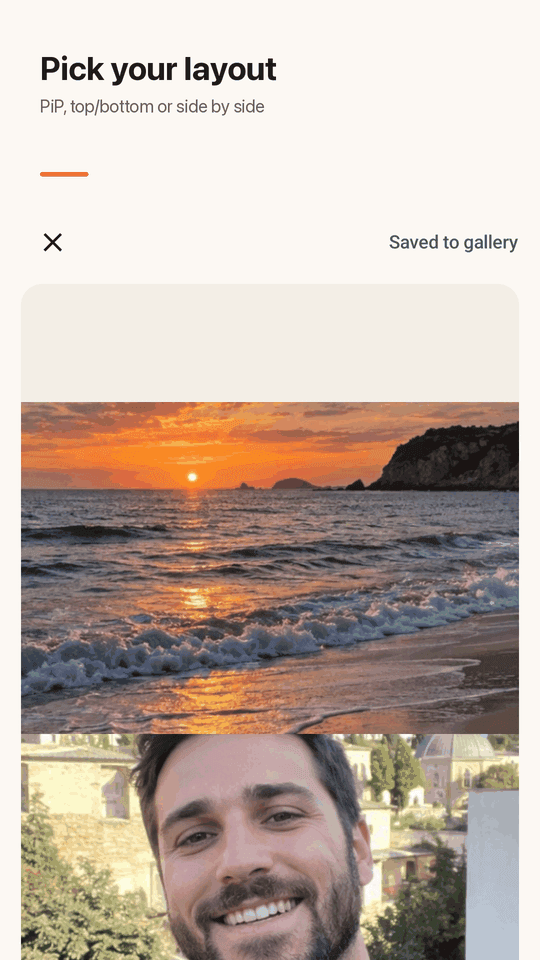
Countdown merge on unsupported phones
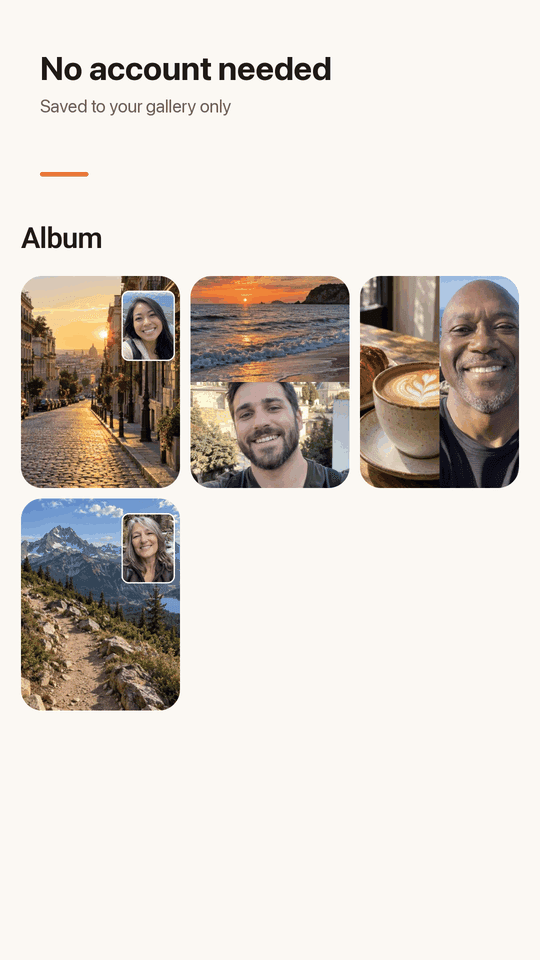
A dedicated album for your Bothshot shots
Three steps
Open the camera
Launch the app or tap the home screen widget and the camera opens right away.
Pick a layout
Choose PiP, top-bottom or side-by-side. On supported phones you see both cameras live.
Shoot and save
On supported phones, one tap does it. On others, the back photo is taken, a countdown runs, then the front photo is taken and merged, and the result saves to your gallery.
Frequently asked questions
Why does my phone say 'device not supported'?
Some phones can't run two cameras at once — that needs Android 11+ and specific hardware. On those phones, instead of a live dual preview, Bothshot takes the back photo first, counts down, then takes the front photo and merges them automatically.
Can I record video on a phone that doesn't support dual cameras?
No. Video needs a phone that can run both cameras live at the same time. On phones without that support, only the photo mode (back photo, then front, merged) is available.
Does the video have sound?
Yes, if you allow microphone access, sound is recorded into the same video file.
Do I get two separate photos?
No. The front and back cameras are merged into one photo or one video file.
Can I change the layout after taking a photo?
Yes, you can switch between PiP, top-bottom and side-by-side after the photo is taken.
Can I adjust the countdown timer?
Yes, the wait between the back photo and the front photo can be set from 1 to 3 seconds.
Do I need to sign up?
No. There's no account. Results are saved to your phone's gallery (Pictures/Bothshot, Movies/Bothshot).
Are my photos or videos uploaded anywhere?
No. Everything stays on your phone; nothing is uploaded. The app is supported by ads.