
BloomcupSet the grams, follow every pour
Pour targets for each step · Big timer · No ads while you brew
Bloomcup is an Android coffee brew timer. Set how many grams of coffee you have and it works out the water and the target weight for your scale at every step. A big countdown walks you from the bloom to the last pour, with a beep and a buzz when it is time to pour again. There are no ads on the brewing screen.
Why coffee timer apps get deleted
"Getting a timed-skip ad before every brew" while dealing with boiling water
"The timer does not update based on grams of coffee"
"I have to do 5 taps to load my daily recipe"
"Why can you only go forward in steps and not backward"
"You need a pro version to even look at your previous pours"
"No ability to insert a step into the middle of a brew guide"
Bloomcup scales every pour from your grams, starts in one tap, goes back a step, and keeps your log and recipes free
Everything your morning cup needs
Auto-scaled pours, a big timer, taste tips, your recipes
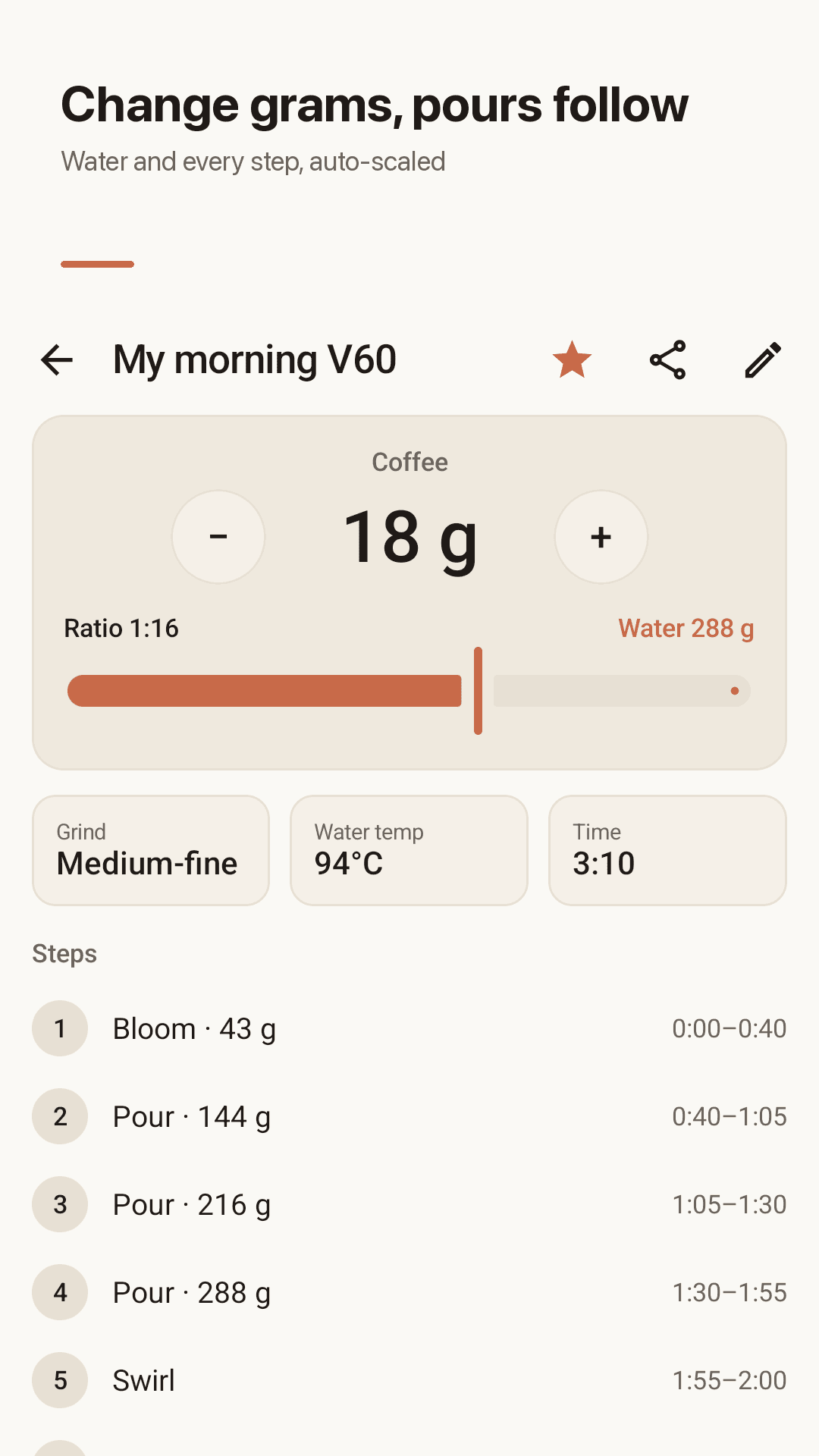
Set the grams, we do the math
Change your coffee from 15 g to 22 g and the water and every pour target update on their own. Slide the ratio from 1:10 to 1:20 (1:1.5 to 1:3 for espresso).
A timer you can read from across the kitchen
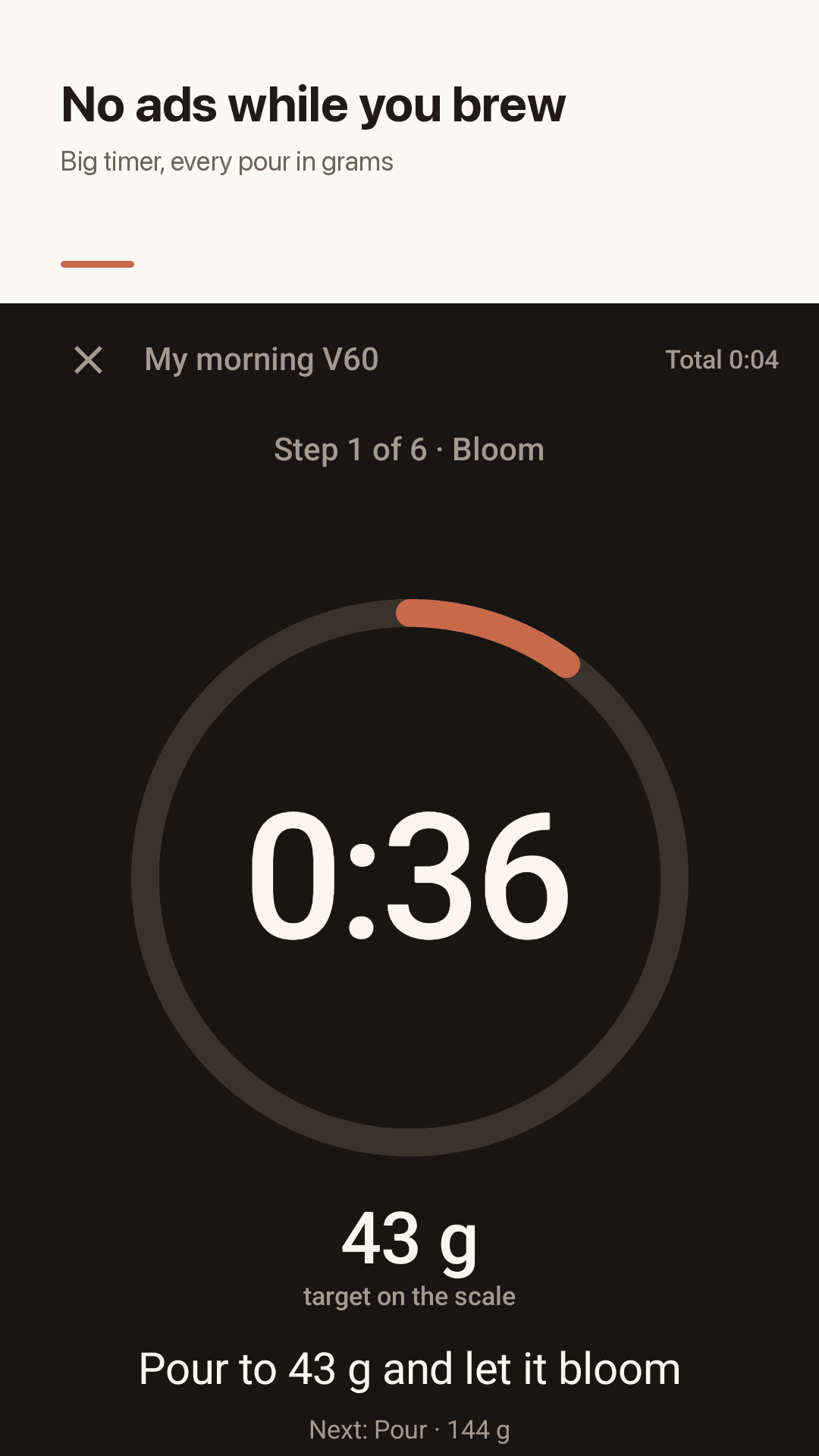
A huge countdown and the target weight for your scale. A beep and a buzz for the next pour, and the screen stays on while you brew.
No ads while you brew
Nothing interrupts the bloom or the pours. There is not even a banner on the brewing screen.
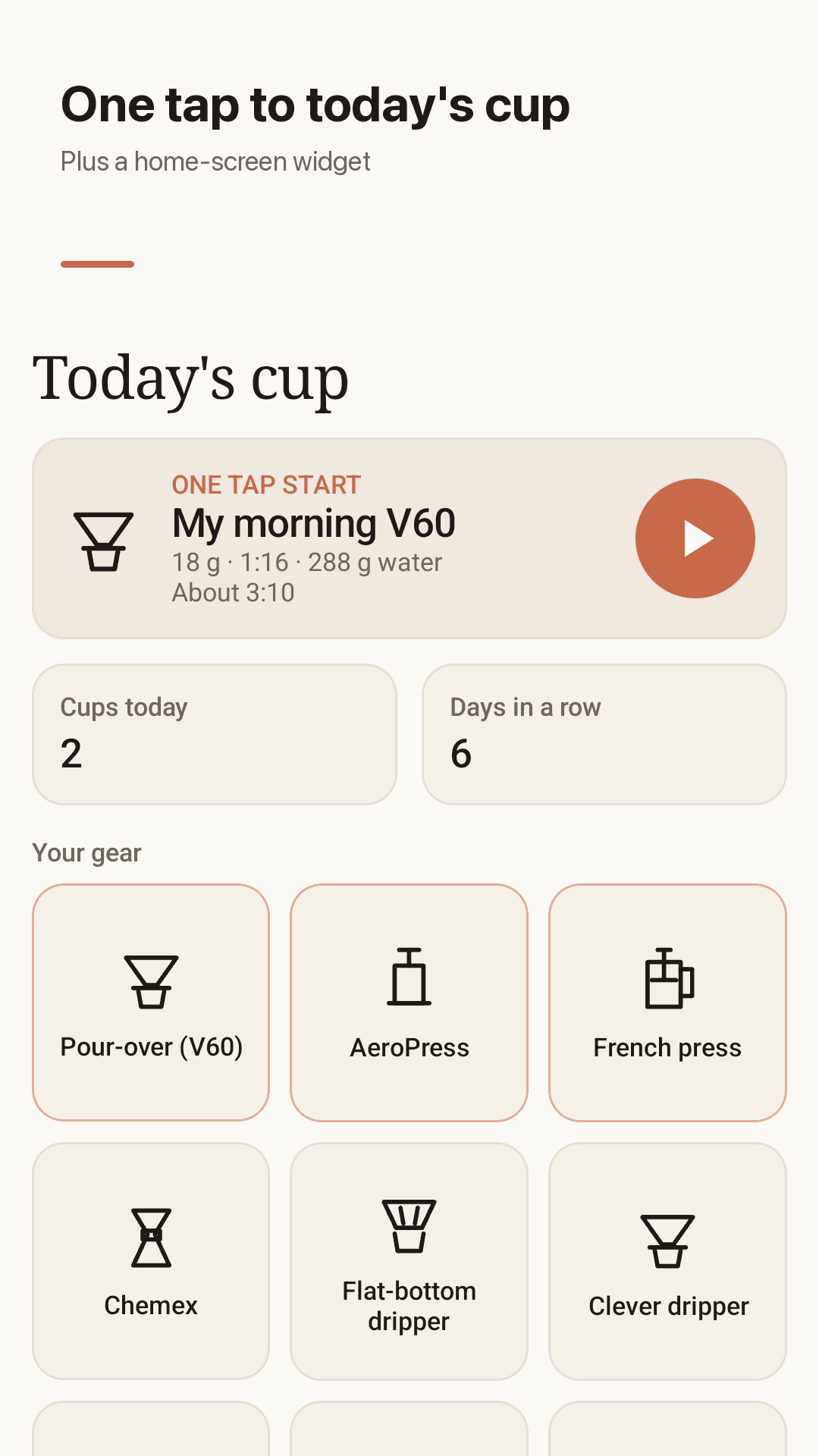
One tap start and widget
Today's cup sits at the top: tap ▶ and you are brewing. The home-screen widget has the same one-tap start and today's cup count.
Back, skip, pause
Go back or skip a step any time. Pause the step while the water drains and the total time keeps running.
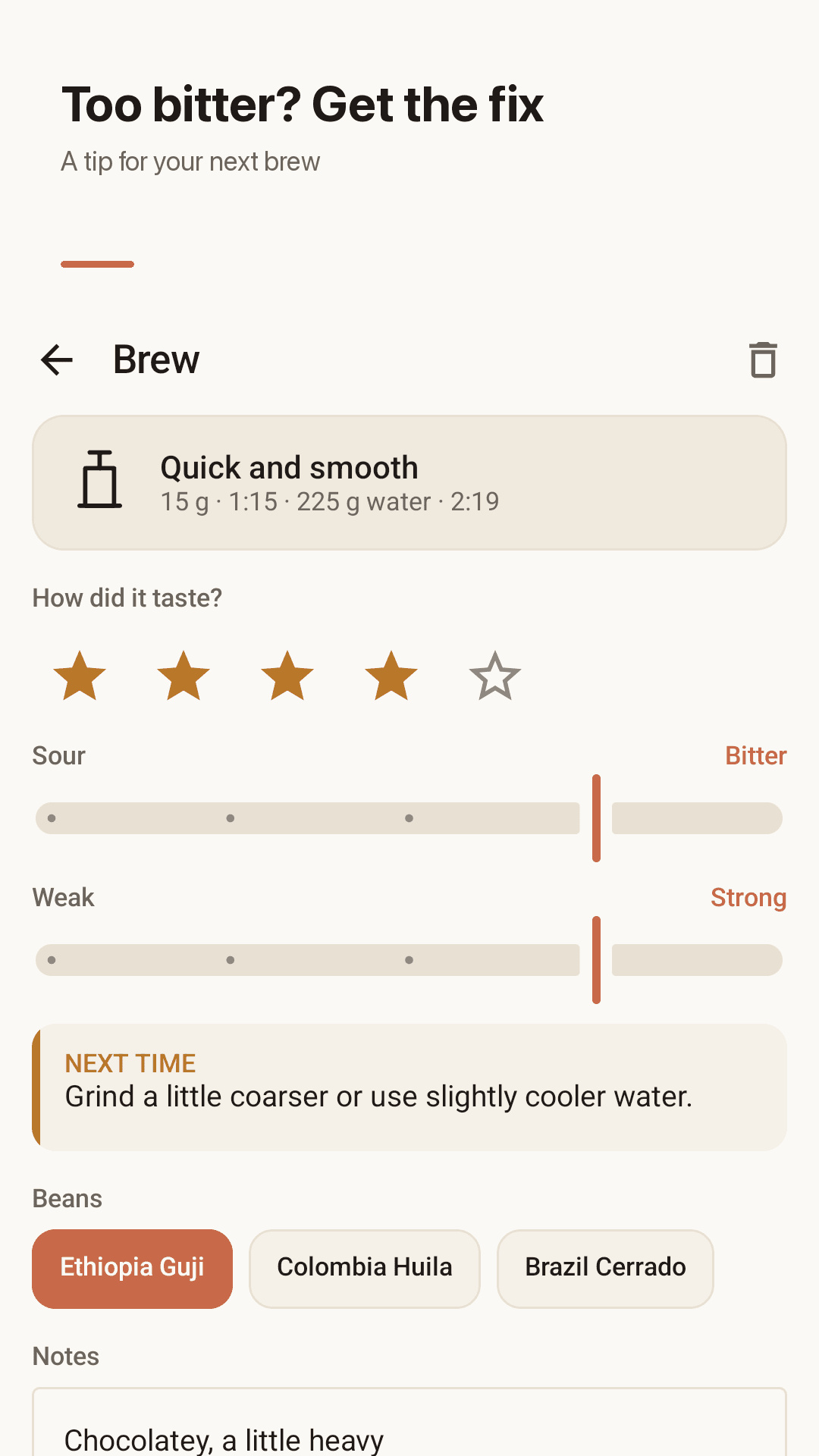
Rate it, fix it
After each brew, slide between sour and bitter, weak and strong, and get a tip for next time: grind coarser, cooler water, a lower ratio.
Your recipes, your log
Copy any of 10 basic recipes and make it yours: insert steps anywhere, reorder, add notes. Tap a log entry to brew it again.
Bean freshness and backup
Add the roast date to see when your beans taste their best. No account, everything stays on your phone, with free backup export and import.
See it in action
Brewing timer, recipe, today's cup, taste rating
No ads while you brew
Change grams, pours follow
One tap to today's cup
Too bitter? Get the fix
How it works
Pick your brewer and recipe
Choose a basic recipe or your own for V60, Chemex, AeroPress, French press, moka pot, cold brew and more.
Set your grams
Set the coffee in grams and the ratio. Water, pour targets, grind, water temperature and total time appear on one screen.
Pour with the timer, then rate
Follow the big timer and target weights, then rate the cup and get a tip for your next brew.
FAQ
Do I have to sit through an ad before every brew?
No. Bloomcup never shows ads right before or during a brew, and there is no banner on the brewing screen. It is a free app supported by ads on other screens.
Does the timer update based on grams of coffee?
Yes. Change the grams and the total water and every cumulative pour target are recalculated from your ratio.
Is there a quickstart or widget for my daily recipe?
Yes. Tap ▶ on Today's cup at the top of the home screen, or use the home-screen widget, to go straight to the brewing timer.
Can I go back a step, not just forward?
Yes. Go back or skip a step at any time. Pausing a step does not stop the total time.
Can I insert a step into the middle of a recipe?
Yes. Copy a recipe into your own, then insert steps anywhere and reorder them.
Do I need a pro version to see my previous brews?
No. The brew log with ratings and notes, your recipes and the widget are all free.
Which brewers does it support?
Pour over (V60), Chemex, flat-bottom drippers, AeroPress, French press, the Clever dripper, moka pot, espresso and cold brew.
Do I need an account? Can I back up my data?
No account or sign-up. Everything stays on your phone and works offline, and you can export and import a backup file for free.
Brew tomorrow's cup without the math
Set the grams and let the timer tell you every pour