Trash DayNever miss trash day again
One nudge the evening before, one more the morning of.
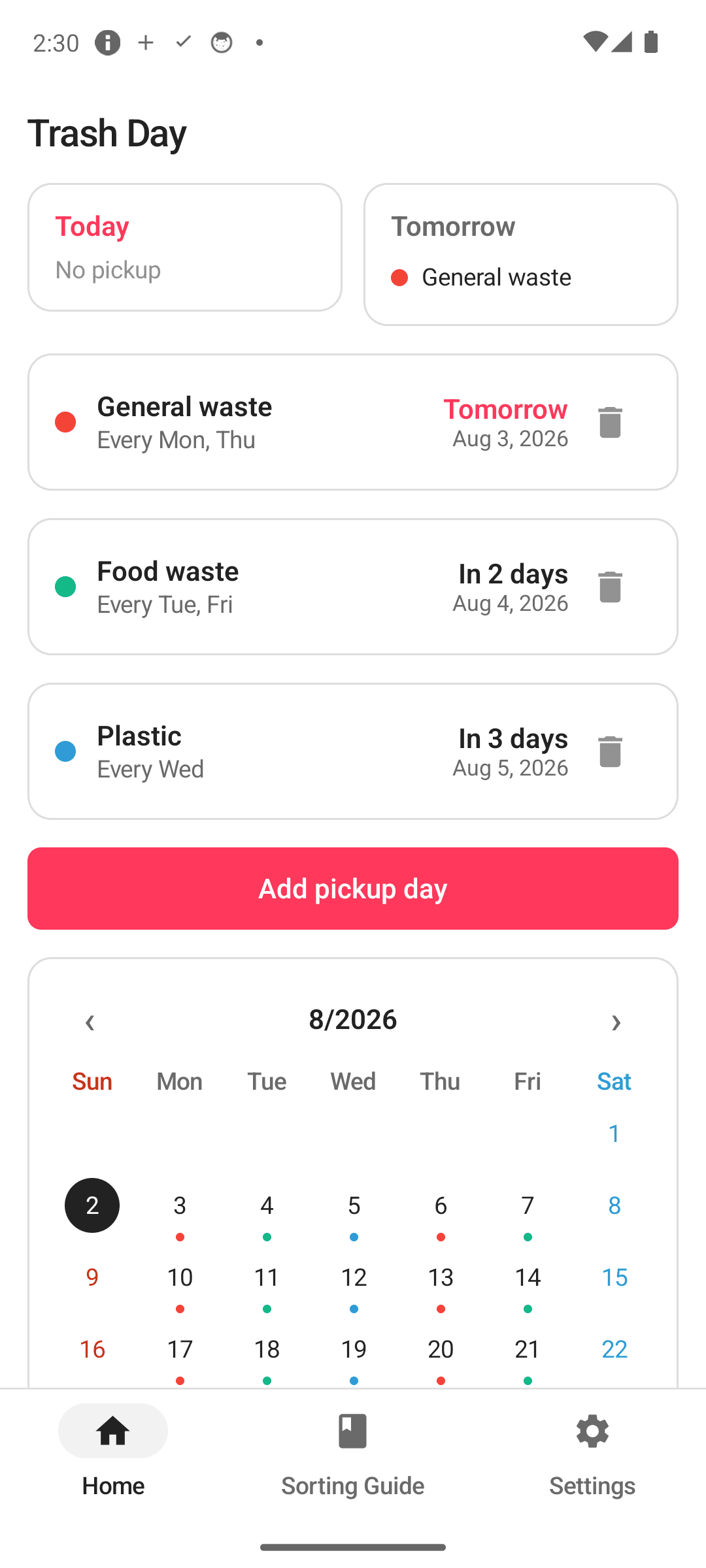
Register your garbage, recycling, and food-waste days once. Trash Day reminds you twice — and the reminders survive phone reboots. A color-coded calendar shows everything going out this week at a glance.
Sound familiar?
Missed food-waste day and lived with it for another week
Which day was recycling again? Checking the neighbors' curb every time
Chicken bones — trash or compost? Googling it at the bin
Trash Day remembers for you ✨
Collection days, handled
Set it once, and it keeps track for you
Double reminders
A heads-up the evening before, plus one more the morning of. Both times are adjustable — and reminders survive phone reboots, no exceptions.
Any local schedule
Weekly, nth week of the month (2nd & 4th, etc.), every other week, or monthly — whatever rules your area uses, they fit.
Color-coded calendar
Give each waste type a color and see the month dotted with what goes out when. One glance covers the whole week.
99-item sorting dictionary
Chicken bones, eggshells, instant-noodle cups, broken glass — look up how to dispose of 99 commonly confusing items in one search.
Home widget with check-off
See today's pickups right on your home screen and check them off once they're out — without opening the app.
Fully offline
No server, no account, no sign-in. Everything stays 100% on your device and every feature works without internet.
See it in action
From setup to check-off — just a few taps
Today's and tomorrow's pickups at a glance
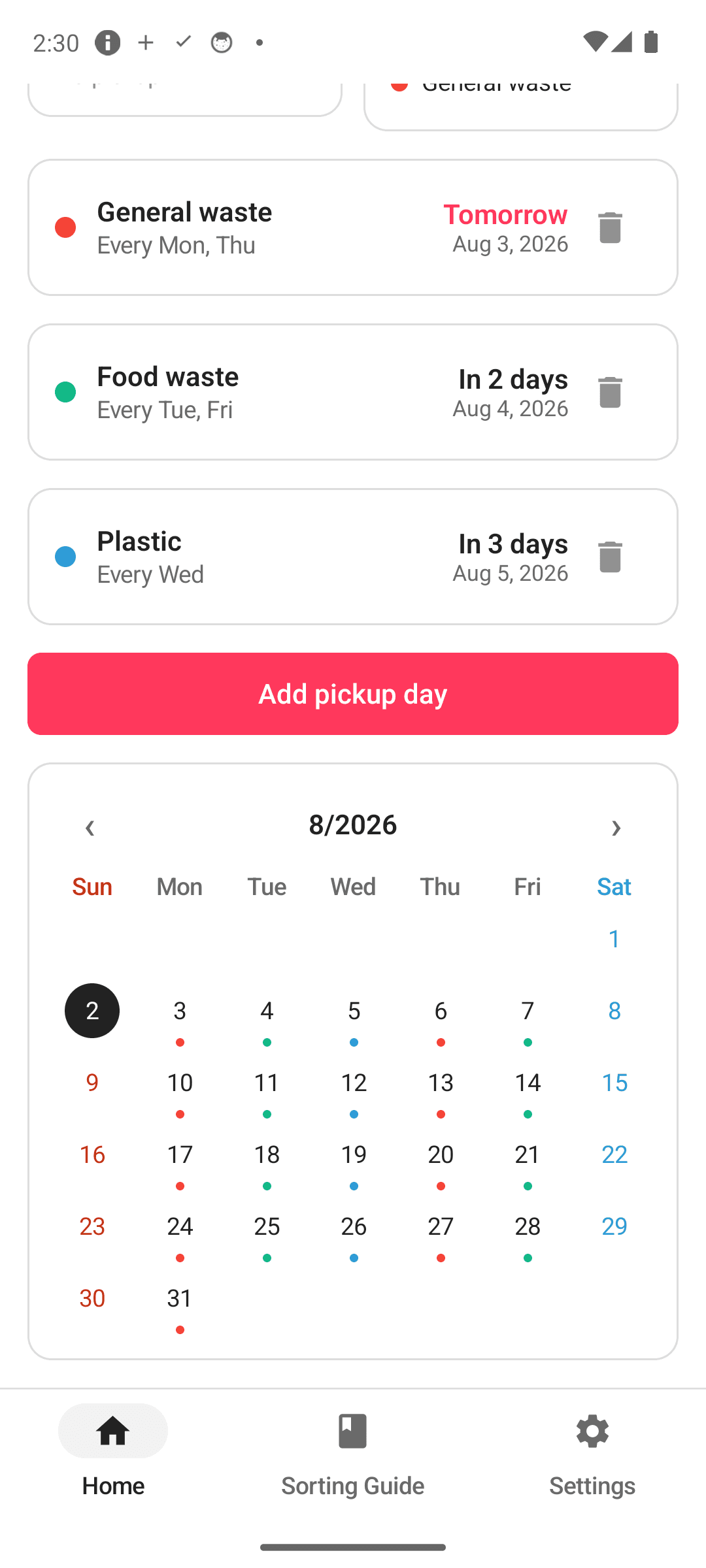
The week's schedule on a color calendar
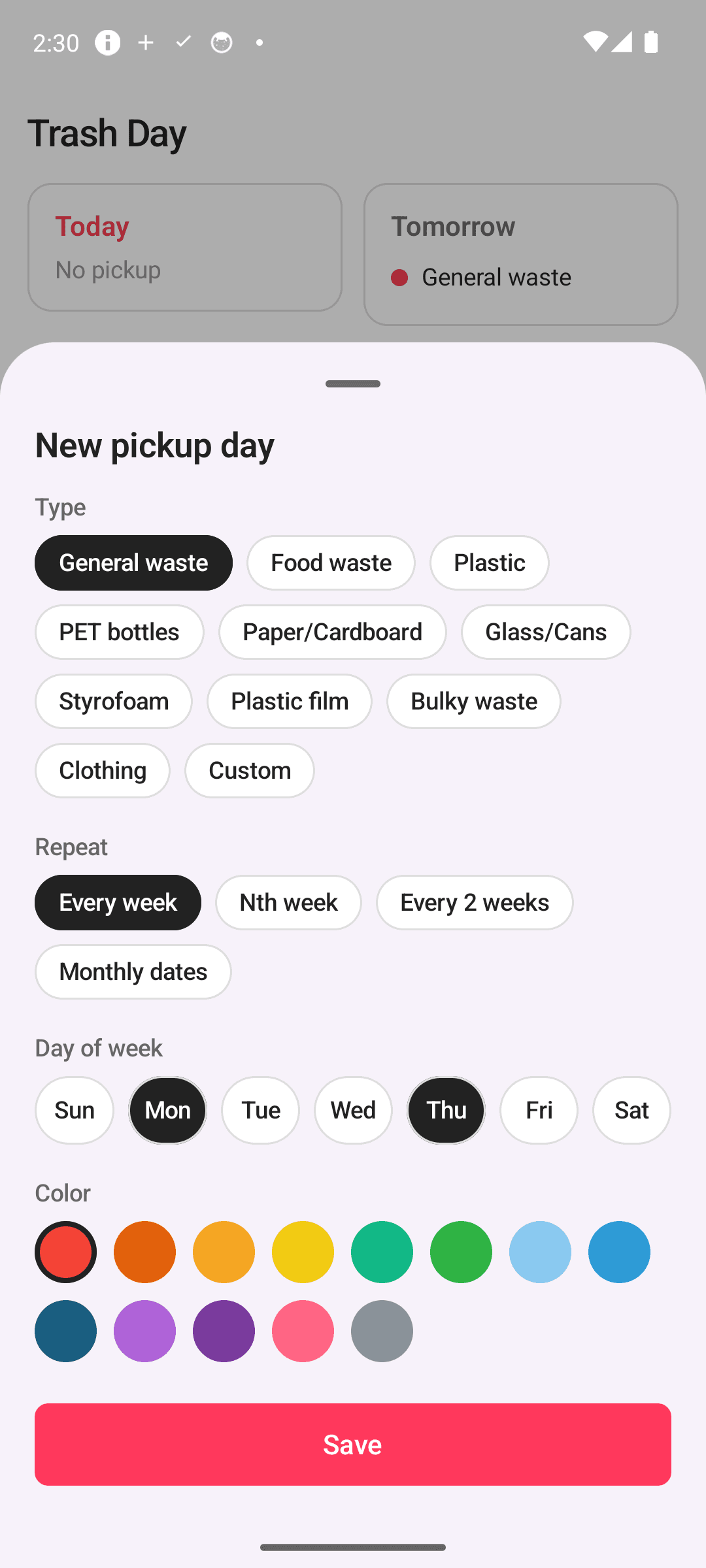
Weekly, nth-week, biweekly, or monthly
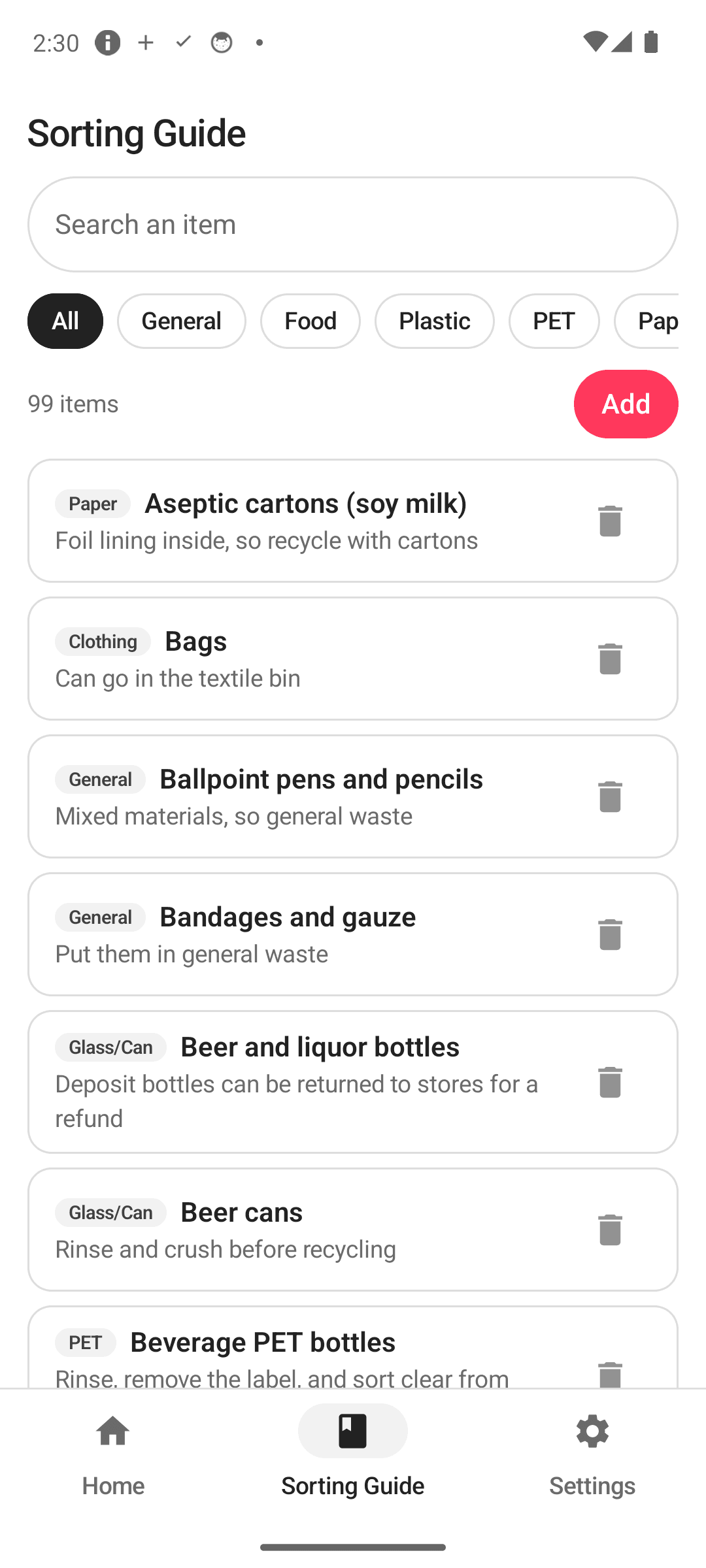
The sorting dictionary ends the guessing
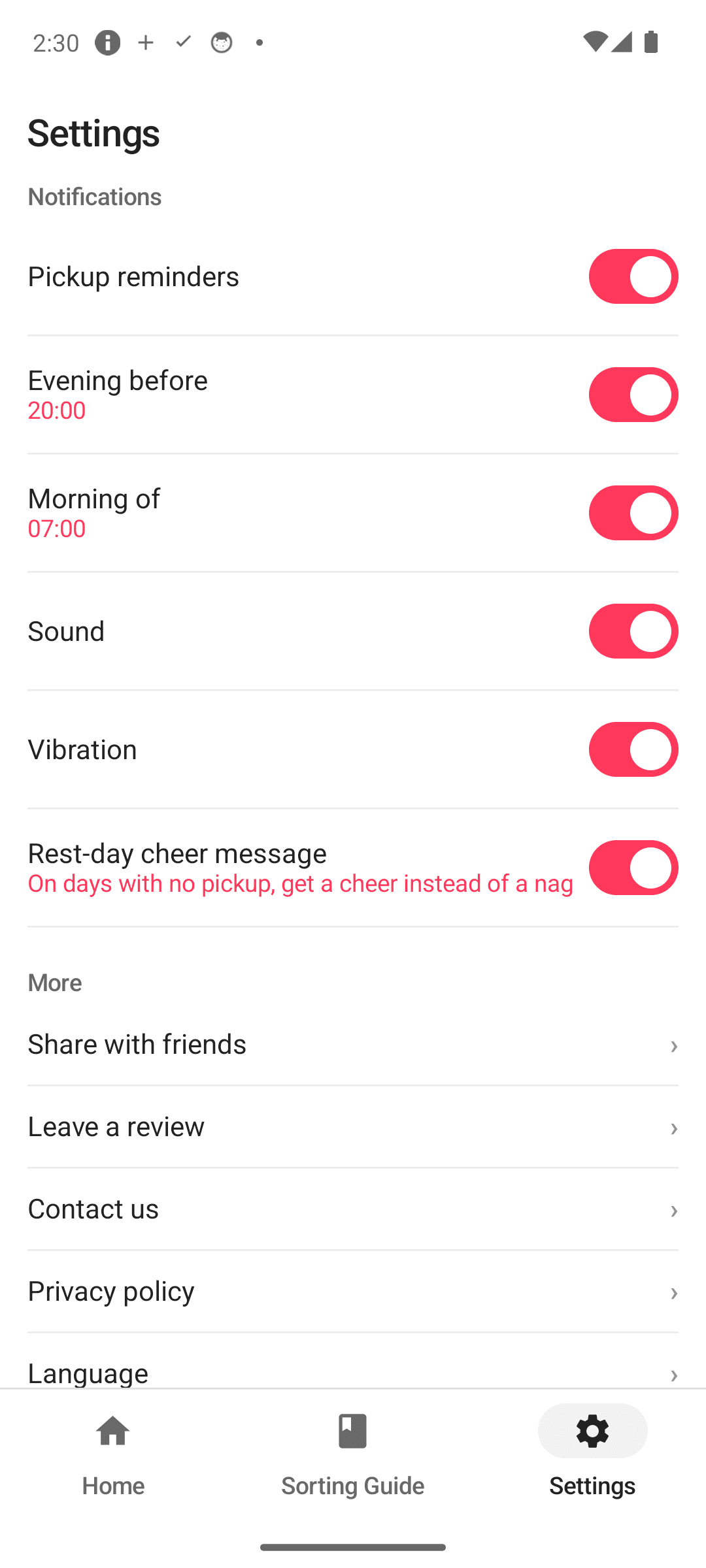
Reminder times and theme, your way
Three steps is all it takes
Add your waste types
Register garbage, recycling, compost — with your area's days and cycles.
Get reminded
The evening before and the morning of. Adjust both times freely.
Take it out, check it off
Check it off from the widget or app; the next date is scheduled automatically.
Frequently asked questions
Do reminders survive a phone reboot?
Yes. Registered reminders are restored automatically after a reboot. The evening-before and morning-of times can each be set to whatever works for you.
My area collects recycling only on the 2nd and 4th weeks. Can I set that?
Yes. Beyond weekly repeats, Trash Day supports nth-week (like 2nd & 4th), biweekly, and monthly cycles, so local rules fit as-is.
What's in the sorting dictionary?
99 commonly confusing items — chicken bones, eggshells, instant-noodle cups, broken glass and more — with the right way to dispose of each. Searchable in a tap.
Is my data safe?
There's no server and no cloud. No account, no sign-in — everything stays 100% on your device, and every feature works offline.
Is it free?
Yes. Reminders, the calendar, the sorting dictionary, and the home widget are all free to use.
Stop missing pickup day
Download free and let the evening-before reminder do the remembering. 🗑️