
TomodayThe shared calendar and to-do list for your people
Today's plans and to-dos, on one page you share
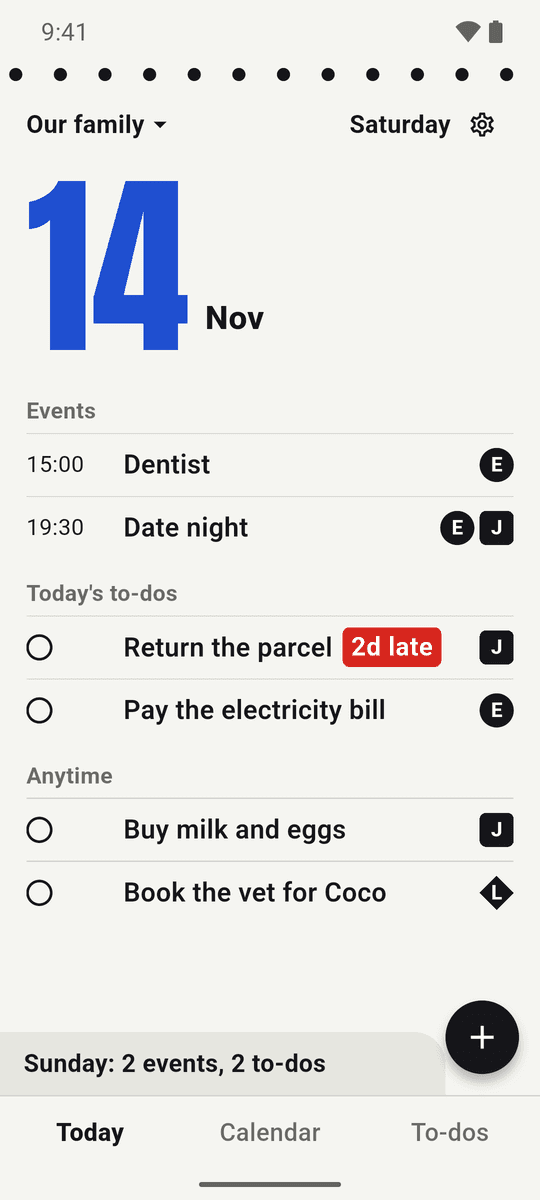
Open it and today appears like a page of a tear-off calendar: everyone's events, everything due, and who's on each. Swipe to tear it off and see tomorrow.
Sound familiar?
Plans made in the group chat get buried
Events in one app, to-dos in another — things slip between them
"Wait, who said they'd do that?" — every single time
Everything for today, on one page
Events and to-dos together
Tap a day to see its events and the to-dos due, side by side. Overdue to-dos stay on today's page until they're done.
Every to-do has an owner
Each person has their own stamp, so everyone sees who's on what. Send a nudge when it matters.
Invite with a link or code
Bring in your family or partner with a link or a 6-character code. Changes show up for everyone right away.
Reminders and summaries
Reminders before events and on due dates, plus a short summary in the morning and evening.
Repeating events
Every day, every week, monthly by date, or monthly by weekday. Add piano lessons or book club once.
Home screen widgets
Today, This week, and This month widgets. Dark mode and 24 languages included.
See the app
Events, to-dos, and who's on each — on one page
Today, on one page
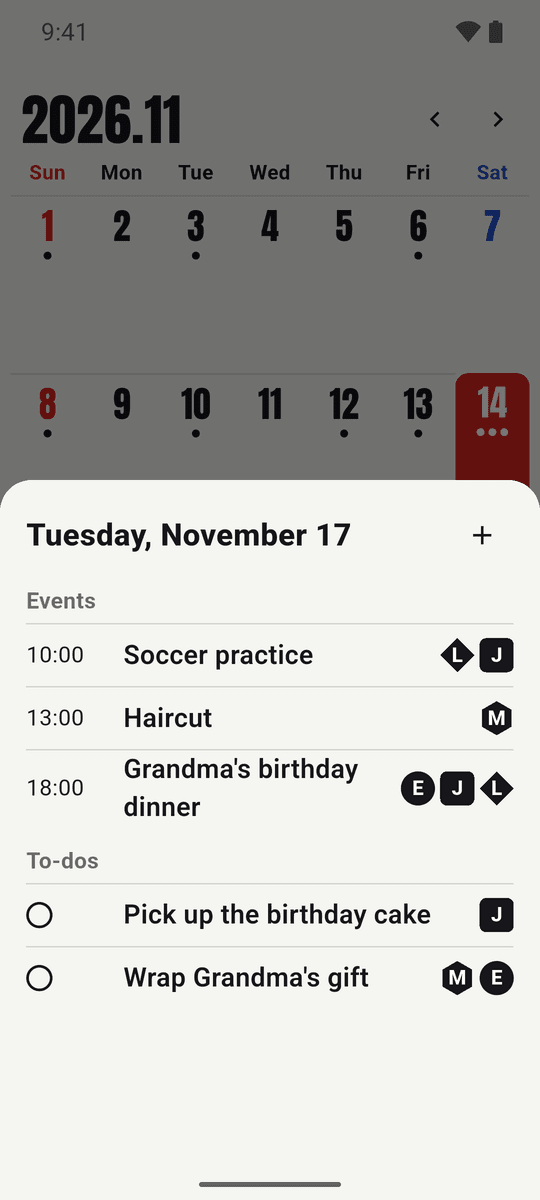
Tap a day, see it all
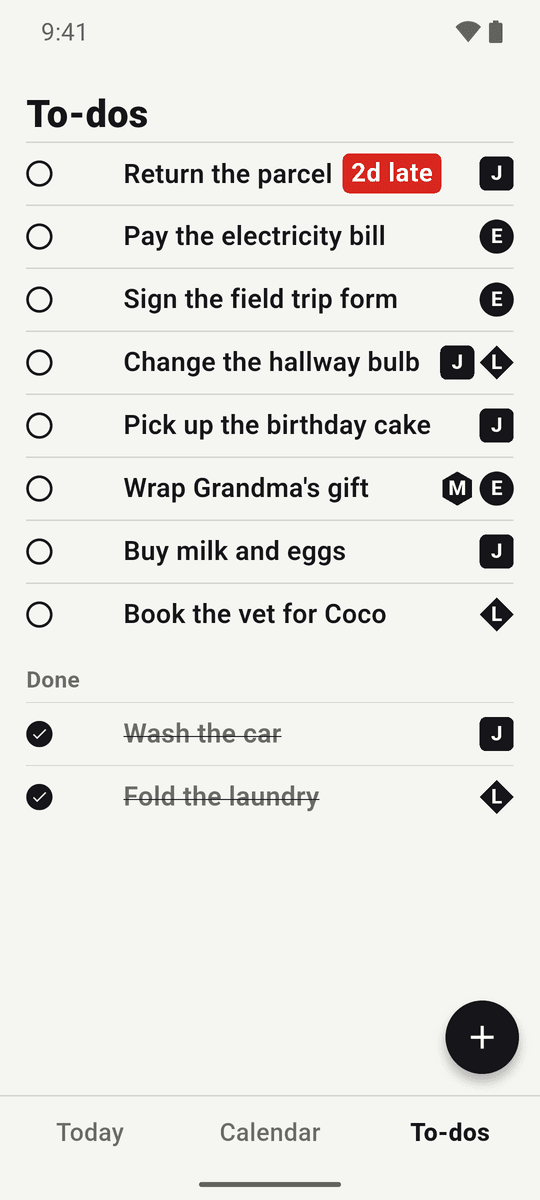
Every to-do has an owner
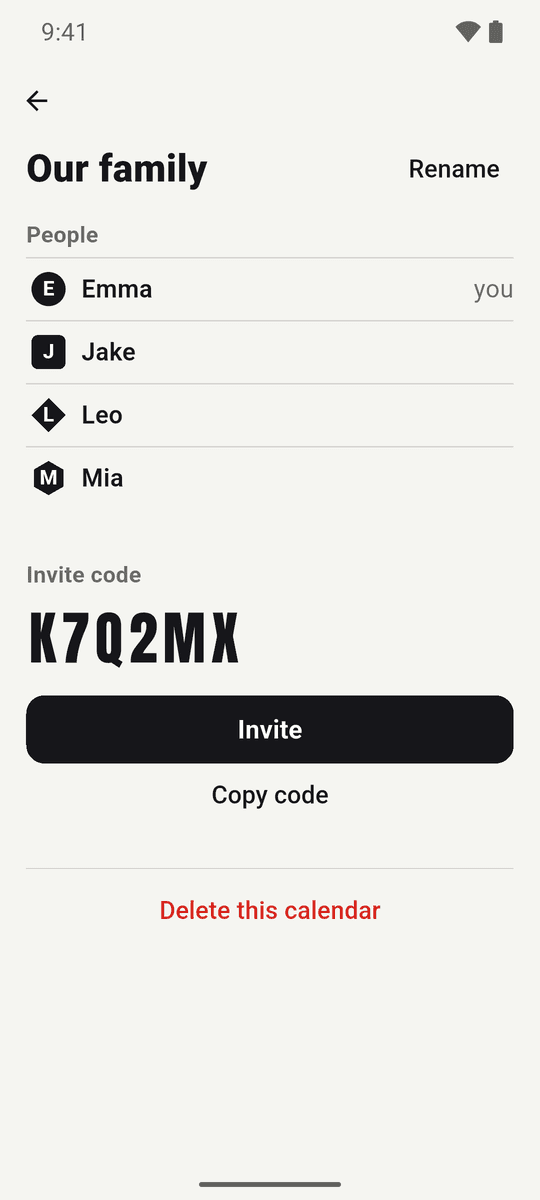
Invite with a link or code
Start in three steps
Start without an account
Open the app and go. Connect Google or Apple later to keep your calendars safe on all your devices.
Invite your people
Share a link or a 6-character code to your "Our family" calendar — by text, chat, or anywhere.
Check one page
Add events and to-dos, pick who's on each, and everyone sees the same today.
How people use it
Grandma's birthday dinner
A weekend the whole family pitches in on
- 1Emma · adds "Grandma's birthday dinner" on Saturday at 18:00 and tags the family
- 2To-dos · "Pick up the cake" goes to Jake, "Wrap the gift" goes to Mia
- 3Jake · opens Saturday's page and sees the dinner and his to-do together
- 4If he forgets · Emma sends a nudge — it pops up on Jake's phone
- 5Done · he checks it off, and everyone's page updates right away ✓
The to-do that keeps slipping
To-dos that don't vanish when the date passes
- 1Monday · add "Return the parcel", due Wednesday
- 2Wednesday · a reminder arrives on the due date
- 3Friday · still not done? It follows you on today's page as "2d late"
- 4Anytime · to-dos without a date sit in the "Anytime" list under today
What makes it different?
Most calendar apps: events only, to-dos live somewhere else
Tomoday: events and to-dos on the same page
Solo to-do apps: no idea who's on what
Tomoday: an owner stamp on every to-do, plus nudges
Group chats: plans get buried in messages
Tomoday: one calendar you all share
Easy to start, easy to keep
No sign-up needed
Install and start right away
Safe across devices
Connect Google or Apple to keep your data
24 languages
English, 한국어, 日本語 and more
Dark mode
Easy on the eyes at night
Frequently asked questions
Is Tomoday free?
What does Premium add?
Is this the same app as Angie's Calendar (Angie's Note)?
Do I need an account?
Can I add repeating events?
See today, together
One shared calendar of your own is free