TimerdeckTap and it starts
Many named timers on one screen · Alarms that actually ring
Pasta 9 minutes, laundry 45, plank 1. Save the timers you use every day with a name, and the moment you tap Start on a card, it is running. No ad, no permission pop-up, no waiting at the start. When it ends, the alarm shows up full screen over the lock screen and rings until you stop it, even with the screen off or the phone on silent. Available on Google Play for Android.
Gave up on a timer app because of this?
"Every time you use the app you need to sit through an ad" — right when you tap Start
"it doesnt ring a sound during alarm. one vibrate and that's it"
"it's not working properly in background now"
"The timer is the notification." — yet every timer adds another one to the pile
"Latest update has broken compact display setting" — fewer timers fit on screen
A Bluetooth permission prompt, every single time you start a timer
Timerdeck: nothing gets between you and Start, and the alarm actually rings ⏱️
"multiple timers at once"
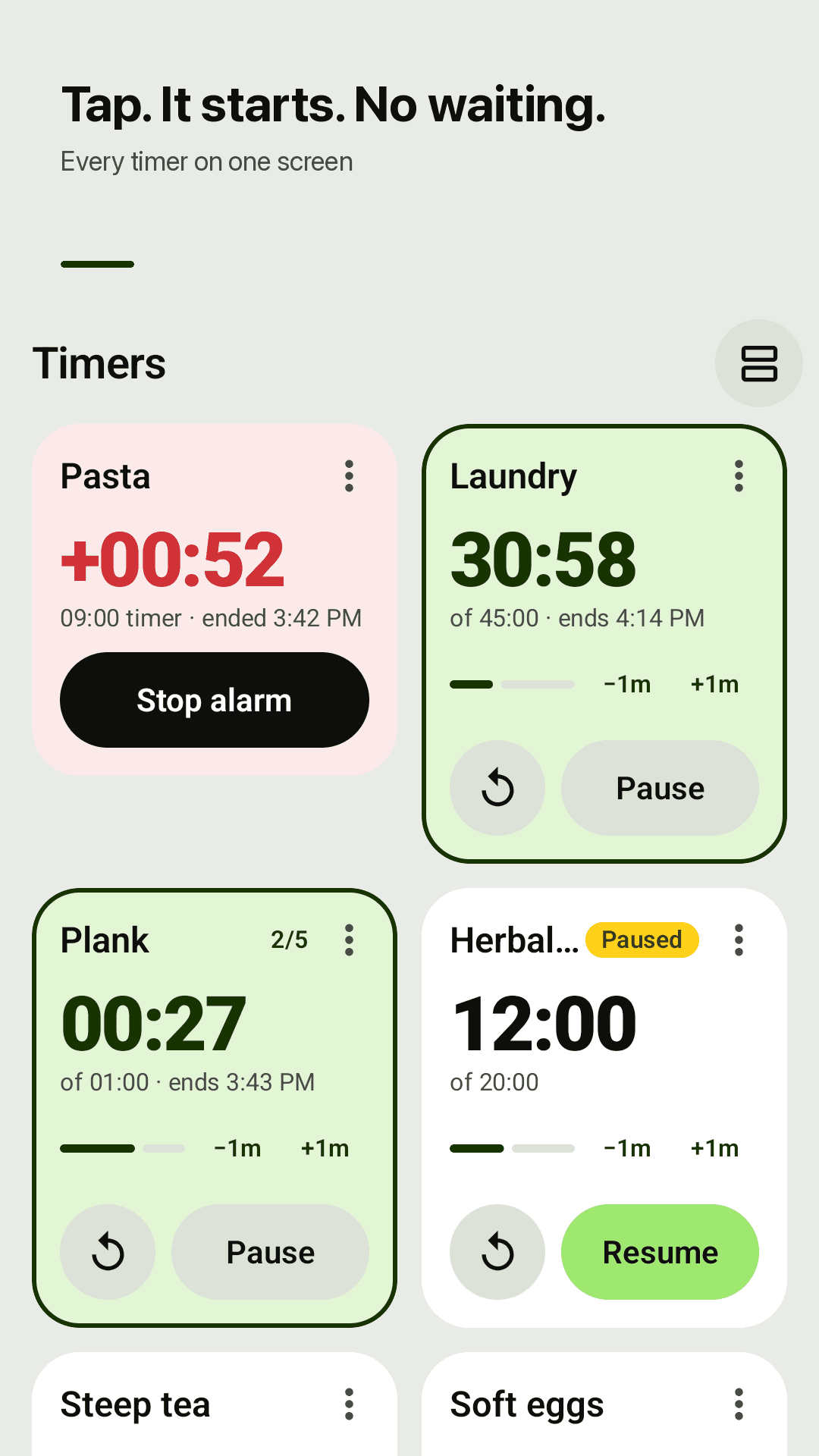
Lay out the timers you use every day like a deck, and tap to start
Tap and it starts
One tap on the card's Start button. No ad and no permission prompt on Start, pause, reset or ±1 min.
Many named timers
Save timers with names — Pasta 9:00, Laundry 45:00, Plank 1:00 — and reuse them every day. Grid or list view fits six or more on one screen.
Time left, original time, end time
Each card shows a big time left, the original time and the exact time it ends. Add or remove a minute with −1m / +1m while it runs.
Alarms that actually ring
Rings at the exact time, even with the screen off. Uses the alarm volume, so it rings in silent mode too, full screen over the lock screen until you stop it.
Overtime and snooze
After it ends, overtime counts up in red (+00:42), so you know how long ago it finished. Snooze with +1 min or +5 min, or restart in one tap.
Repeat and start delay
Repeat 2–20 times or forever, with the current round shown (2/5). A short alert each round, a full alarm at the end. Start delay of 5, 10, 30 seconds or 1 minute.
Stopwatches with laps
Run several named stopwatches side by side. Record laps with the fastest and slowest highlighted, and share your lap times as text.
Widget, one notification, no account
Start or pause favorite timers from the home-screen widget. One quiet notification for everything running. Notification permission only. Light and dark themes.
See it in action
The timer deck, the alarm screen, the timer editor and stopwatches
Tap and it starts — every timer on one screen
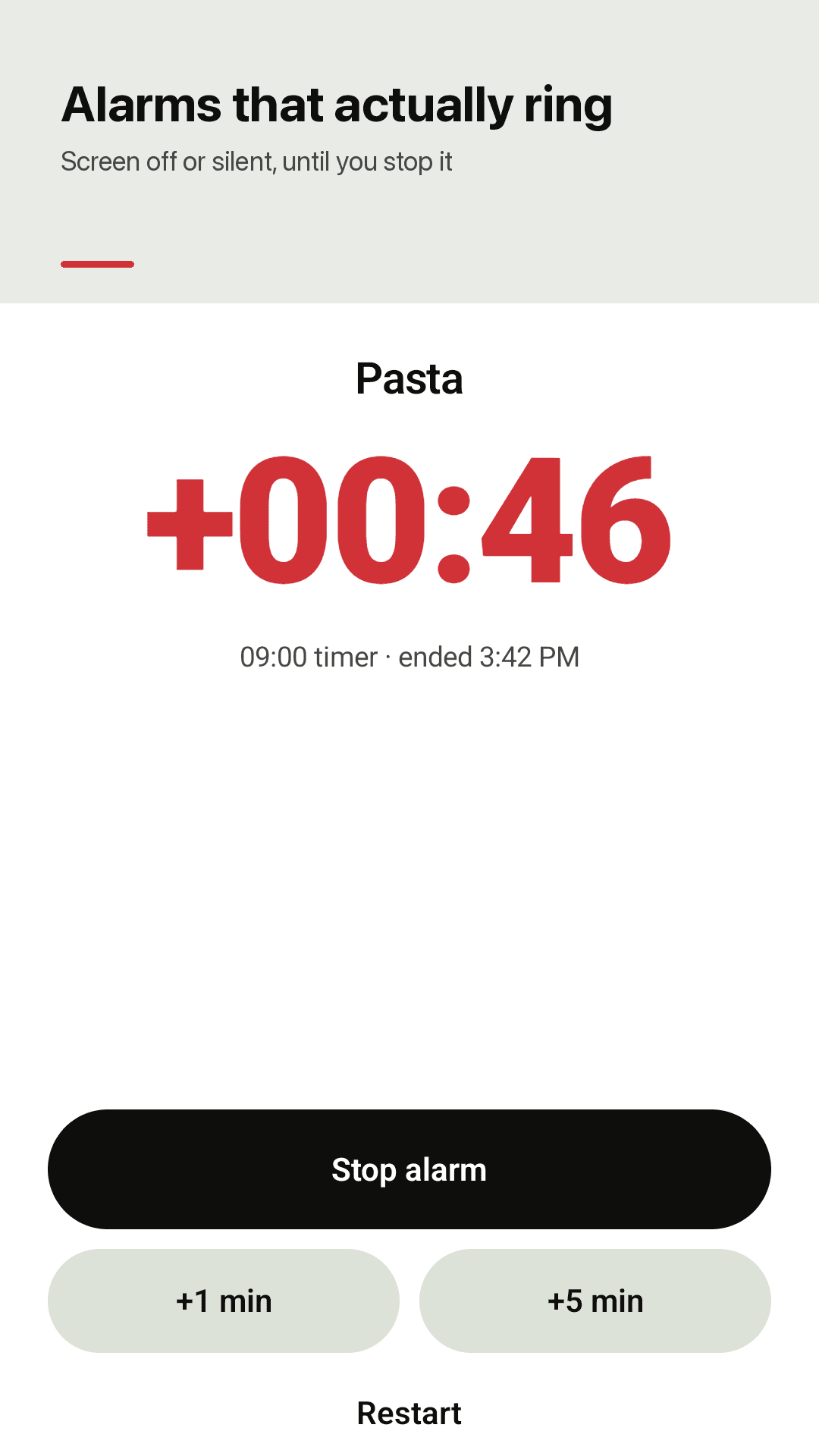
Rings with the screen off or on silent, until you stop it
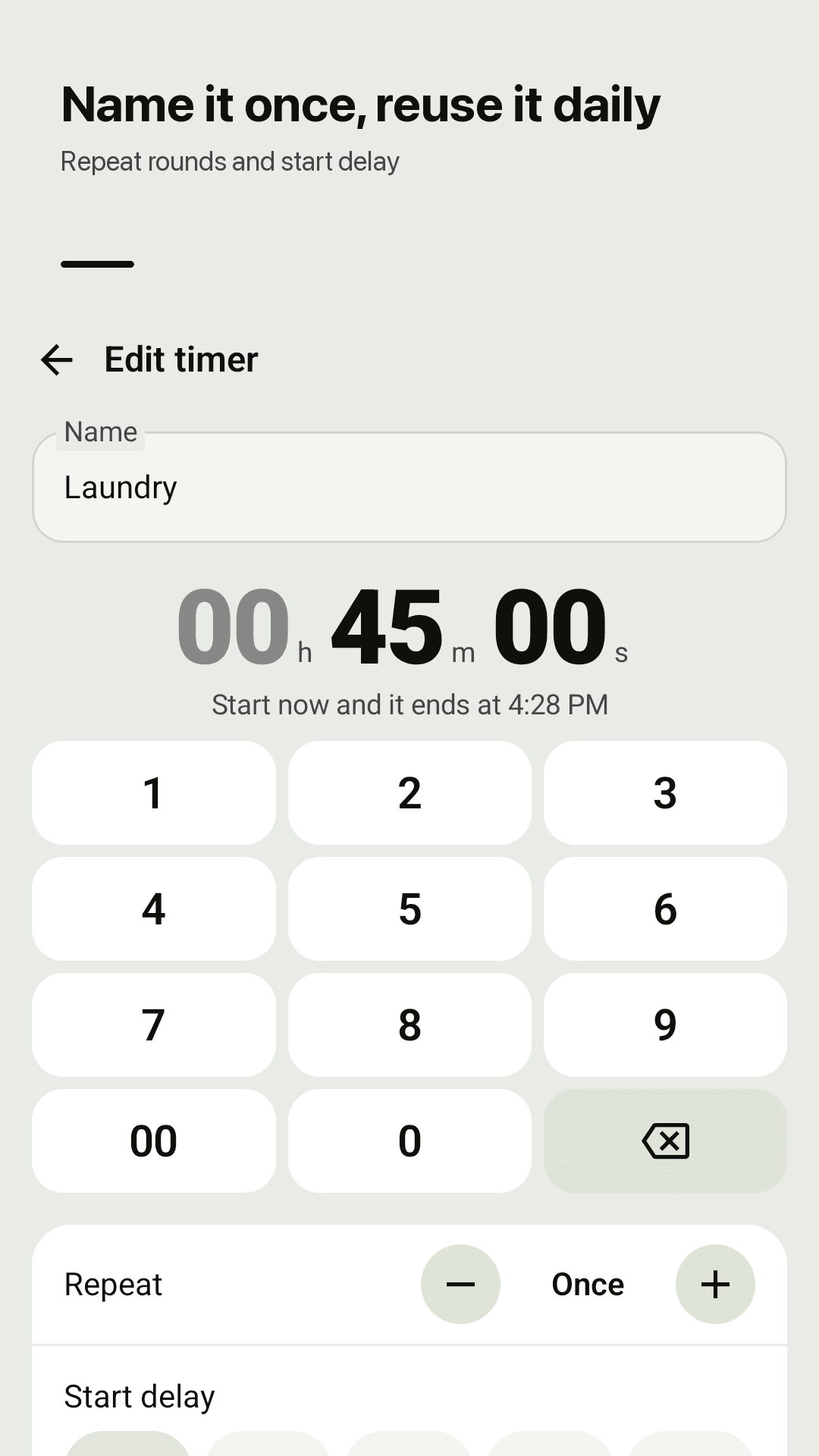
Name it once, reuse it daily, with repeat and start delay
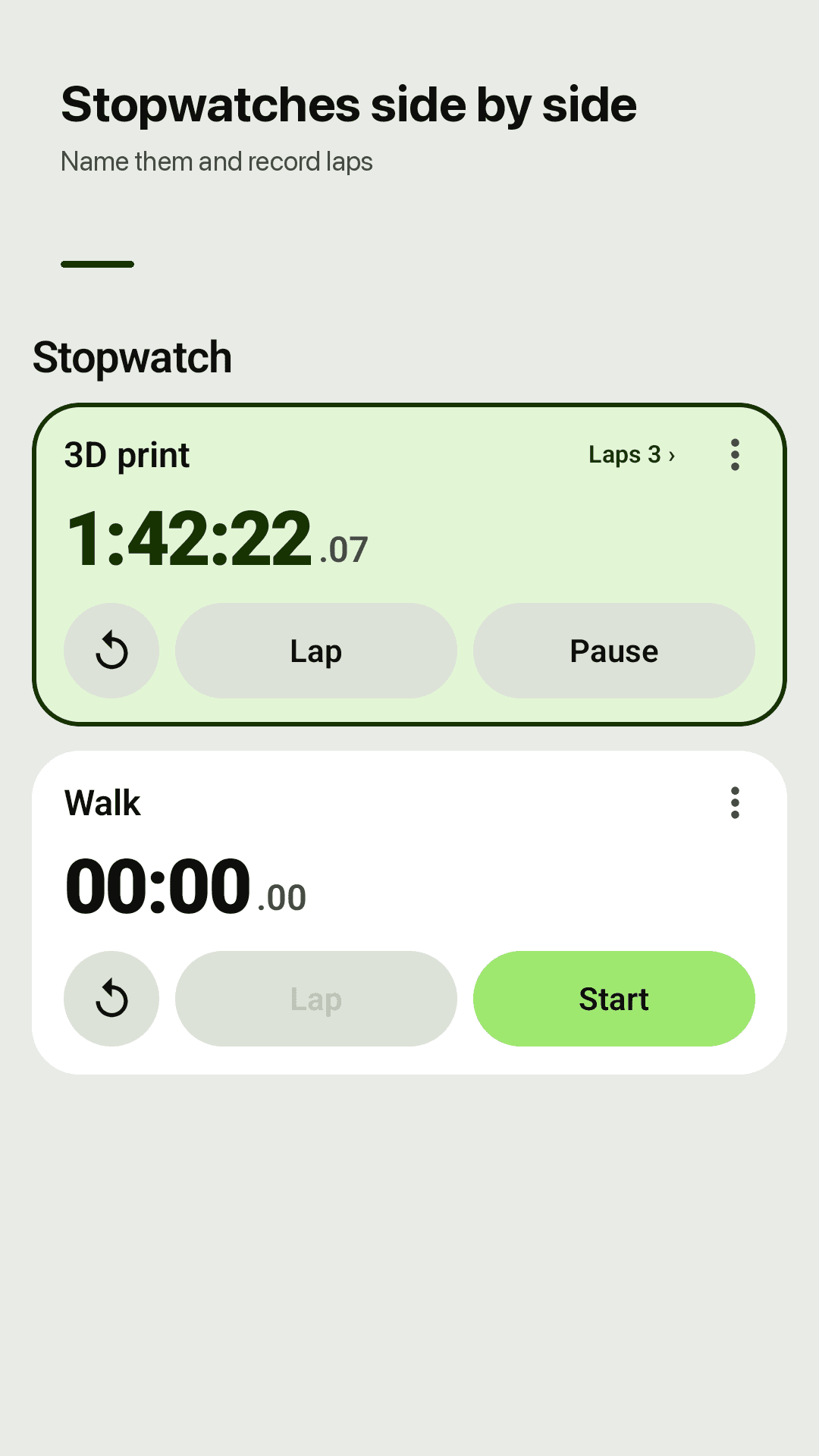
Stopwatches side by side, with laps
How it works
Save a named timer
Tap +, type a name and enter the time on the keypad. Pick a repeat count or a start delay if you need one.
Tap Start on the card
It starts the moment you tap. Run as many as you like at once; they share one quiet notification.
Stop, snooze or restart
When it ends, a full-screen alarm rings. Stop it, snooze for +1 or +5 minutes, or restart in one tap.
Frequently asked questions
"Every time you use the app you need to sit through an ad" — is that the case here?
No. Timerdeck never shows an ad when you tap Start, and nothing interrupts pause, reset, ±1 min, the widget or the notification buttons. The app is supported by ads: a full-screen ad can only appear after something is finished, such as after you stop an alarm and return to the deck or after you save a timer.
Will it ring with the screen off, or is it "one vibrate and that's it"?
Timerdeck schedules an exact alarm, so it rings on time even with the screen off, and it shows a full-screen alarm over the lock screen that keeps ringing until you stop it. On Android 14 and later, "Allow full-screen alarms" in Settings must be on for it to appear over the lock screen.
"If you start a timer and the phone is on silent, or just vibrate" — will it still ring?
Yes. The alarm uses the alarm volume, not the media or ringer volume, so it rings in silent and vibrate mode. If your alarm volume is turned all the way down, it will not be heard.
Can I "run multiple timers" at once?
Yes. Save as many named timers as you like and start, pause or reset each one on its own. The Stopwatch tab also runs several named stopwatches side by side, with laps.
Is there a "start delay" and a repeat option?
Yes. Repeat a timer 2–20 times or forever, and the card shows the current round (2/5). You get a short alert at the end of each round and a full alarm at the end. Start delay can be 5, 10 or 30 seconds or 1 minute.
Can I see the original time and when it ends?
Yes. Each card shows the time left, the original time and the exact time it ends. When a timer finishes, its card turns red and overtime counts up (+00:42), so you know how long ago it ended.
"I absolutely hate how notifications are required" — will notifications pile up?
No pile. Everything that is running is shown in one quiet notification. Notifications are the only permission Timerdeck asks for — it is what lets the alarm ring — and there are no Bluetooth, phone or storage permissions. No account, and your timers stay on your phone.
Is there a home-screen widget?
Yes. Start or pause your favorite timers from the home-screen widget without opening the app. There are no ads on widget buttons.
Next time the pasta goes in, just tap
No sign-up. Name it once, tap and it starts ⏱️