ScalendarA weight diary that fills a calendar
Missed a week? Catch up on one screen.
What usually makes people delete a weight app isn't the number on the scale — it's the full-screen ad after every save, and the guilt of a calendar full of holes. Scalendar never blocks a save, and lets you fill in every missed day from a single screen.
Why weight apps get deleted
You type one number, press save — and watch a full-screen ad. Catch up on two days and you watch it twice
A few blank days make the calendar look broken, and that's usually when people stop opening the app
You're trying to gain, but the app keeps treating every drop as the good news
Five seconds to log. One screen to catch up ✨
Built so you don't quit on day nine
A daily app should never get in your way daily
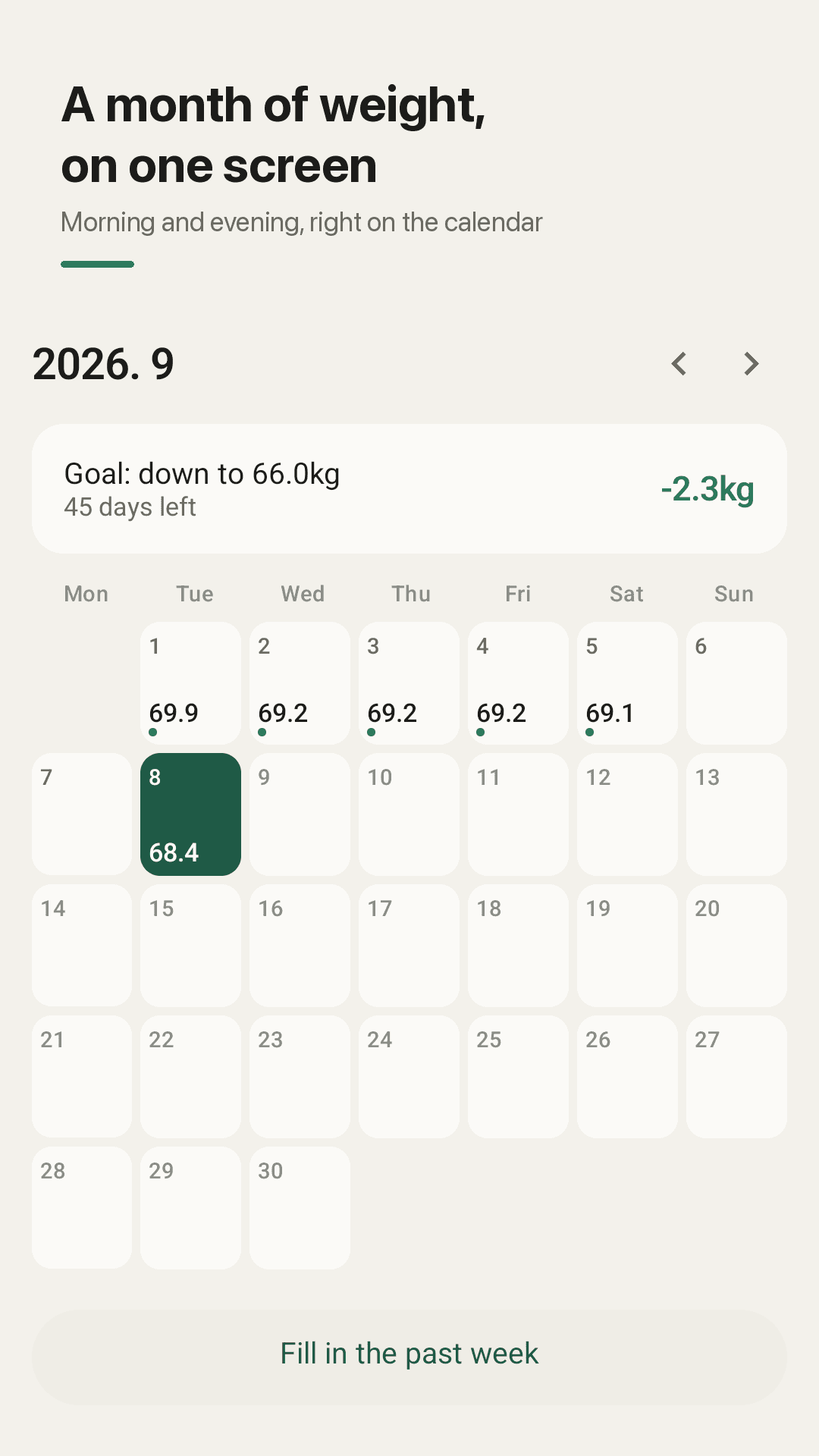
Every day lands on the calendar
Morning and evening weights sit right inside the date cell. A month at a glance tells you more than a list ever does — the weekend bumps, the slow slope, the week you travelled.
Fill in the past week
No opening seven days one by one. The last seven dates stack on a single screen, you type the ones you remember, and one save puts them all on the calendar.
Saving is never interrupted
Entering a weight and saving it doesn't trigger a full-screen ad. Backfilling three days doesn't cost you three ad breaks either.
Goals that know your direction
When you set a goal weight you also say whether you're losing or gaining. Gaining? A day that goes up is the good day, and the distance left is measured upward.
A chart with a range you choose
Not three fixed buttons. Anything from one week to one year to your entire history, so you can look at exactly the stretch you care about.
A table with the daily change
Every date with the difference from the day before: down in green, up in coral. It shows you the number, it never scolds you for it.
Log from the home screen widget
The widget holds this week. Tap an empty slot and type the number right there — no hunting for the app, no picking a date.
CSV export, fully local
Your log lives on your phone. No account, no sign-in, nothing uploaded — and when you want it elsewhere, export a CSV for your doctor or your spreadsheet.
A look inside
Calendar, catch-up, chart, table
The month at a glance, morning and evening in each cell
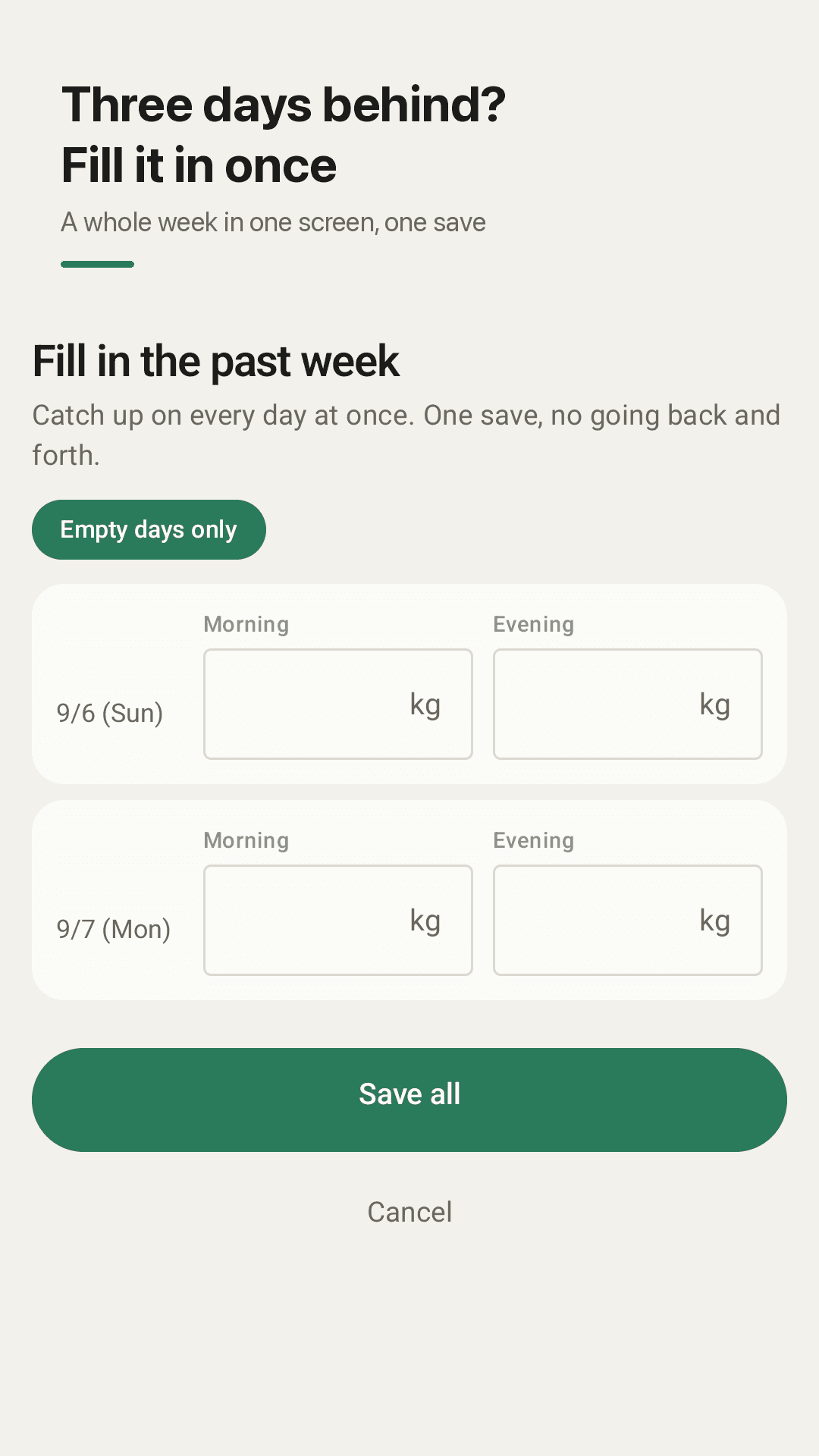
Fill in the past week — every missed day on one screen
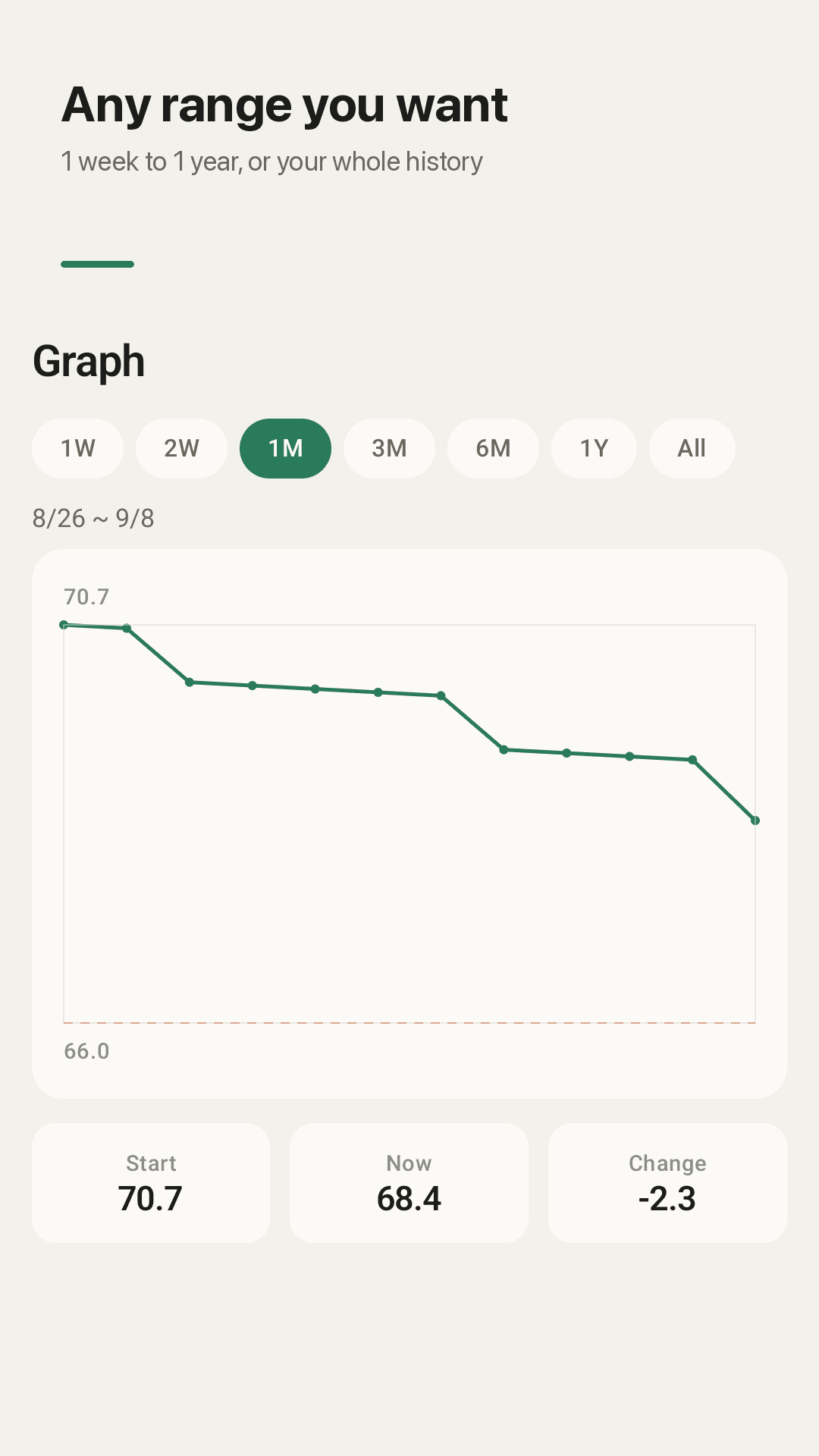
One week to all time, the range is yours
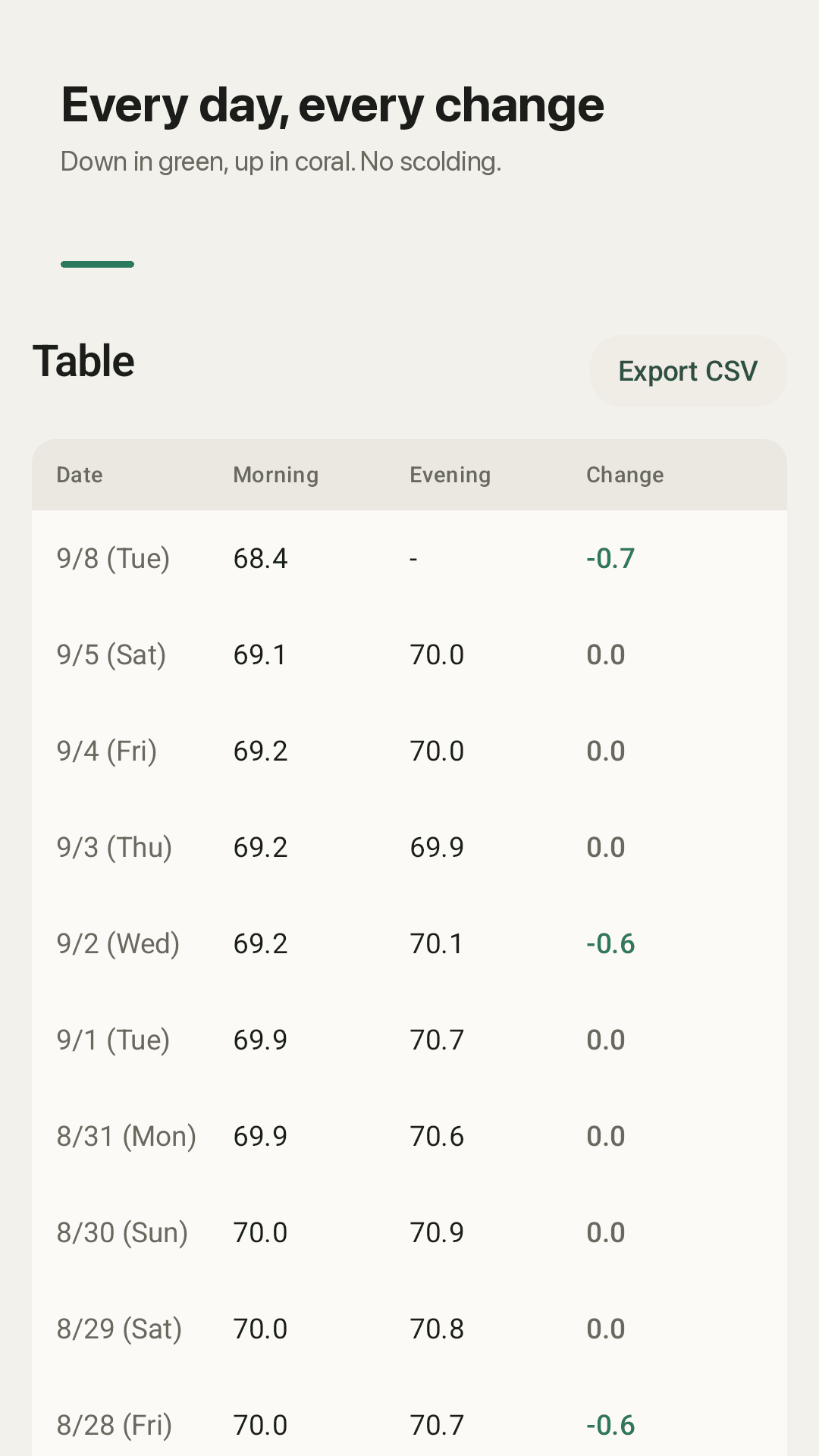
Daily change in green and coral, never in red ink
Three steps, that's the whole app
Weigh in and type it
Put in the number you saw this morning and save. Want the evening one too? Turn the evening slot on in settings.
Catch up when you slip
Missed a few days? Open 'Fill in the past week' and fill only the ones you remember. You don't have to complete them all.
Read the trend, not the day
Look at the slope of the chart instead of this morning's wobble. The distance to your goal is measured in your chosen direction.
Frequently asked questions
Do I have to watch an ad every time I save a weight?
No. Saving an entry is never interrupted by a full-screen ad. If you catch up on several days at once, you don't pay for it with several ad breaks.
I forgot for a few days. Do I have to open each date separately?
No. The 'Fill in the past week' screen lists the last seven days together. Type the ones you remember, press save once, and leave the rest blank — a blank day stays a blank day, not a broken streak.
My morning and evening weight differ by more than a kilo. Is that normal?
Yes, and it's mostly food and water rather than fat. Everything you eat and drink during the day has weight, and salt and carbohydrates make your body hold extra water. That's why you compare like with like — morning to morning — and why Scalendar records the two slots separately instead of averaging them away.
Can I use it if I'm trying to gain weight?
Yes. Your goal has an explicit direction. Set it to gaining and a day that goes up is marked as progress, with the remaining distance counted upward.
Can I pick my own chart range?
Yes. Range chips switch you between common spans in a tap, and you can pull the range anywhere from one week to a year to your whole history.
Where do I switch between kg and lb, or turn off evening weights?
Near the top of settings. Units and which slots you track are the things people change most, so they aren't buried at the bottom of a long list.
Is my data uploaded anywhere? Do I need an account?
No account, no sign-in, no upload. Everything is stored on your device, and if you want a copy you export it yourself as a CSV file.
Will it remind me to weigh in?
Yes, at a time you choose. The reminder tells you it's time to log — it doesn't count how many days you've missed at you.
Put today's number on the calendar
Install it free and log one morning weight. Whatever you missed can be filled in later, on one screen.