
PunchlyStop guessing your paycheck
One-tap time clock · Breaks · Overtime & night pay · Tips
Tap once to clock in. Tap again to clock out. Punchly tracks your work hours and shows what this pay period adds up to, right on the first screen. Built for hourly workers, shift workers, part-timers and freelancers who want an honest timesheet without a subscription.
Tired of tracking hours the hard way?
You're always trying to guess how much your next paycheck will be
"No way to add pay periods biweekly" — or match your real closing day
"If you work overtime it still shows as regular pay"
You can't tell which entries were typed in by hand and which came from the button
Punchly: one tap, and you can see what this paycheck will be ⏱️
From clock-in to paycheck, on one screen
Tap to track. Your pay rules do the math.
One-tap time clock
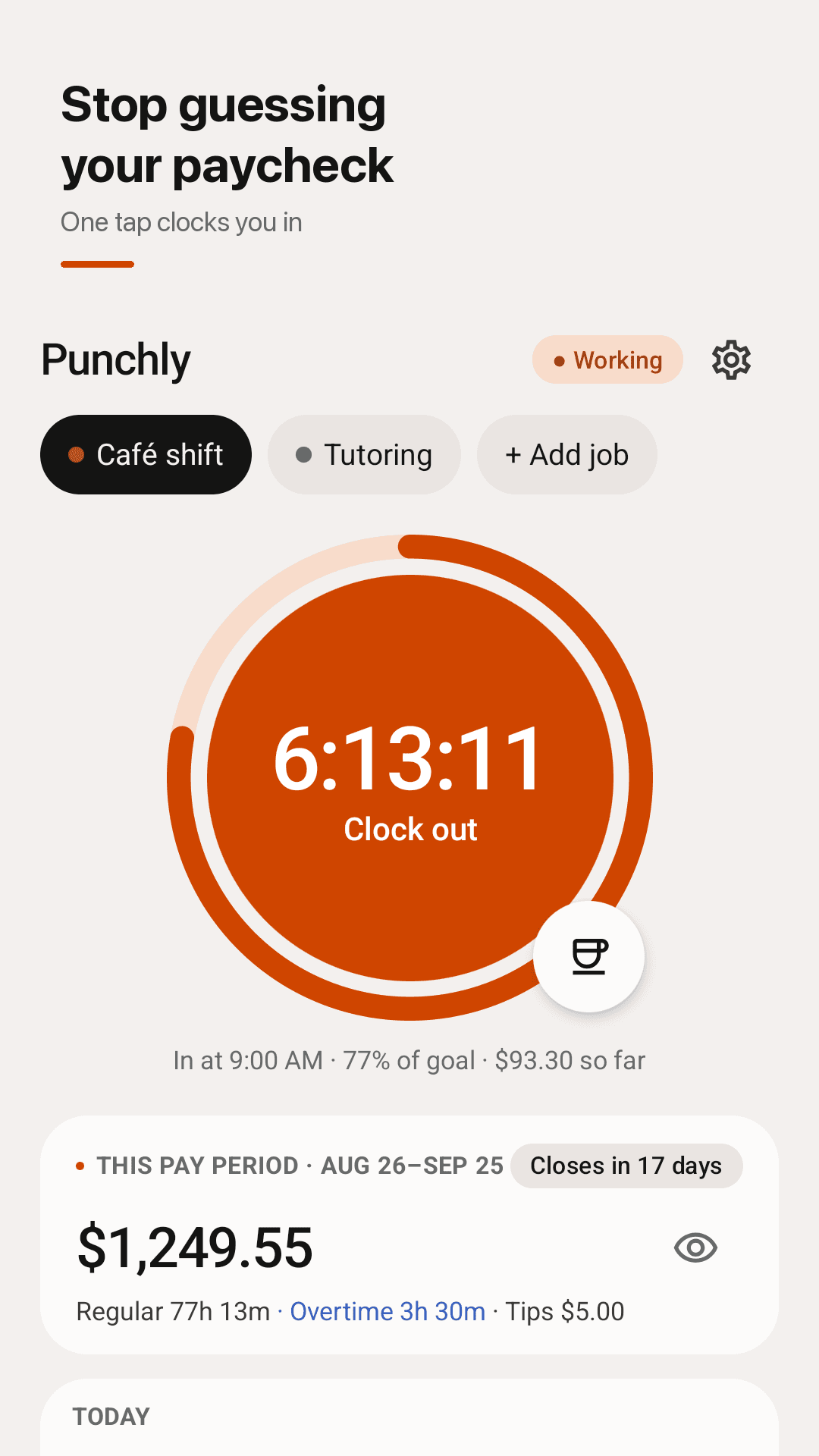
A big round button: clock in, clock out, done. Forgot to clock in? Hold the button and pick "10 min ago" or any time.
Breaks subtracted for you
Start a break with one tap; unpaid break time comes off your hours and pay. While you work, the notification has Break and Clock out buttons.
See this pay period's pay
Weekly, every 2 weeks, twice a month or monthly, with your own closing day. Hours and estimated pay for the current period are always on the first screen.
Overtime and night premium
Daily and weekly overtime with your rate (1.25x, 1.5x, 2x), plus a night premium for the hours you choose. Overnight shifts that end the next day are handled automatically.
A timesheet you can trust
Every entry shows whether it came from the button, a picked time or was added by hand. Add missed shifts later and edit any entry.
Share a timesheet, export CSV
Send a clean timesheet to your manager or client, or export CSV for spreadsheets — no email app needed.
Unlimited, no account, backups
Unlimited jobs and unlimited history. Everything stays on your phone; save a backup file and restore it on a new phone.
Hide amounts, widget, tips
Hide amounts when someone is looking at your screen. Clock in and out from the home-screen widget, and track tips separately from wages.
See it in action
The time clock, your entries, the pay period report and your pay rules
One tap clocks you in — and shows this paycheck
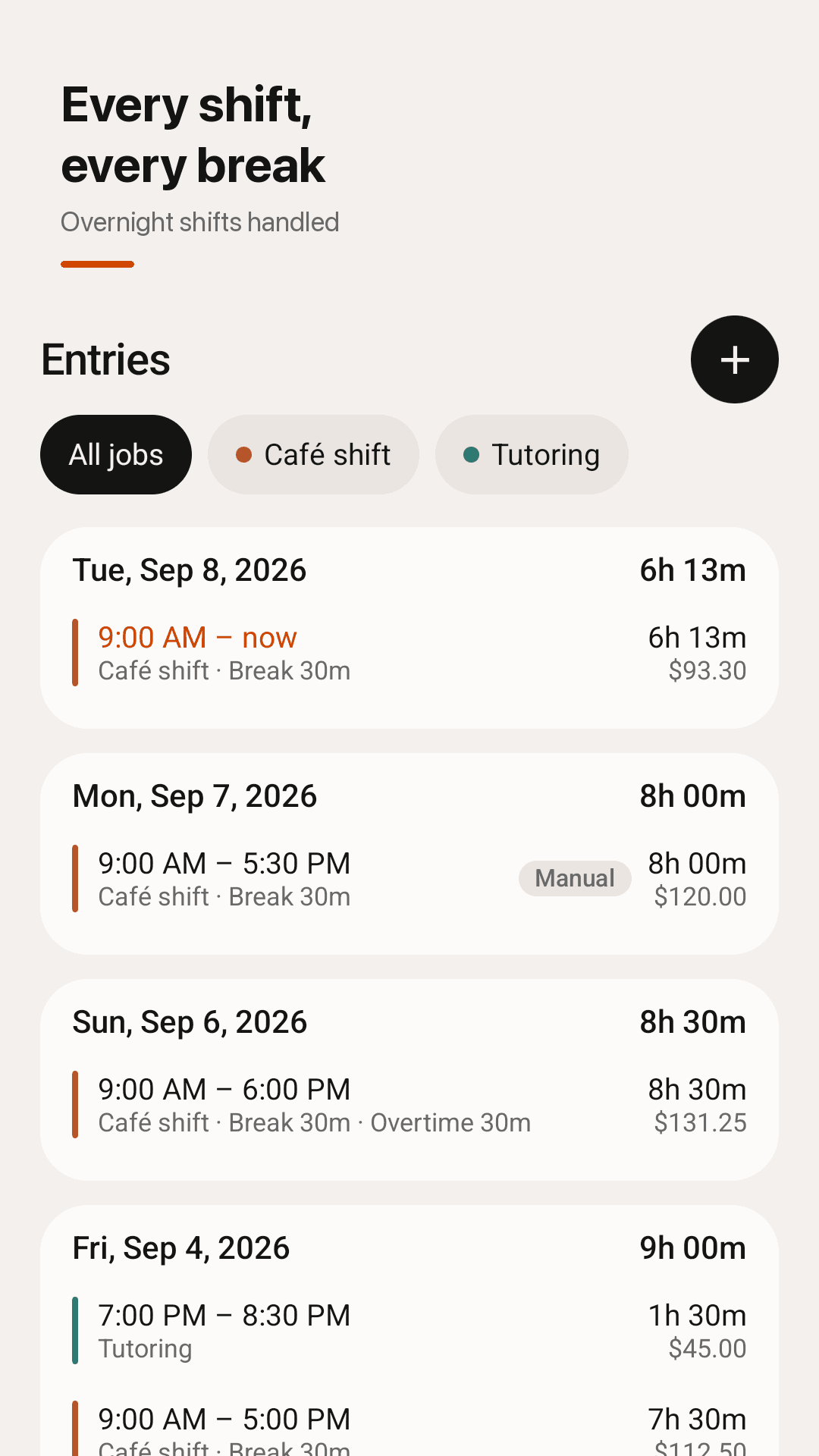
Every shift, every break, overnight shifts handled
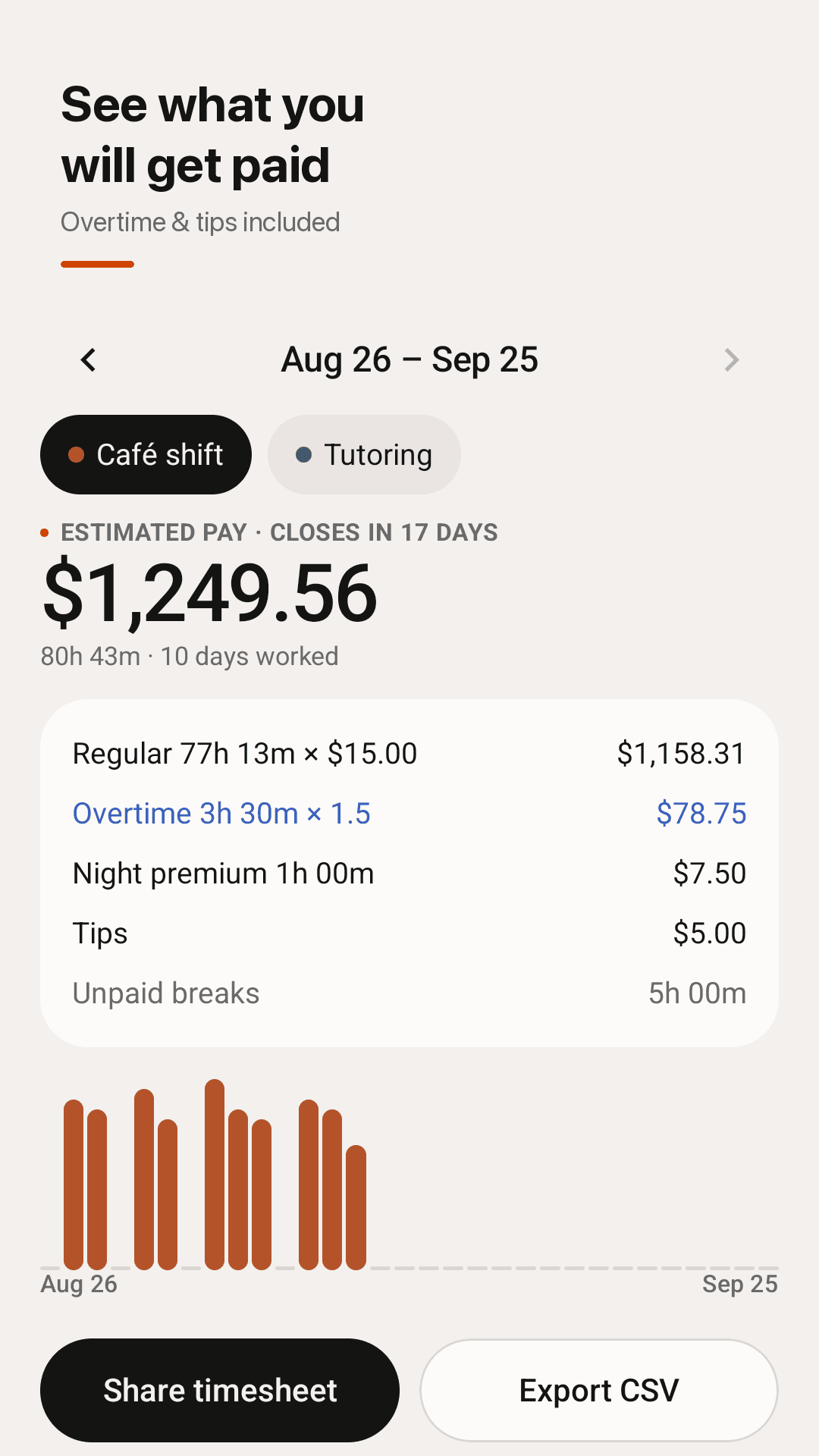
See what you will get paid, overtime and tips included
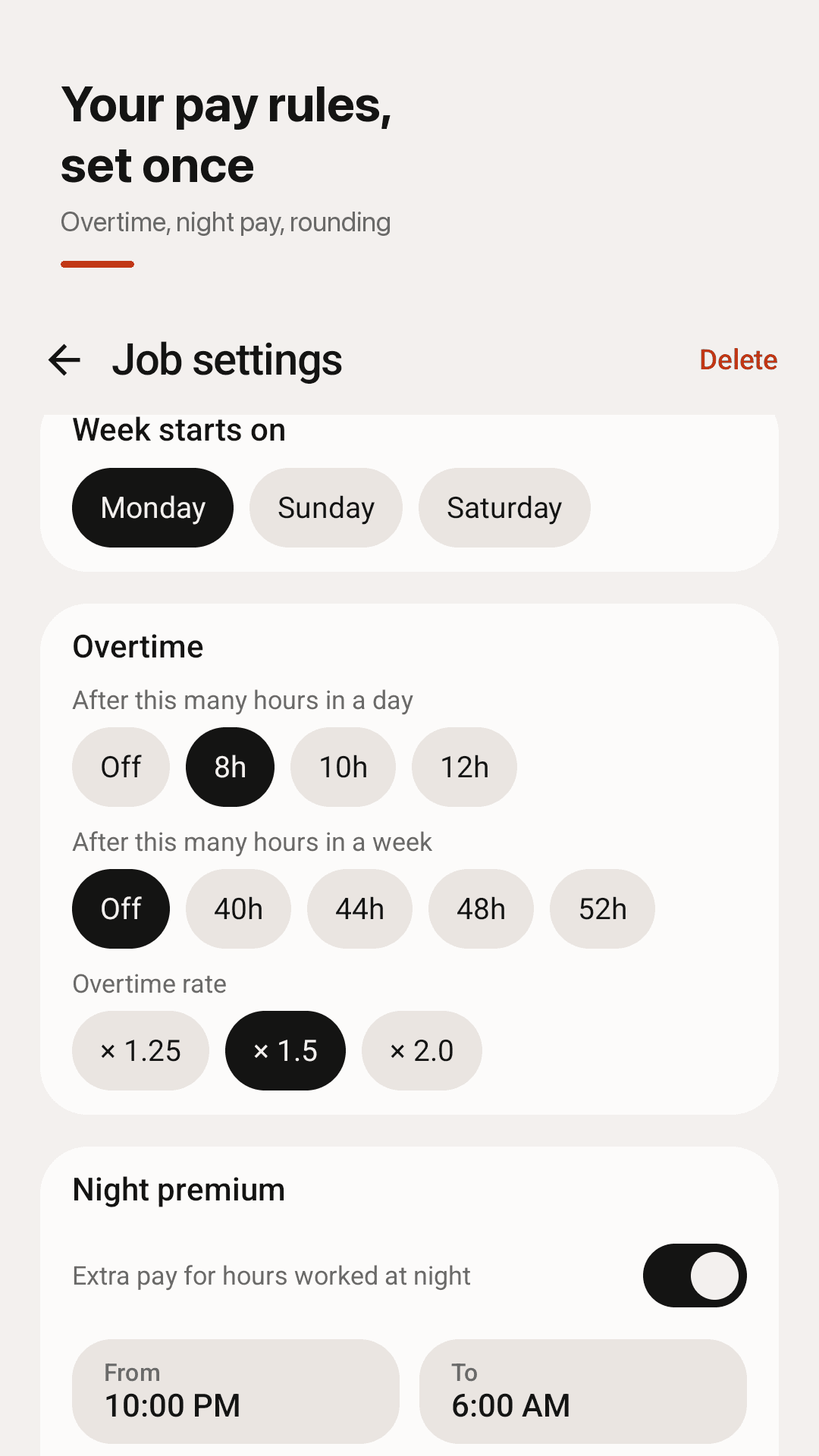
Overtime, night pay and rounding — set once
How it works
Add a job
Enter your hourly rate, pay period (weekly, biweekly, semimonthly or monthly) and closing day.
Tap to clock in and out
One tap when you start, one when you finish. Breaks are one tap too.
Check your paycheck
See this period's hours and estimated pay, then share your timesheet or export CSV.
Frequently asked questions
If I work overtime, does it still show as regular pay?
No. Set daily overtime (for example after 8 hours) and/or weekly overtime (for example after 40 hours) with a rate of 1.25x, 1.5x or 2x, and overtime hours and pay are shown separately from regular pay. Amounts are estimates based on the rules you enter.
Can I set my pay period to every other Friday?
Yes. Choose weekly, every 2 weeks, twice a month or monthly, and set the day your period closes. The current period and the days until it closes are shown on the first screen.
Can it track overnight shifts?
Yes. If you clock out after midnight, the shift is counted as one overnight shift. You can also add a night premium for the hours you choose, such as 10 PM to 6 AM.
Can I see which clock entries were manually entered and which ones were the clock in or out button?
Yes. Every entry shows whether it came from the button, a picked time ("10 min ago") or was added by hand.
Can I hide the pay rate so someone doesn't accidentally see it?
Yes. Turn on Hide amounts and pay figures show as $••• — turn it off to see them again.
Can I export a time sheet to show whoever is paying me?
Yes. Share a clean timesheet from the pay period report, or export a CSV file you can open in any spreadsheet app. No email app is needed.
Will I lose my hours if I change phones?
There's no account and your data stays on your phone. Save a backup file in Settings and restore it on your new phone.
Is there a limit on jobs or history? Do I need to pay for cloud storage?
There's no limit on jobs or history and no subscription. Punchly is supported by ads, and backups are a file you keep — no cloud storage to pay for.