
NyamuThe 3-second photo food diary
Snap, stick, done. One meal in 3 seconds.
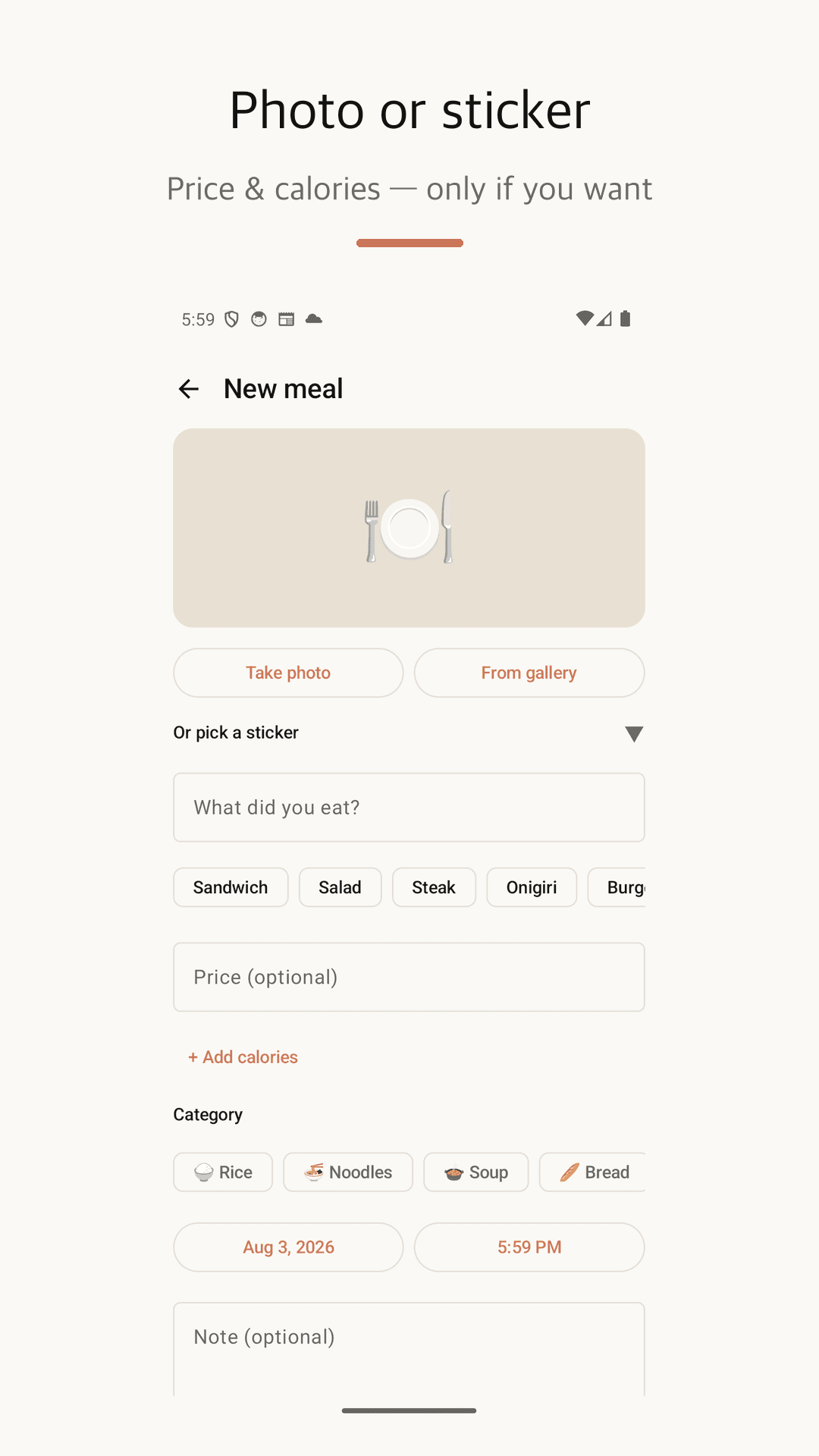
Take a photo or pick a food sticker — the time and meal slot fill in automatically. Entries stack into a cute monthly food collage. No account, no subscription; everything stays on your phone.
Why did you delete your last food app?
Database searches and gram counts just to log one lunch
Calorie numbers following you around like a report card
Account sign-up and subscription prompts for a simple diary
Nyamu takes one photo — local, free, account-free ✨
A food diary that becomes a collage
3 seconds to log, one glance to look back
3-second meal log
Take a photo or tap a food sticker, type a name, done. Time and meal slot (breakfast, lunch, dinner, late night) fill in automatically.
Food collage calendar
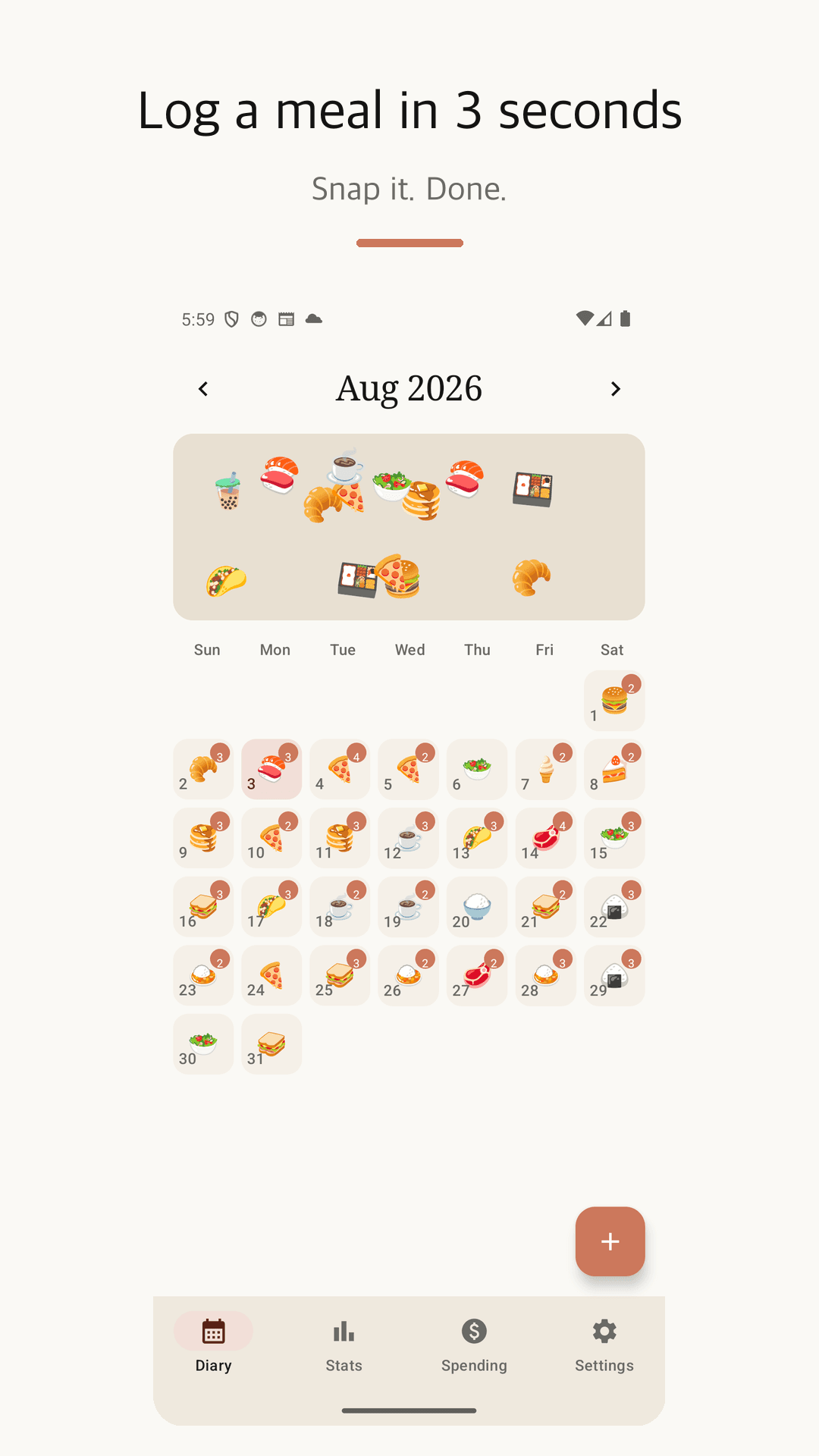
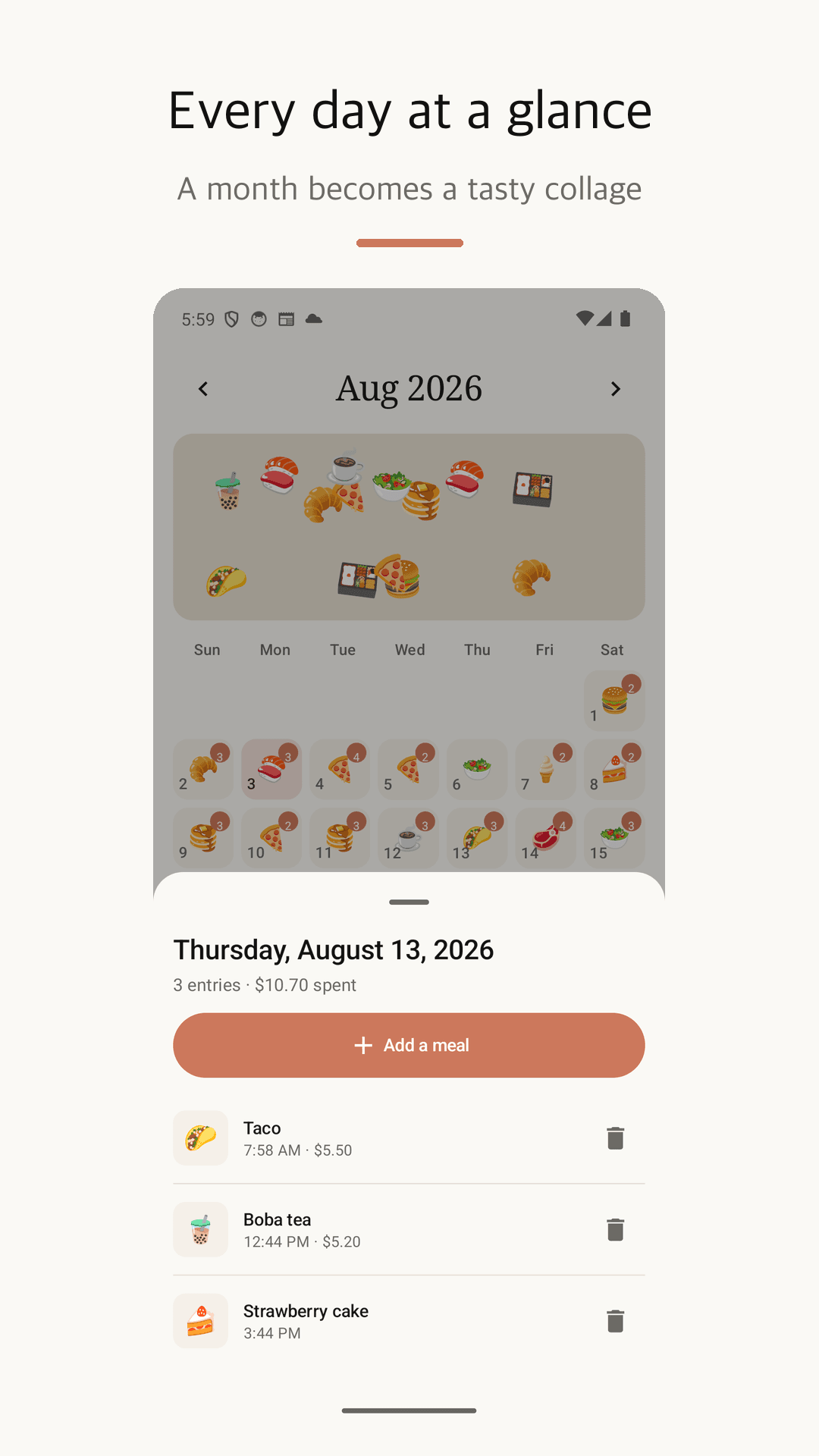
Meals appear as stickers on a monthly calendar. Scroll back any month and instantly see what you ate — a visual journal you'll actually keep.
Calories only if you want
Add calories to any entry, set a daily goal, watch the progress ring. Skip it entirely and the diary still works — no food database battles.
Track food spending too
Add a price and Nyamu becomes a food expense tracker: monthly budget, weekly chart, spending by category, your most expensive bite. 10 currencies.
Home screen widget
See today's meals on your home screen and add a new entry straight from the widget. One tap from widget to saved meal.
Your data stays yours
Fully offline — no account, no server. Entries and photos live only on your device, with one-file local backup export and import.
See it in action
A warm design that looks delicious
Log a meal in 3 seconds
A monthly calendar that becomes a collage
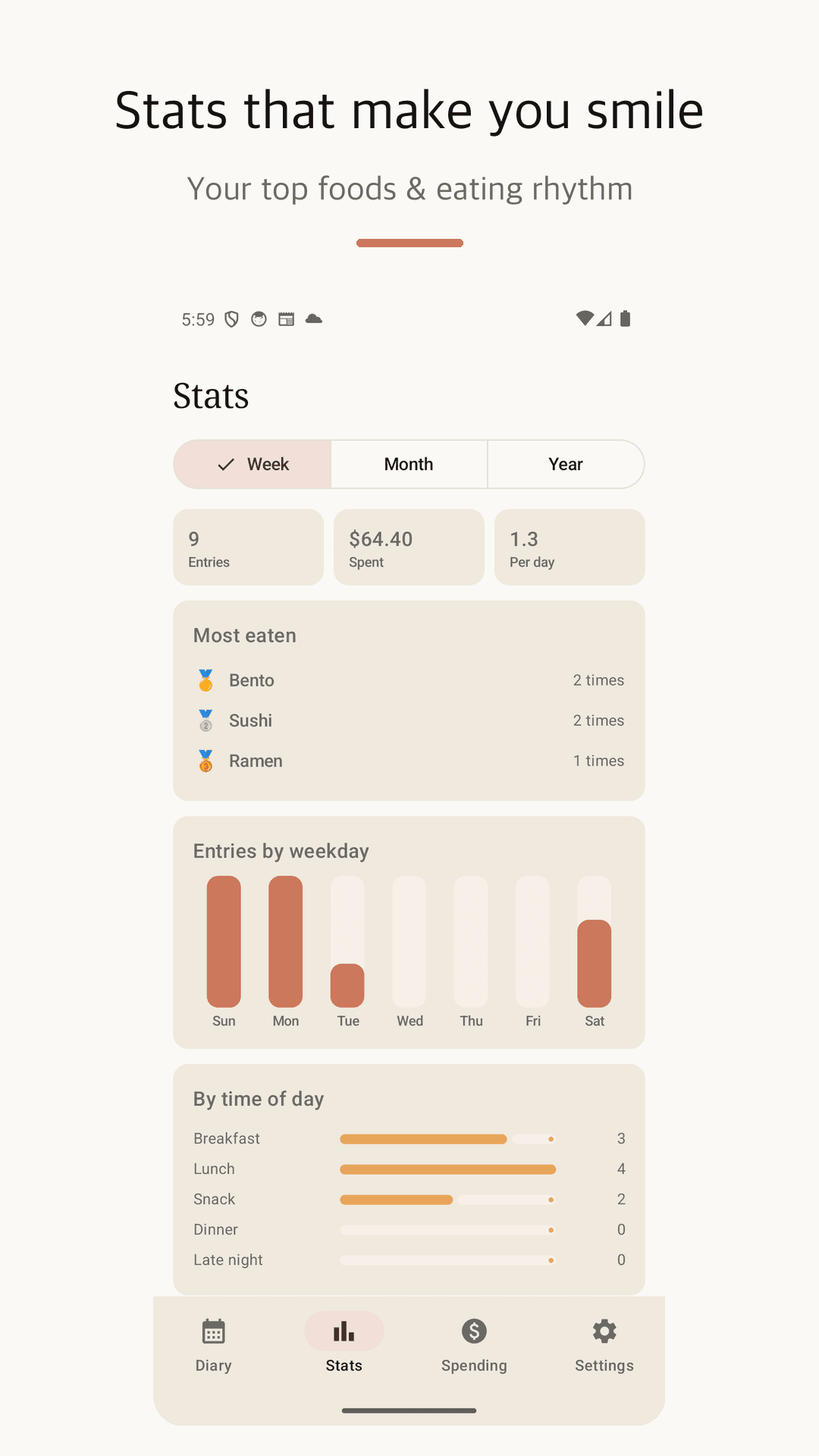
Calorie goal and progress ring
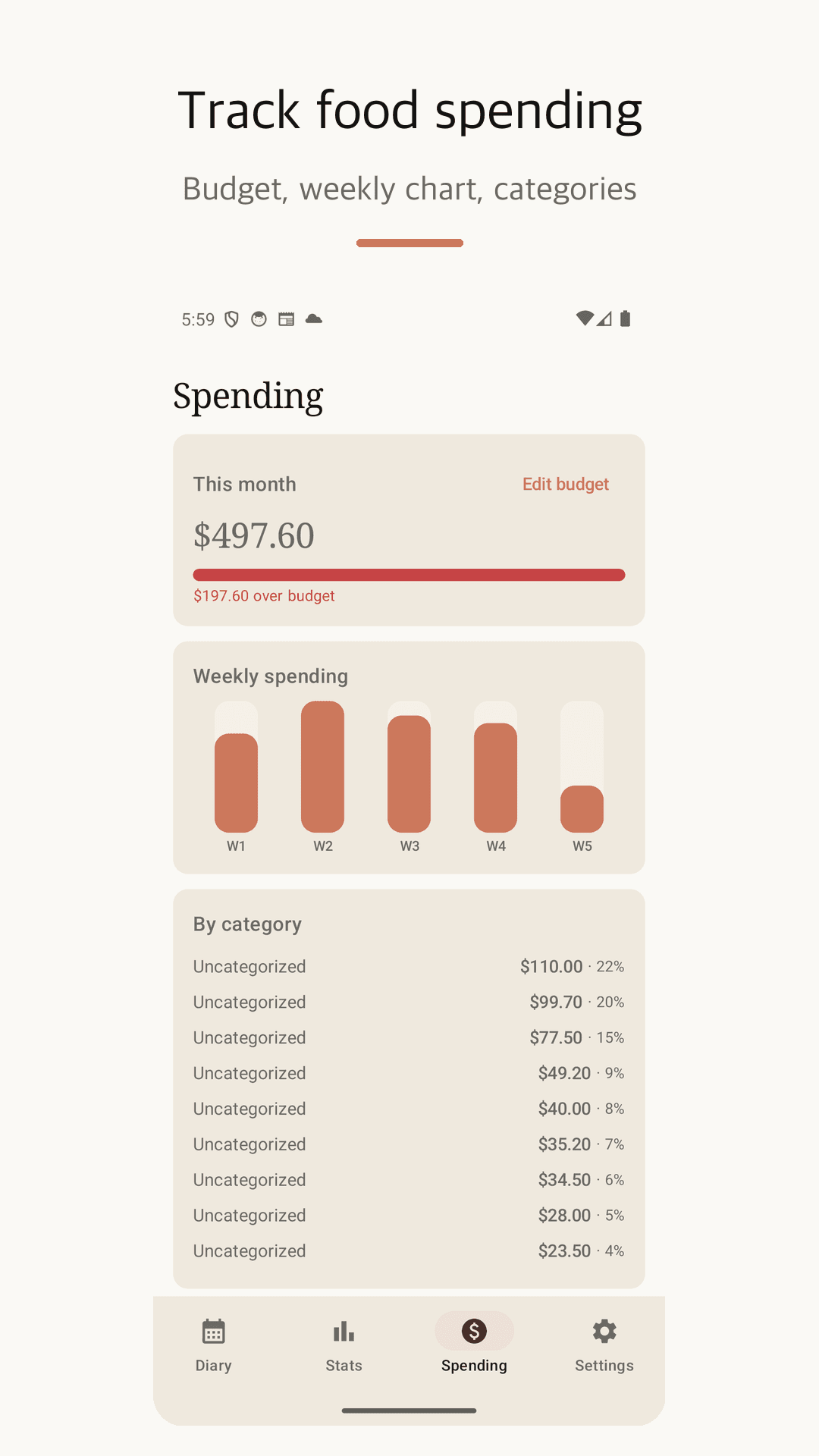
Monthly budget and weekly spending chart
Home widget and reminder settings
How to start
Snap or pick
Take a photo or choose a food sticker. Time and meal slot are automatic.
Type a name
One line and it's saved. Add calories or a price only when you feel like it.
Flip through the month
Watch the calendar fill into a food collage and check your eating patterns in stats.
Frequently asked questions
Is it really free?
Yes. There is no subscription, paywall, or in-app purchase. It's free forever and supported by ads.
Are my entries and photos stored on a server?
No. Everything is stored 100% on your phone. There is no account and no server, so there is nowhere to leak from.
Do I have to enter calories?
No. Calories are completely optional. Add them only to entries you want — the food diary works fully without them.
How does food spending tracking work?
Just add a price to a meal. Nyamu shows spending against your monthly budget, a weekly chart, and category breakdowns, with 10 currencies supported.
Can I move my diary to a new phone?
Yes. Settings → Export backup saves your whole diary (photos included) as one file. Import it on your new phone.
Start with your next meal
It takes 3 seconds. A month from now, you'll love flipping through the collage.