
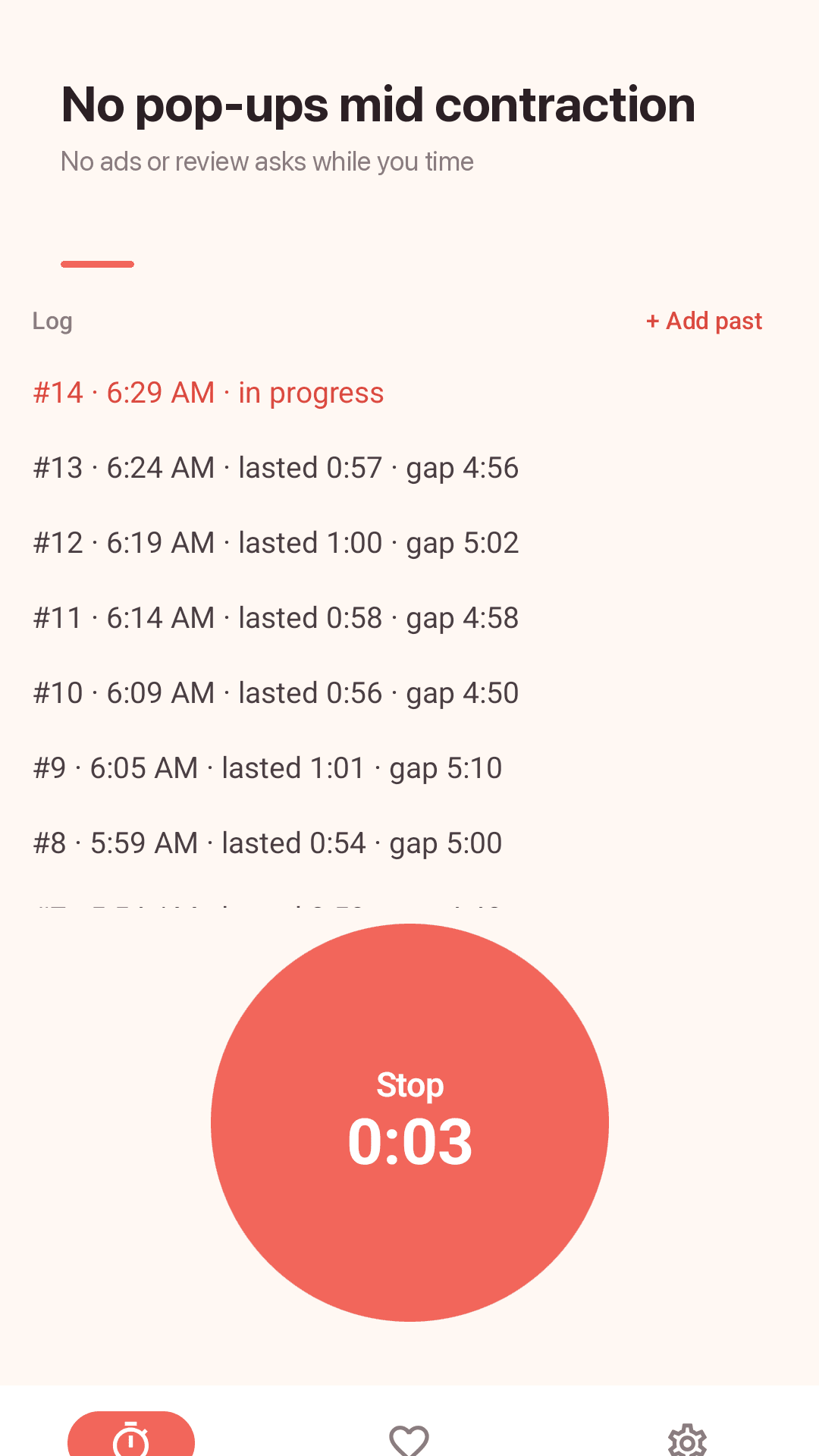
NestwaveNo pop-ups mid contraction. Contractions, kicks and due date in one app
Tap when it starts, tap when it ends. One big button
Timing contractions at 3 a.m. is hard enough. Nestwave never covers your screen while you time — no ads, no review requests, no full-screen verdicts during a session. It shows average interval, length and count in the last hour, and keeps you company in the last weeks with a kick counter and due date countdown.
Tired of contraction apps that get in the way?
"Getting a pop up requesting a review during labor is obnoxious." · "Ads keep popping up mid contractions"
"you can't add previous contractions without it messing up the frequency calculator" · "sometimes shows negative numbers"
"It needs a dark mode because contractions often happen at night" · "how long has it been since the previous contraction?"
Nestwave stays out of the way and leaves the call to your hospital or midwife 🌊
Built for the hardest hours
The app keeps time, your care team makes the call
One big button
Placed in thumb reach. Tap when a contraction starts and again when it ends — interval and length are logged.
Time since last contraction
A live clock since the last one, plus average interval, average length and count in the last hour.
5-1-1, 4-1-1 or 3-1-1
Pick the rule your care team gave you. When your pattern gets close, a small dismissible card suggests calling.
No pop-ups while timing
No ads, review requests or full-screen verdicts cover the screen during a contraction session.
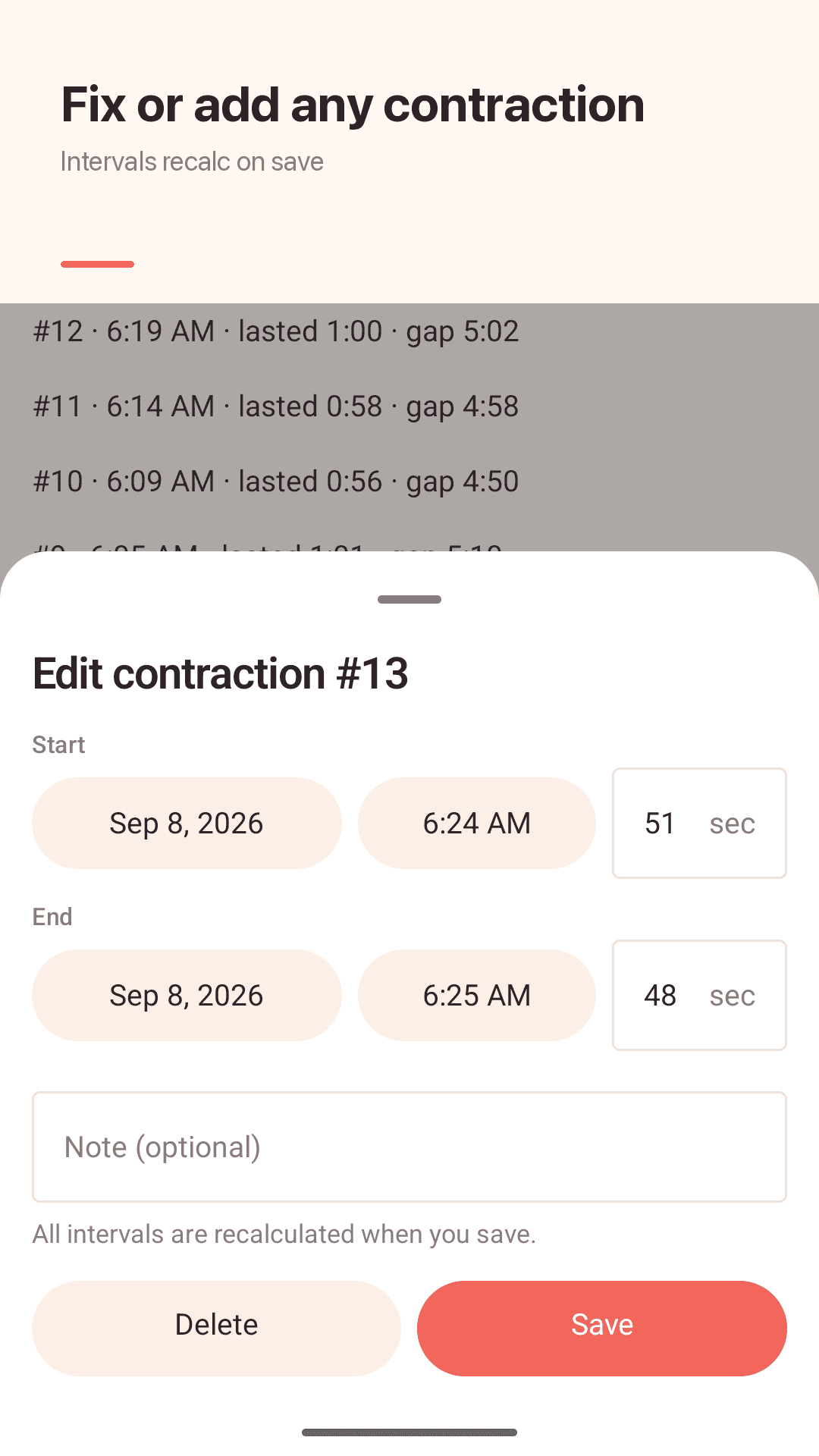
Add and edit contractions
Add a missed one, edit date, time and seconds — every interval is recalculated. Delete with undo.
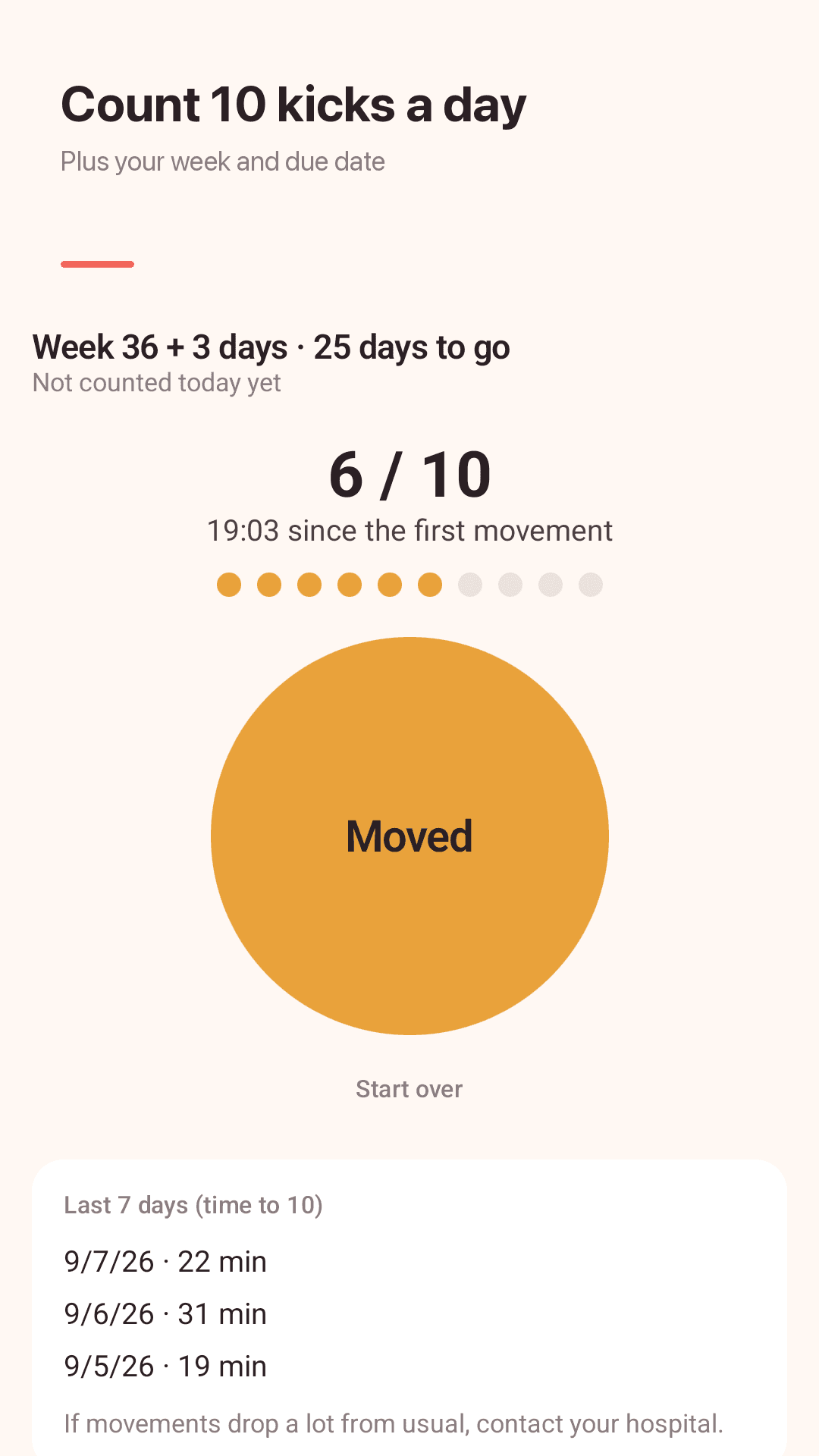
Kick counter
Tap each movement up to 10, see the last 7 days and set an optional daily reminder.
Pregnancy week & due date
Week + days and a countdown to your due date on the home screen.
Widget, notification & share
The timer keeps running in the notification shade and widget. Send a text summary by any messenger.
See it in action
Timer, log, kicks, due date
Time contractions with one big button
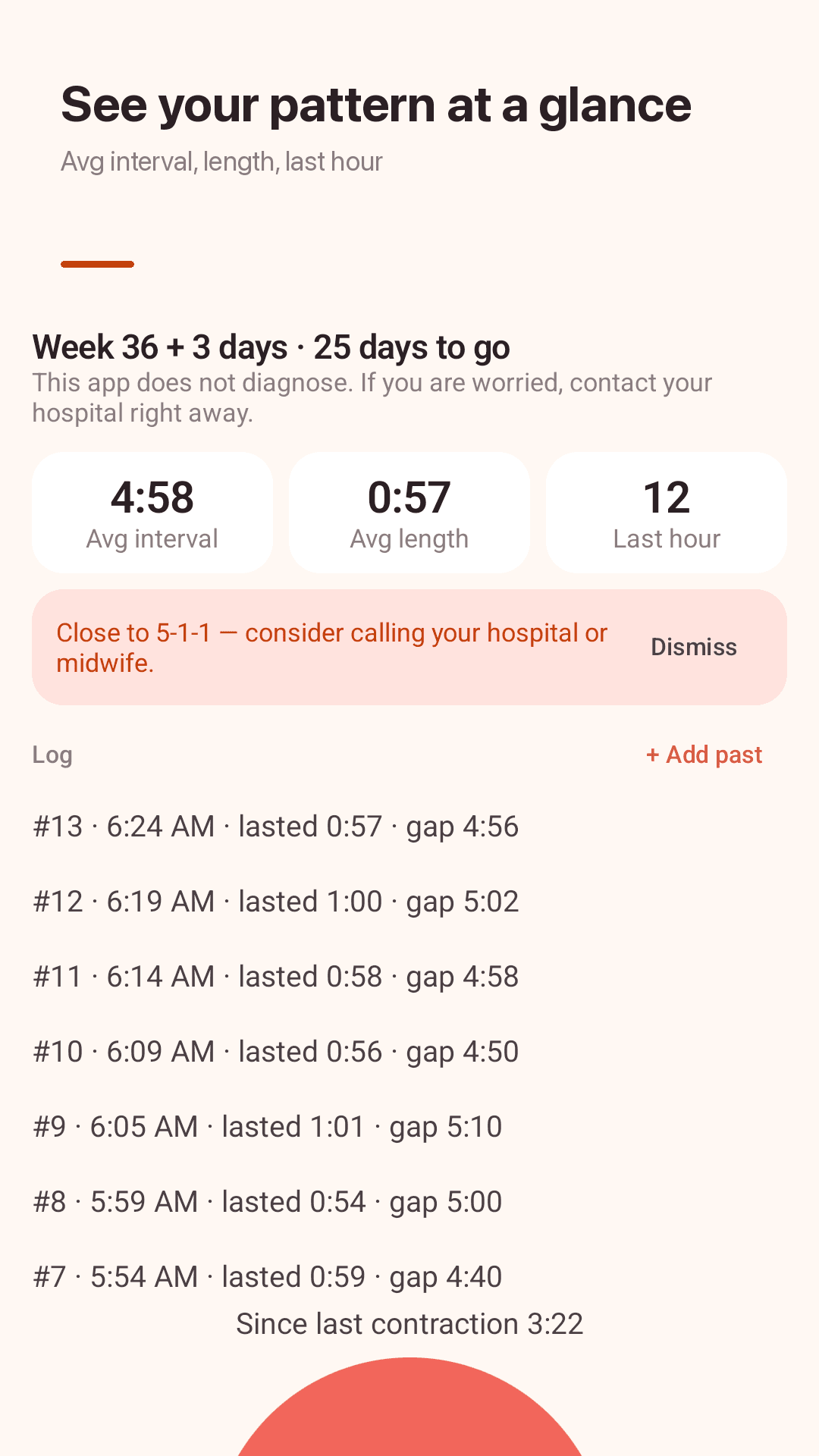
Averages and the contraction log
Kick counter for the last weeks
Pregnancy week and due date countdown
How it works
Tap when it starts
Tap again when it ends. Works from the widget too.
Watch the pattern
Averages next to the rule you chose — 5-1-1, 4-1-1 or 3-1-1.
Share with your care team
Send a text summary to your partner, doula or midwife and follow their advice.
Frequently asked questions
How do I time contractions?
Frequency (interval) runs from the start of one contraction to the start of the next; length runs from its start to its end. In Nestwave you tap once at the start and once at the end, and both are calculated for you.
What is the 5-1-1 rule?
Contractions about 5 minutes apart, each lasting about 1 minute, for at least 1 hour. Some hospitals and midwives use 4-1-1 or 3-1-1 instead, so Nestwave lets you choose. Always follow your own care team's instructions on when to come in.
Does the app tell me when to go to the hospital?
No. Nestwave is not a medical device and does not diagnose or predict labor. When your pattern gets close to the rule you picked, it shows a small card suggesting you contact your hospital or midwife. If you are worried, call them right away, whatever the numbers say.
Can it tell Braxton Hicks from real contractions?
No. It shows whether contractions are getting closer and longer, but only your care team can tell. Bleeding, your water breaking or fewer baby movements mean you should call right away.
Will ads or pop-ups interrupt me while timing?
No full-screen ads, review requests or verdict screens appear while a contraction session is running.
Can I add a contraction I forgot to time?
Yes. Add past contractions or edit date, time and seconds, and every interval is recalculated on save.
Can I send my log to my doula or midwife?
Yes. Share a text summary — count in the last hour, average interval and length, and the log — by any messenger or text.
Is there a dark mode?
Yes. Light, dark or follow system, with large numbers you can read in a dark room.