JotwellNotes saved as you type
Undo any edit, and get deleted notes back for 30 days
Jotwell is a simple notepad with no save button. Every word is stored on your phone the moment you stop typing, and each note keeps its last 20 versions, so an accidentally deleted paragraph can come back. A weekly backup file in a folder you pick means your notes move with you to a new phone.
Sound familiar?
"This notepad app crashes while writing a note and throws your entire note out the window"
"every so often this app will drop whole sections of my note into oblivion"
"I saved months of notes then got a new phn"
"your notes are gone forever if you delete the app"
"everytime I save and return to my note it defaults to the top, not wherever I left off"
Jotwell puts a way back at every point where notes usually disappear: autosave, version history, a trash, and a backup file in your own folder.
A notepad that doesn't lose notes
Simple notes, done right
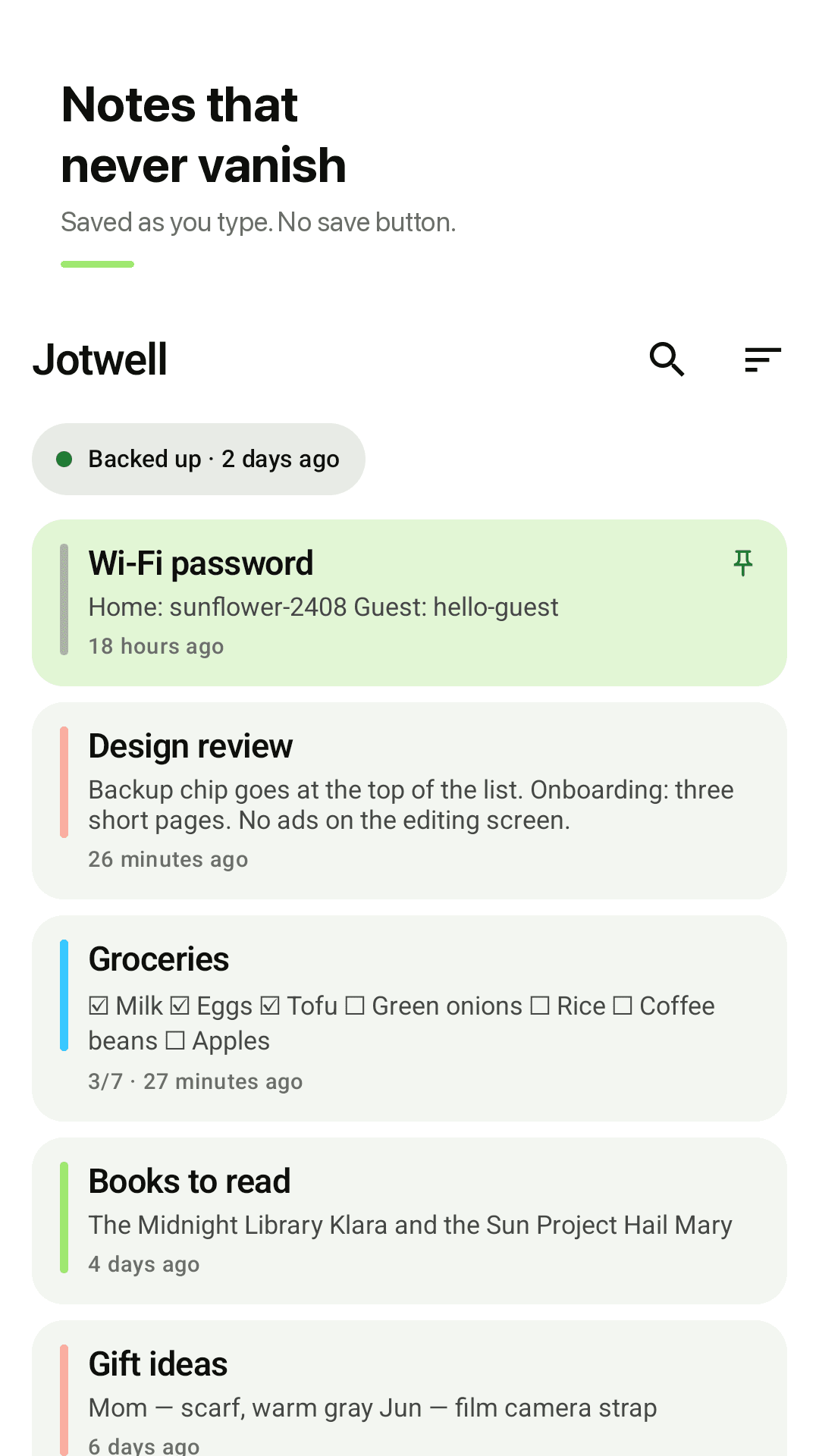
Saved as you type
No save button to forget. Every word is stored the moment you stop typing, even if the app closes or your phone restarts.
Undo any edit
Each note keeps its last 20 versions. Pick one in Version history and restore it in one tap — restoring is saved as a new version too.
A trash that waits 30 days
Deleted notes go to the trash. Tap Undo right away, or restore them from the trash within 30 days.
Weekly backup to your folder
Pick a folder once and Jotwell writes a zip backup there every week, with a restore file (notes.json) plus every note as a plain .txt.
Restore on a new phone
Load the backup file and your notes are back — notes already on the phone are kept. Android Auto Backup is supported too.
Checklists
Tap a line to tick it off and see 3/7 progress on the list. Made for groceries and to-dos.
Pin, reorder, color labels
Pin important notes to the top and put them in your own order. Six color labels and search across titles and text.
Reading mode, remembers your place
Notes open in reading mode so the keyboard doesn't cover them, and long notes return to where you left off. Home screen widget, light and dark theme.
Take a look
Note list, checklists, version history, backup settings
Notes saved as you type
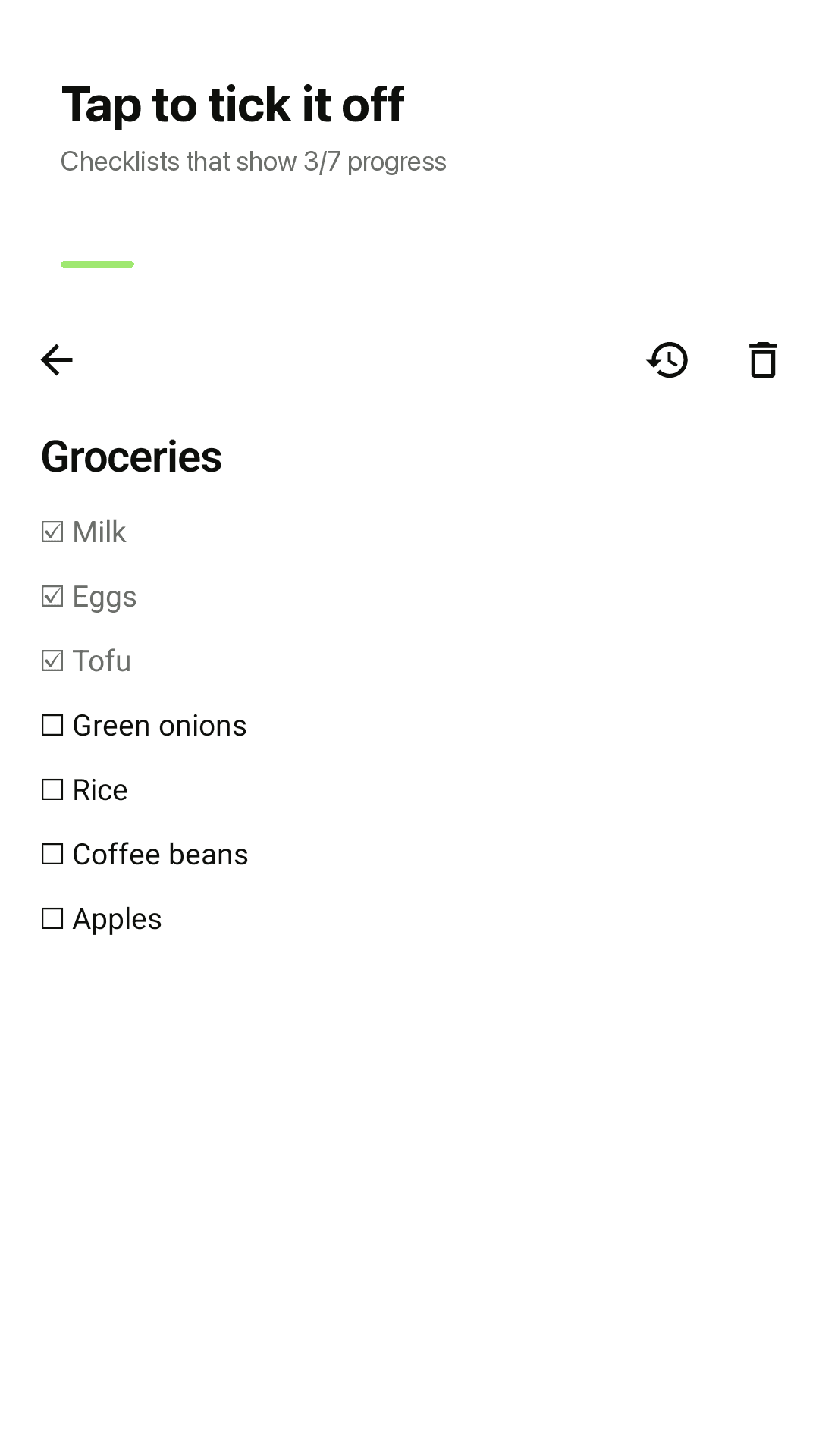
Tap to tick it off
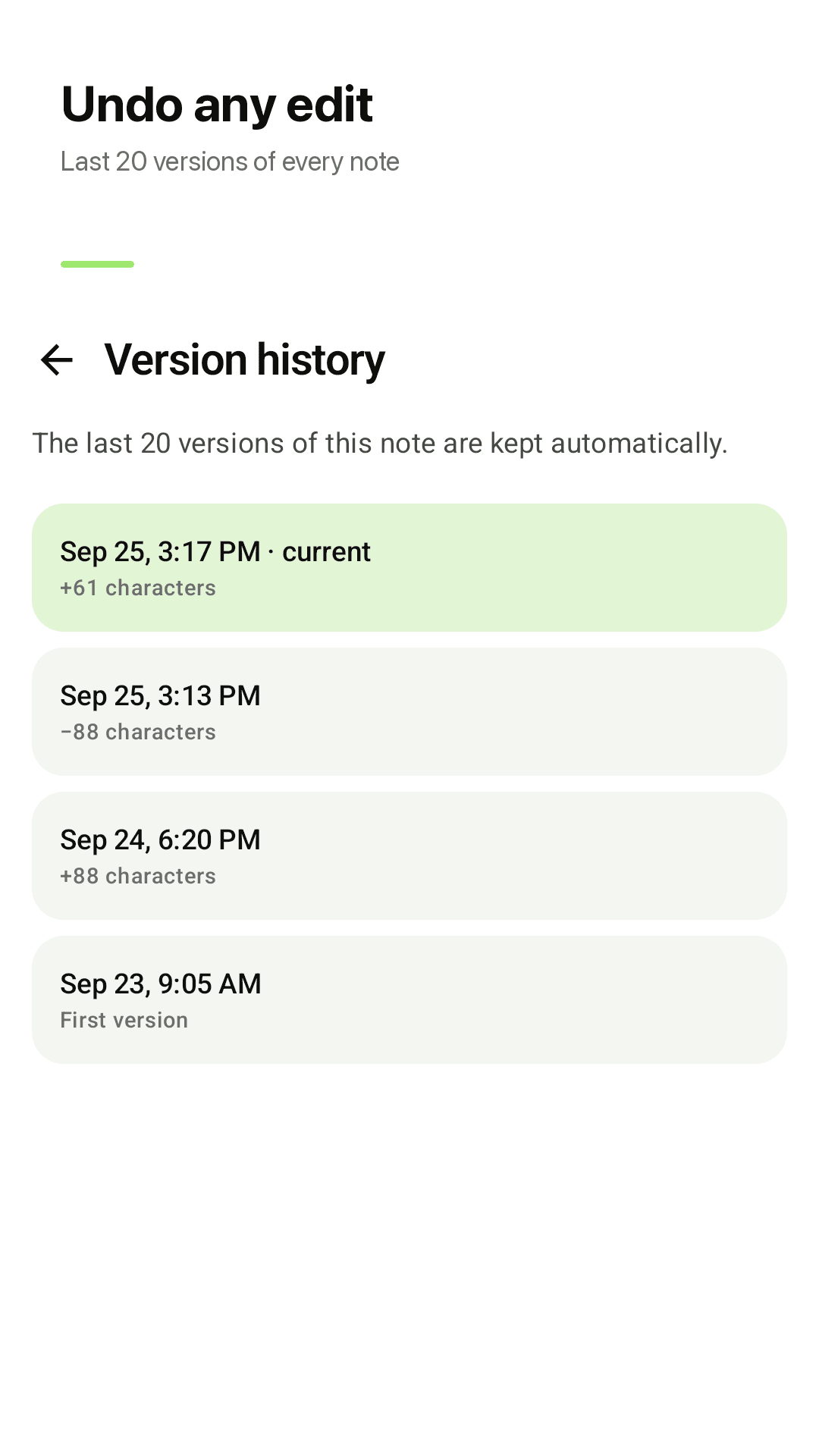
Last 20 versions of every note
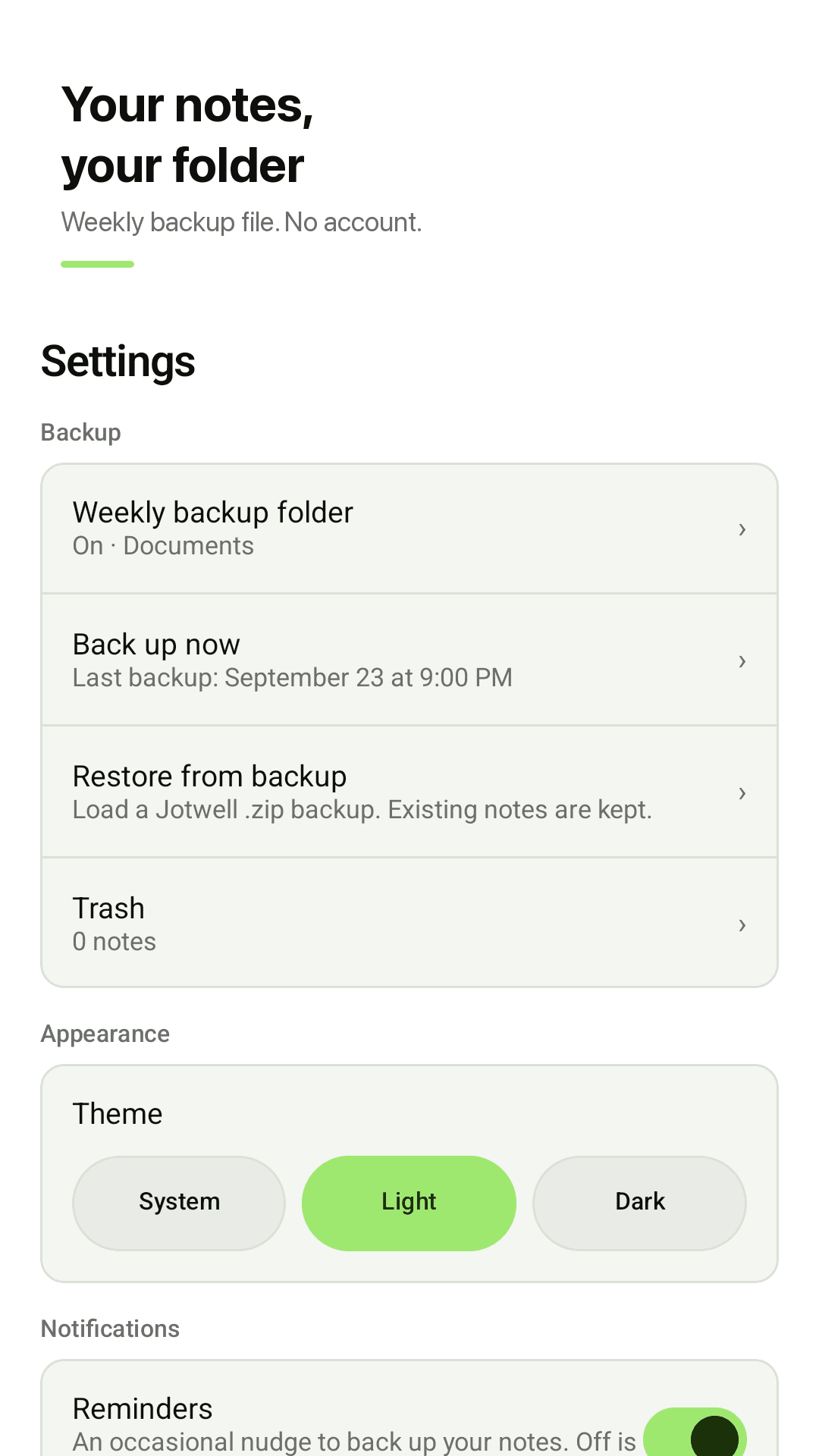
Weekly backup to your folder
Three steps
Just write
Open a new note and type. Saving takes care of itself.
Pick a backup folder
Choose a folder once in Settings and a backup file lands there every week.
Go back when you need to
Version history, the trash and your backup file bring notes back anytime.
Frequently asked questions
Need to know how to recover notes — can Jotwell bring back a deleted note?
Yes. Deleted notes go to the trash for 30 days: tap Undo right away or restore from Settings > Trash. For text you erased inside a note, open Version history and restore one of the last 20 versions.
What happens if the app crashes while I'm writing?
Jotwell saves the moment you stop typing, so what you wrote up to that point is already on your phone, even if the app closes or the phone restarts.
I lost 550 words after an edit. Can I undo it?
Each note keeps its last 20 versions automatically. Pick the version from before the change and restore it; the restore is saved as a new version, so you can change your mind again.
How do I take my notes to a new phone?
Pick a backup folder in Settings (or tap Back up now). Copy that zip file to the new phone and use Restore from backup — your notes come back and notes already on the new phone are kept. Android Auto Backup is supported as well.
Are my notes gone forever if I delete the app?
Notes live on your phone, so uninstalling removes the notes inside the app. The weekly zip backup in your chosen folder stays outside the app, so you can reinstall and restore from it.
Can it return to wherever I left off in a long note?
Yes. Long notes reopen at the place you last read, and notes open in reading mode so the keyboard doesn't jump up.
Can I pin notes to the top and reorder them?
Yes. Pin important notes to the top and put your notes in your own order.
Do I need an account? Are my notes uploaded?
No account and no sign-up. Jotwell has no server of its own; notes stay on your phone and in the backup folder you pick. There is no cloud sync.