
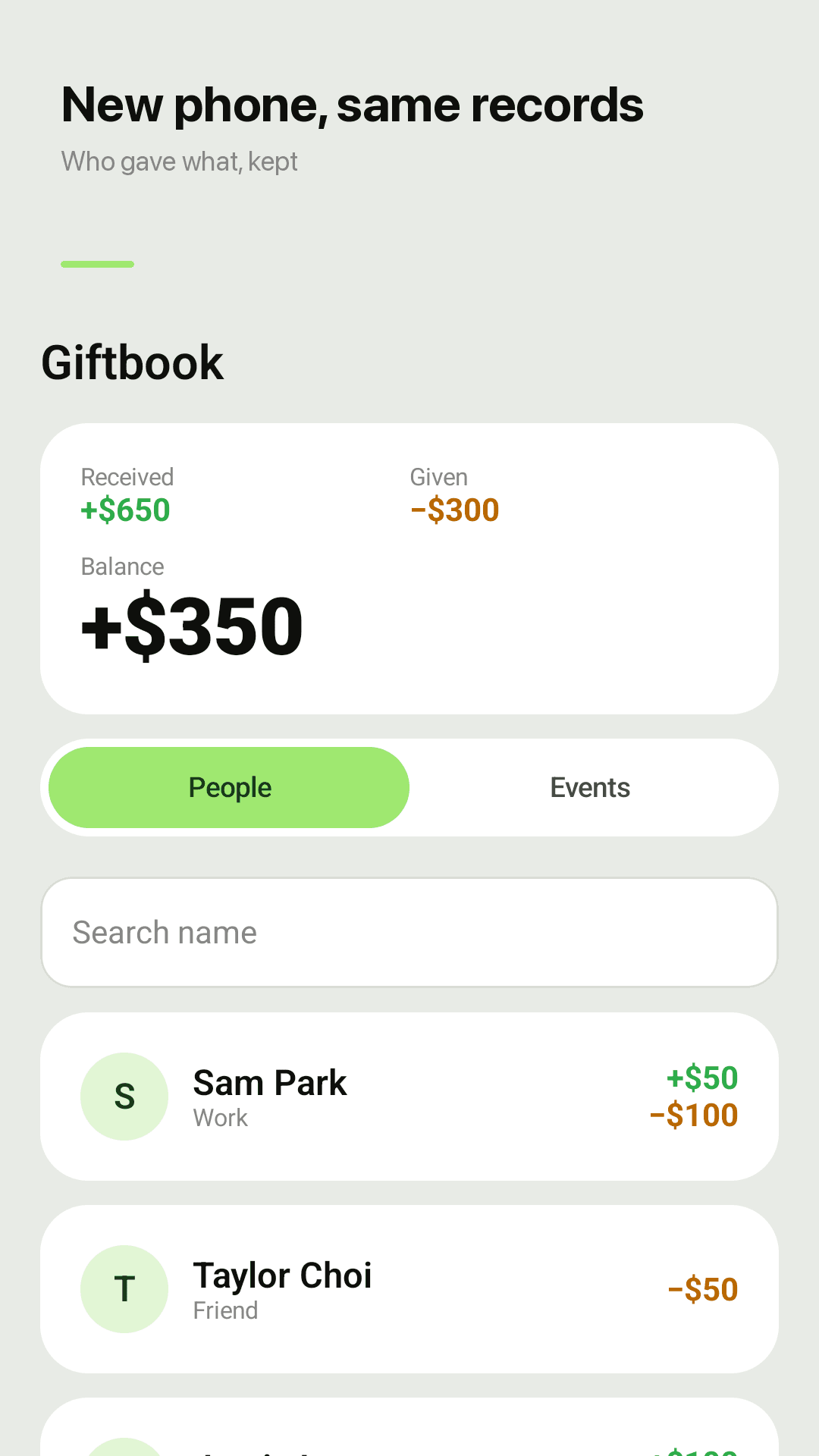
GiftbookWho gave what, even after you switch phones
Money received, money given and whose turn it is, at a glance.
Gift ledger apps get one-star reviews for the same reason: years of records gone the day someone gets a new phone. Giftbook backs up automatically with your Google account, no login needed, and lets you export a backup file or an Excel-ready CSV anytime. On top of that: per-person totals, event-based entry and a 'your turn' reminder.
Why gift money records get lost
"Changed my phone and all the data was gone" — a gift ledger lasts years, phones don't
Dozens of guests from one wedding, and the app makes you type the event name every single time
Spreadsheets are painful on a phone, and most apps can't export to one
They came for you. Show up for them. 🎁
What a gift money ledger actually needs
Write it down, find it later, return the favor
Received and given, per person
Every name shows money received, money given and the difference, with the list of events you shared.
"Your turn" with a suggested amount
If someone gave to you and you haven't given back, they get a "Your turn" tag and a suggested amount. Check it when the invitation arrives.
One event, every guest
Create "Our wedding" and tap "Add & next" to enter guest after guest. The event name and date stay put; the total and headcount update instantly.
Amount and relation chips
One tap for 50, 100 or 200 and for friend, work, family, relative or neighbor. Flowers or a gift with no cash? Leave the amount empty and add a note.
Fast name search
Find anyone in a few keystrokes, even with hundreds of entries. Korean initial-consonant search works too.
Auto backup and backup files
Android Auto Backup saves your ledger to your Google account. You can also export a JSON backup file and import it on your next phone. No account to create.
Export to Excel (CSV)
Export every record as CSV and open it in Excel or Google Sheets to print, share or archive.
Widget, no special permissions
See this month's totals on your home screen. No contacts, overlay or battery-exemption permissions, and it works offline.
Take a look
Per-person ledger, event entry, your turn, quick add
Your ledger survives a new phone
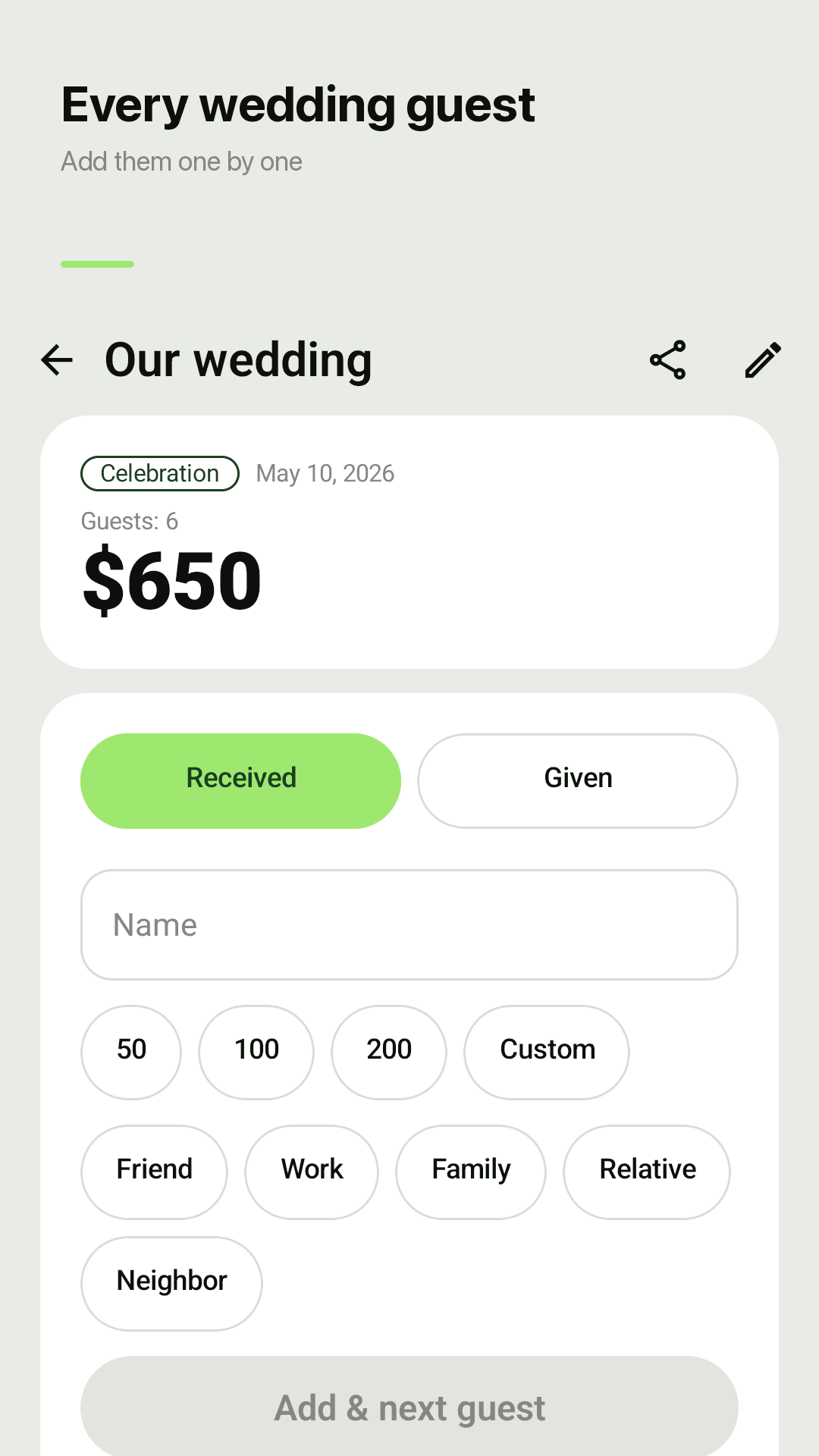
Add every wedding guest in one go
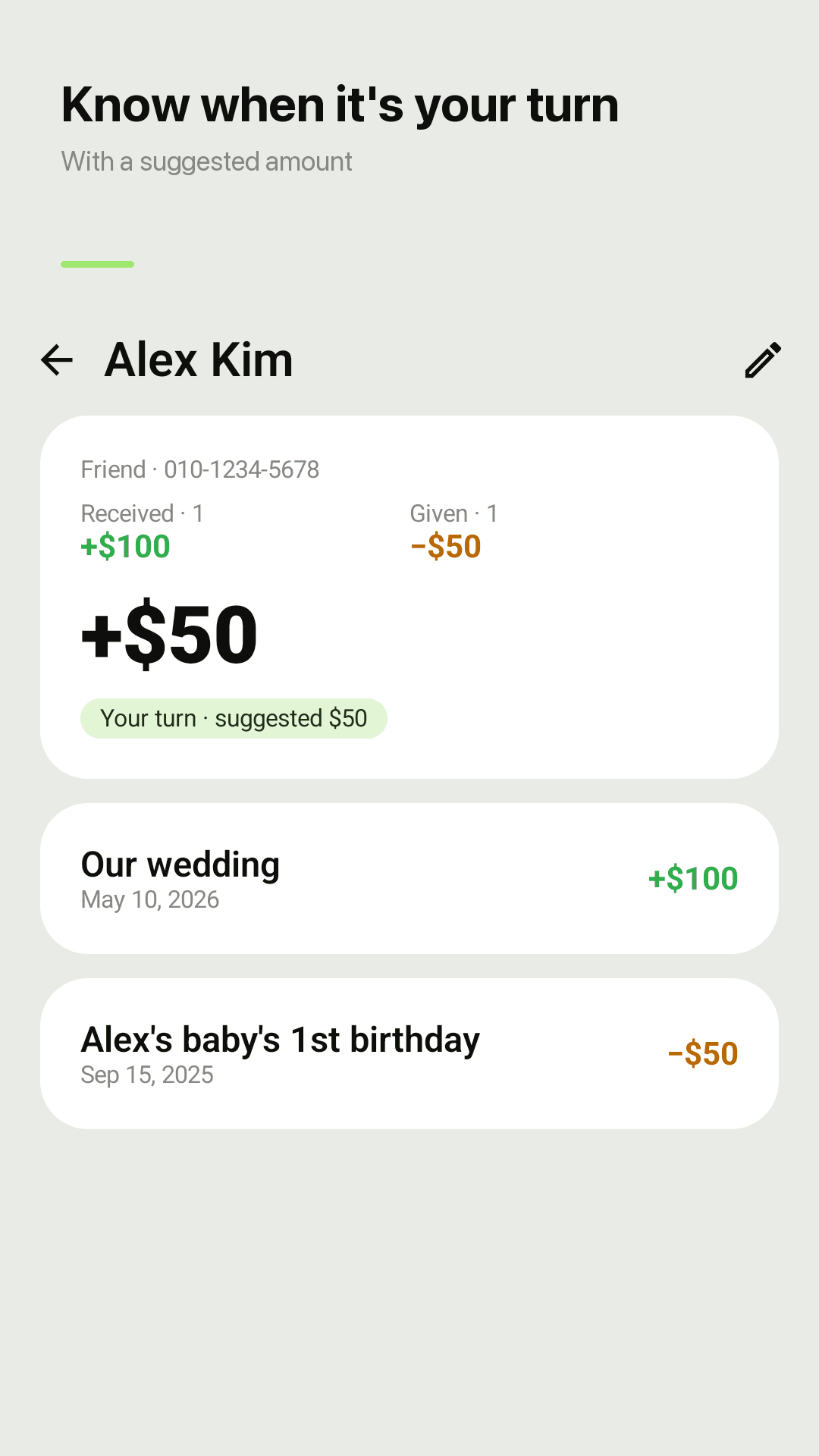
Your turn, with a suggested amount
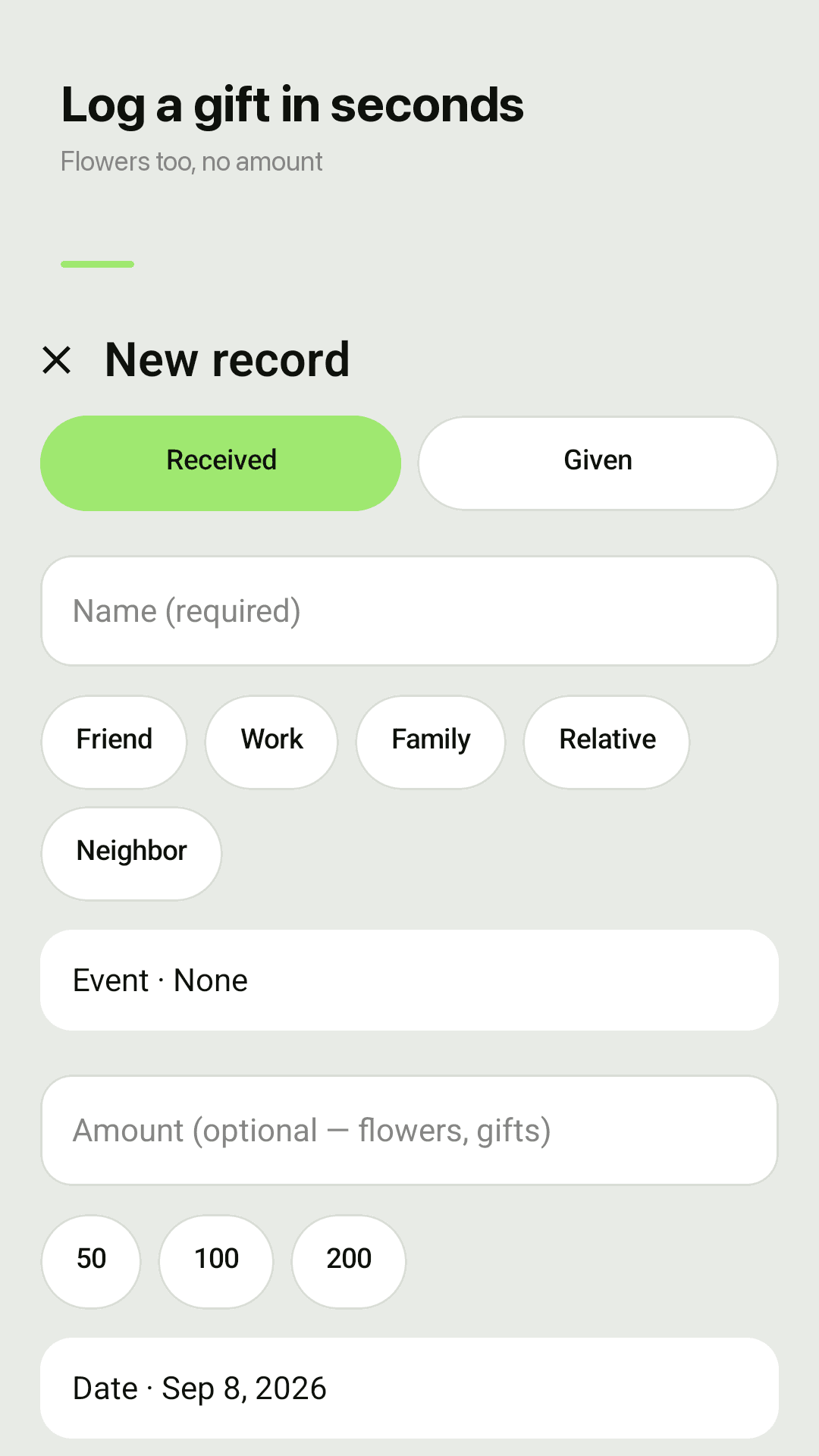
Flowers only? Save it with a note
Three steps
Create an event
A wedding, a funeral, a first birthday. Or skip it and log a single gift.
Add guests in a row
Type a name, tap an amount and a relation, then "Add & next". Received or given works the same way.
Look it up when it's your turn
When an invitation arrives, search the name and see what they gave and what to give back.
Frequently asked questions
Will I lose my records when I switch phones?
Giftbook uses Android Auto Backup, so your ledger is backed up to your Google account and restored when you set up a new phone with the same account and reinstall. For extra safety, export a backup file from Settings and import it on the new phone.
Can I export my gift list to Excel?
Yes. Export everything as a CSV file and open it in Excel or Google Sheets, with date, received/given, name, relation and amount in separate columns.
Do I have to retype the wedding name for every guest?
No. Create the event once and use "Add & next". The event and date stay filled in; you only type the name and amount.
Someone sent flowers but no money. Can I still log it?
Yes. The amount is optional. Add a note like "flowers" or "gift".
Do I need an account?
No sign-up, no login. Records stay on your phone, backed up by Android Auto Backup and any backup file you export.
What permissions does it ask for?
None beyond notifications, and only if you turn on reminders. No contacts, no drawing over other apps, no battery exemption.
Is it free?
Every feature is free. The app is supported by ads, with no in-app purchases or subscriptions.
Who gave what? Ask Giftbook.
Install it and create your first event. No account, no special permissions.