FocusFenceThe free app blocker
Block apps. Take your time back.
Pick the apps that pull you in, set a time, done. When you open a blocked app, a calm fence stops you before the scroll starts. Need a moment? Three free 5-minute passes a day — no subscription, ever.
“Just one video” became an hour again?
One short opened, one hour gone — every single night
Willpower says stop, but your thumb moves first
You installed a blocker — the useful parts were behind a paywall
FocusFence blocks in 3 taps — free, on-device, no account ✨
One fence that protects your day
Firm about blocking, flexible about life
Block in 3 taps
Pick apps, set a time, start. Any installed app can be fenced off for 1–24 hours, starting now.
Weekly routines
10 PM to 7 AM — overnight routines are supported. Repeatable schedules by day of week.
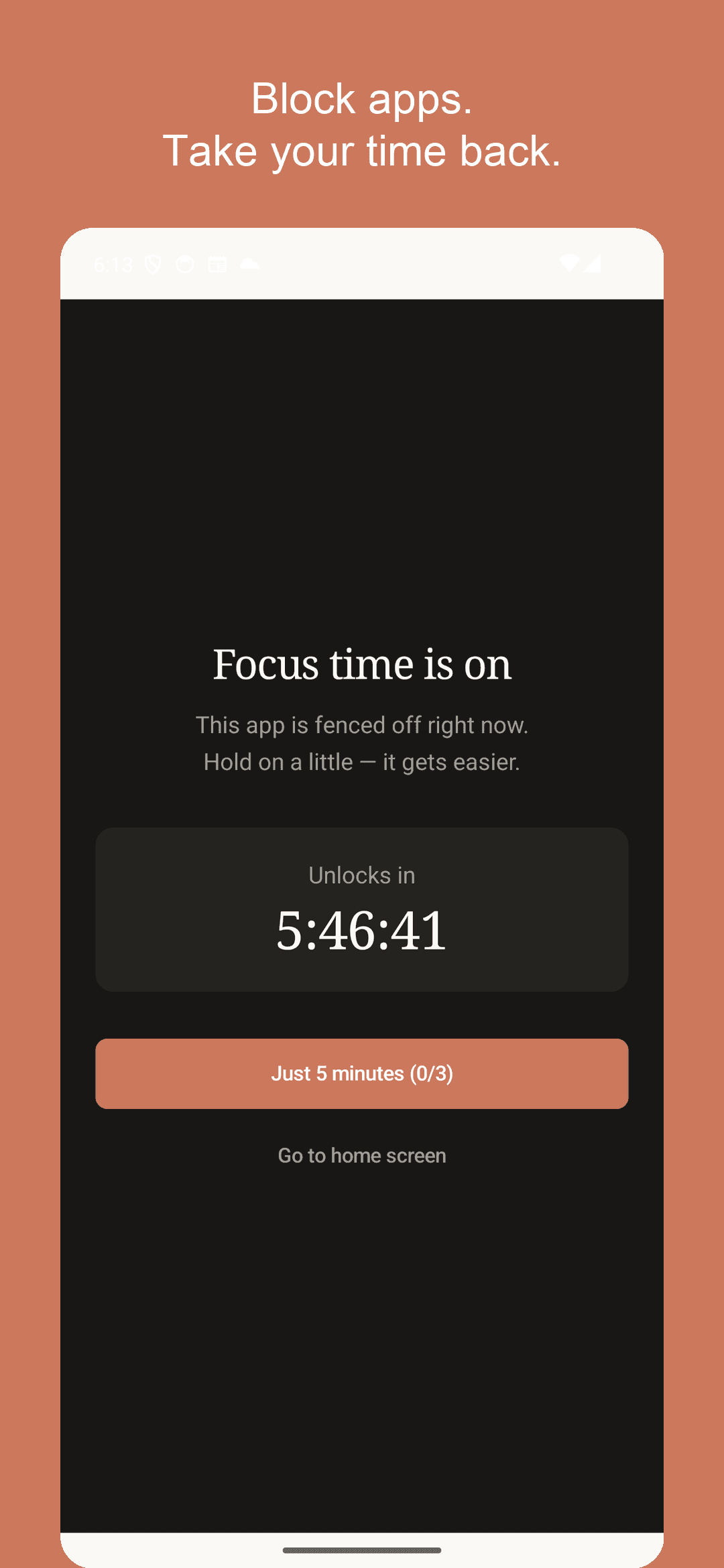
Just 5 minutes
Need to check something? Take a 5-minute pass, up to 3 times a day. The fence closes again automatically — free, no subscription.
Unlock missions
Make quitting early harder: wait 30 seconds, answer a quiz, or type your pledge letter by letter.
Streaks & time saved
Every completed session grows your streak, and your saved hours show up as real numbers.
Your data stays yours
No account, no server. Your app list and blocking history never leave your device. Works fully offline.
See it in action
Calm cream tones, a firm fence
The focus screen that greets a blocked app
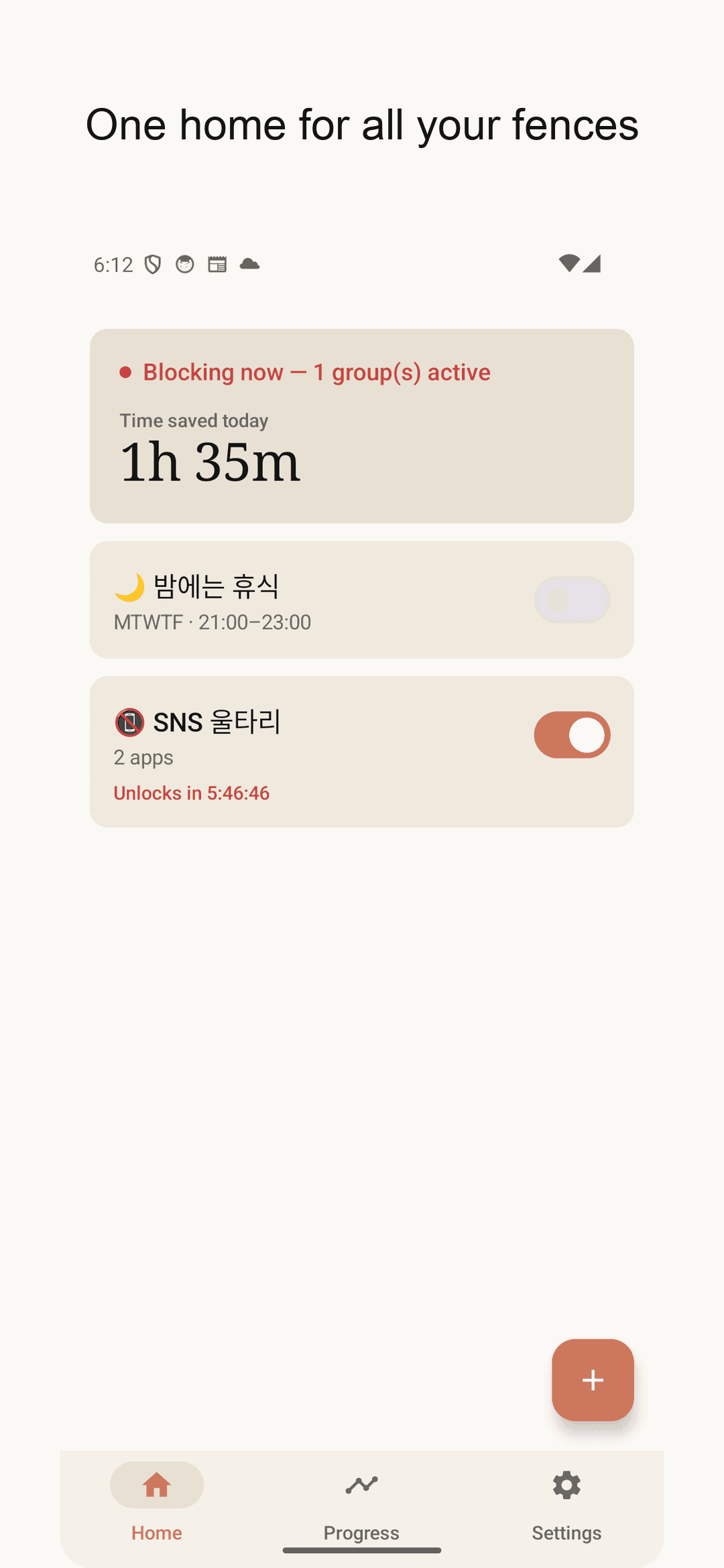
All your fences on one home screen
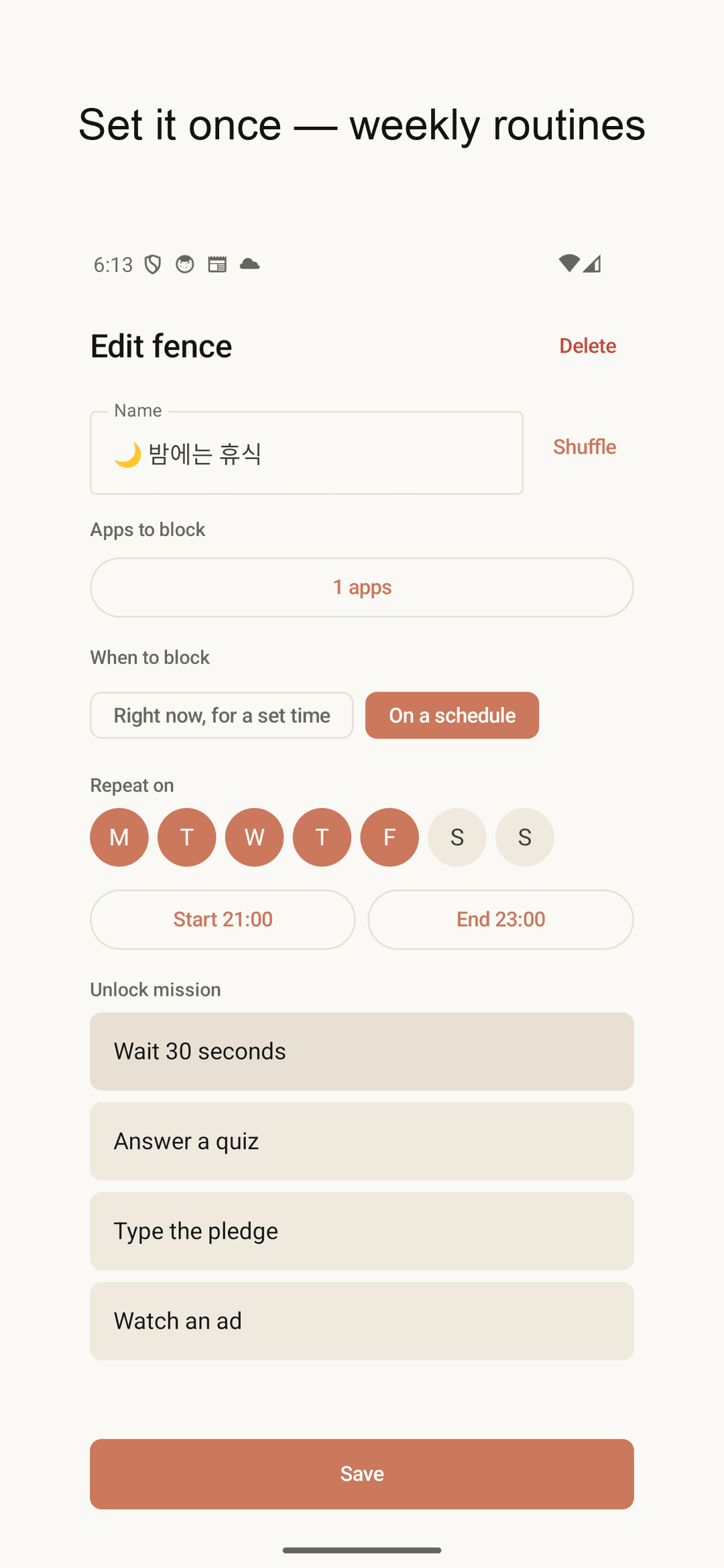
Weekly routine setup
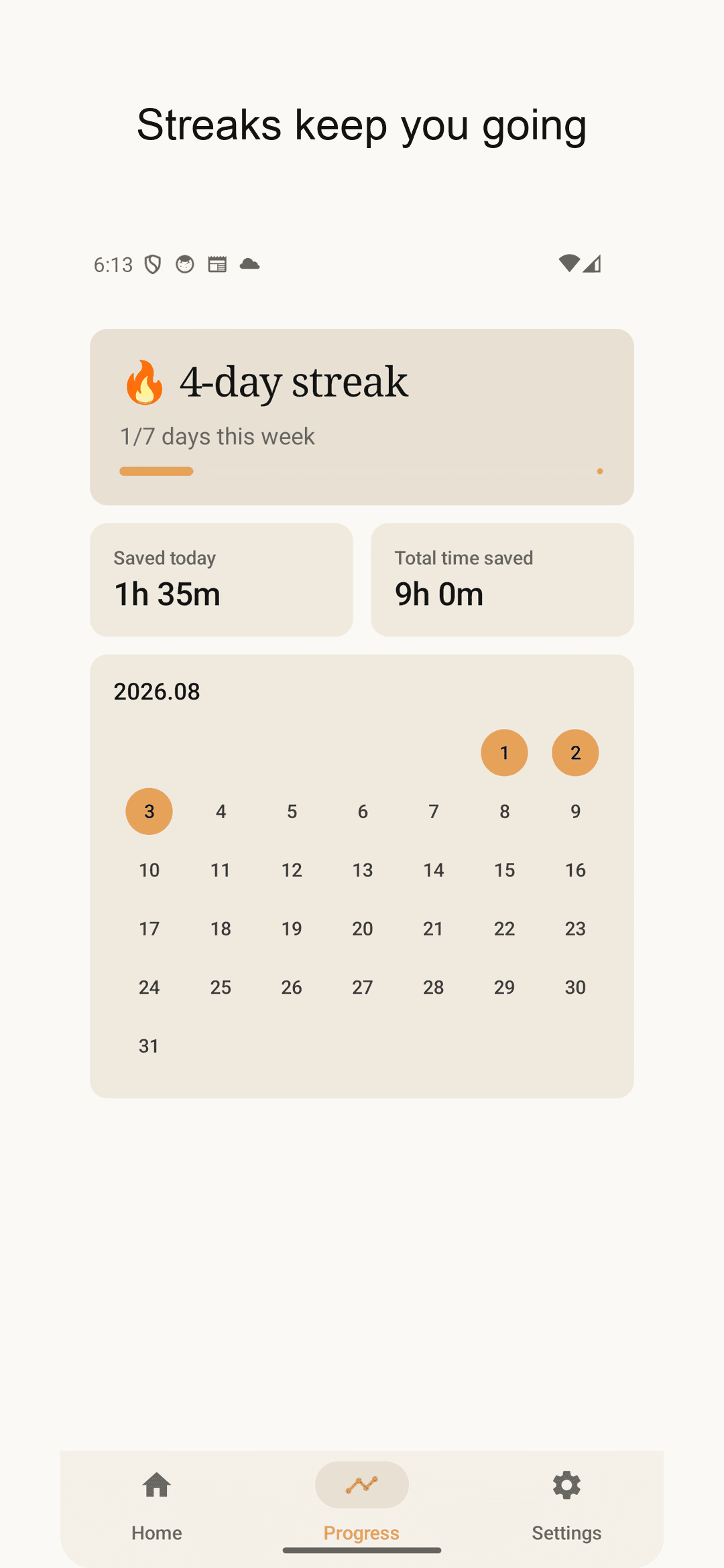
Streak calendar and saved time
How to start
Pick apps
Shorts, social, games — choose what steals your time. Search and select-all included.
Set the time
Hours from now, or a weekly routine. Overnight schedules work too.
Watch it grow
Each finished session grows your streak and saved hours. The widget keeps score on your home screen.
Frequently asked questions
Is it really free?
Yes. No subscription, no paywall, no in-app purchases. Core features like the 5-minute pass are free, supported by ads.
What permission does it need?
The accessibility permission, to block an app the moment it opens. It is used only for blocking apps you chose, never collects screen content, and can be revoked anytime in system settings.
What if I really need a blocked app?
Tap “Just 5 minutes” — up to 3 times a day. After 5 minutes the fence closes automatically.
Can I turn a block off early?
Yes, but you must pass the unlock mission you chose (wait 30 seconds, solve a quiz, or retype your pledge). It's the guard rail against impulsive quitting.
Is my data stored on a server?
No. There is no account and no server. Your app list and blocking history stay 100% on your device.