
FillnoteLog a fill-up in 3 seconds — real MPG and next service on one screen
Type two numbers. Get your real fuel economy.
Enter any two of total cost, price per unit and volume — the third is filled in for you. Fillnote measures fuel economy tank-to-tank and shows how far you can drive before the next oil change, right on the home screen.
Why people give up on fuel log apps
"It wants an account before I can log one fill-up" — standing at the pump, staring at a login screen
"Backup used to be free, now it's a yearly subscription" — years of records held hostage
"Why is my MPG blank?" — no idea how the number is calculated, so you can't trust it
Fillnote opens straight to your car, backup is free, and MPG is measured full tank to full tank ⛽
Everything a driver needs, nothing more
Fuel, economy, maintenance and expenses in one app
Two-field, 3-second logging
Type any two of cost, price per unit and volume; the third is calculated. Decimals like 11.482 gal work, and last price is prefilled.
Real fuel economy, not a guess
Calculated full tank to full tank, including partial fill-ups in between. Choose MPG (US or UK), L/100km or km/L per vehicle.
Next service countdown
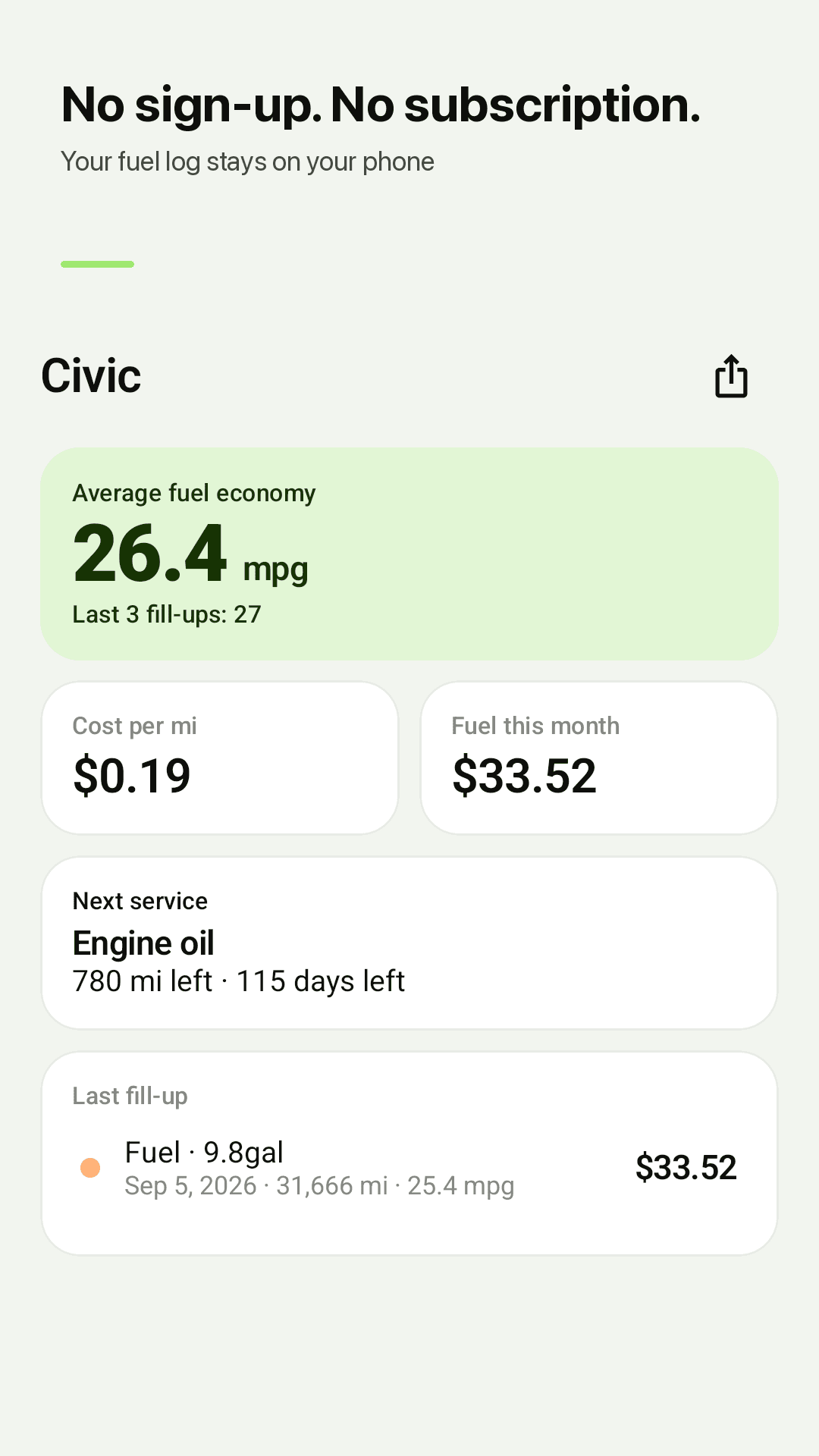
Engine oil, tire rotation, air filter, inspection, insurance. By distance, by date, or both — whichever comes first. "Engine oil 770 mi left" on the home screen.
Reminders only when due
You get a notification when a service is coming up. No daily nagging.
Every car expense
Fuel, service, parking, car wash, tolls and taxes, grouped by month. Cost per mile and this month's fuel on the home screen.
Economy trend & monthly spend
See how your MPG changes and where the money goes each month in simple charts.
Multiple vehicles
Your car, the family SUV, a motorcycle — each with its own log, units and service intervals.
Free backup & CSV · No account
Save and restore a backup file and export CSV at no cost. No account; data stays on your phone. Dark mode and home-screen widget included. Supported by ads.
See it in action
From the home screen to stats
Average economy and next service at a glance
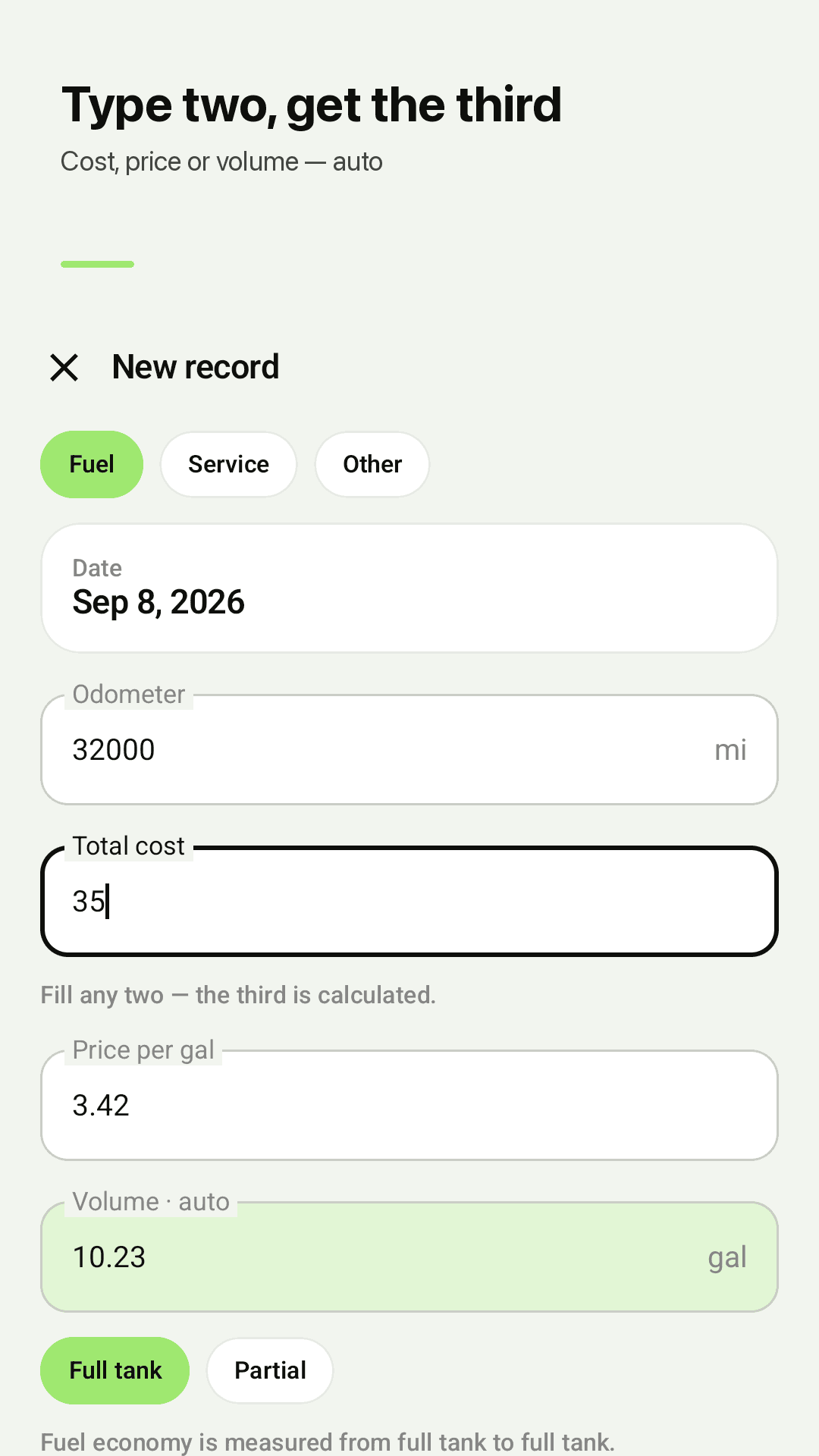
Fill in two fields, done
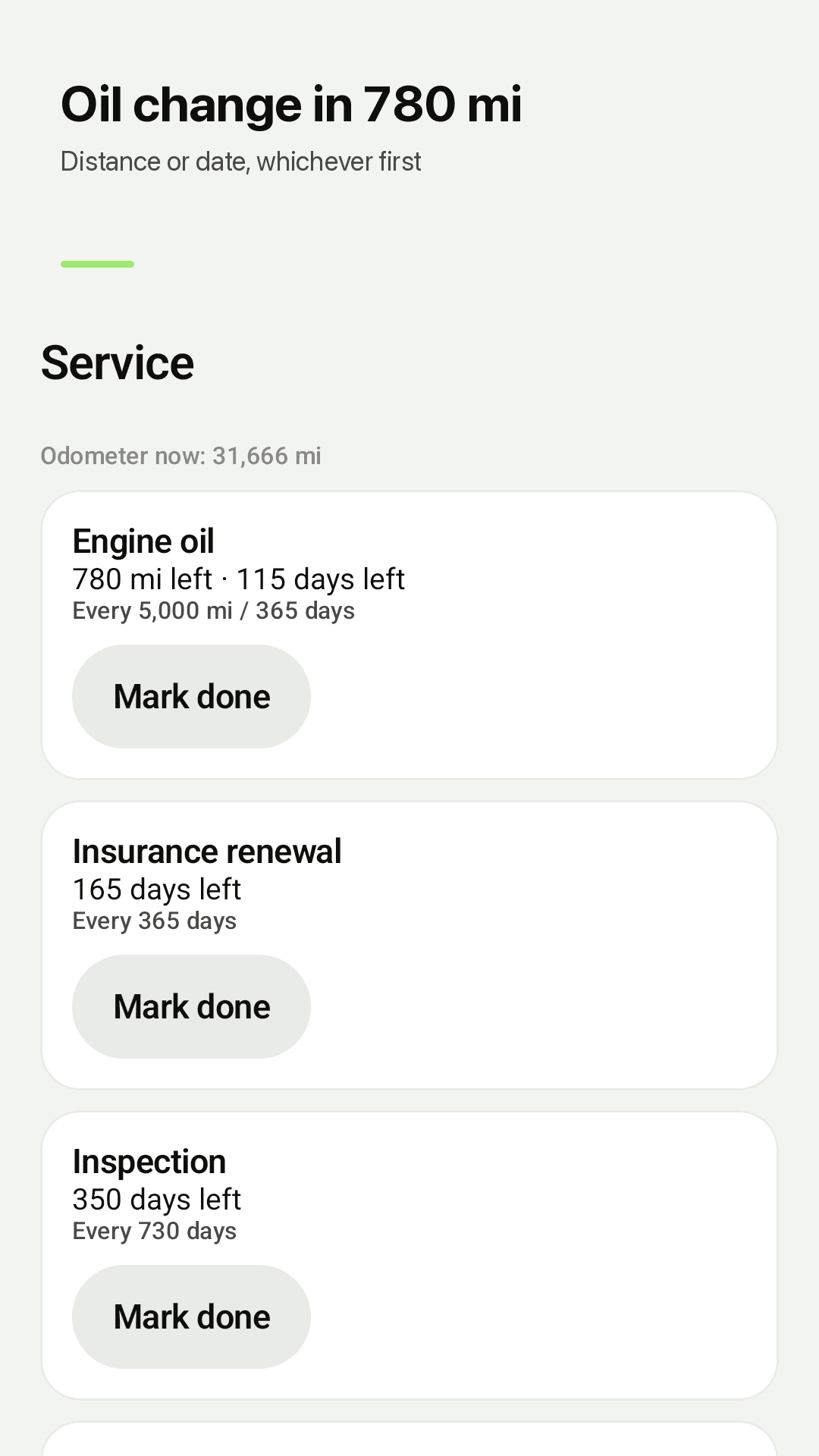
Service by distance or date, whichever comes first
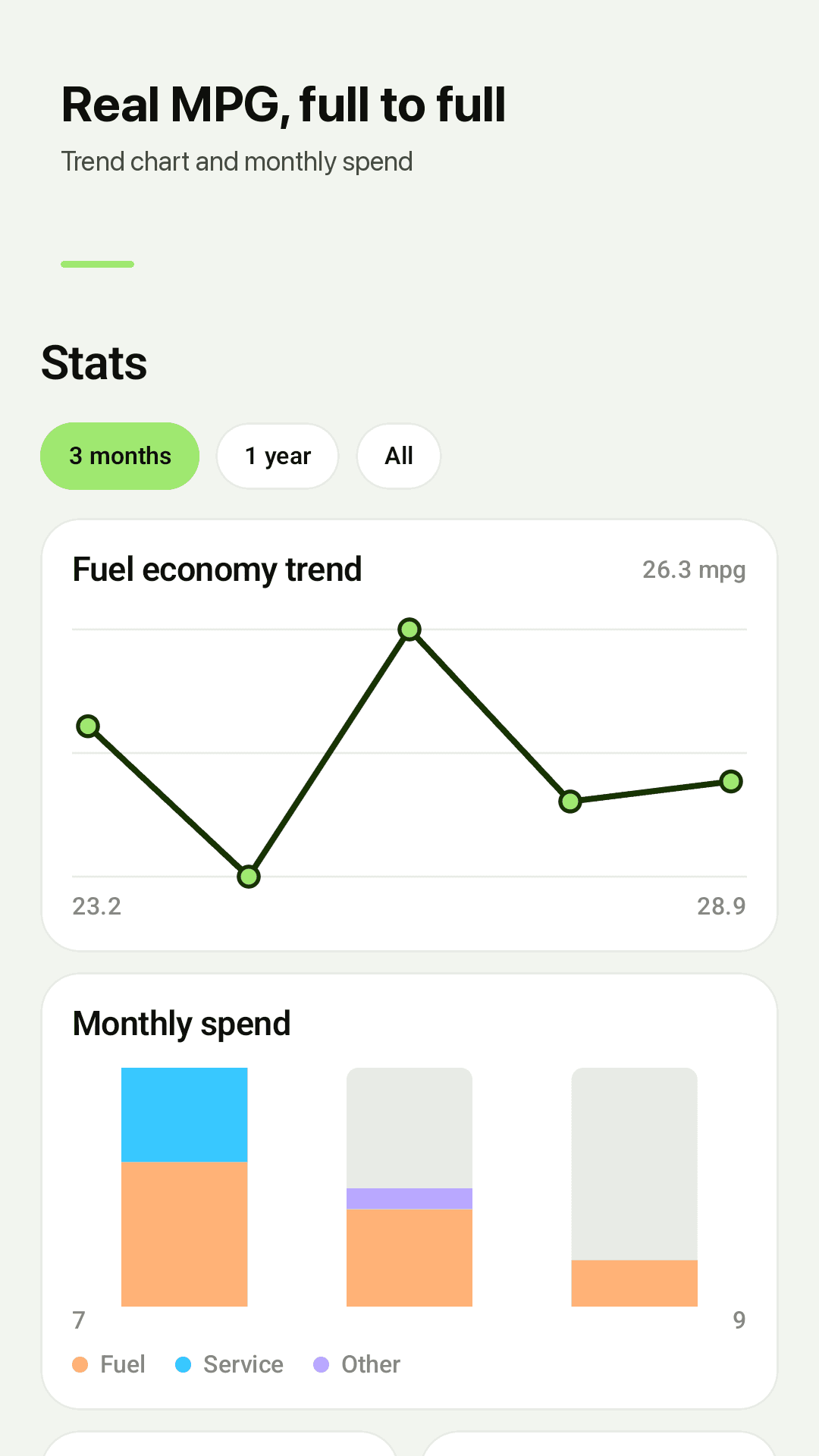
Economy trend and monthly spend
Done before you hang up the nozzle
Fill up, type two numbers
Enter the total and gallons (or the price) from the pump, plus your odometer. The rest is automatic.
Two full tanks = real MPG
After your second full-tank entry, Fillnote shows the real economy and cost per mile between them.
Service takes care of itself
Set an interval once and Fillnote counts down the miles and days, then reminds you when it's due.
Frequently asked questions
Why doesn't my fuel economy show yet?
Fillnote measures real economy from one full tank to the next. Once you have two full-tank entries, your first number appears — any partial fill-ups in between are included.
Can I enter past fill-ups?
Yes. Change the date to any past day. If the odometer doesn't line up with nearby entries you'll see a warning, but the entry is never blocked.
Is my data backed up?
Records live on your phone. From Settings you can save a backup file anywhere you like (Drive, email, etc.) and restore it on a new phone. Backup and CSV export are free.
Do I need an account or subscription?
No. Install and start logging. There's no account and no subscription — the app is free and supported by ads.
Do I have to enter cost, price and volume?
Just two. Enter total and volume and the price is calculated; enter total and price and the volume is calculated. Decimals are fine.
How does the oil change reminder work?
Set an interval by distance (e.g. 5,000 mi), time (e.g. 6 months) or both. Fillnote counts down whichever comes first and only notifies you when it's close.
Can I track more than one vehicle?
Yes. Add as many vehicles as you like, each with its own units (MPG US/UK, L/100km, km/L) and service intervals.
Can I open my log in Excel or Google Sheets?
Yes. Export to CSV and open it in any spreadsheet app.
Log your next fill-up in 3 seconds
Free to download, no sign-up. Your next oil change countdown comes built in. ⛽