CuffdayA blood pressure log your doctor can actually read.
Blood pressure log · BP tracker
Cuffday is a blood pressure log for people who check their BP at home, morning and evening. Take a reading with your own monitor, type 128, 82, 71 on a big keypad and save. Cuffday shows 7-, 30- and 90-day averages as real numbers, labels each reading with its ACC/AHA category and turns any date range into a one-page PDF report for your next appointment. An Android app on Google Play.
Tired of your blood pressure app?
I can't share the readings with my doctor
Averages show only as bars, not numbers
Tiny scroll wheels instead of a keypad
It gets dates wrong and you can't fix them
The export is a .bak file nobody can open
The graphs are too small to read
Cuffday: type with a keypad, read averages as numbers, share one clean PDF
"Better than the notebook with pages"
Large numbers and clear labels, easy for every age
Big number keypad
Type systolic, diastolic and pulse directly. No scroll wheels; the time fills in as now.
Morning and evening cards
See at a glance whether today's readings are done, with reminders at the times you choose.
Averages as numbers
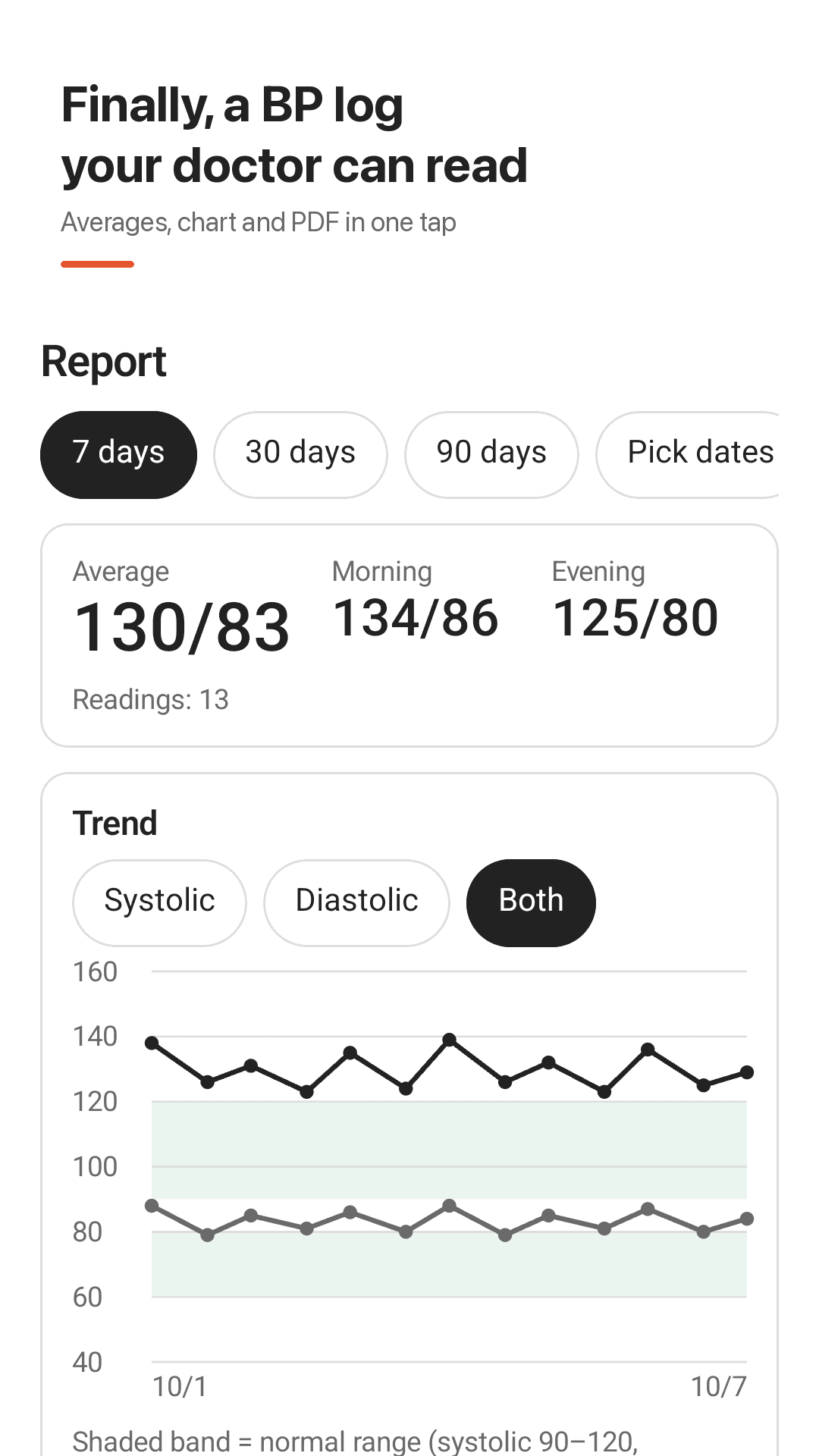
7-, 30- and 90-day averages plus separate morning and evening averages, in large type that never cuts off.
Easy-to-read chart
A large line chart with a normal-range band. Show systolic, diastolic or both.
ACC/AHA categories
Every reading is labeled Normal, Elevated, Stage 1, Stage 2 or Crisis with color and text (2017 ACC/AHA).
PDF report for your doctor
Pick a date range and get averages, a chart and a full table in one PDF. Print it or email it.
Edit anything
Fix the date, time, values or note of any reading. The history shows the year too.
Arm, posture, medication
Mark left or right arm, sitting or standing, and whether you took your medication. CSV export and import included.
See it in action
Report, logging, today's cards and history
Averages, chart and PDF report
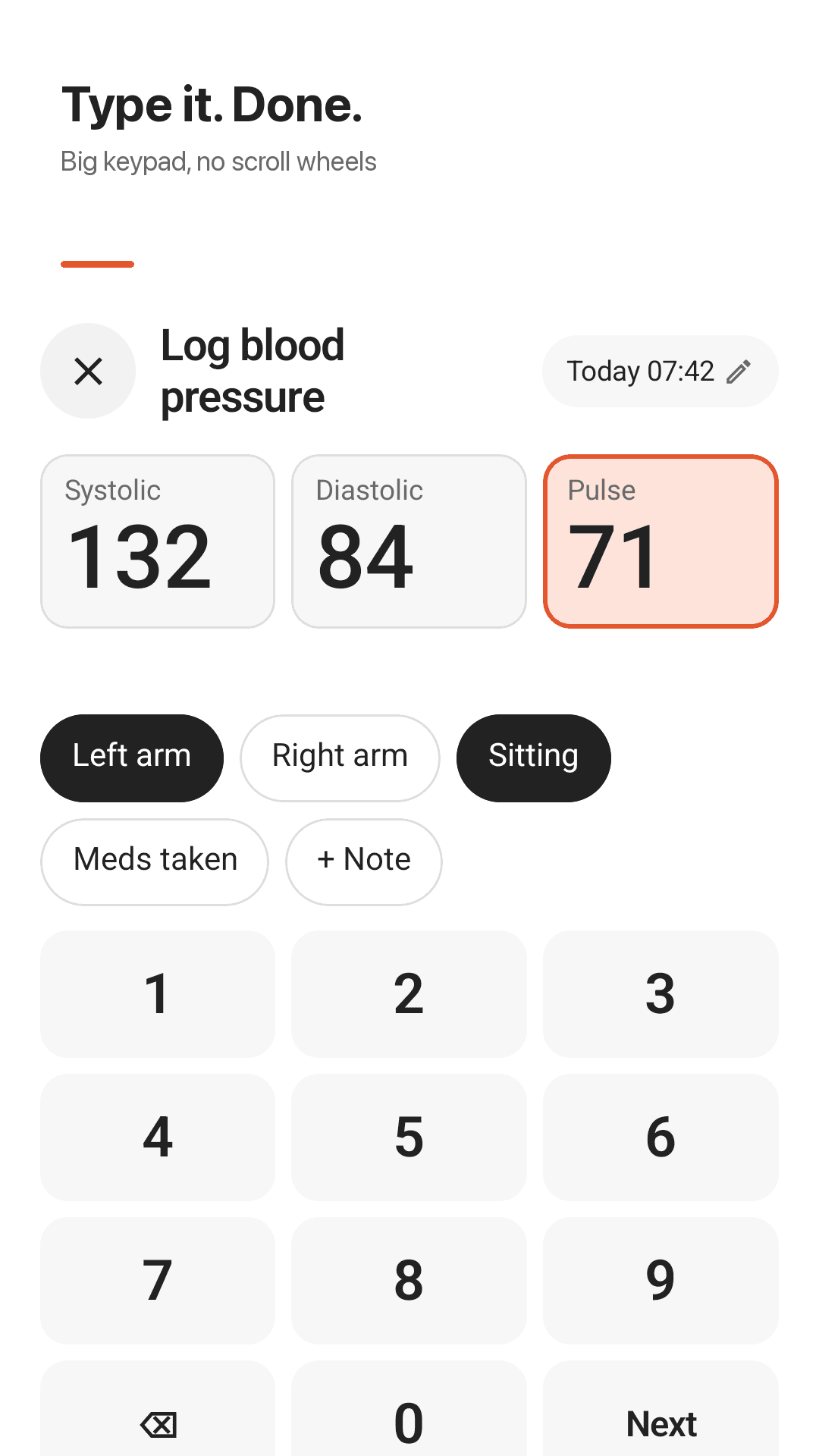
Big keypad, no scroll wheels
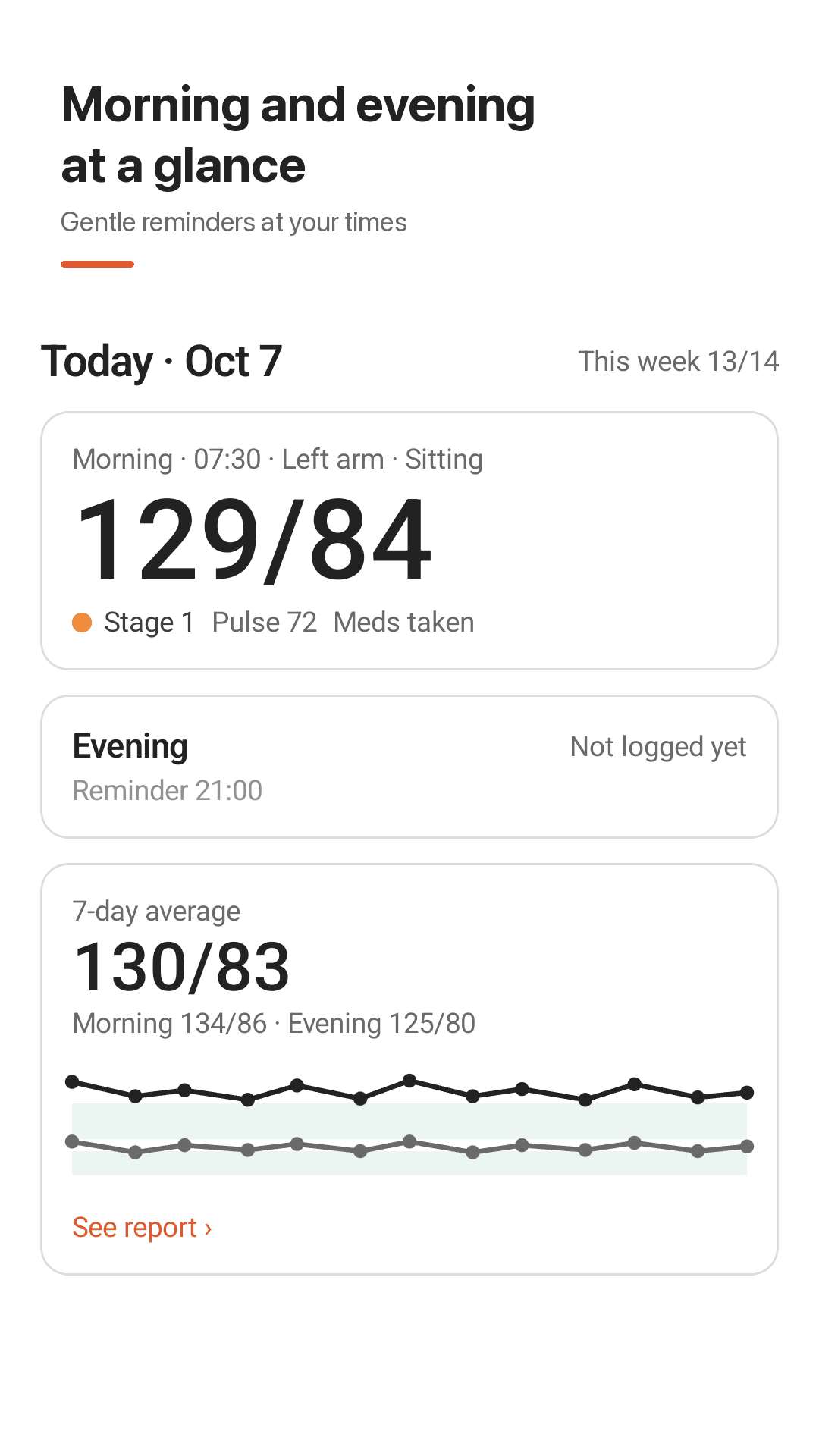
Morning and evening at a glance
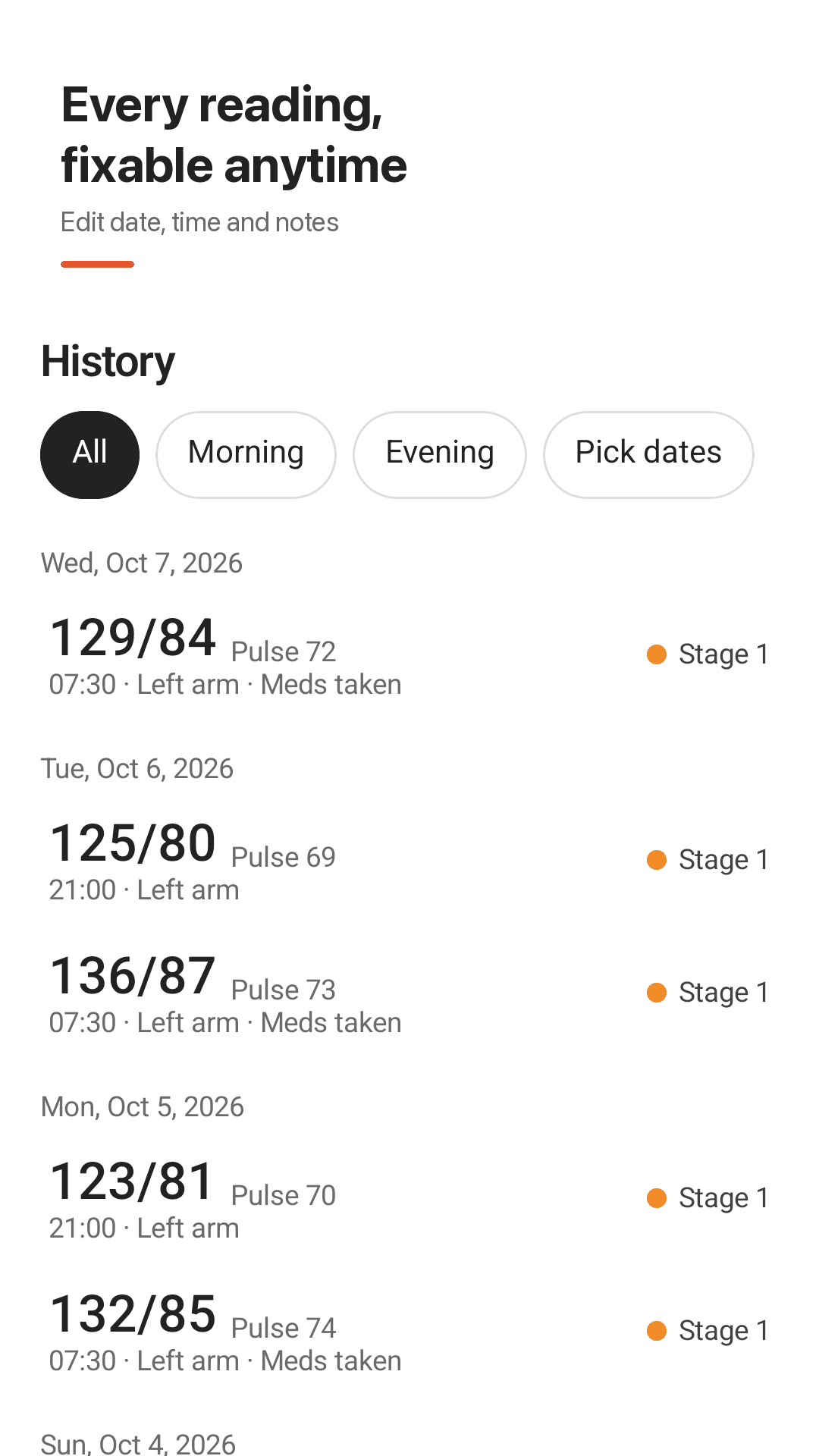
Every reading, fixable anytime
How it works
Measure with your monitor
Rest 5 minutes, sit with your back supported and take a reading with your own cuff.
Type three numbers
Enter systolic, diastolic and pulse, then save. Arm, posture and meds are one tap each.
Share a PDF
Pick a date range in Report and show or send the PDF at your appointment.
FAQ
Does the app measure my blood pressure?
No. Cuffday does not measure blood pressure. It records readings you take with a validated blood pressure monitor. Apps that claim to measure BP with your finger or camera are not reliable.
How do I share my readings with my doctor?
Open Report, choose 7, 30 or 90 days or any date range, and create a PDF. It contains your averages, a chart and a full table of readings. Show it on your phone, print it or email it.
Are averages shown as numbers?
Yes. 7-, 30- and 90-day averages and morning and evening averages appear as large numbers such as 130/83, and three-digit values never get cut off.
Can I type the numbers instead of using scroll wheels?
Yes. A big number keypad lets you type 128, 82, 71 and save.
Can I fix the date or time of a reading?
Yes. Open any reading to edit its date, time, values or note. You can also add readings for an earlier date, and the history shows the year.
How do I back up my data or move to a new phone?
Readings are stored on your phone. Export a CSV, install Cuffday on the new phone and import that CSV. You can also import a CSV from another app.
Can I open my data in Excel or Google Sheets?
Yes. The CSV export opens directly in Excel and Google Sheets.
Which blood pressure categories does Cuffday use?
The 2017 ACC/AHA guideline. The labels are for reference only and are not a diagnosis; talk to your doctor about your readings.
Log tonight's reading in 10 seconds
No sign-up. A month of readings makes your next visit easier