
CoinjotThe expense tracker that never loses your records
No account. Your data stays on your phone. Move it with a backup file.
Lost your expense history after a phone switch or a broken backup? Coinjot keeps every record on your phone and saves a backup file you control in one tap. Logging is tap +, amount, category, save.
Why people give up on budget apps
"backup data is not fetching & all my data gone" — and the app forces you to log in
"Even editing the amount requires typing all the figures again" — logging takes too long
Moving money to savings shows up as spending, so saving looks like wasting
Three seconds per record, your history on your phone and in a file you own. No account to lose.
A simple expense tracker you'll actually use
Expenses, income and transfers, plus budgets and charts
Log in 3 seconds
Tap +, type the amount, pick a category, save. "Copy last" repeats your usual coffee or bus fare in one tap.
The keypad is a calculator
Type 12+6.5 and it saves 18.50. No more adding receipts in your head.
Savings apart from spending
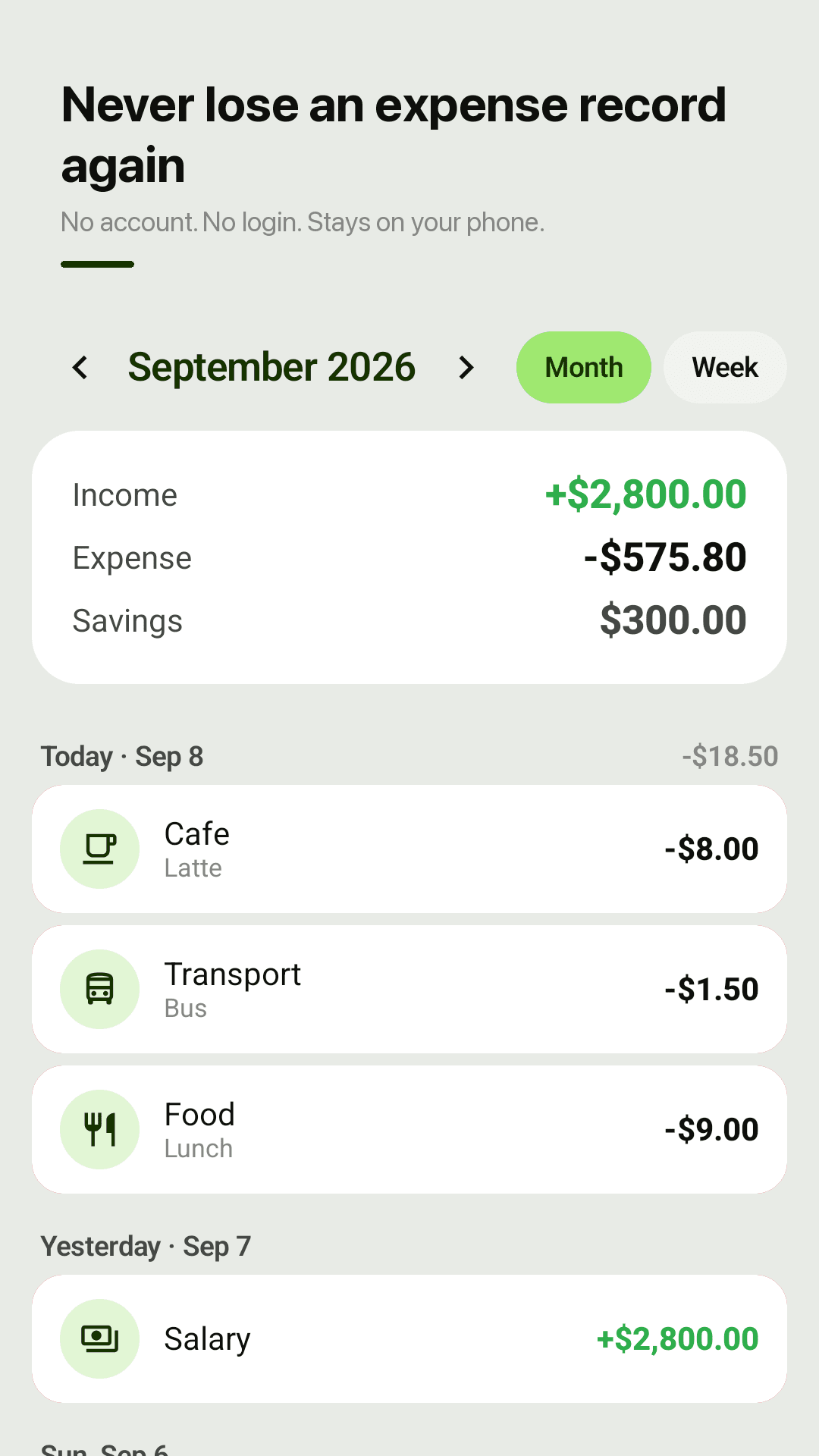
Savings transfers are left out of your expense total and shown on their own. Income, expenses and savings at a glance.
Budget planner
A monthly budget plus category budgets. See what's left and how much you can spend per day.
Calendar and charts
Daily totals on a calendar, a category donut and a 6-month bar chart. Switch between month and week view.
Repeating records, custom month start
Rent, salary and subscriptions repeat monthly or weekly. Start your month on payday.
Backup file, CSV, 30-day trash
Restore a JSON backup on a new phone, export CSV for Excel or Google Sheets, and recover deletions for 30 days.
Widget, offline, no account
See today's spending and add a record from the home screen. Works offline; nothing leaves your phone.
Take a look
Monthly summary, 3-second entry, charts and budgets
Income, expenses and savings this month
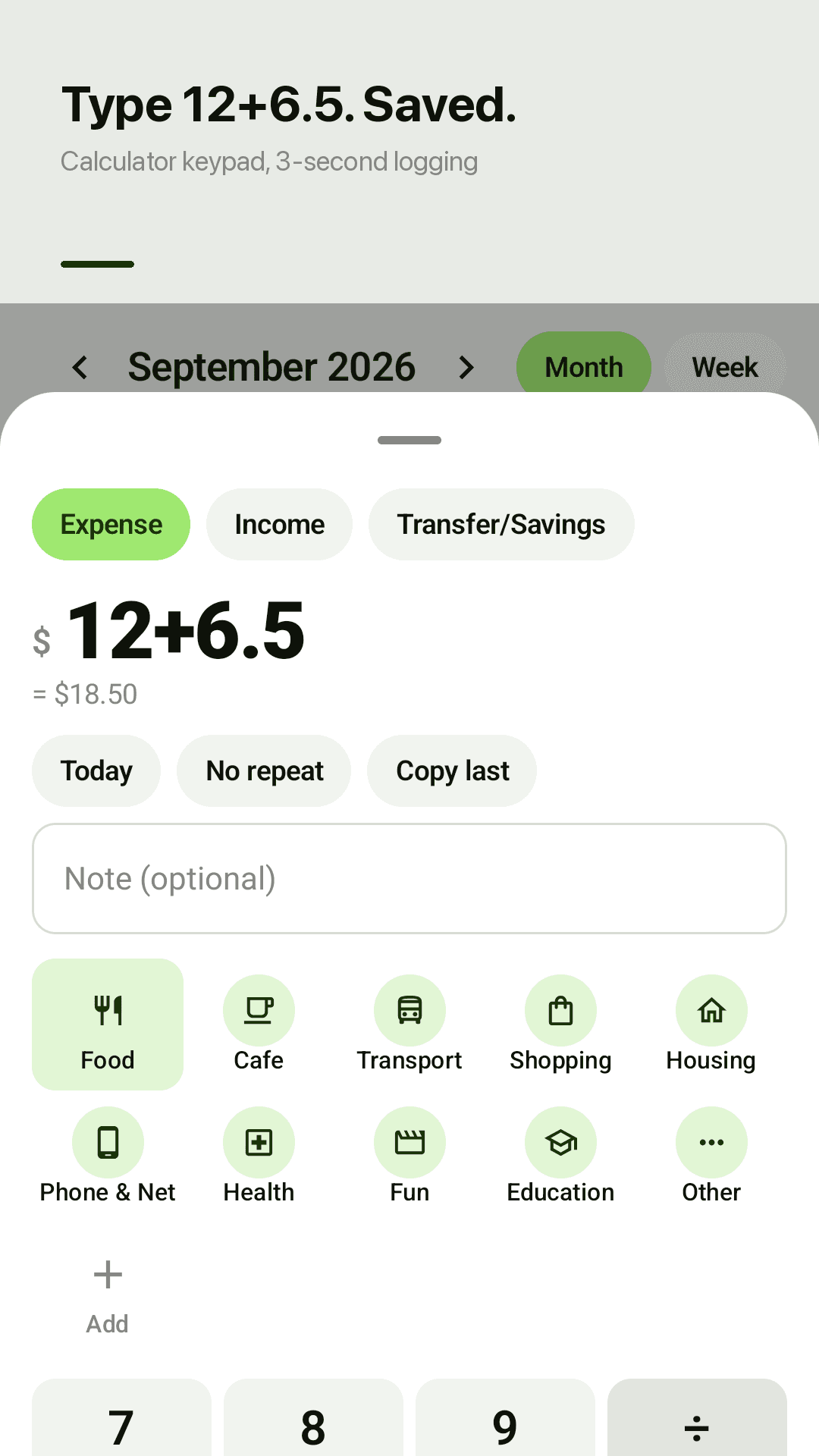
Calculator keypad entry
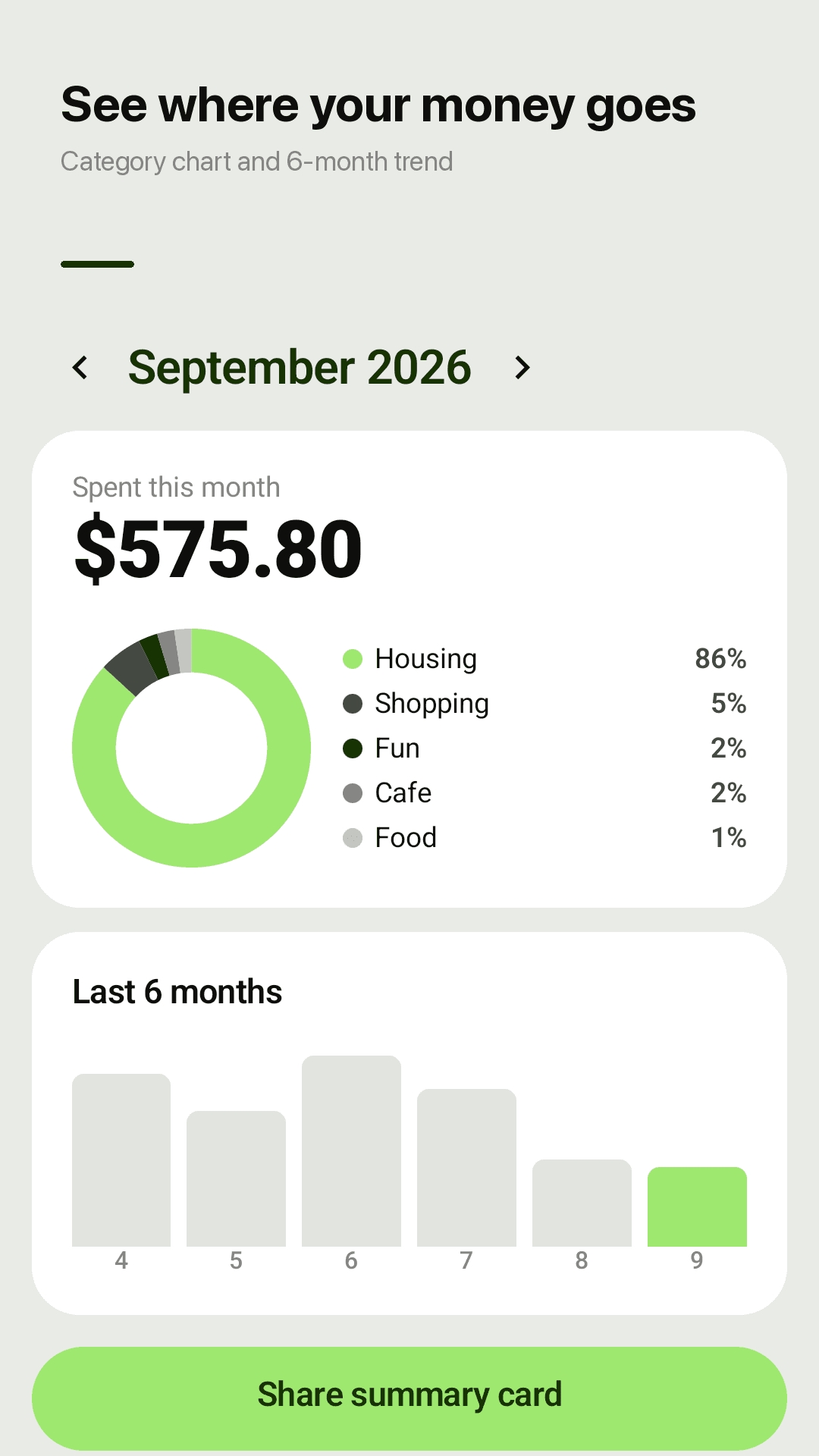
Spending by category
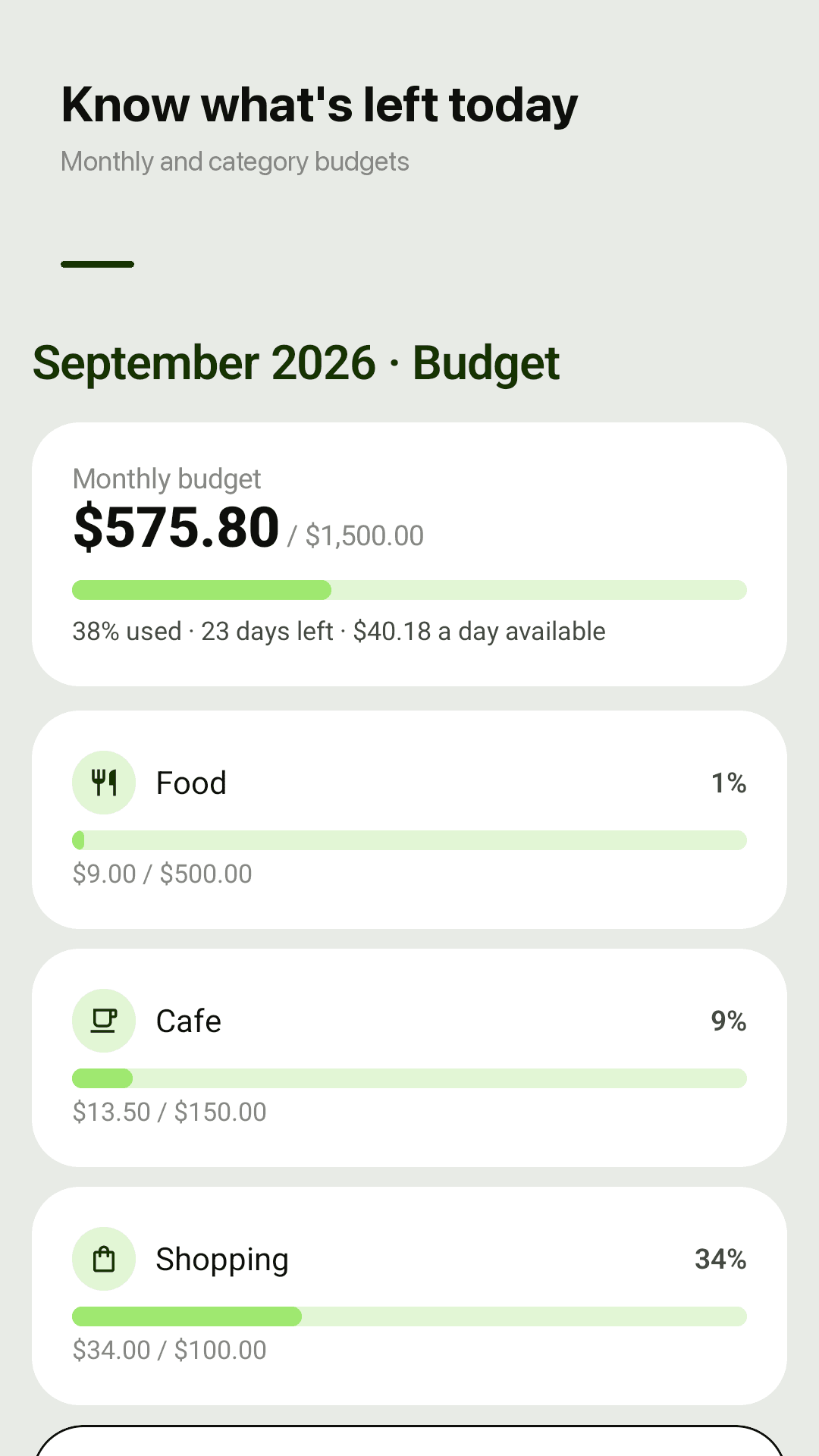
Budget and daily allowance
Three steps
Tap +
From the app or the home-screen widget, the entry screen opens right away.
Amount and category
Two receipts? Type 12+6.5 and the total is saved.
Save, back up now and then
That's it. Before switching phones, save a backup file in settings.
Frequently asked questions
Will I lose my expenses when I change phones?
No, if you save a backup file (JSON) in settings, move it to the new phone and import it. Everything is restored. Nothing is stored on a server, so make the file before you switch.
Do I need an account or login?
No. There is no account, so there is no logout or account problem that can wipe your records. Everything is stored on this device.
Does moving money to savings count as spending?
No. Savings transfers are left out of your expense total and shown as savings in the monthly summary.
Do I need a separate calculator?
No. The entry keypad is a calculator: type 12+6.5 and 18.50 is saved.
I deleted a record by mistake.
Deleted records stay in the trash for 30 days and can be restored.
Can I open my data in Excel?
Yes. Export CSV and open it in Excel or Google Sheets.
Can my month start on payday?
Yes. Set a custom month start day and summaries, budgets and charts follow it. Week view is available too.
Does it read bank SMS automatically?
No. Coinjot needs no SMS permission; instead the widget and "Copy last" make each record take about three seconds.