
ChorebitTick chores off without opening the app
One tap on the home screen. That's the whole thing.
"You have to pay to customise it in any way at all" is the most common complaint about chore list apps. Chorebit puts the list on a home screen widget, marks a chore done in one tap, and leaves nothing behind a paywall.
Sound familiar?
Adding a second list asks you to start a subscription
You build a rota, then neither of you ever opens the app
You keep asking each other who was supposed to do what
Put the list on the home screen and it fixes itself ✨
The widget is the app
From chores to groceries — and nothing costs extra
One tap on the widget
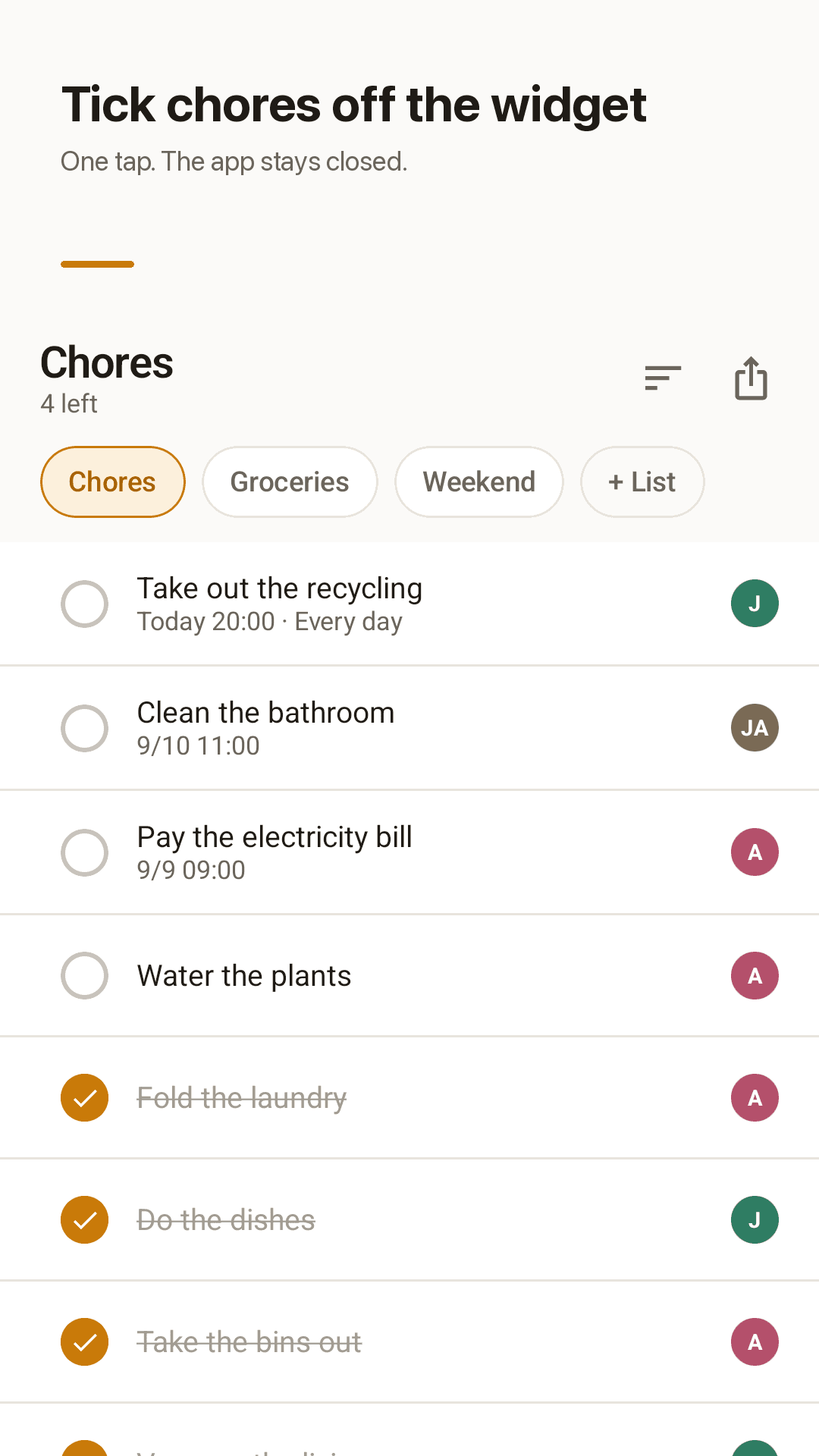
The list title, what is left and every task row sit on your home screen. Tap a row and it is done — the widget updates right away and the app never has to open.
Who took what
Enter two names once. Every chore carries a badge with the first letter, so a glance tells you who is buying the milk and who is doing the bins.
Repeats and due reminders
The dishes, the plants, the recycling — set them to repeat daily or weekly. Give a chore a time and get a reminder on time or 10, 30 or 60 minutes early, and reminders survive a reboot.
Completed chores drop, they do not vanish
Finished chores move to the bottom with a line through them, so you can see what the two of you got through. Prefer them gone? Hide them in Settings.
A shopping list in thirty seconds
Type an item, press enter, type the next. No reopening a form for every line, so a full grocery list takes about half a minute.
No account, nothing uploaded
There is nothing to sign up for. Your lists live on this phone and the app works with no connection at all. Tap share to send a list as text when someone heads out.
See it in action
The list, the recap, the settings and quick entry
Tick chores off the widget
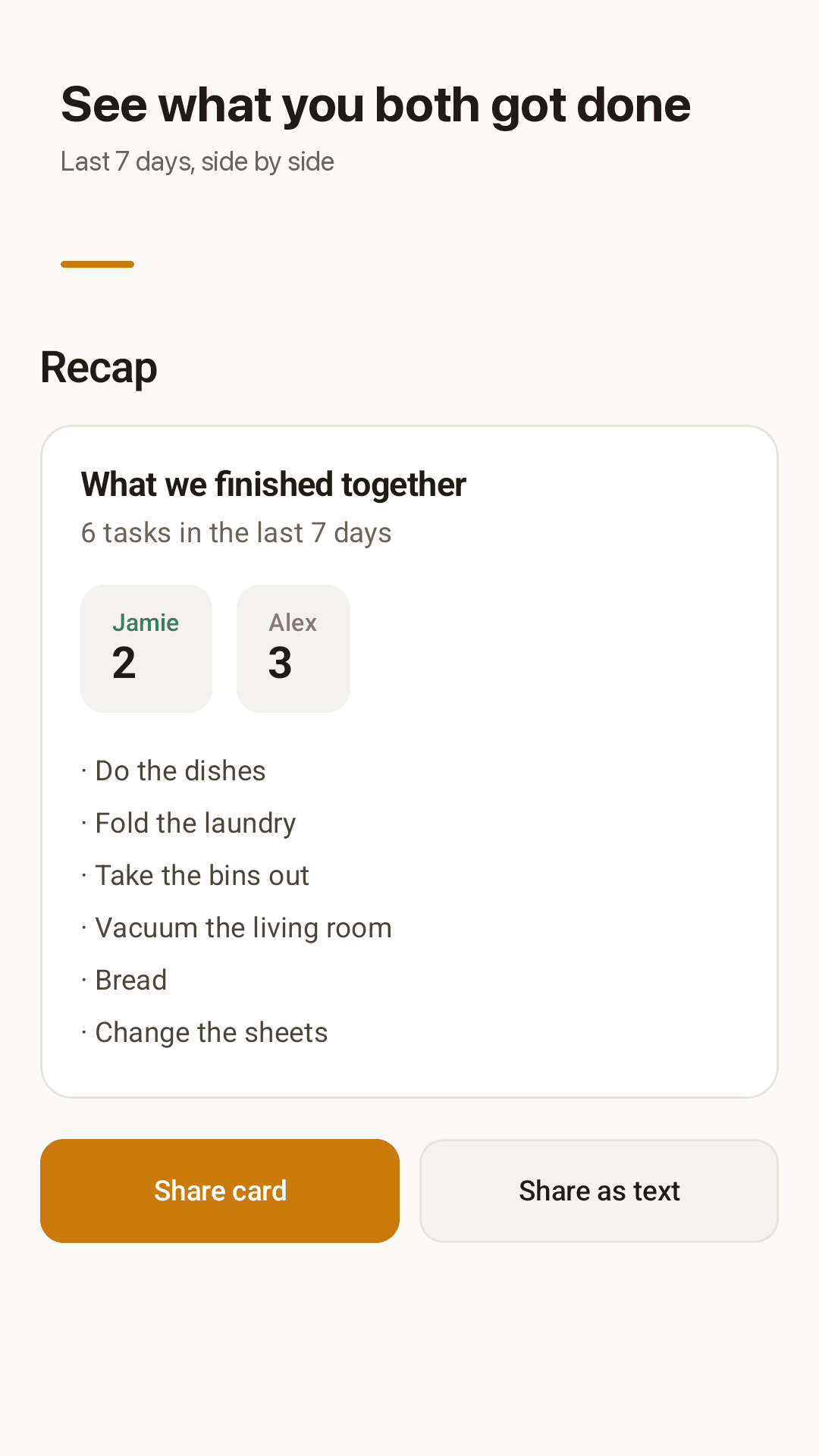
See what you both got done
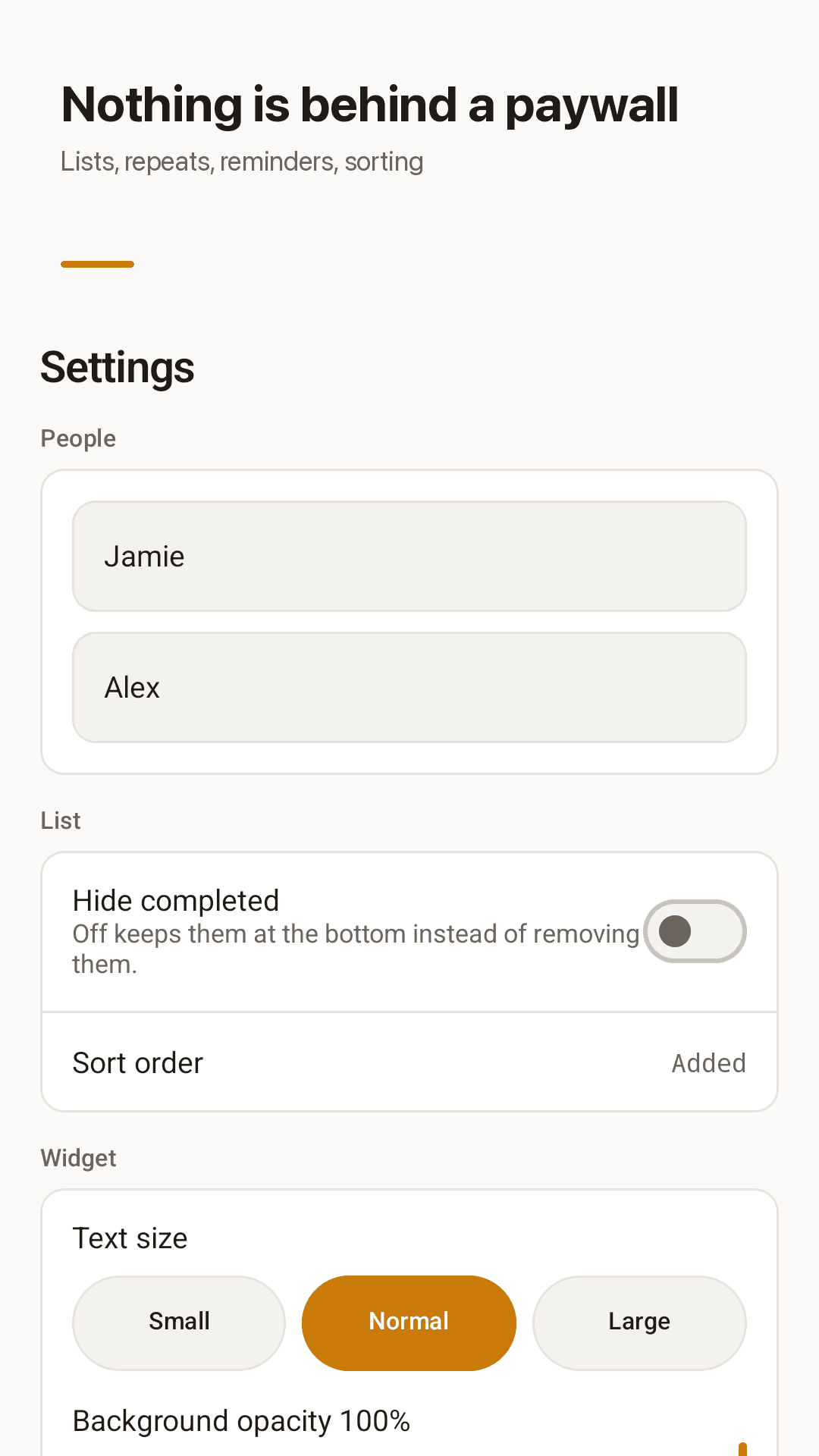
Sorting and widget options, all free
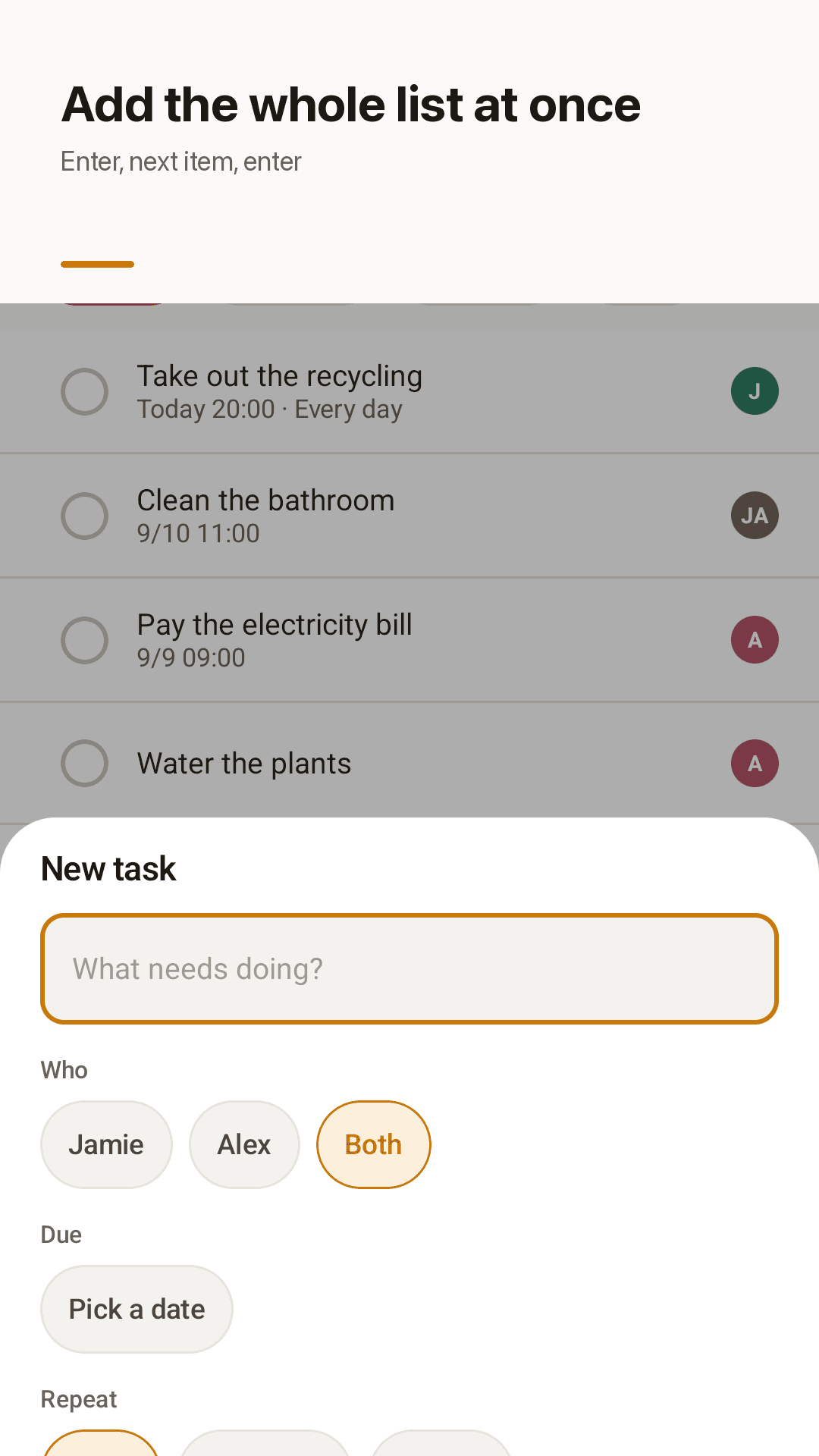
Owner, due date and repeat in one sheet
Three steps is all it takes
Add two names
Type both names in Settings and every chore gets an owner badge.
Put the widget on the home screen
Long-press an empty spot → Widgets → drag Chorebit out.
Tap as you go
One tap marks a chore done, so the list stays current without opening anything.
Frequently asked questions
Does Chorebit sync between two phones?
No. Chorebit is a local app with no account and no server, so the list stays on the phone it was made on. To hand it over, tap share and send the list as text in any messenger.
Is anything locked behind a subscription?
No. Several lists, repeating chores, due reminders, sorting, assignee badges, widget text size and opacity are all in the free app. It is supported by ads.
Can I tick a chore off from the widget itself?
Yes, one tap on the row marks it done and the widget updates right away. You never have to open the app to keep the list current.
Why is my chores widget blank or missing?
Usually the launcher has paused the app in the background. Allow unrestricted battery use for Chorebit, then remove and re-add the widget. Our widget guide walks through it on Samsung, Xiaomi and Pixel.
Do completed chores get deleted?
No. They move to the bottom of the list with a line through them. Turn on "Hide completed" in Settings if you would rather not see them.
Can I add several items in a row, like a grocery list?
Yes. Press enter after each item and the field clears for the next one, so a full shopping list takes about half a minute.
Do reminders survive a restart?
Yes. Chorebit re-registers your reminders after the phone reboots, so a due chore still reminds you.
Is it a couples app or a family app?
Both. It is built around two names, which suits couples and roommates, but any household that splits chores can use it. There are no boards, projects or workspaces to set up.
Put the chores on your home screen
Download it free, add the widget, and tick things off as you walk past.