
CashrowA cash book that shows your balance on every line
Cash in · Cash out · Running balance · Monthly carry over
Log cash in and cash out, and Cashrow keeps a running balance on every line, just like a bank passbook. When a new month starts, what's left shows up as the first line, "Carried over from <month>". Keep separate books for the shop till, office petty cash, club dues or pocket money, and see the total at a glance. Available on Google Play for Android.
Tired of cash book apps that get in the way?
"I'm tired of seeing an ad after entering every single transaction"
"I have lost my entire data" — no backup, no way back
"It doesn't even provide any lock feature"
You want to "group multiple cashbooks and see their summary" — and "transfer particulars to other cash books"
Cashrow: a running balance on every line, several books, a PIN lock and backups 💵
Write it down, see what's left
A cash book that reads like a passbook
Running balance on every line
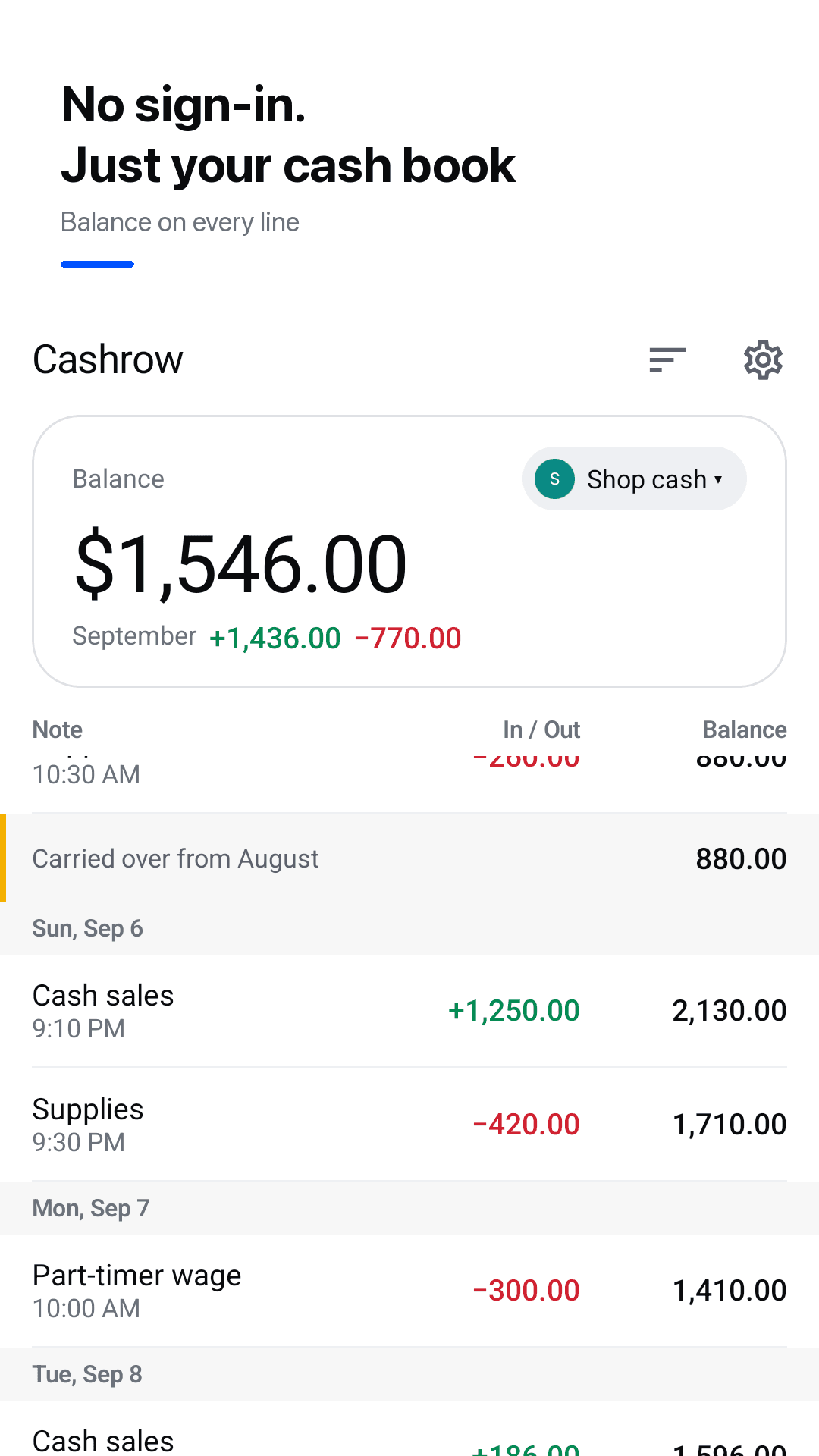
Each cash in or cash out shows the balance after it. A box at the top of the screen always shows your current balance.
Monthly carry over
When a new month starts, what's left shows as the first line, "Carried over from <month>". Set the month to start on your payday, any day from 1 to 28.
Several books, one total
Separate books for the shop till, petty cash, club dues or pocket money, with a total across all of them.
Transfers between books
Move money from one book to another and matching lines are created in both, so balances always line up.
Fast entry
Built-in number pad, recent-note chips, any date and time, and a keep-adding mode. Long-press to duplicate, move or delete, with undo.
Monthly report & export
Carried over, cash in, cash out, money left and a daily chart. Share a summary image, export CSV or a PDF report.
PIN lock & backups
Optional 4-digit PIN. A daily automatic copy stays on your phone, and you can save and restore a backup file to move to a new phone.
Any currency, dark mode, widget
Any currency with decimals on or off, light and dark themes, and a home-screen widget with your balance and one-tap cash in / cash out.
See it in action
The ledger, quick entry, your books, the monthly report and settings
A running balance on every line, last month carried over
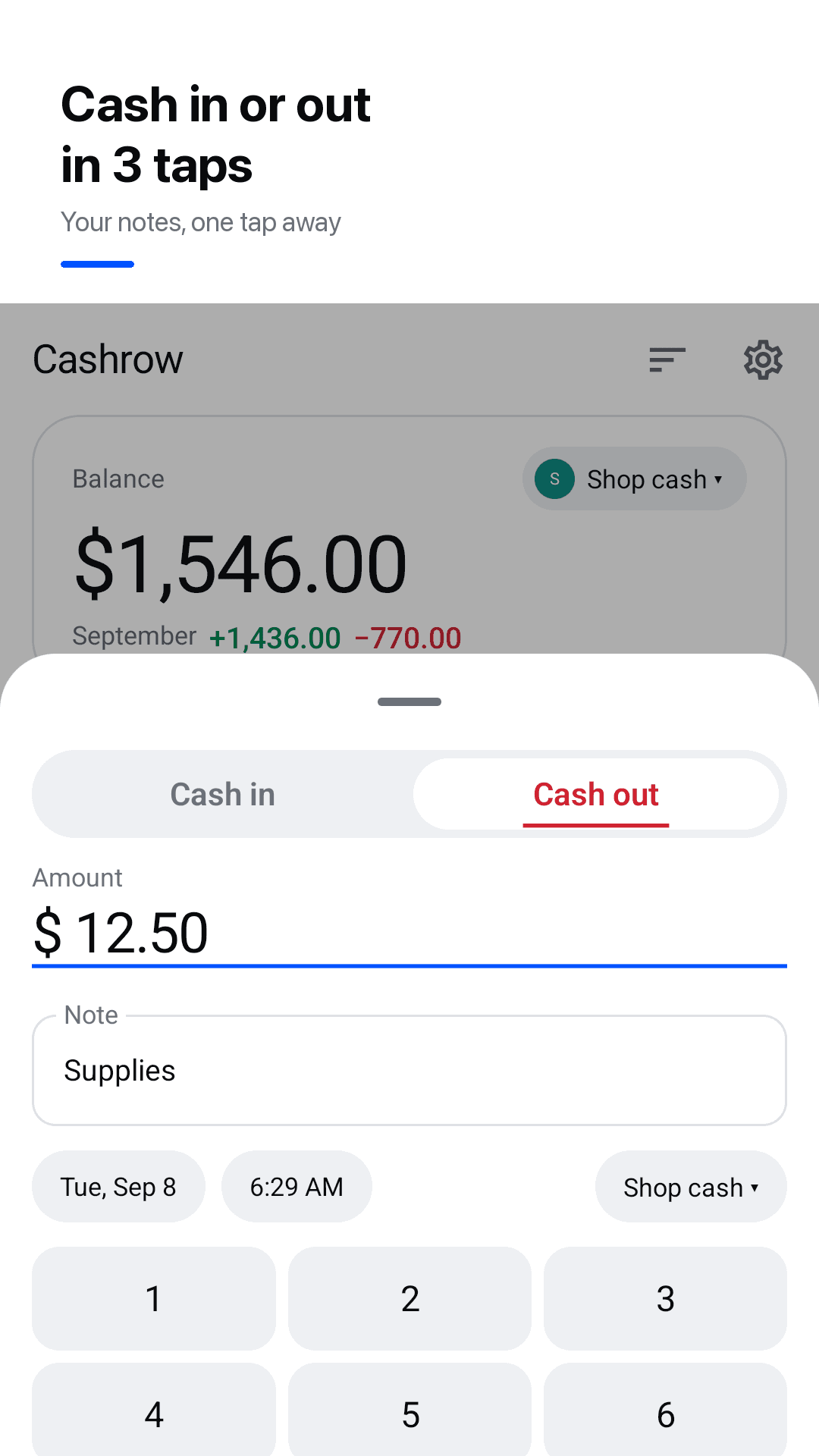
Quick entry with a built-in number pad
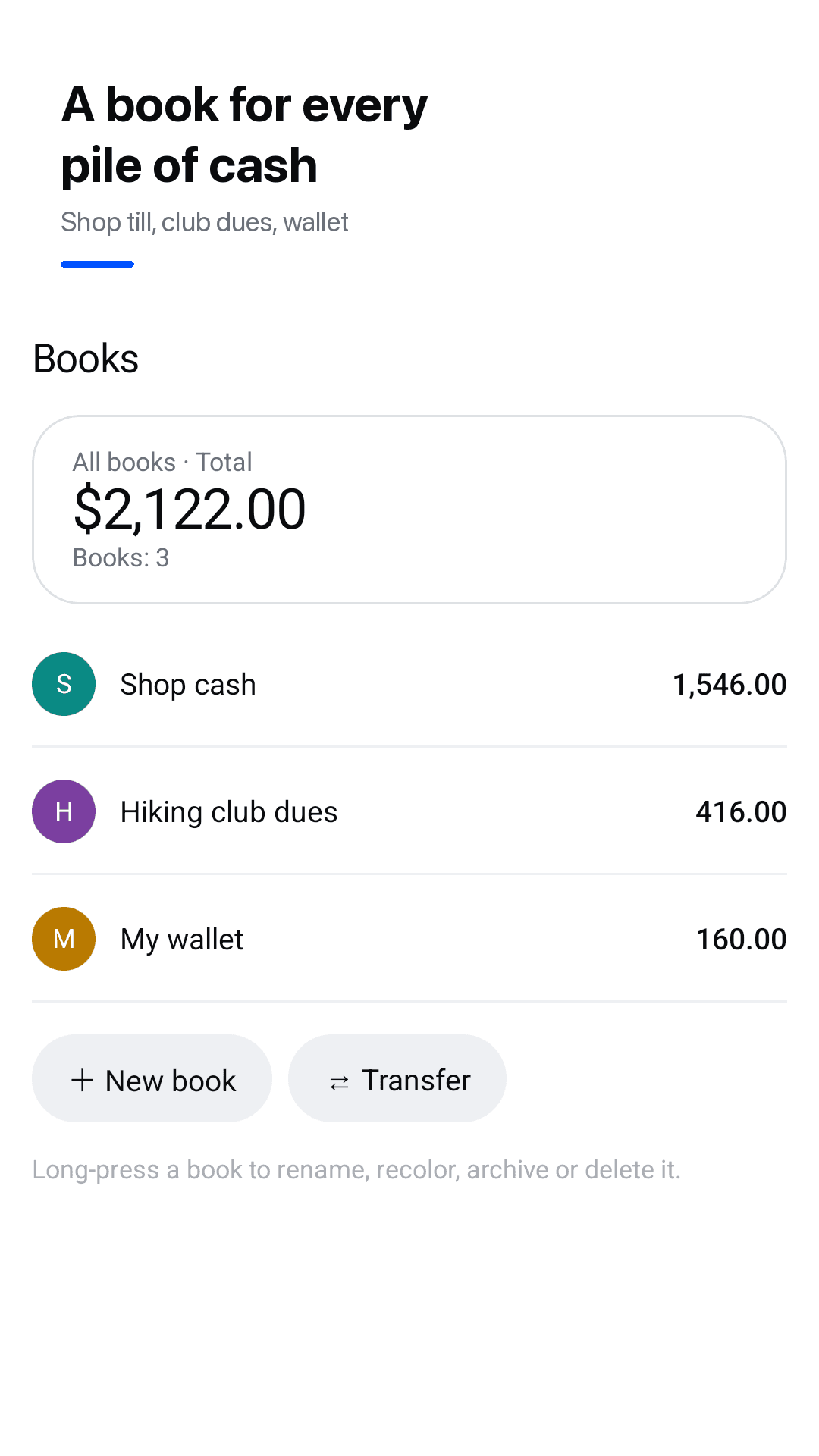
Several books with a total
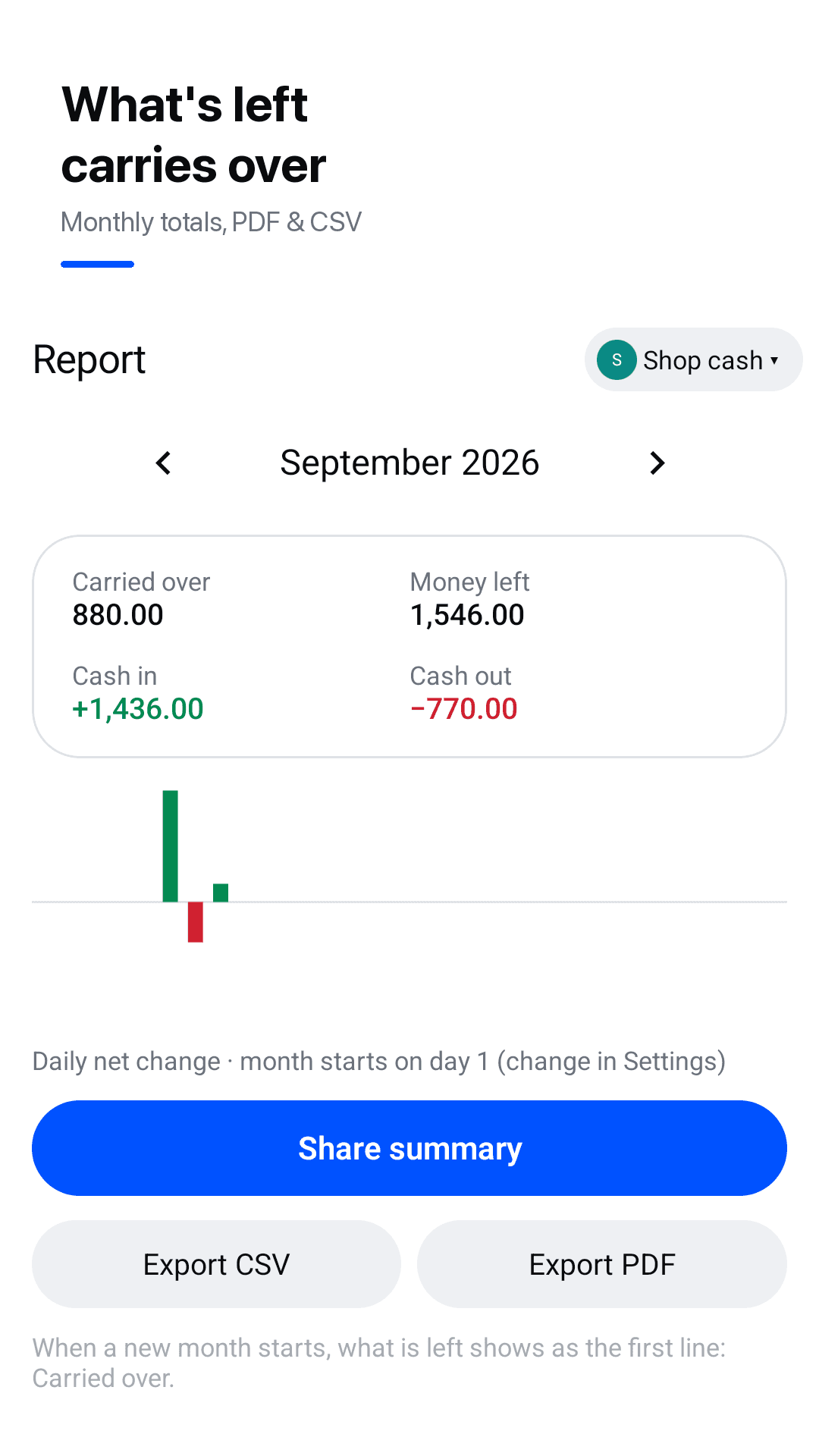
Monthly report: carried over, in, out, left
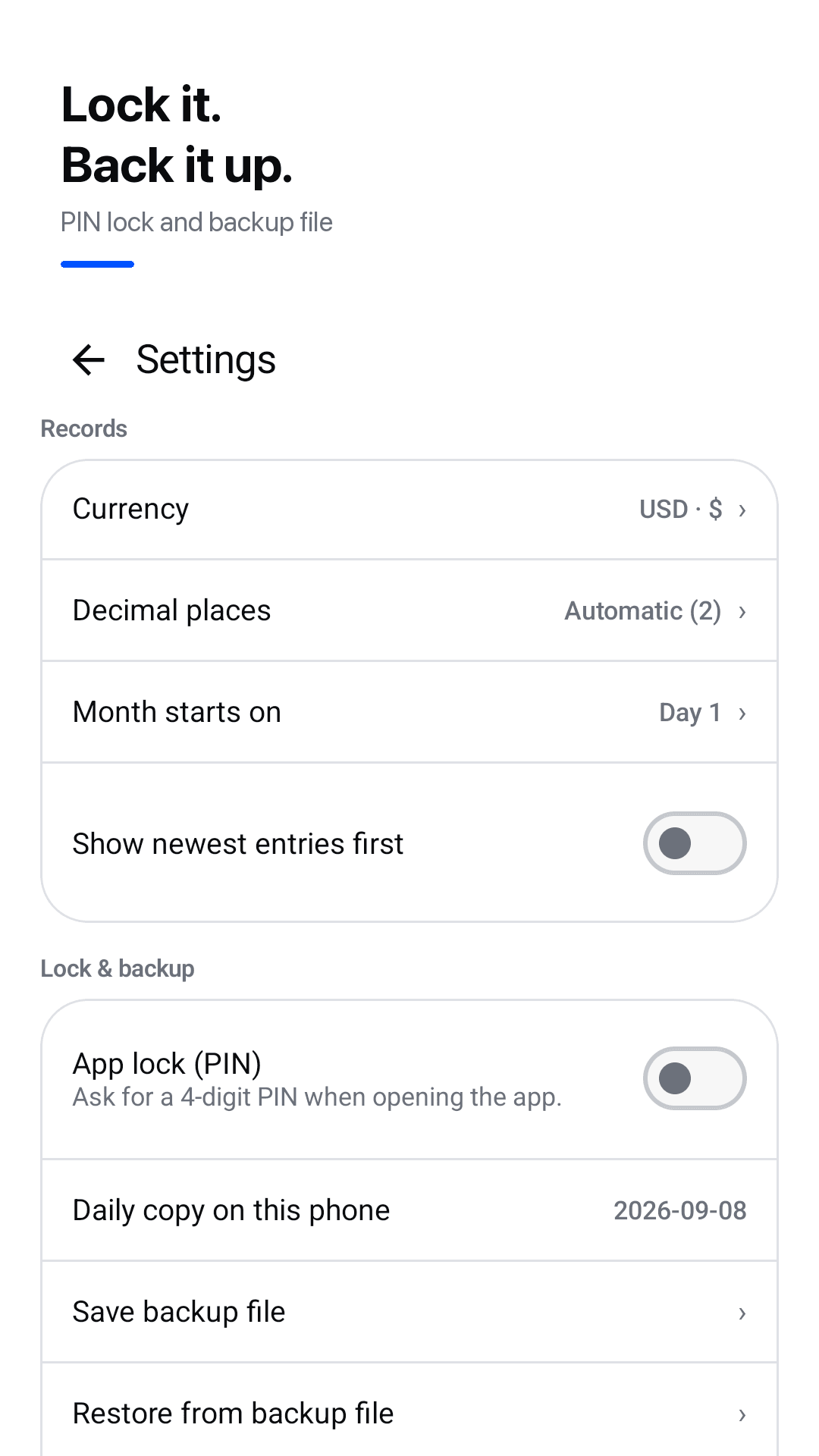
PIN lock, backup and restore
How it works
Create a book
Name it (shop till, petty cash, club dues), pick a currency and, if you like, a month start day that matches your payday.
Log cash in and cash out
Enter an amount and a note; the running balance updates on every line. Or tap cash in / cash out on the widget.
Check the month
The monthly report shows carried over, cash in, cash out and money left, and what's left carries over to next month.
Frequently asked questions
I'm tired of seeing an ad after entering every single transaction. Does Cashrow do that?
No. Cashrow is supported by ads, but it doesn't show an ad after every entry.
Can I have a box at the top of the screen showing the current balance?
Yes. The current balance is always shown at the top of each book, and every line also shows the running balance after that entry.
Can I group multiple cashbooks and see their summary?
Yes. Create as many books as you need, such as a shop till, office petty cash or club dues, and the books list shows each balance plus the total.
Can I transfer an entry to another cash book?
Yes. Make a transfer between books and matching lines are added to both, so each book's balance stays correct. You can also long-press an entry to move it to another book.
Does the balance carry over to the next month?
Yes. When a new month starts, what's left shows as the first line, "Carried over from <month>". If you're paid on the 5th, set the month start day to 5 and months run from the 5th to the 4th.
I have lost my entire data before. How do backups work?
There's no account; your data stays on your phone. Cashrow keeps a daily automatic copy on the phone, and you can save a backup file and restore it on a new phone.
Does it have a lock feature?
Yes. Turn on the optional 4-digit PIN lock in Settings and the app asks for it each time it opens.
Is it connected to my bank account?
No. Cashrow is not a bank and doesn't connect to any account. It's a cash book you fill in yourself, with no sign-in.