BrewdoroA pomodoro timer that fills a coffee cup
Every feature free. No sign-up. Just press play.
People uninstall pomodoro apps for the same reasons: the timer length is behind a paywall, the timer stops when you leave the app, and the ticking won't turn off. In Brewdoro every 25-minute session fills a layer of your cup, four layers brew a full cup, and nothing else is locked.
Why people give up on pomodoro apps
"Why is adding different tasks a premium feature? It's a Pomodoro app"
"The moment you leave the app, the timer stops" — and "if I ended the session in the midway it's not gonna be counted"
"Why is there no setting to turn off the ticking clock"
Nothing locked. One cup at a time ☕
What you actually need to focus
No trial, no lock, no premium pop-ups
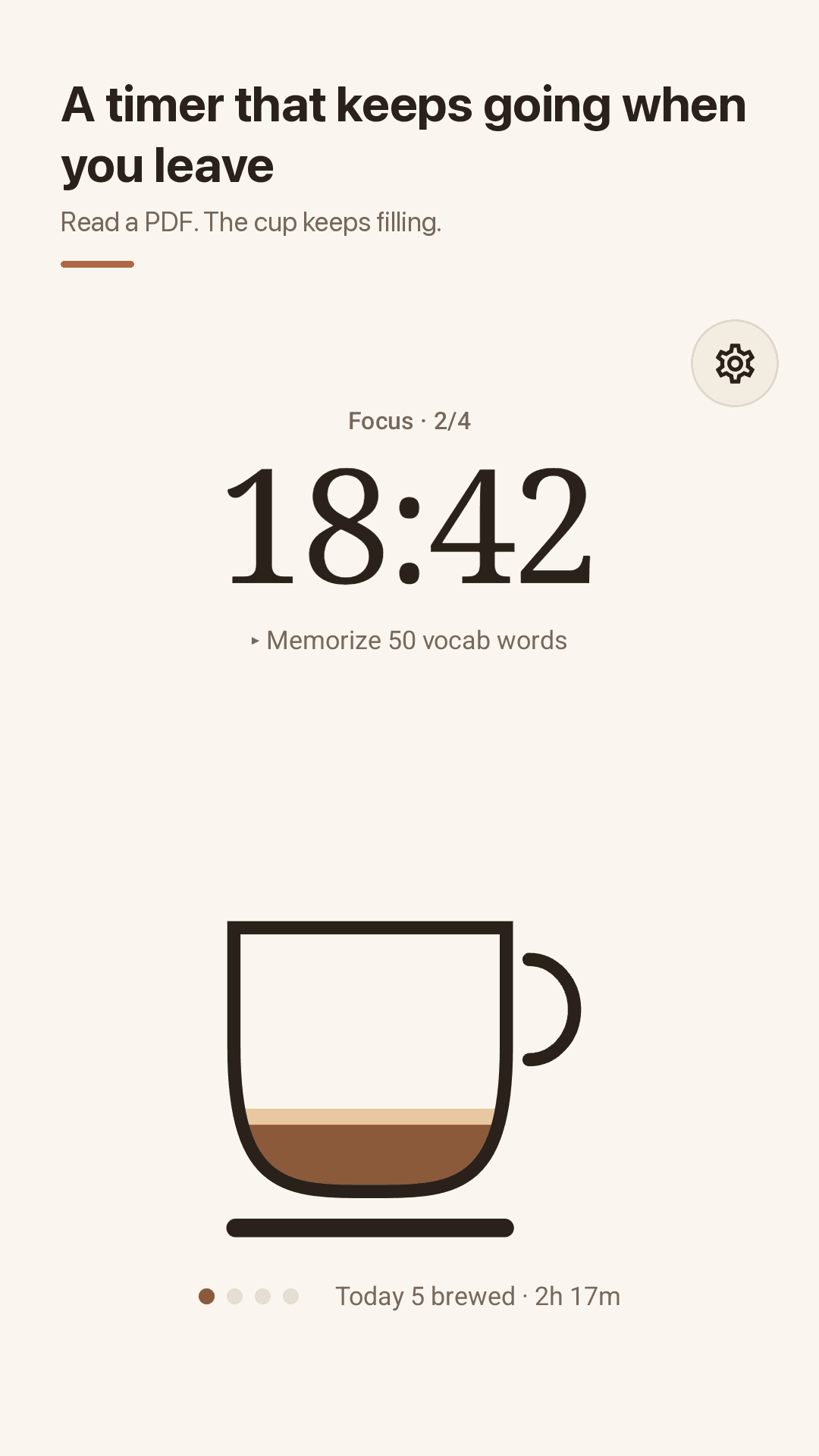
A cup that fills as you focus
Focus for 25 minutes and one layer is brewed. Four layers make a full cup, then you take a longer break. You can see today's progress at a glance.
Every feature free, no sign-up
Focus from 5 to 120 minutes, breaks from 1 to 60, unlimited tasks and the full focus log — no payment, no account. Everything is stored on your phone.
Keeps running when you leave
Read a PDF, answer a message or lock your phone and the timer keeps counting. The countdown stays in your notifications.
Ticking, chime and vibration apart
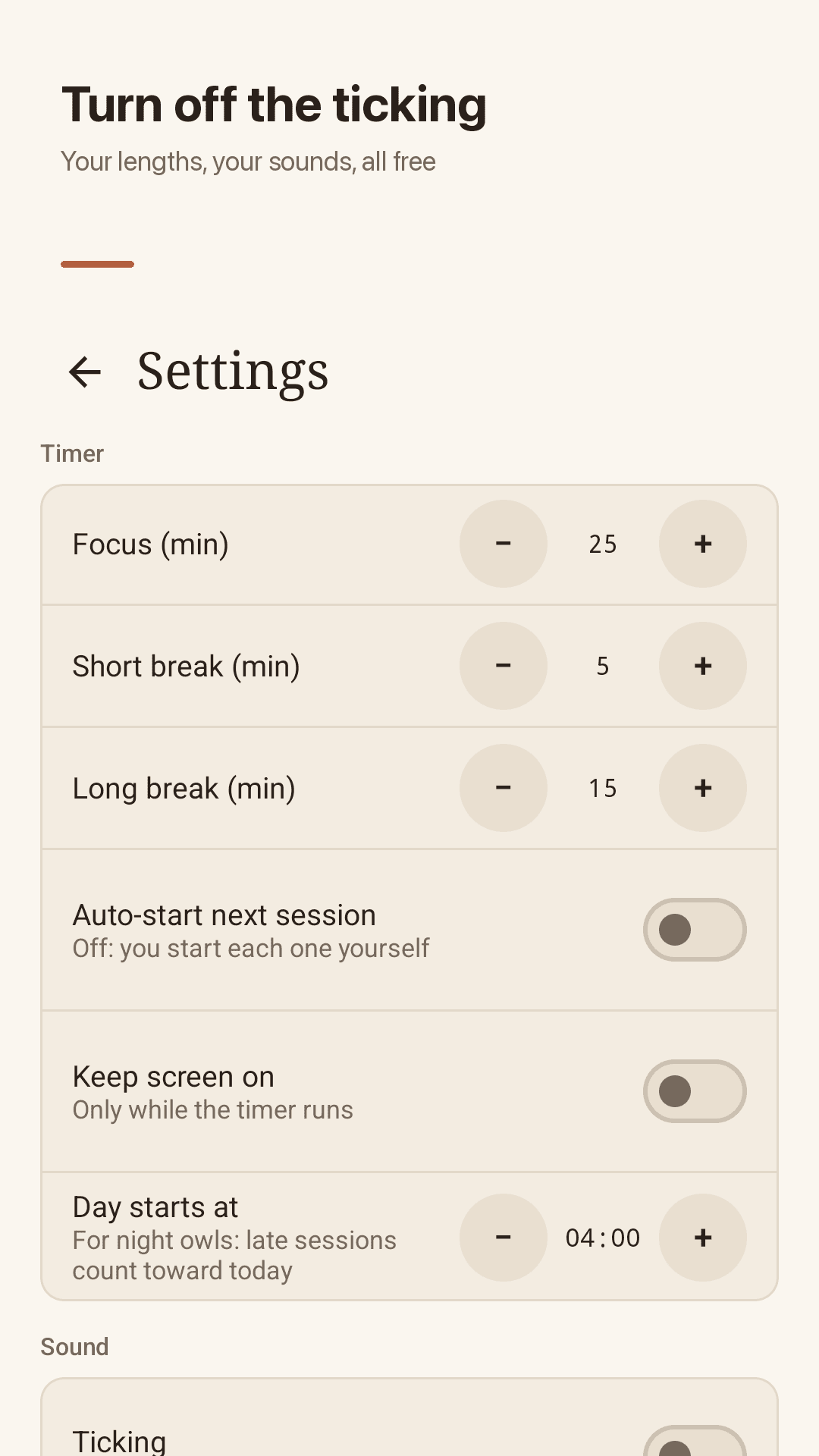
Three separate switches. Vibration is two short pulses, quiet enough for a library. Auto-starting the next session is optional too.
Stopped sessions still count
Stop a session halfway and the minutes you did focus are saved as partial time, so your study log stays honest.
Unlimited tasks
Add as many tasks as you need and estimate how many sessions each takes. Tap play on a task to focus on it; finished sessions are counted on that task.
Weekly chart, streak, daily card
See your weekly focus time, cups brewed and streak. A "day starts at" setting lets a 1 AM session count toward today. Share today's card as an image with your study group.
Home-screen widget
Start or pause from your home screen without opening the app, and see when the session ends and how many you finished today.
A look inside
The cup timer, tasks, focus log and settings
A cup that fills as you focus
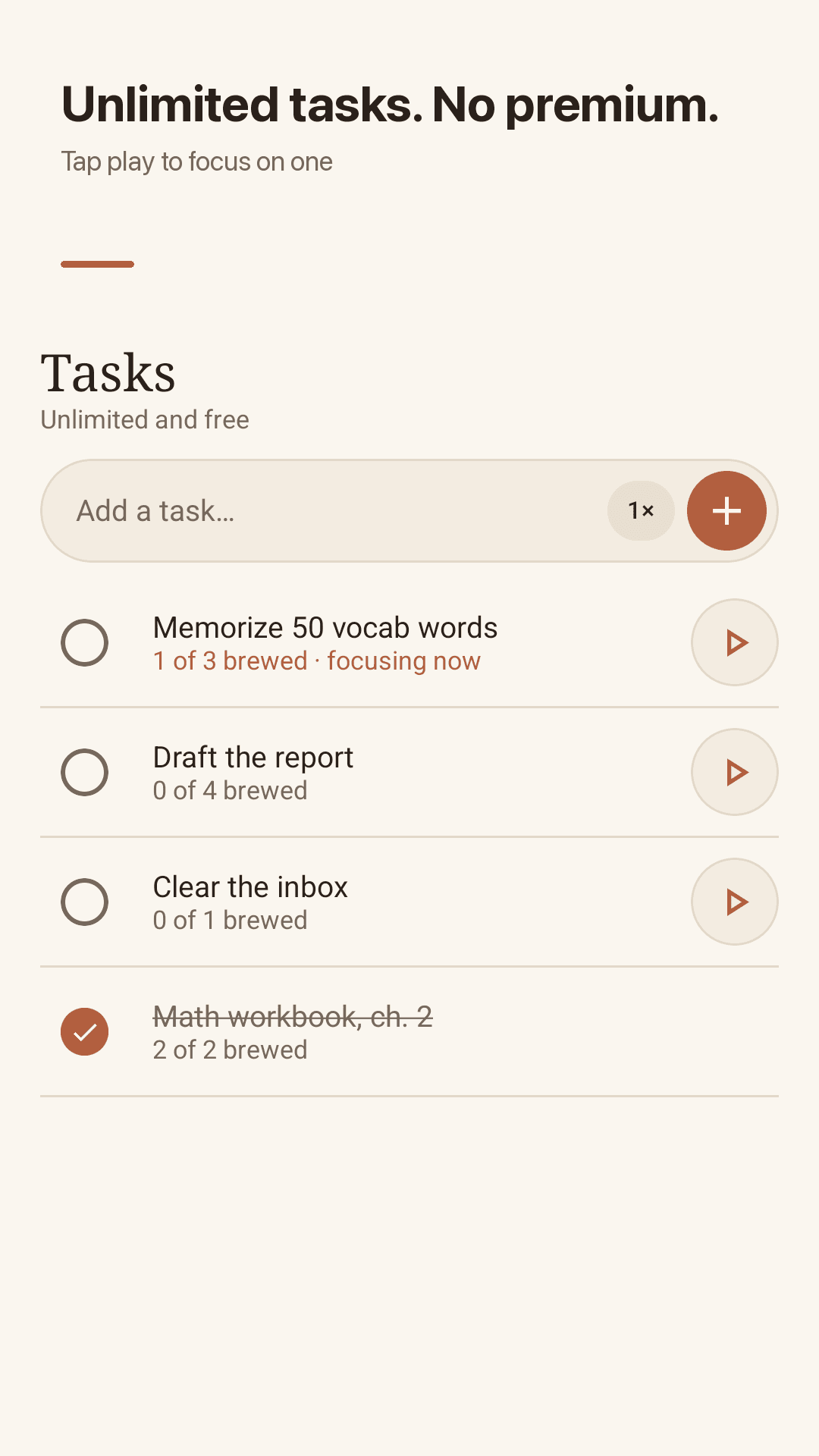
Unlimited tasks with session estimates
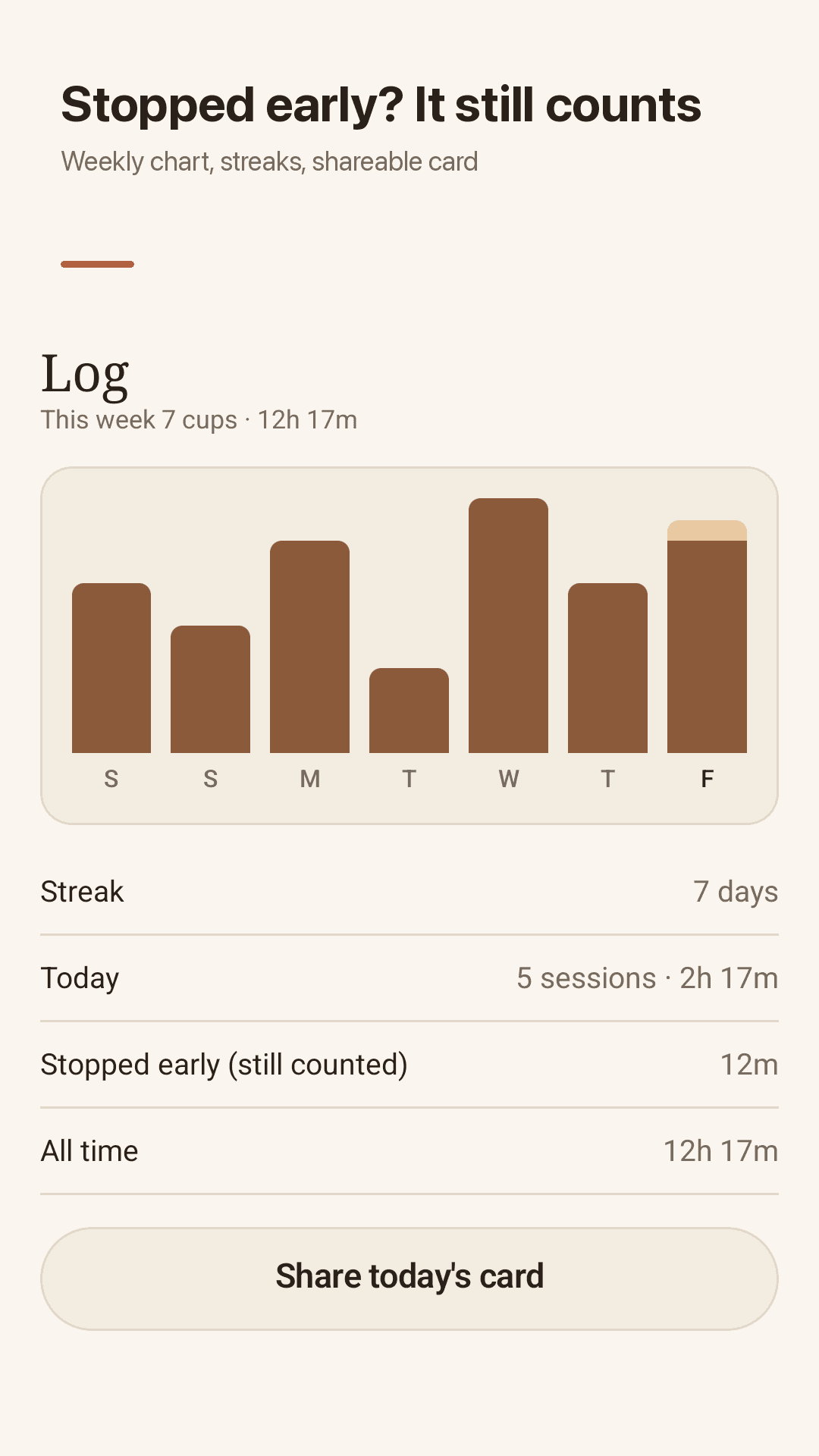
Weekly chart and streak
Sound and vibration, separately
Three steps, that's it
Add a task
Write what you're working on and how many 25-minute sessions it needs — or skip it and just start.
Press play
From the app or the widget. The cup starts filling and keeps going even if you switch apps.
Check your log
See how many cups you brewed today and how much you focused this week.
Frequently asked questions
Are custom timer lengths and multiple tasks really free?
Yes. Brewdoro was built for everyone who wrote "after the trial period you can't even set break or pomodoro timing". Focus lengths of 5–120 minutes, breaks of 1–60, unlimited tasks and the focus log are all free. There are no in-app purchases or subscriptions; ads keep it free.
Does the timer stop when I leave the app?
No. Switch apps or lock your screen and it keeps counting, with the countdown shown in a notification. Some phones aggressively kill background apps to save battery; if yours does, exclude Brewdoro from battery optimization.
Can I turn off the ticking sound?
Yes. Ticking, the end chime and vibration are three separate toggles. Vibration is two short pulses rather than a long buzz.
If I stop a session midway, does it count?
Yes. The minutes you focused before stopping are saved as partial time and added to today's total.
I study past midnight. Will my log split in two?
Not if you set "day starts at" — for example to 4 AM. Then a 1 AM session counts toward the day you started. It's there for night owls who "can't change the daily reset time" elsewhere.
Do I need an account?
No. There's no sign-up, login or sync. Tasks and focus history stay on your phone, so logging out can't wipe them. Uninstalling the app does delete them.
Can I stop the next session from starting automatically?
Yes. Turn off auto-start in settings and you'll start each session yourself. Keeping the screen on while the timer runs is optional as well.
When do ads appear?
Full-screen ads only appear at natural stopping points (a finished session, a saved task, sharing your card), never while the countdown runs. There are no premium pop-ups.