
BiCamOne shot, vertical and horizontal at once
Shoot once. Save in two aspect ratios.
Hit record once and the vertical (9:16) video lands in your gallery right away, while a center-framed horizontal (16:9) version converts automatically in the background. No more shooting the same scene twice for Reels, Shorts, TikTok and YouTube.
Sound familiar, creator?
Shoot vertical, and you're missing the horizontal cut for YouTube
Shoot horizontal, and you're missing the vertical cut for Reels and Shorts
So you film the same scene twice — or lose time re-cropping in an editor
BiCam saves both versions from a single shot ✨
One shot, content for both platforms
From capture to conversion to gallery — all included
Vertical & horizontal, saved together
One take produces two files in your gallery — 9:16 and 16:9. No need to reshoot the same scene.
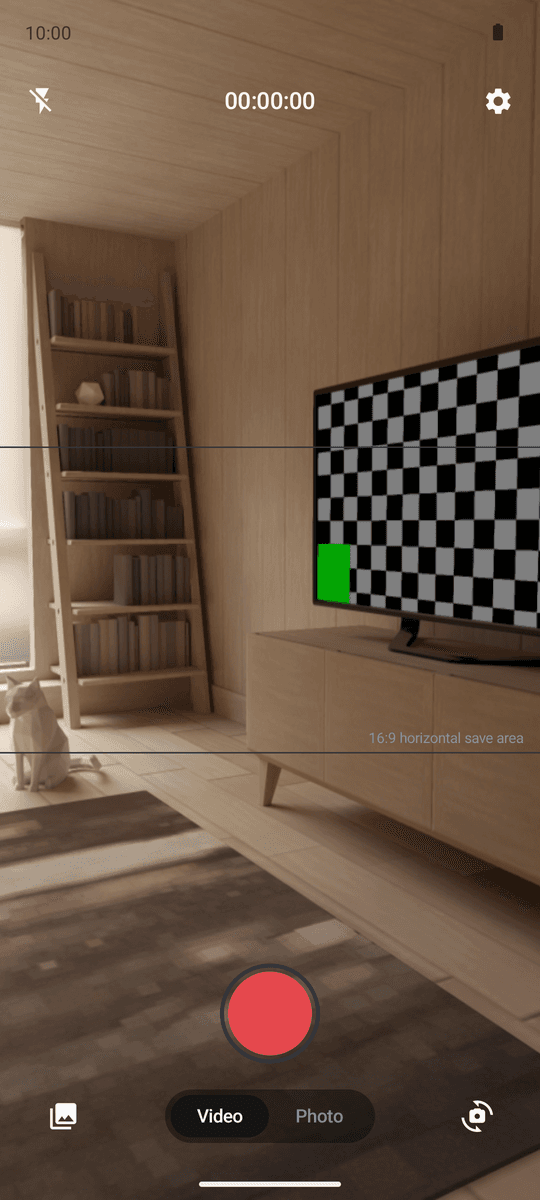
Real-time 16:9 guidelines
An on-screen guideline shows exactly what the horizontal version will include, so you can frame while you shoot.
Background conversion + notification
The horizontal version converts in the background. Keep shooting without waiting — you'll get a notification when it's done.
Photos come in pairs too
One tap of the shutter saves two photos: the vertical original and a 16:9 horizontal crop.
1080p / 4K quality
Record at the highest quality your device supports, with front and rear cameras and flash.
100% on-device
No signup, no server uploads. Everything is captured and converted on your phone, and saved only to your gallery.
From capture to gallery — the real screens
See how both versions come together
Camera view with the real-time 16:9 guideline
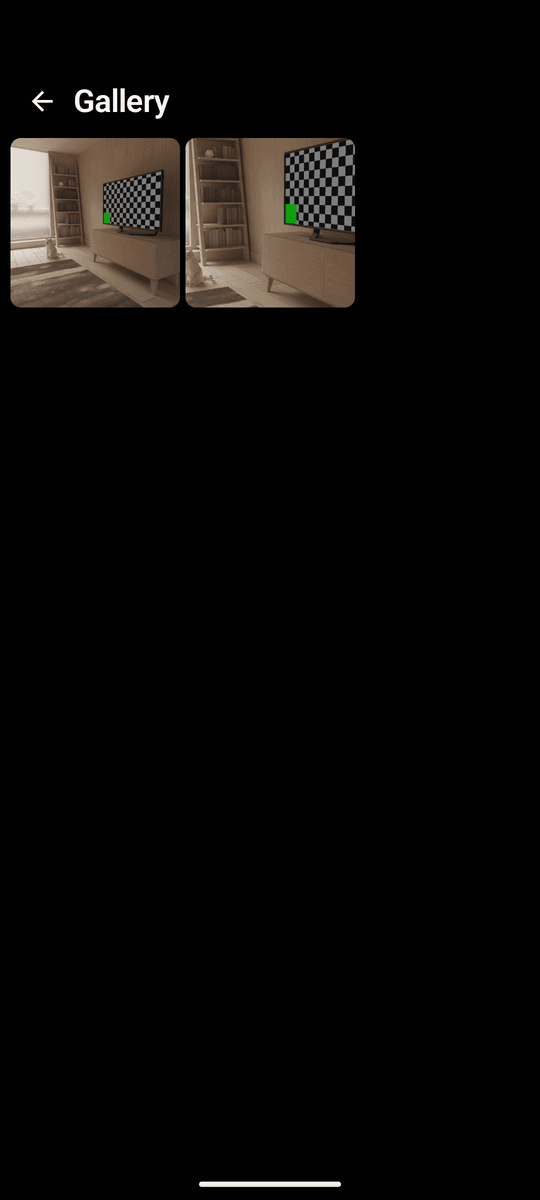
Built-in gallery with both versions in one place
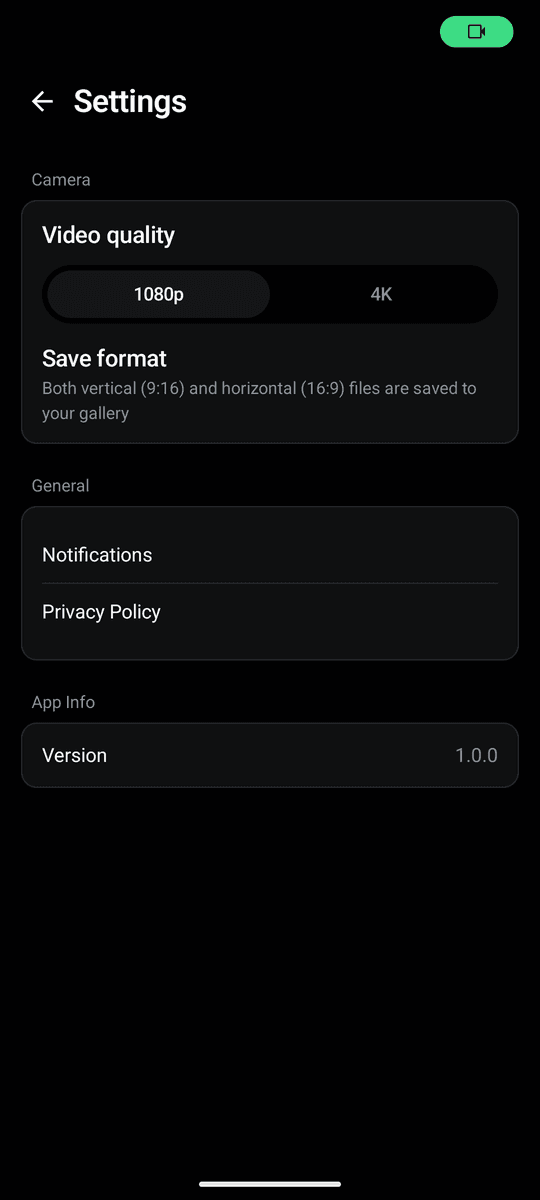
Simple settings — just pick 1080p or 4K
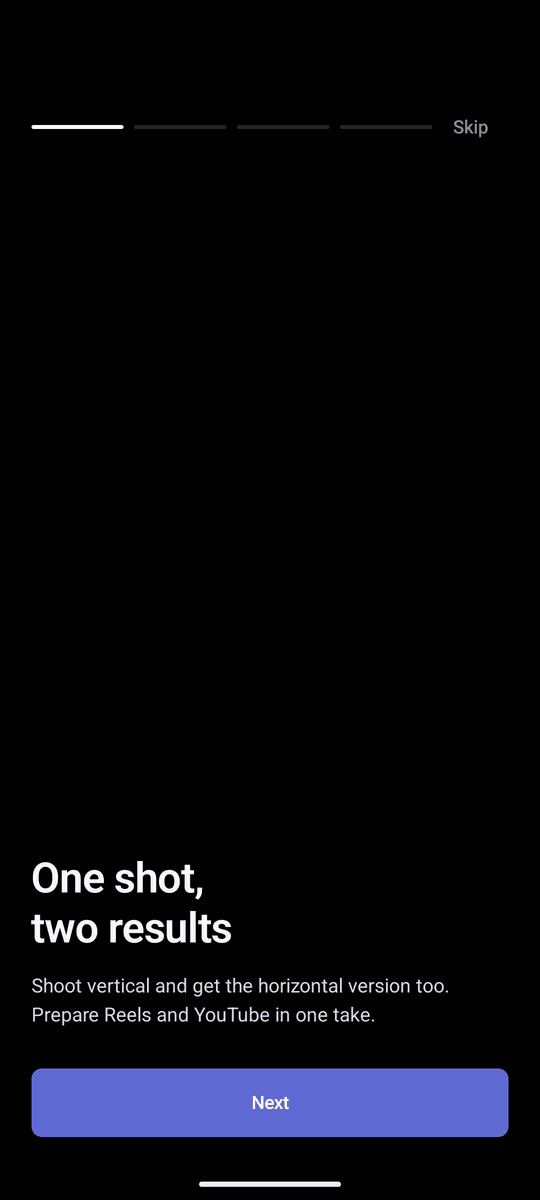
A quick onboarding, then straight to shooting
Three steps is all it takes
Shoot vertical as usual
Just hit record in portrait. The guideline shows what will make it into the horizontal version.
Let the conversion run
The vertical video saves instantly; the horizontal version converts in the background and notifies you when ready.
Post both versions
Upload the 9:16 to Reels, Shorts or TikTok and the 16:9 straight to YouTube.
Frequently asked questions
Is it free?
Yes — BiCam is a free app supported by ads. Dual saving, automatic conversion, and 4K recording are all included for free, with no subscription.
How are the two versions saved?
When you stop recording, the vertical (9:16) original is saved to your gallery immediately. A center-framed horizontal (16:9) version then converts automatically in the background, and you get a notification when it's done.
Do I need an internet connection?
No. Both recording and conversion happen entirely on your device, so BiCam works offline. Nothing you shoot is ever uploaded to a server.
What about video quality?
You can choose between 1080p and 4K, up to the highest quality your device supports. The horizontal version is converted from the full-quality original.
Does it work for photos too?
Yes. One tap of the shutter saves two photos at once: the vertical original and a 16:9 horizontal crop.
Do I need an account?
No. There's no signup or login — install and start shooting right away. Your footage stays in your device's gallery.
Shoot once, post everywhere
Download free and have both vertical and horizontal ready from your very next take.